
Custom Values in WordPress
The Custom Values integration in the LC WordPress Plugin lets you display live Patient Copilot data inside WordPress pages or posts using shortcodes. It brings the same personalization used in funnels, emails, and automations directly to WordPress—no coding or complex setup required.
- What Are Custom Values in WordPress?
- Key Benefits
- [Native Sync with Patient Copilot](#Native-Sync-with-Patient Copilot)
- Using Shortcodes in WordPress
- Custom Value Manager (WP Admin)
- Dynamic Rendering and Page Output
- Setup Steps
- FAQ
- Related Articles
What Are Custom Values in WordPress?
Custom Values in WordPress sync the key:value pairs from your Patient Copilot sub-account (system and custom) and make them available as WordPress shortcodes. When a visitor loads a page, the plugin automatically pulls the latest data—keeping your content current without manual edits.
Key Benefits
- Omnichannel consistency: Use the same data in automations, emails, and websites.
- Real-time updates: Change a value once in Patient Copilot—WordPress updates instantly.
- No-code setup: Paste a shortcode instead of editing code.
- Reusable templates: Build client sites with placeholders that auto-fill on sync.
- Seamless integration: WordPress becomes part of your Patient Copilot ecosystem.
Native Sync with Patient Copilot
The LC Plugin connects your WordPress site to your Patient Copilot sub-account through secure OAuth. Once authorized, it:
- Fetches all system and user-defined Custom Values.
- Stores them locally for quick access.
- Resyncs automatically every 12 hours (manual Sync Now also available). This ensures your WordPress data always mirrors your Patient Copilot account without manual syncing.
Using Shortcodes in WordPress
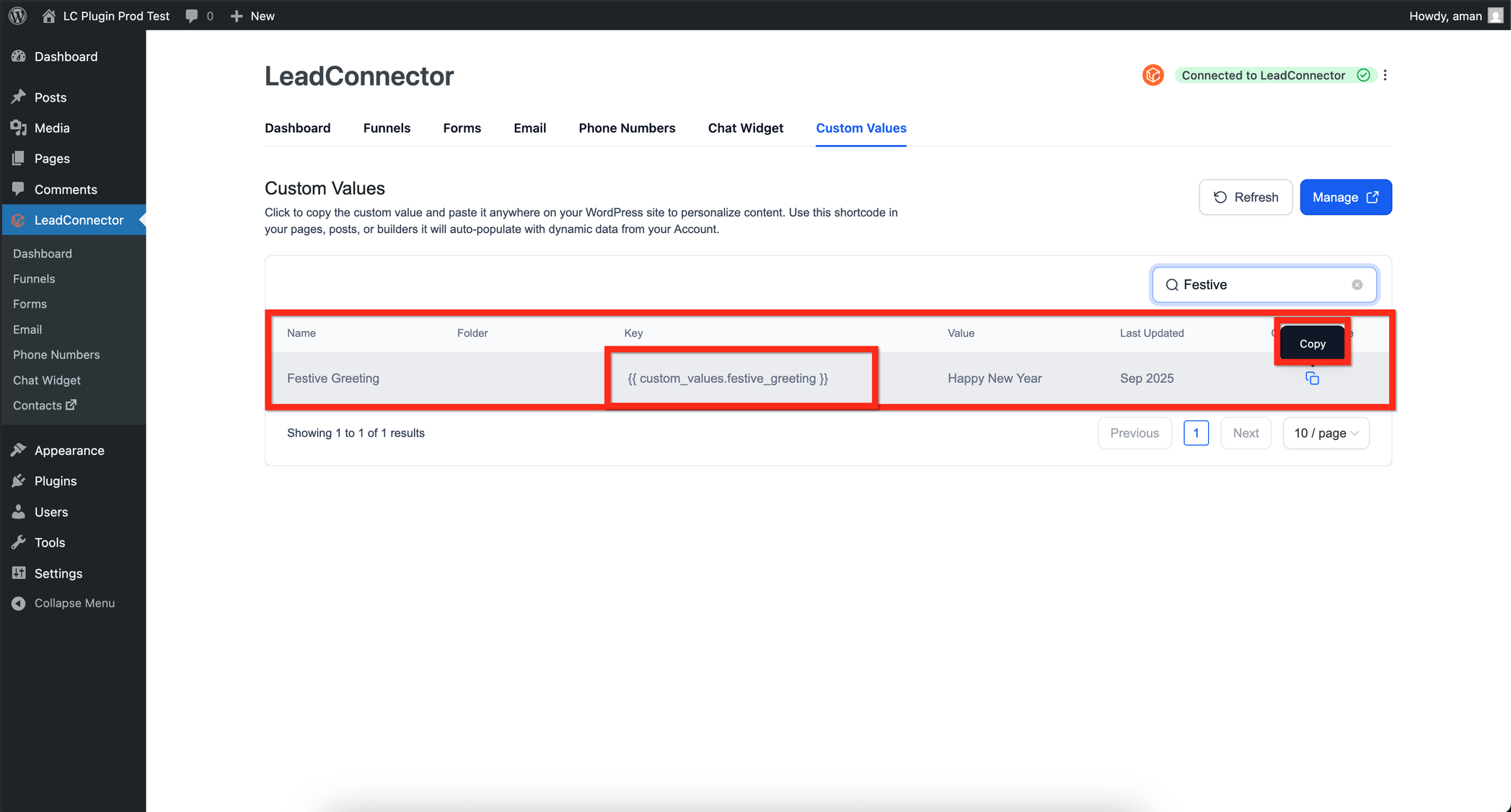
Shortcodes let you dynamically display live data anywhere inside your WordPress content—page builders, blocks, or classic posts. [hl_custom_value name="custom_values.your_key"] ```
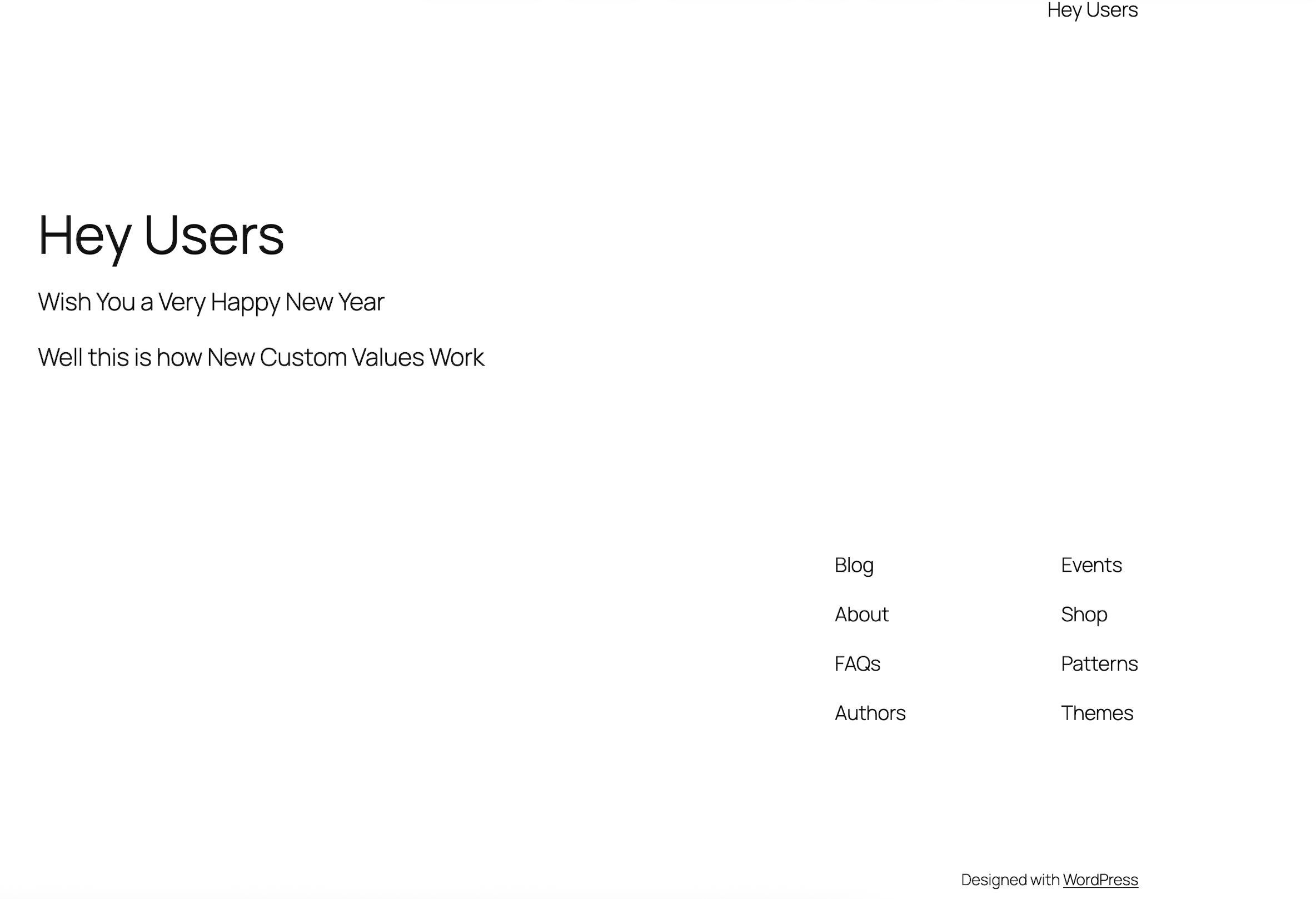
Wish You a Very [hl_custom_value name=“custom_values.festive_greeting”]
You can use shortcodes in **Elementor, Divi, Bricks, Beaver Builder, Gutenberg, or the Classic Editor**—any builder that supports native WordPress shortcodes.
---
## **Custom Value Manager (WP Admin)**
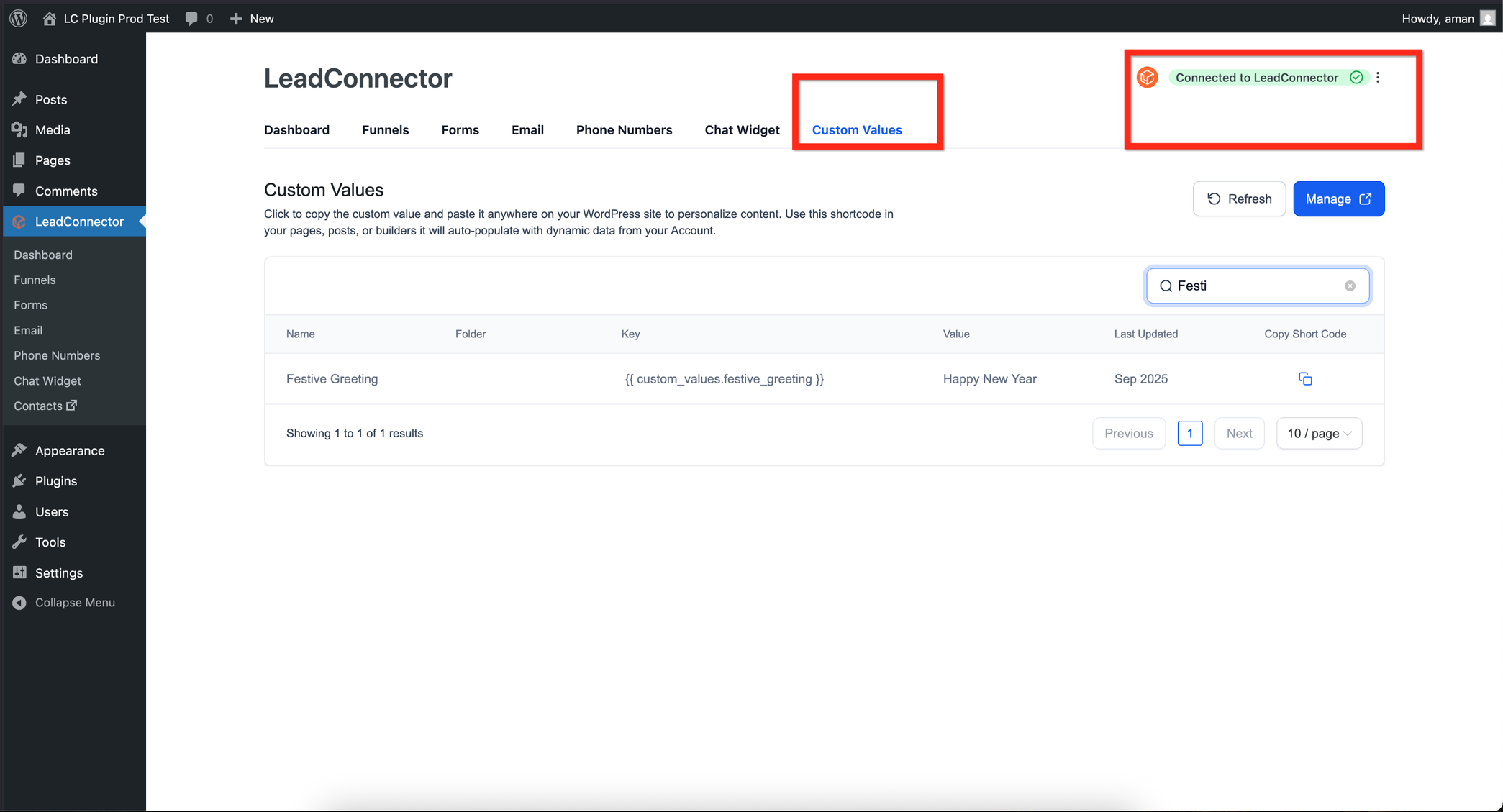
Inside WordPress, open the Patient Copilot Custom Values section to view and manage your synced keys.- View each synced Custom Value and its current data.- Copy shortcodes in one click.- Trigger a manual resync or enable automatic syncing.- Filter by folders matching your Patient Copilot structure. This makes it easy to organize and access all synced data directly within your WordPress dashboard.
---
## **Dynamic Rendering and Page Output**
When a visitor opens a page, the LC Plugin renders the Custom Value in real time. If caching plugins are used, stale data may appear unless proper cache rules are applied.- Enable **“Purge cache on resync”** if caching is active.- Avoid caching pages that display contact-specific values.- Always resync after updating values in Patient Copilot.
---
## **Setup Steps**
To connect your WordPress site with Patient Copilot, make sure you’re using LC Plugin version 3.5.0 or higher. In your WordPress Admin, open the Patient Copilot settings and select Connect Account, then authorize your Patient Copilot login. Choose the appropriate sub-account and grant access. Once connected, the plugin will automatically sync and display a confirmation message stating Connected to Patient Copilot. After the sync completes, open the Custom Values section in Patient Copilot to confirm that your data has been imported. You can then copy a shortcode and place it within any page or post using your preferred builder. When published, your WordPress content will dynamically display the synced Patient Copilot data in real time.
---
## **FAQ**
**Does it support contact-level values?**
Yes—if the visitor is tracked via cookie or URL parameter. **Will it slow my site?** No. Values are cached locally and refreshed only during sync operations. **Can I connect multiple sub-accounts?** Each WordPress install can connect to one sub-account. Use multisite for multiple clients. **What if a value is deleted in Patient Copilot?** It appears blank until you resync or replace it. **Who can authorize connections?** Only Patient Copilot users with API access to the sub-account can connect WordPress.
---
## **Related Articles**
---