
How to Update SEO for Blog Post
Search engine optimisation, or SEO, is incredibly important for marketers. When you optimise your web pages — including your blog posts — you’re making your website more visible to people who are using search engines (like Google) to find your product or service. Three ways to add or update the SEO Blog Post Details are discussed in this article.
Ways to Update SEO for the blog post
- 1: When you create new blog post
- 2: When you go Blog Post > Editor > Publish screen
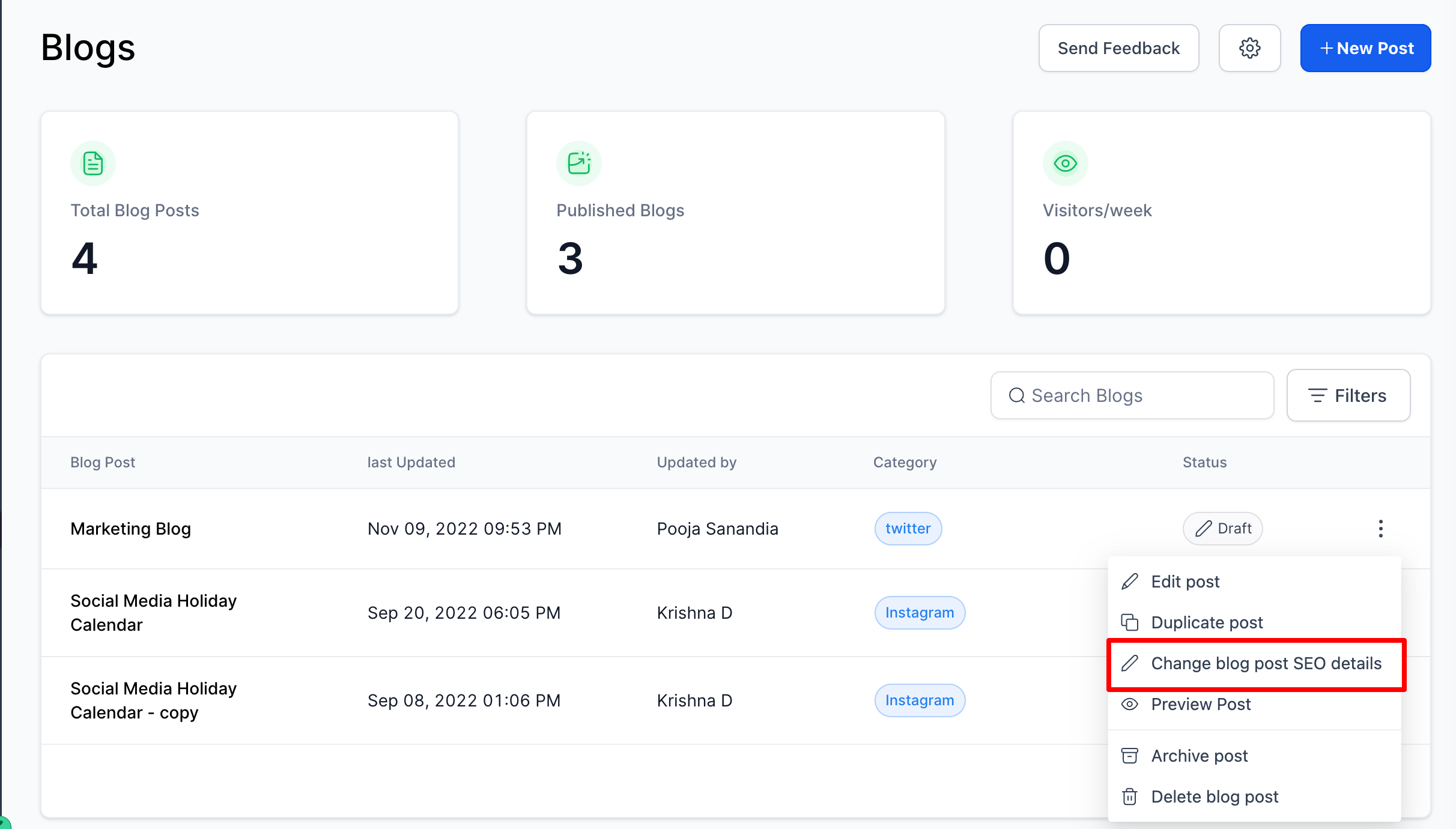
- 3: In Blog list view, in the action dropdown, using Update SEO details
1: When you create a new blog post
2: When you go to Blog Post > Editor > Publish Screen
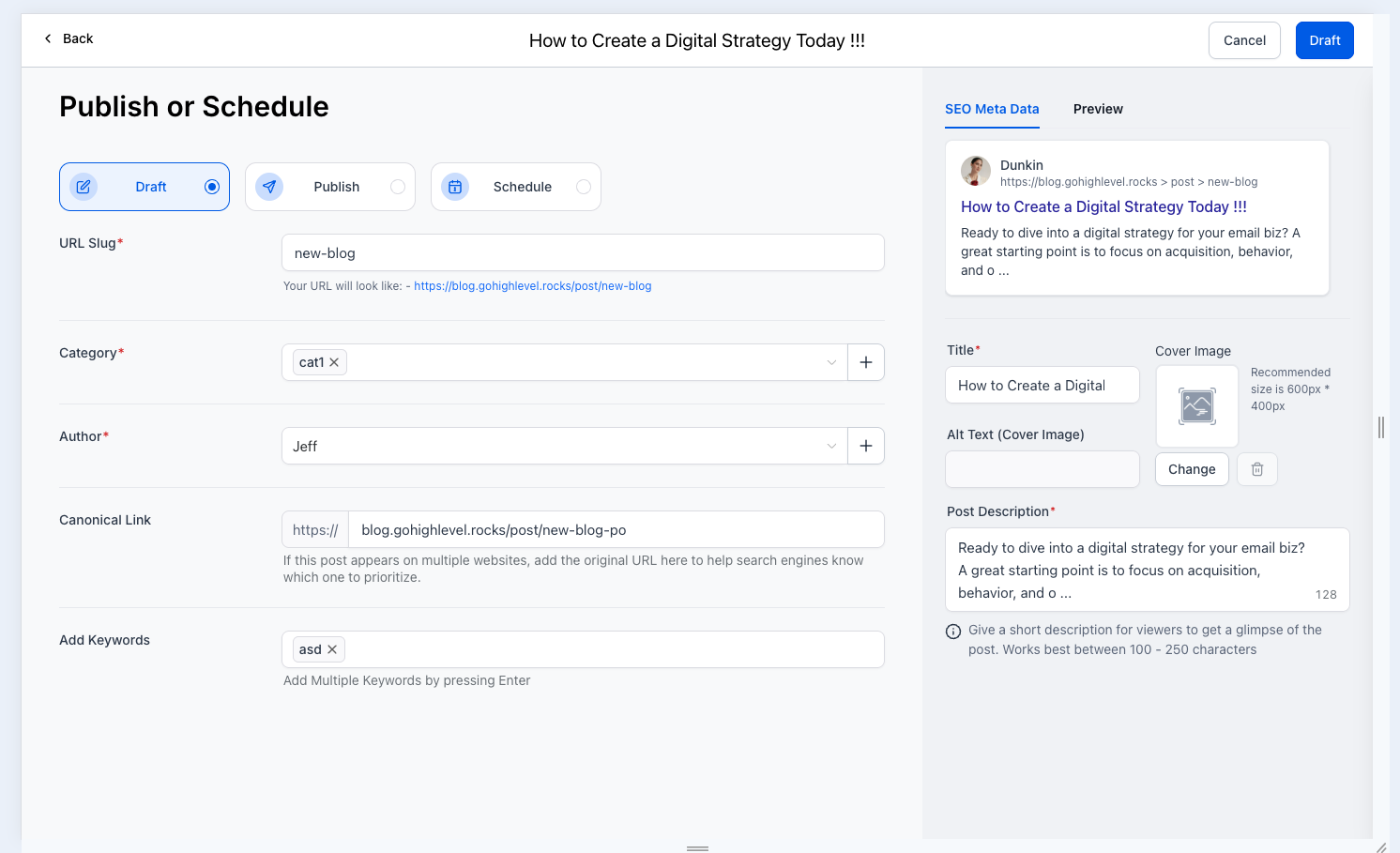
Note - Supported Image size is 10MB
3: In the Blog list view, in the action dropdown, using Update SEO Details
Was this article helpful? That’s Great! Thank you for your feedback Sorry! We couldn’t be helpful Thank you for your feedback Feedback sent We appreciate your effort and will try to fix the article