URL Parameters in Websites and Funnels
Patient Copilot Websites and Funnel pages allow you to use {{keywords}} in the page which get replaced with custom content when the page is loaded. That way each individual viewer can see unique content relevant to them personally, like their name.
What Are URL Parameters?
The URL is the address of a webpage like https://google.com or https://help.patientcopilot.ai Parameters are key=value pairs added to the end of the URL like https://google.com**?key=value&key2=value2** The address is used to find the webpage and the parameters can then be passed into the webpage for it to do something with. Let’s explain URL parameters, UTM parameters, and merge fields. URL parameters can be anything like lorem=ipsum. They are often used to navigate to a part of the page or display custom content. UTM parameters are a type of URL parameter that use industry-standard marketing keywords like utm_source=google or utm_medium=email. These provide valuable tracking information and are used to optimize SEO and marketing campaigns. They are not displayed on the page. Merge fields are used throughout Patient Copilot to pull in dynamic data. The format inserted into an email or a website, for example, is {{contact.email}}. These are static tags that Patient Copilot searches for and replaces with the most current value of that tag. So the final version of the email, website, etc has the dynamic content instead of the static tag. Merge fields and URL parameters are used the same way. In your website or funnel you use the format {{keyword}} and Patient Copilot finds the best match. If it matches a merge field, Patient Copilot will pull data from the database. If it matches a URL parameter, then the string in the URL will be pulled in.
Merge Fields in Pages
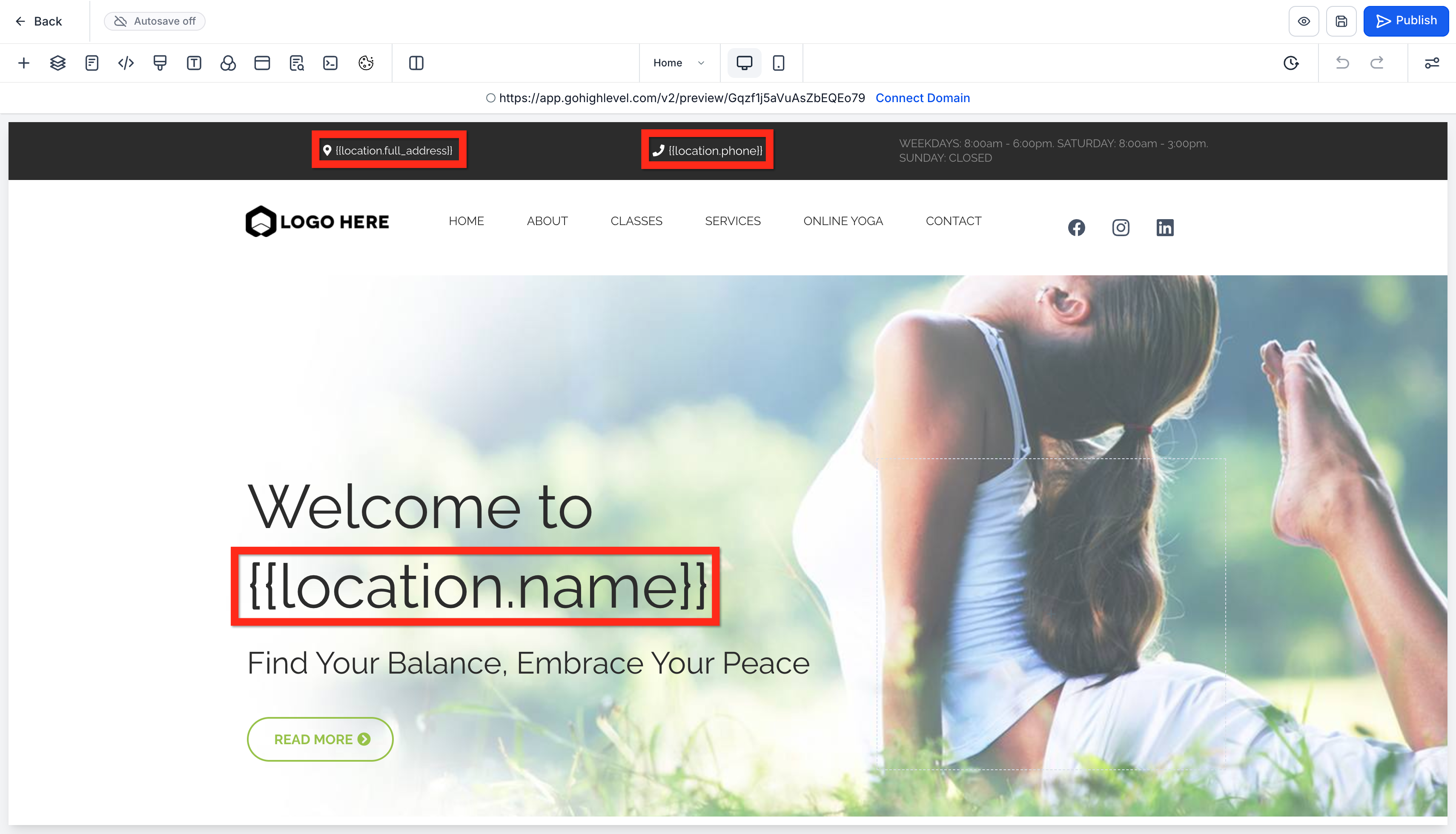
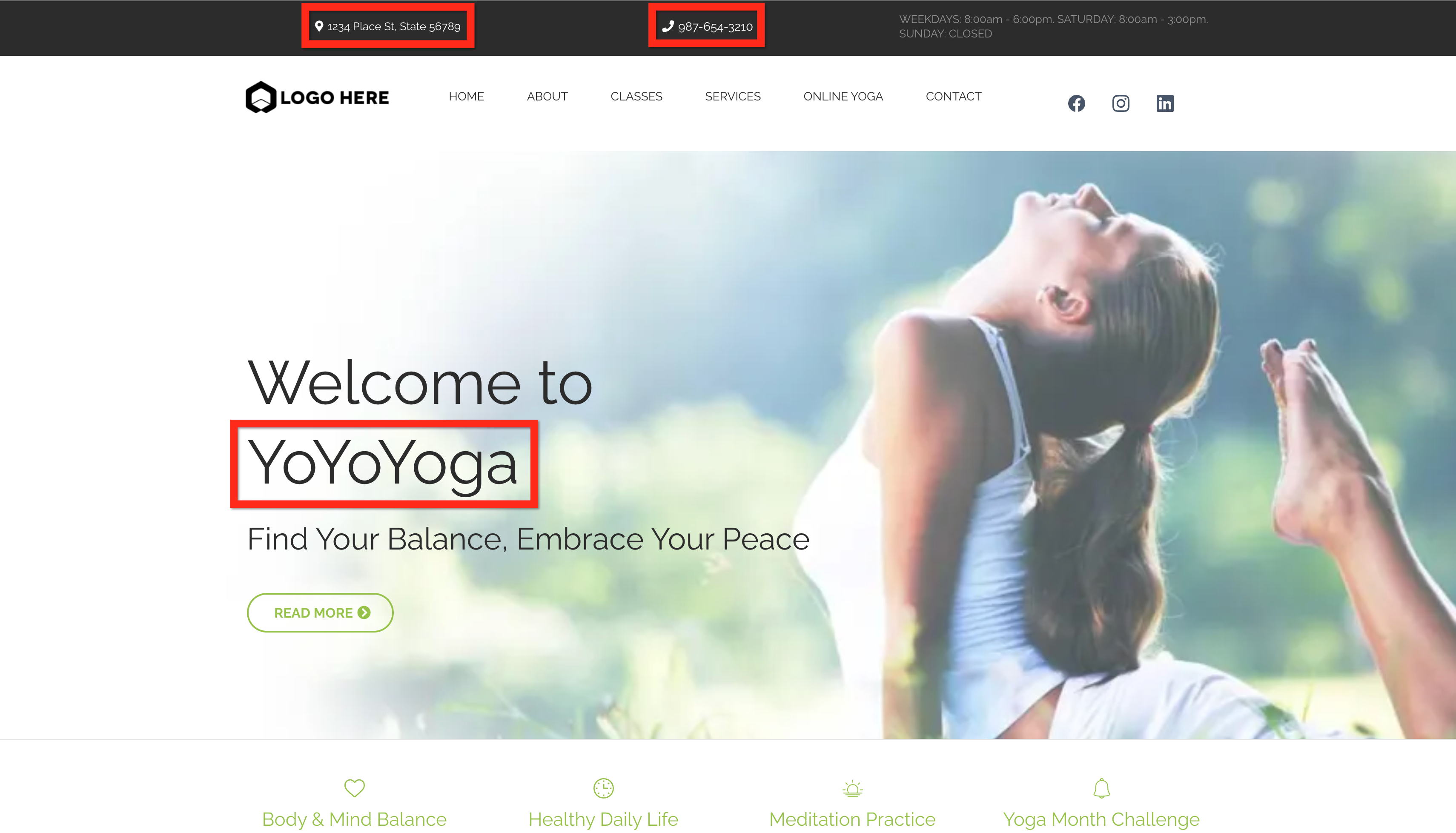
Many templates already include merge fields like the below example: - {{location.full_address}} will be replaced by the subaccount’s business full address from the database (1234 Place St, State 56789).
- {{location.phone}} will be replaced by the subaccount’s business phone from the database (987-654-3210).
- {{location.name}} will be replaced by the subaccount’s business name from the database (YoYoYoga).
URL Parameters In Pages
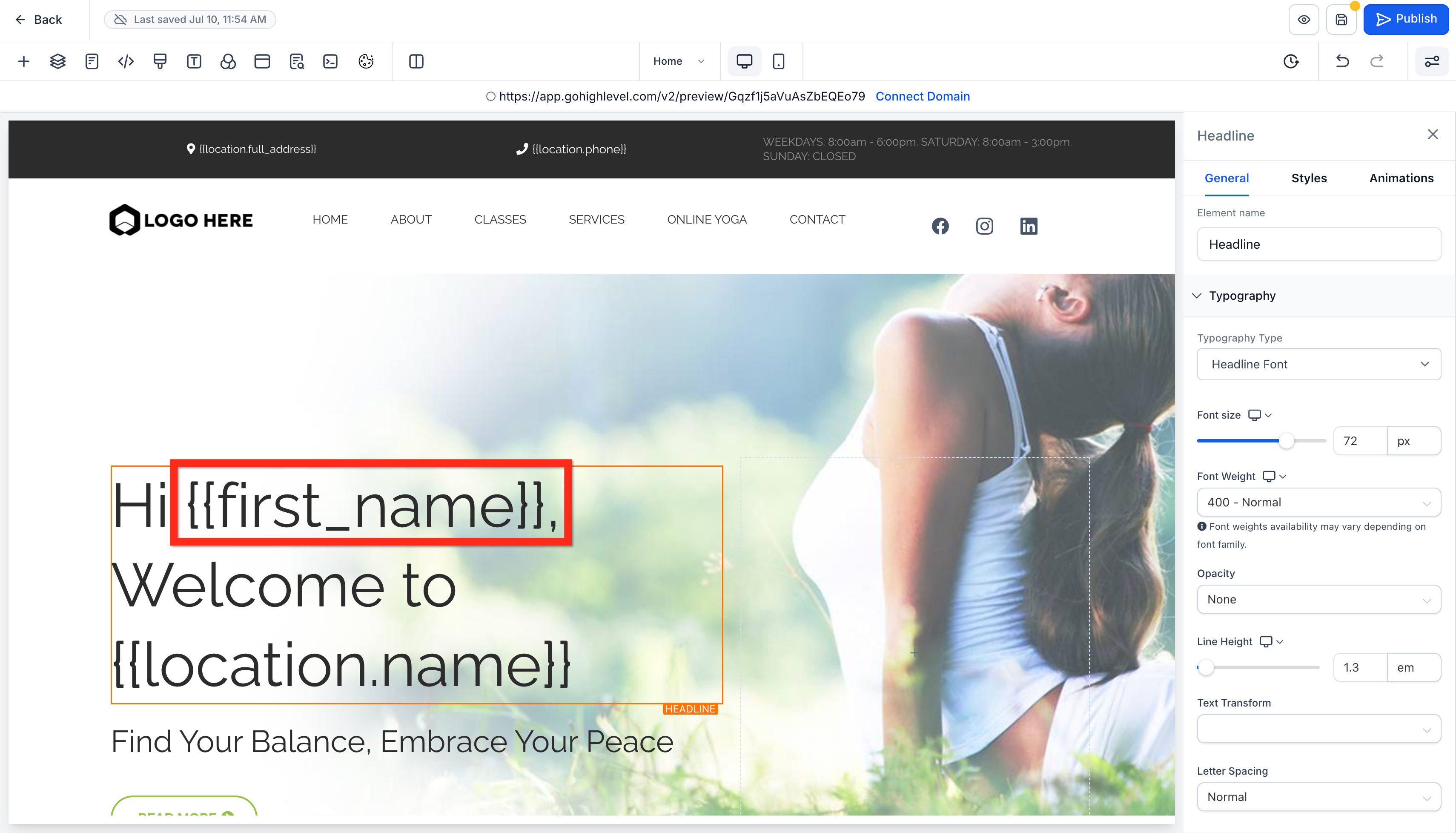
You can manually create URL parameters and use them the same way merge fields are used. It’s easy to test URL parameters by loading the page preview and inserting them into the URL manually. In this example we changed “Welcome to {{location.name}}” to “Hi {{first_name}}, Welcome to {{location.name}}”
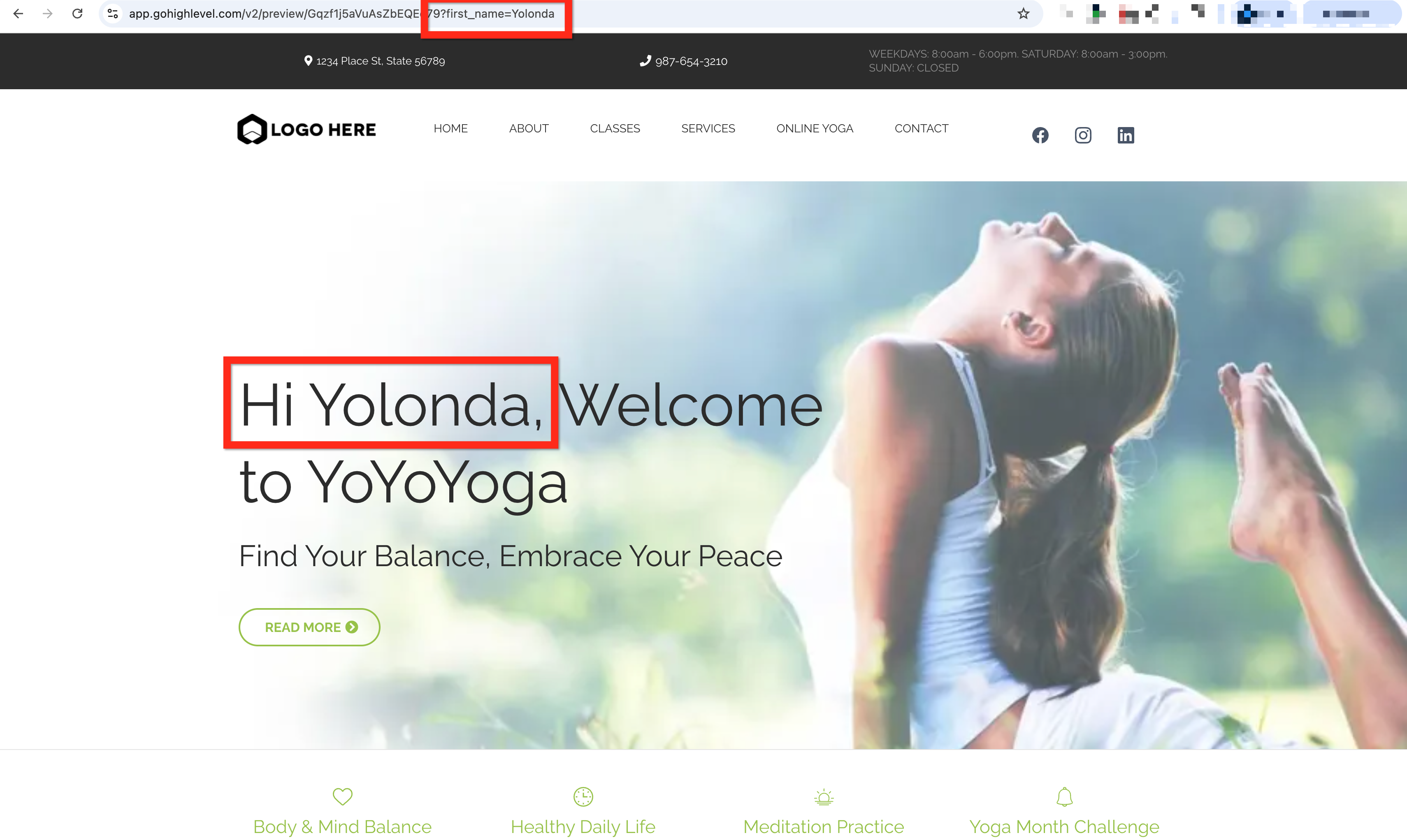
When we load the page preview (make sure to save the page) we see the “Hi,” part but not a name. That’s because we haven’t inserted the URL parameter into the URL yet.

After we manually edit the URL in the URL bar at the top of the browser by adding “?first_name=Yolonda” and hit enter we see the page pick up that parameter and display it.
URL Parameters in Links
After your page has URL parameters in it, you want to make sure to include URL parameters in the links to that page. For example, in an email, you can include the same URL you just edited manually and it will work the same way.
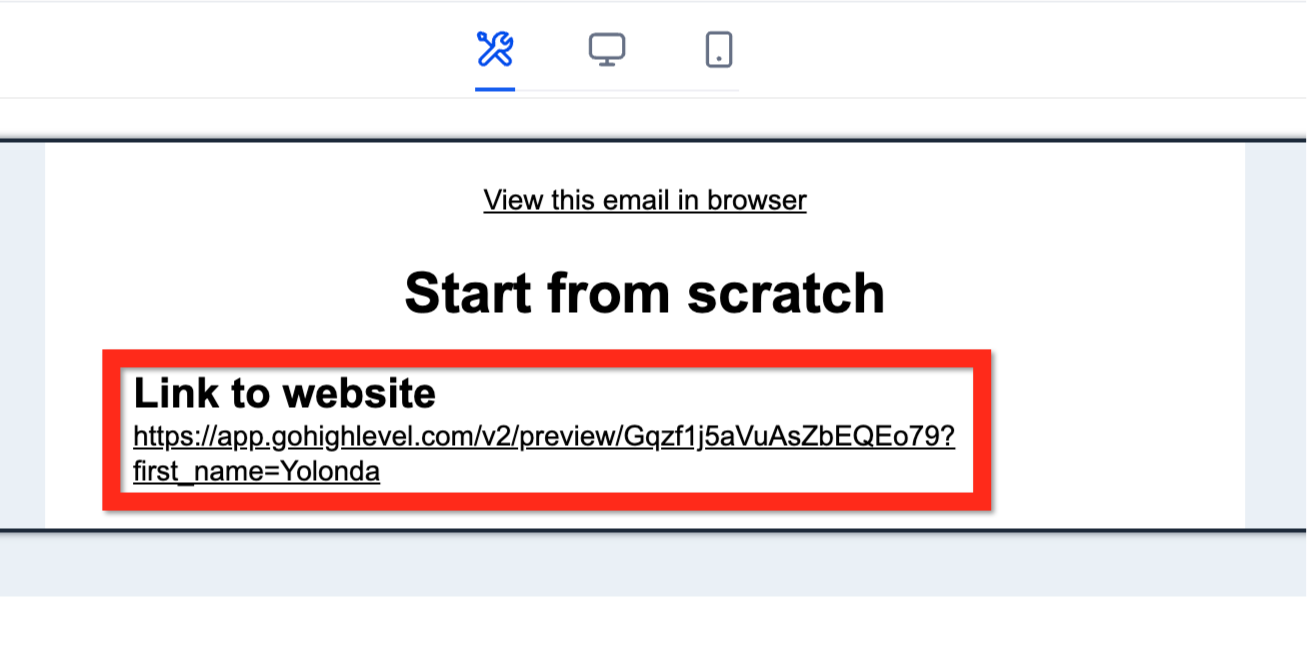
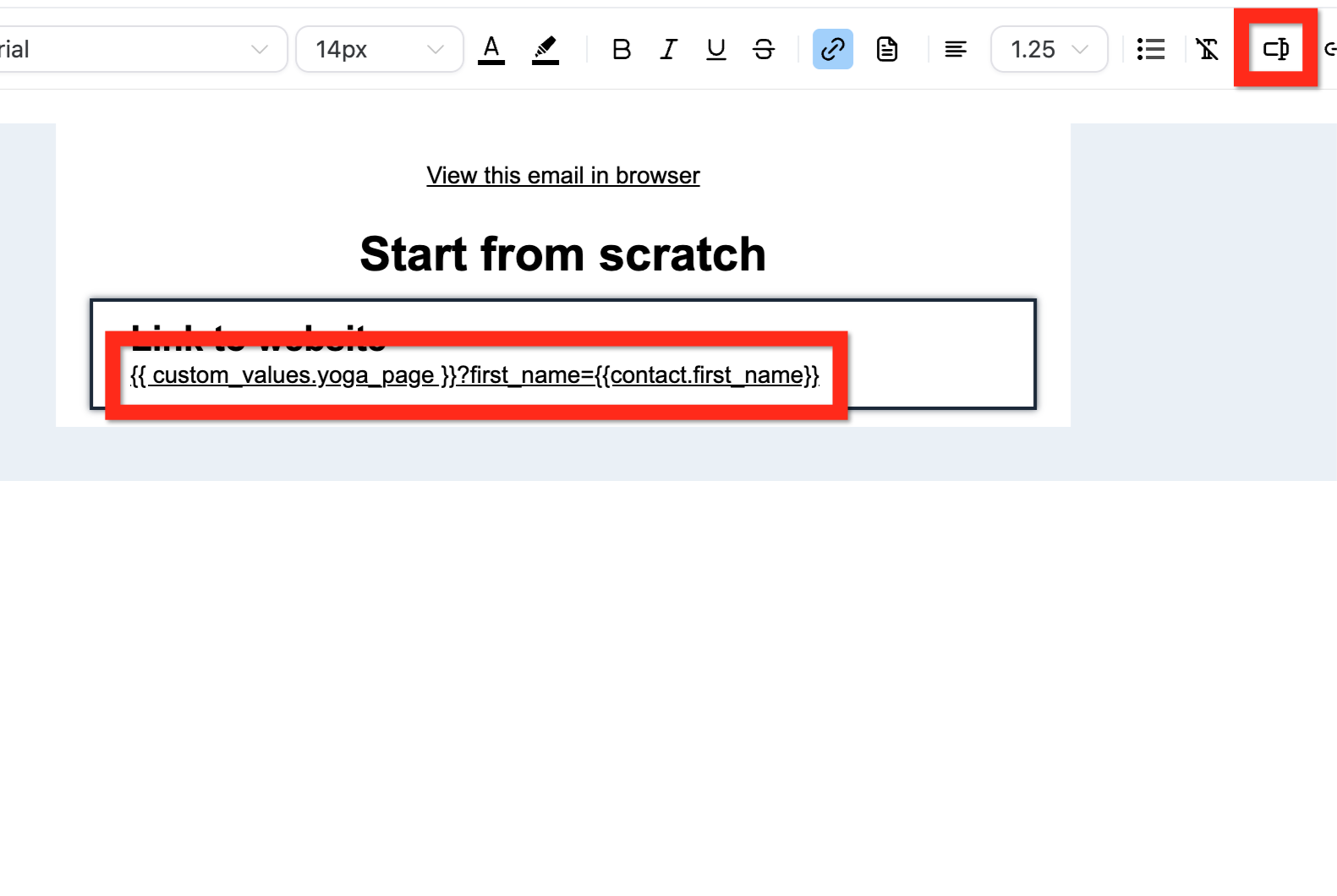
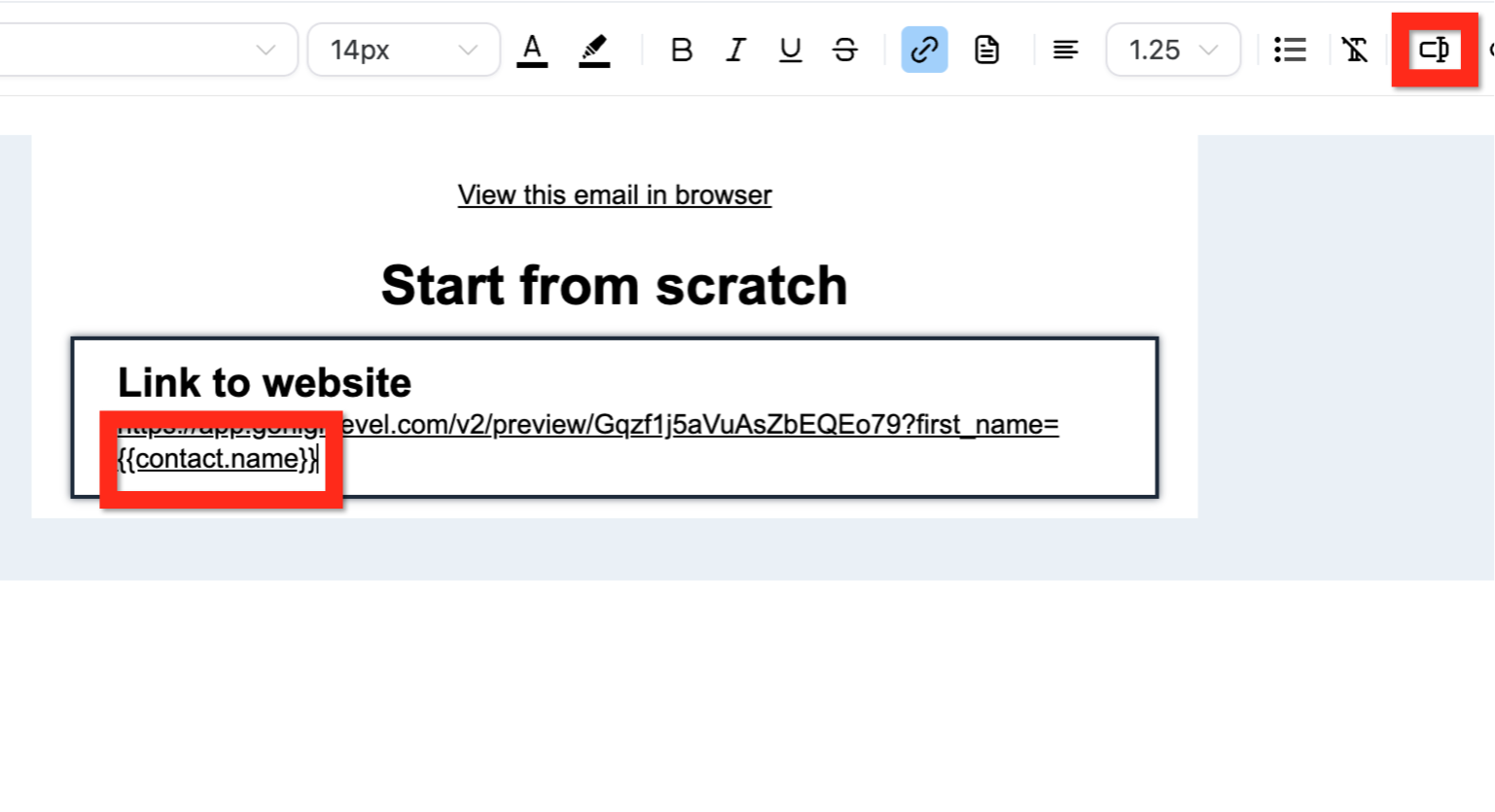
However, you don’t want to hard code a value that is supposed to be dynamic. In the URL you can insert a merge field so that each contact’s name is merged into the URL when the email is created.
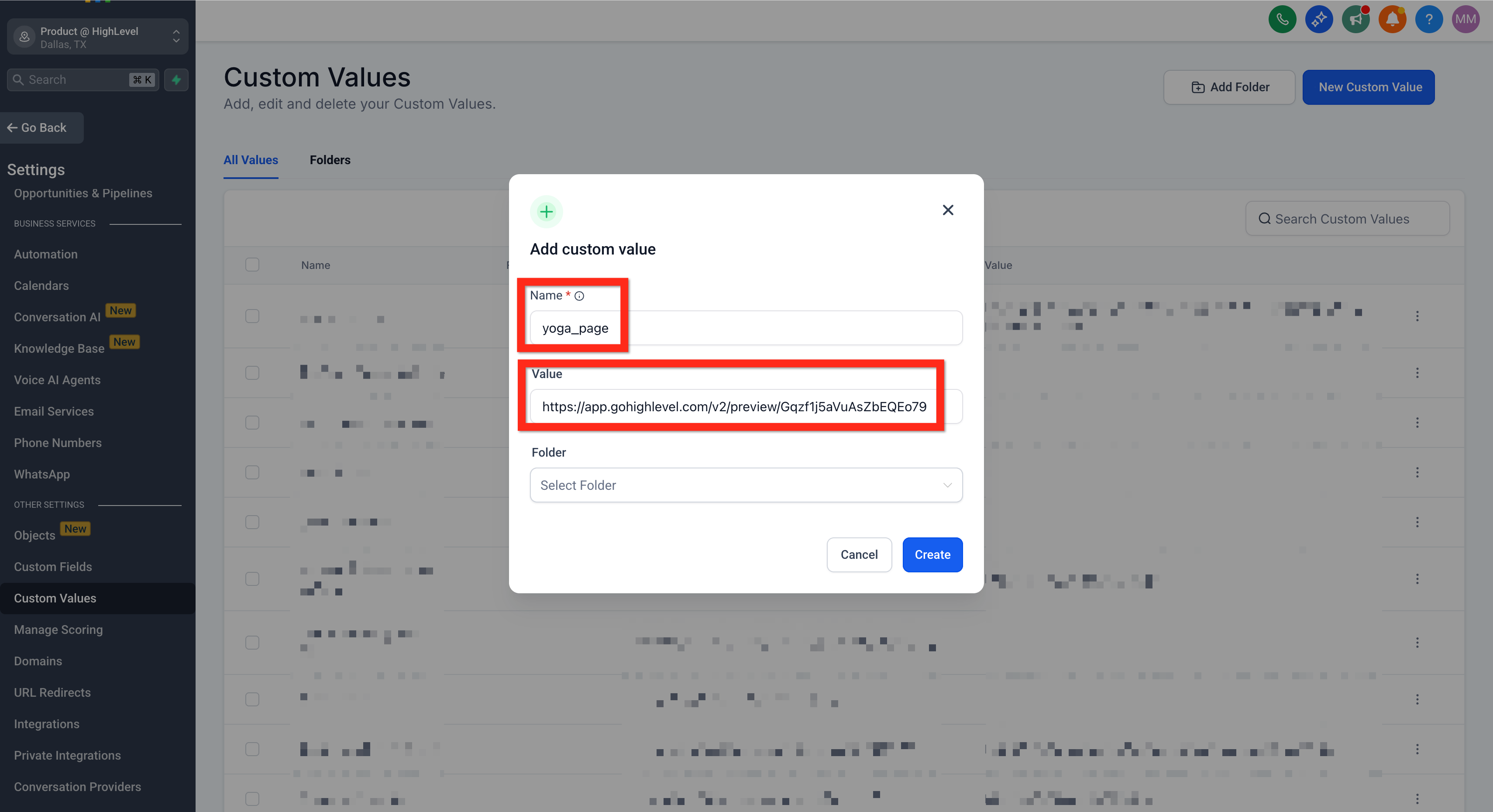
If you want to use this same pattern in several different places you can make the URL itself dynamic by putting it into a custom value and then pulling the custom value into the email (or wherever). When you nest dynamic content the details vary depending on where you put each piece of information.
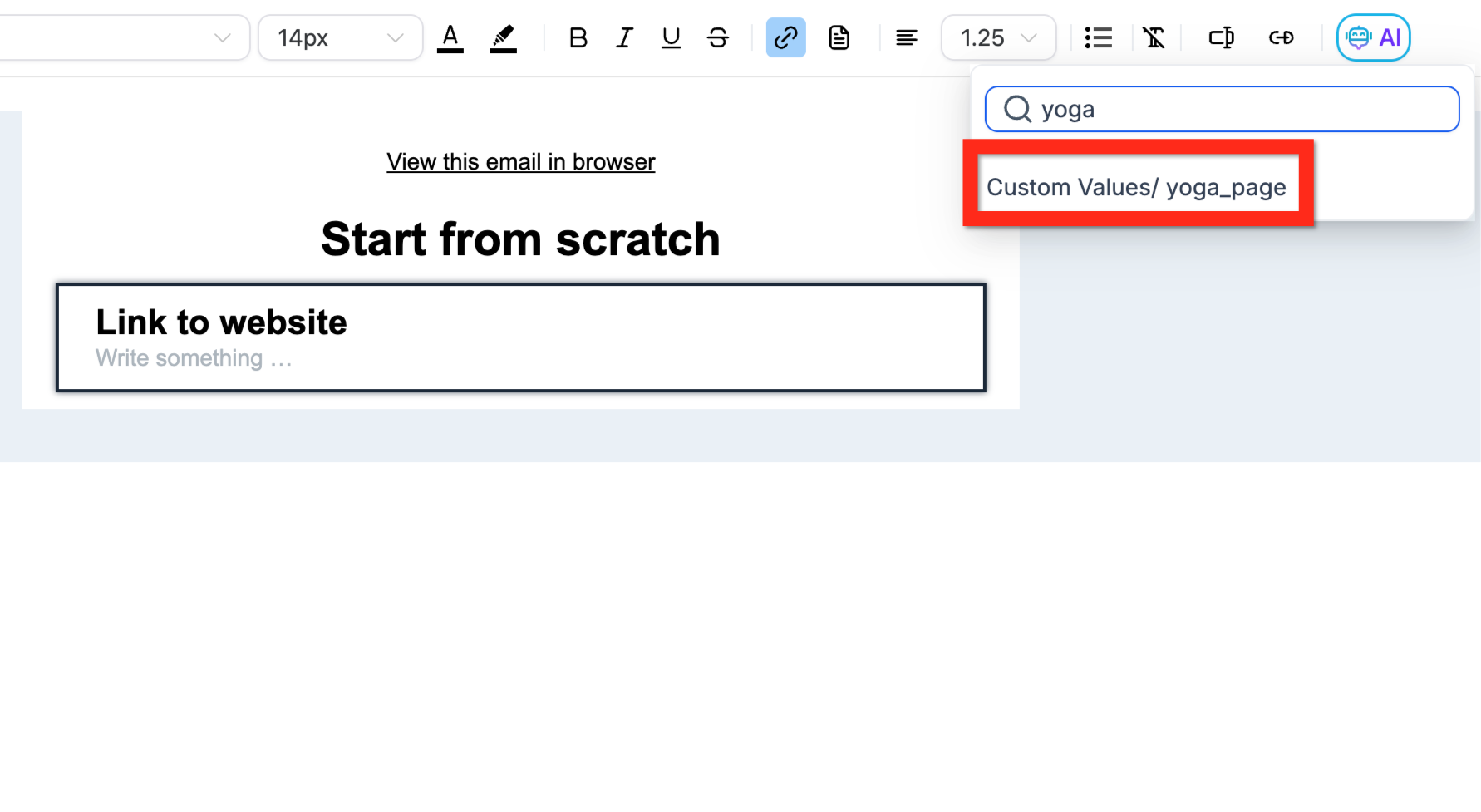
- If you put “https://app.patientcopilot.ai/v2/preview/Gqzf1j5aVuAsZbEQEo79” into a custom value like “yoga_page” then you need to build the URL in the email editor like this: {{ custom_values.yoga_page }}?first_name={{contact.first_name}}
- If you put the entire URL with the parameter and the merge field into the custom value like this: “https://app.patientcopilot.ai/v2/preview/Gqzf1j5aVuAsZbEQEo79?first\_name={{contact.first\_name}}” then you don’t need to build the URL, just insert the name of that merge field like {{yoga_page_with_params}}.