
Overview of Ad Manager
Ad Manager in Patient Copilot is a centralized tool that allows you to create, manage, and track advertising campaigns across multiple platforms in one place. It simplifies digital advertising by consolidating workflows, providing actionable insights, and helping you deliver measurable results.
Supported Platforms and Campaign Types
Ad Manager supports multiple platforms and ad types. The table below outlines what objectives and formats are available on each platform.
| Platform | Campaign Objectives | Ad Formats Supported |
|---|---|---|
| Meta (Facebook & Instagram) | Lead Generation, Website Traffic, Engagement, Sales | Single Image, Video, Carousel (up to 10), Lead Forms, Conversation Forms |
| Google Ads | Search Campaigns, Demand Generation (coming soon) | Search Ads, Image, Video, Carousel (Demand Gen) |
| LinkedIn Ads | Lead Generation, Website Visits | Single Image, Video, Carousel, Lead Forms |
Ad Manager provides powerful advantages by simplifying campaign execution, improving transparency, and enabling measurable results.
- All-in-One Advertising: Manage campaigns across Facebook, Instagram, Google, and LinkedIn from a single dashboard.
- Time-Saving Workflows: Guided setup helps users launch ads quickly and efficiently.
- Simplified Targeting: Reach the right audience through goal-based campaign objectives.
- Clear ROI: Gain instant visibility into ad performance, spend, and conversion metrics.
- Outcome-Focused: Run lead generation, traffic, or conversion campaigns that drive tangible business results.
Follow these steps to set up Ad Manager and start running campaigns: Access Ad Manager: From your Patient Copilot dashboard, navigate to Marketing → Ad Manager.
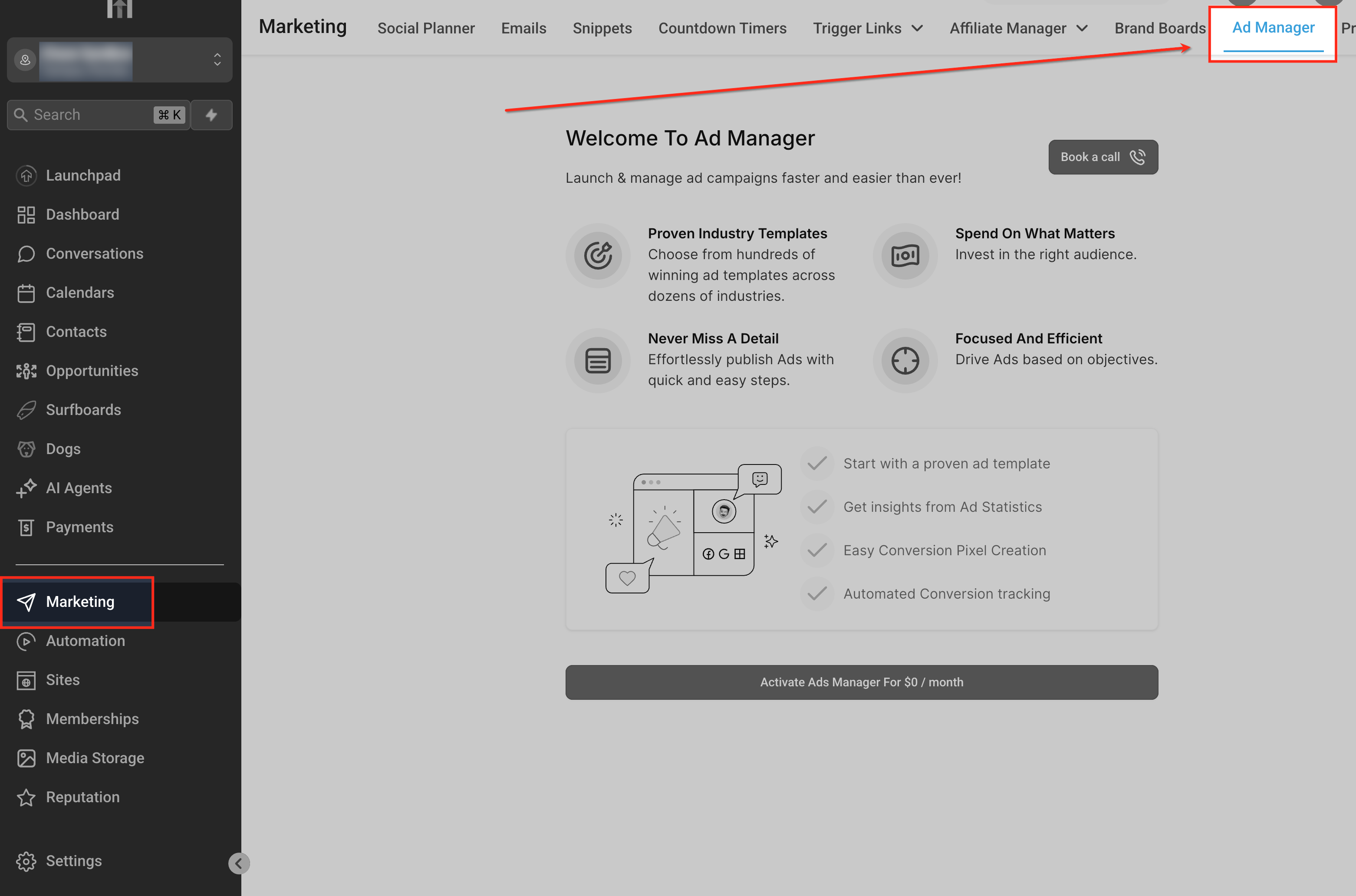
Click Connect Accounts and follow the prompts to link your Facebook, Instagram, Google, or LinkedIn Ads account.
Set Permissions
Ensure correct permissions are granted for creating and managing campaigns.
Create a Campaign
Choose the platform (Facebook, Instagram, Google, or LinkedIn). Define your campaign objective (e.g., Awareness, Traffic, Conversions, or Lead Generation). Set audience targeting, budget, and schedule.
Monitor Results
Track performance metrics such as impressions, clicks, conversions, and spend in the Ad Manager dashboard.
Frequently Asked Questions
Q: What platforms are supported in Ad Manager? Currently supported platforms are Facebook, Instagram, Google, and LinkedIn Ads. Q: Where can sub-accounts see their reports? All performance reports are available within the Ad Manager dashboard in real-time. Q: Do sub-accounts provide their own ad budgets? Yes. Each sub-account is responsible for its own ad spend budget.