
What Payment Gateways supported in Affiliate manager for Product Sales?
To enhance your experience, our platform supports the integration of four major payment gateways for product sales and transactions:
- Stripe
- NMI
- Authorize.net
- Paypal These gateways ensure seamless management of payments for products sold through your funnels or websites. Follow the steps below to integrate the payment gateway of your choice and get started.
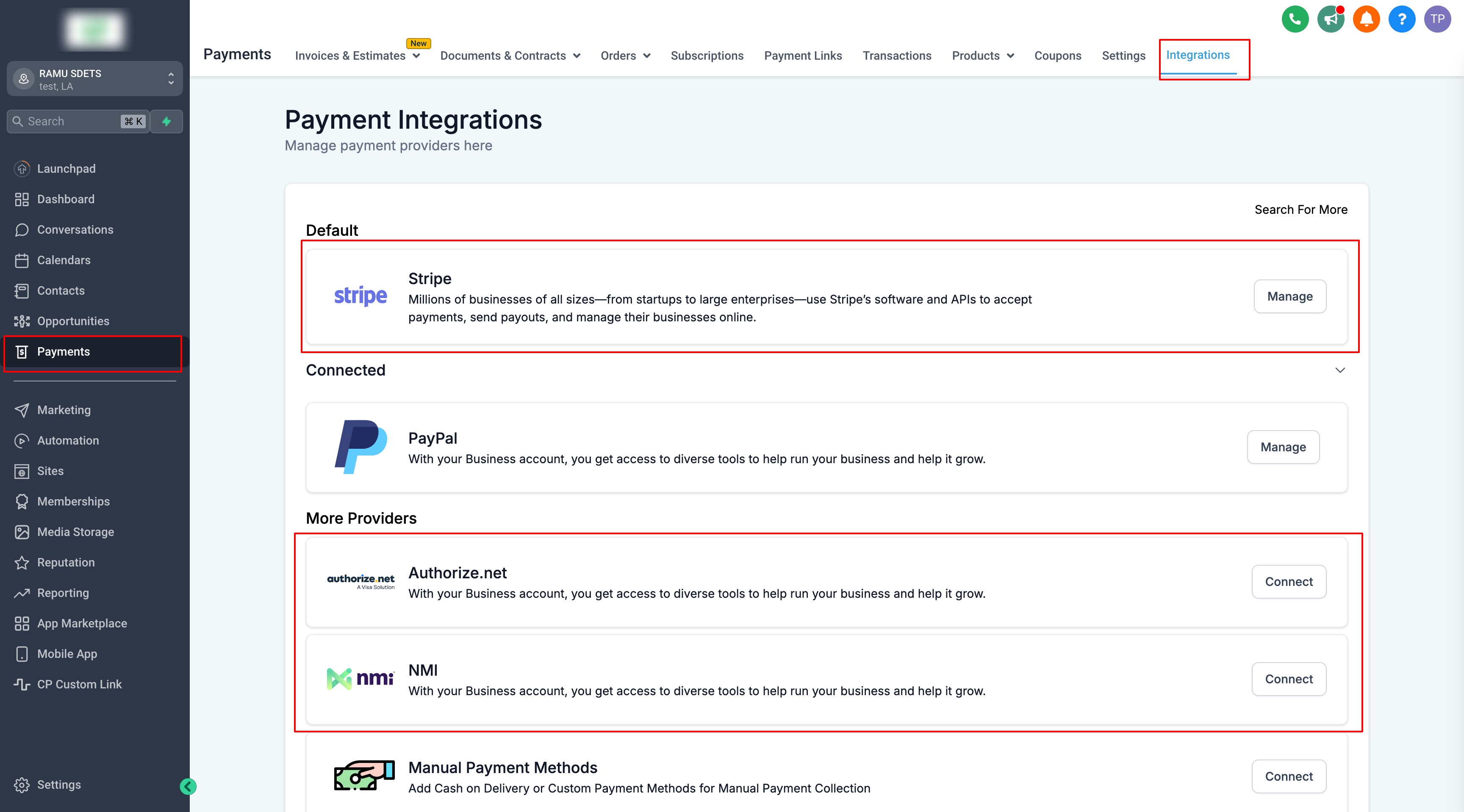
How to Integrate Payment Gateways
Step 1: Navigate to Integrations
Go to the “Integration” tab within the Payments Module to get started.
Step 2: Select and Integrate Your Preferred Gateway
Choose from the supported gateways:
- NMI: Learn how to integrate NMI.
- Authorize.net: Discover how to integrate Authorize.net.
- Stripe: Follow the setup process for Stripe integration.
- Paypal: Learn how to integrate paypal
Step 3: Set a Default Gateway
Once you’ve successfully integrated the gateways, you can set your preferred gateway as the default for handling transactions efficiently.
What’s Next? List Your Products
Once your gateway is integrated, you’re ready to list your products and start accepting payments on your funnels or websites. Learn how to set up products in your funnels or websites.
What’s Next:
- How to pay your Affiliates
- How to Set Up and Pay Affiliates Using PayPal Auto Payouts
- FAQs for Affiliate Payouts
- How to add/link Affiliate’s Paypal Account for Payouts Was this article helpful? That’s Great! Thank you for your feedback Sorry! We couldn’t be helpful Thank you for your feedback Feedback sent We appreciate your effort and will try to fix the article