WhatsApp Delivery Status under Workflows
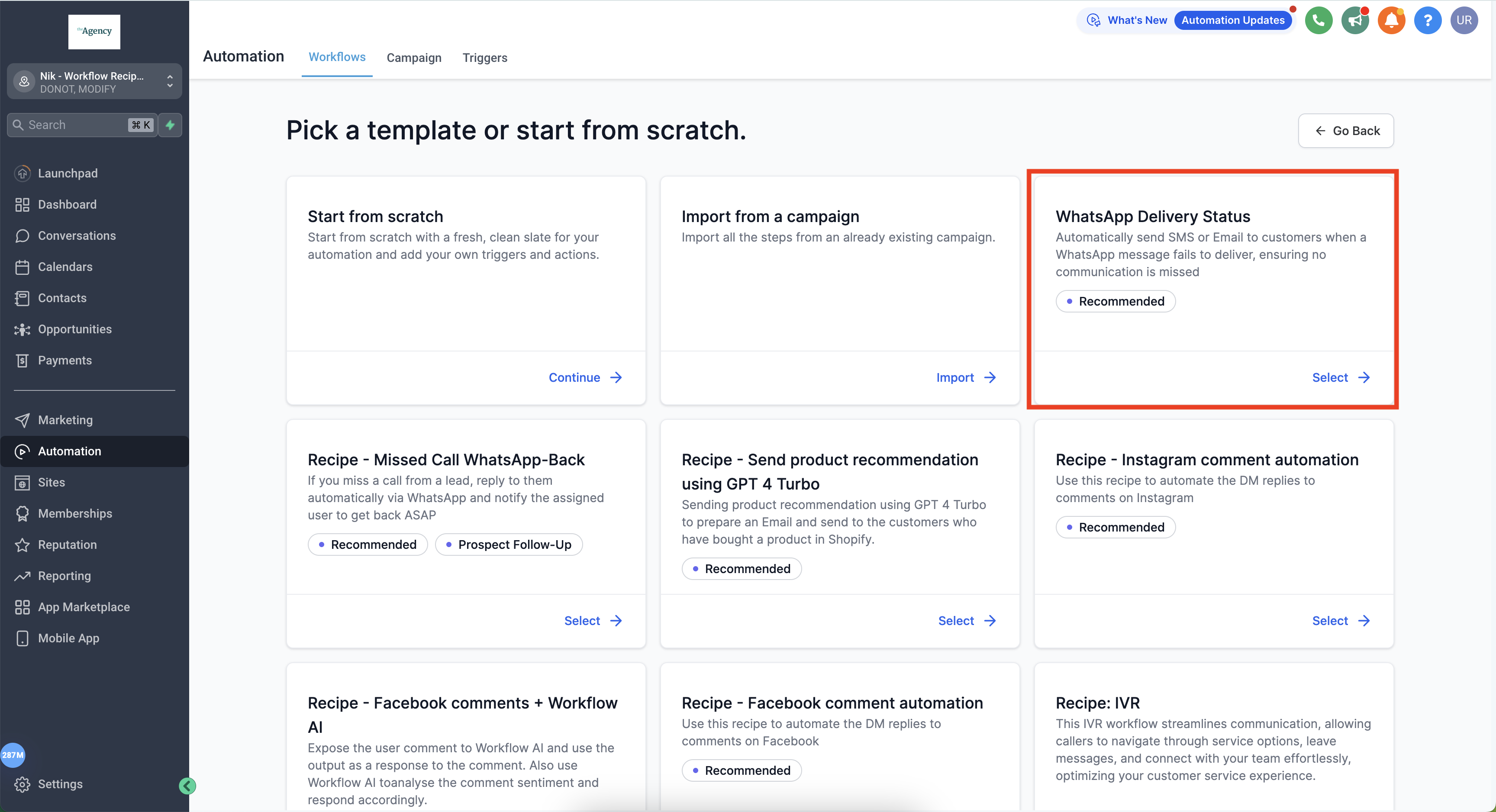
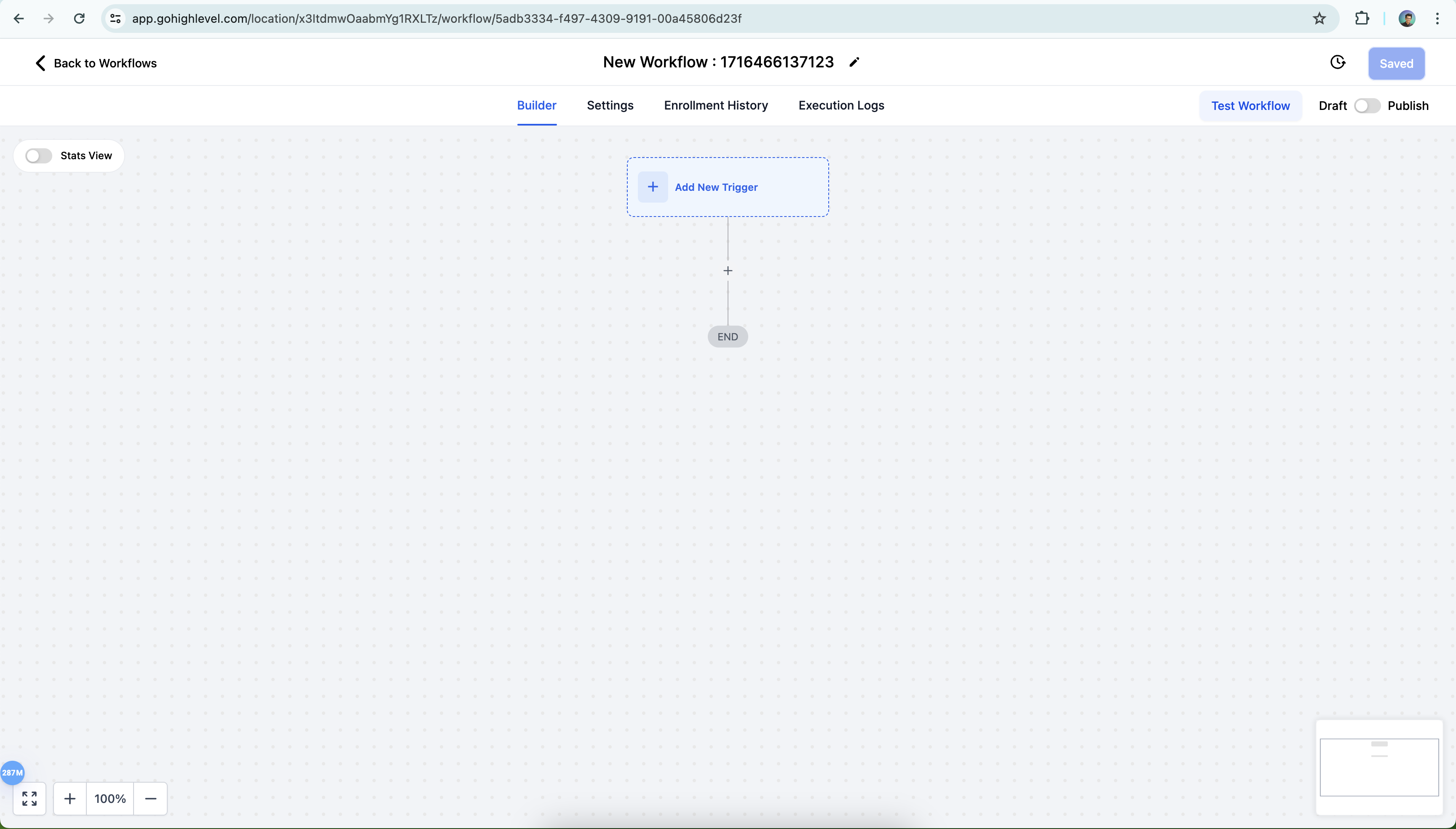
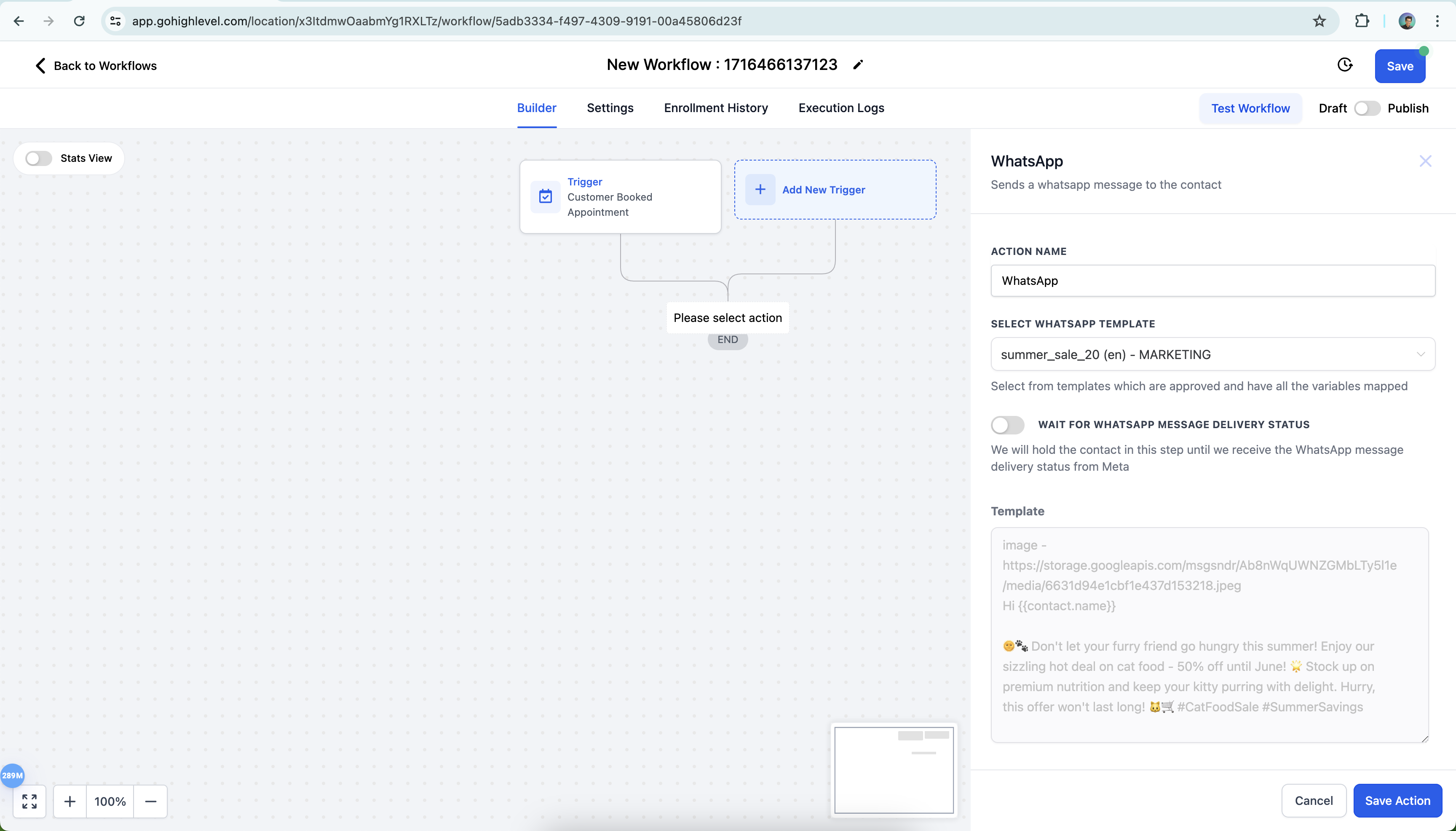
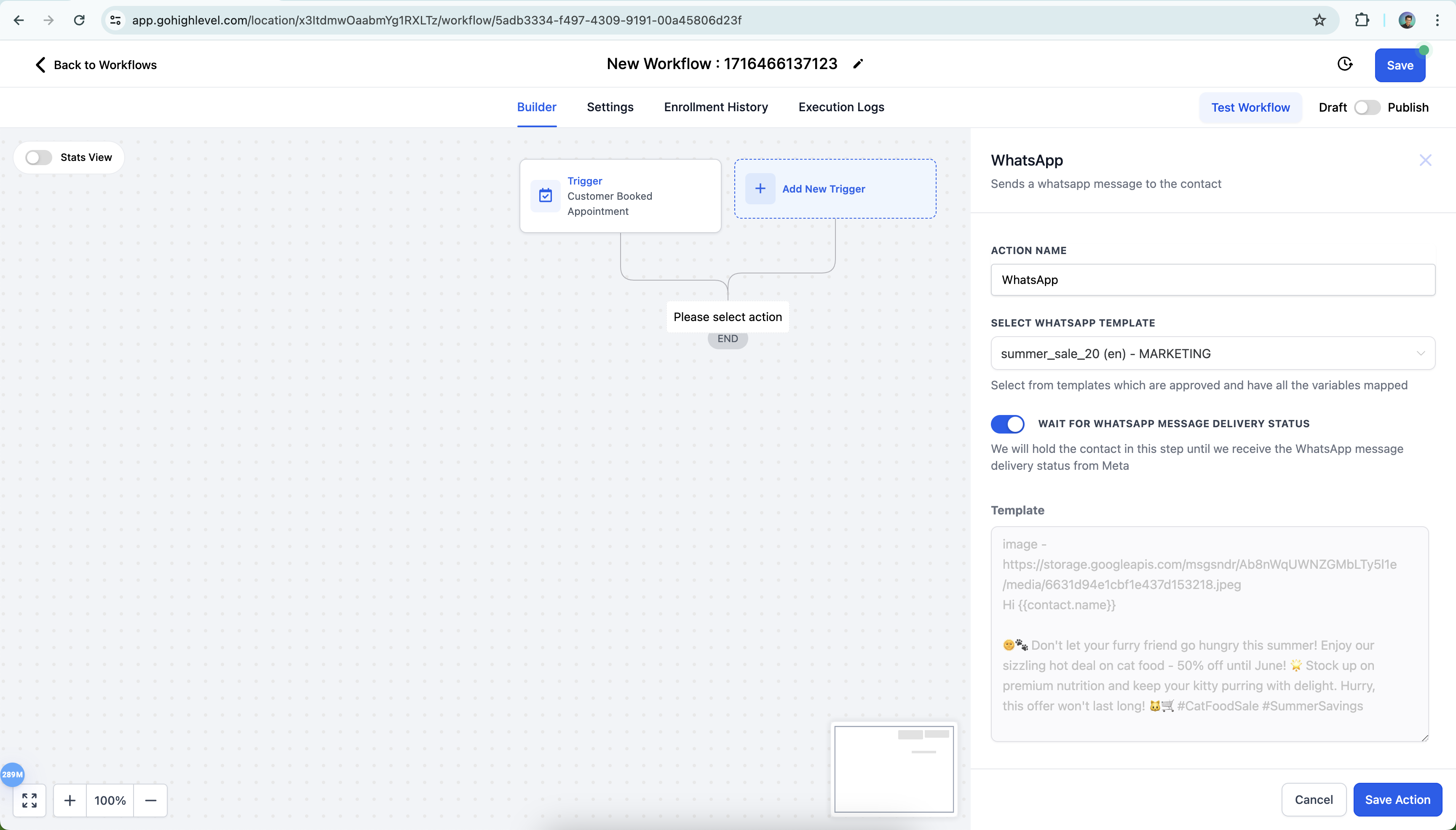
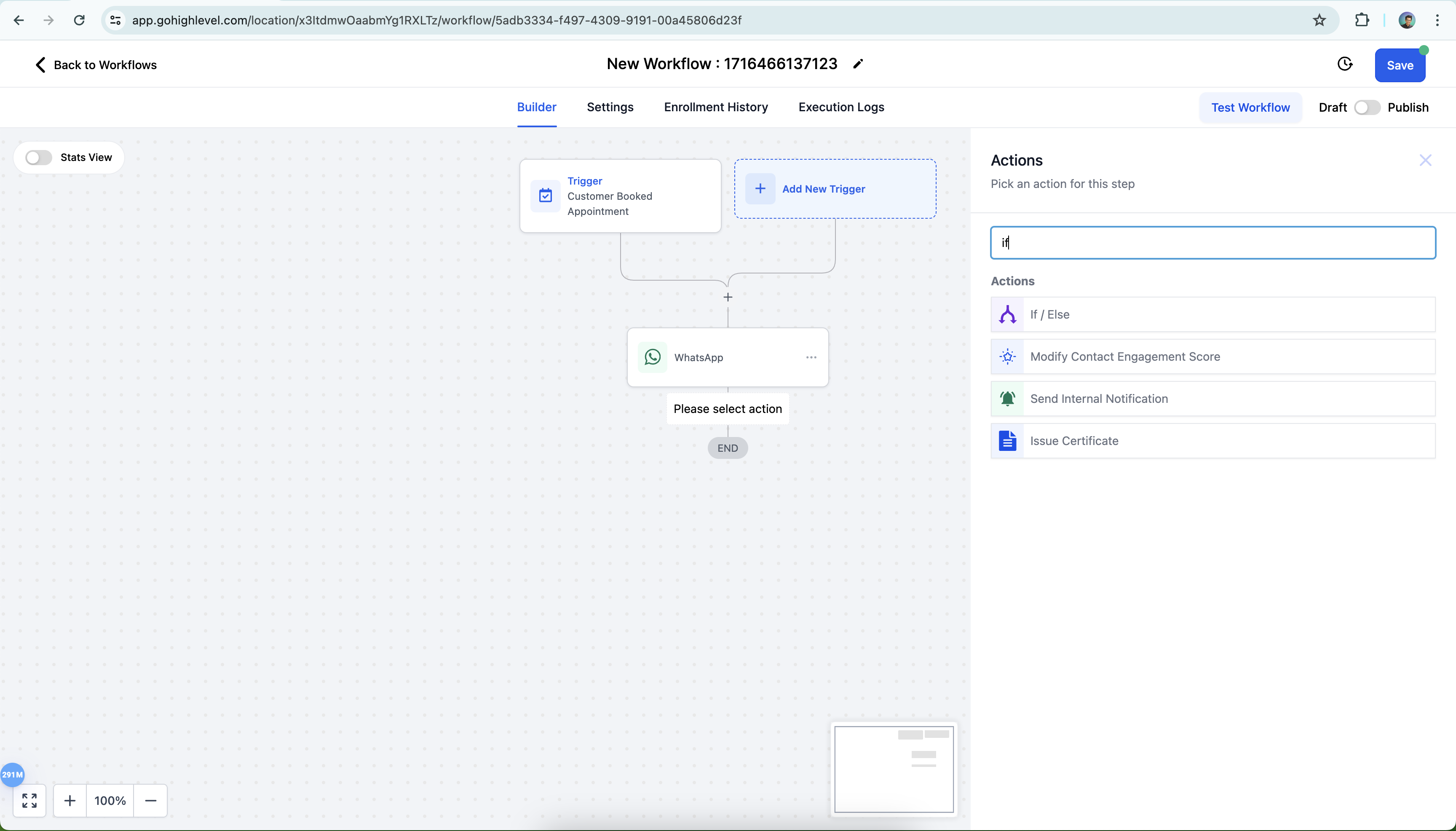
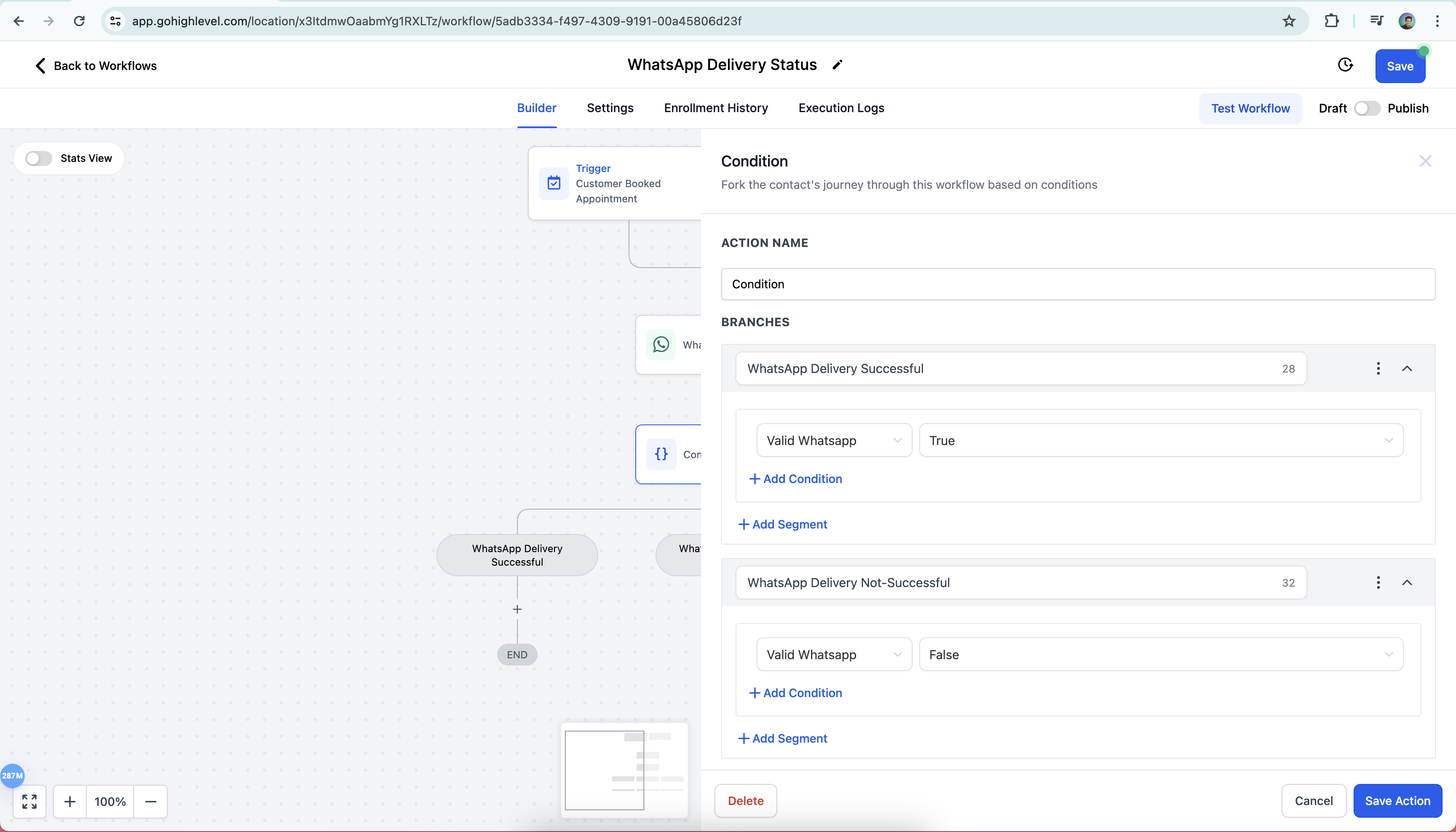
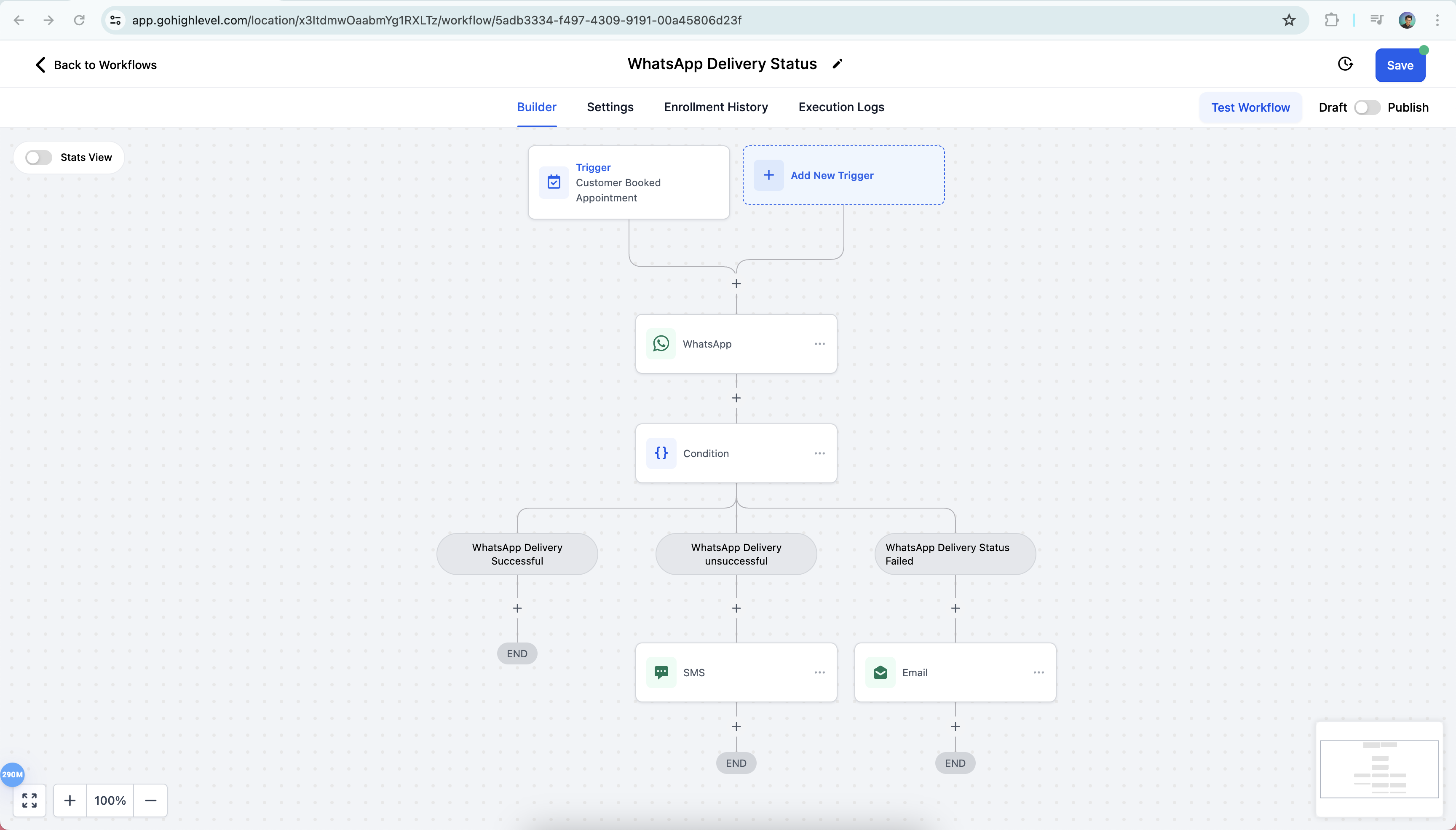
In this article, we will discuss how to use WhatsApp delivery status inside workflows * * * ## Prerequisite for using WhatsApp under Workflows WhatsApp needs to be subscribed and enabled on a the location account. You can refer to the below article for setting up WhatsApp on your sub account. WhatsApp Subaccount Setup. Additionally if you want to send business initiated conversations then please ensure that you have an approved template in place. How to create a WhatsApp Template ## Recipe for WhatsApp Delivery Status You can use the pre built WhatsApp Delivery Status recipe under Automations!(https://assets.patientcopilot.ai/49bb834e604977f7.png) ## How to use WhatsApp delivery status inside workflows Step 1: Go to Automation > Create Workflow > Start from Scratch !(https://assets.patientcopilot.ai/f7920030c2b4f2ff.png) Step 2**:** Add Trigger > WhatsApp Action > Select WhatsApp template !(https://assets.patientcopilot.ai/903dcaa7af8b0cd4.png) Step 3: Enable toggle WAIT FOR WHATSAPP MESSAGE DELIVERY STATUS > Save Action!(https://assets.patientcopilot.ai/cfa1223e5615ec95.png) Step 4: Add Action > If/Else!(https://assets.patientcopilot.ai/7598e5f5a411b138.png) Step 5: Select Contact Details > Valid WhatsApp > Add conditions for True and False!(https://assets.patientcopilot.ai/6d882c3ab496e99a.png) Step 6: Add failover to SMS/Email for False and None Branch!(https://assets.patientcopilot.ai/22993be24985de0d.png) ## FAQs ## Q. What is the new WhatsApp delivery status support feature? We are excited to introduce WhatsApp delivery status support in workflows! This feature enhances your communication strategies by allowing you to incorporate conditional logic based on the delivery status of WhatsApp messages. ## Q. How can I use the WhatsApp delivery status in my workflows? You can use if/else conditions based on Valid WhatsApp status to determine the next steps in your workflow. This enables more dynamic and responsive communication strategies. We’ve added a toggle to hold the contact in the workflow until we receive the delivery status from Meta. This ensures that the workflow waits for the delivery status before proceeding to the next step.