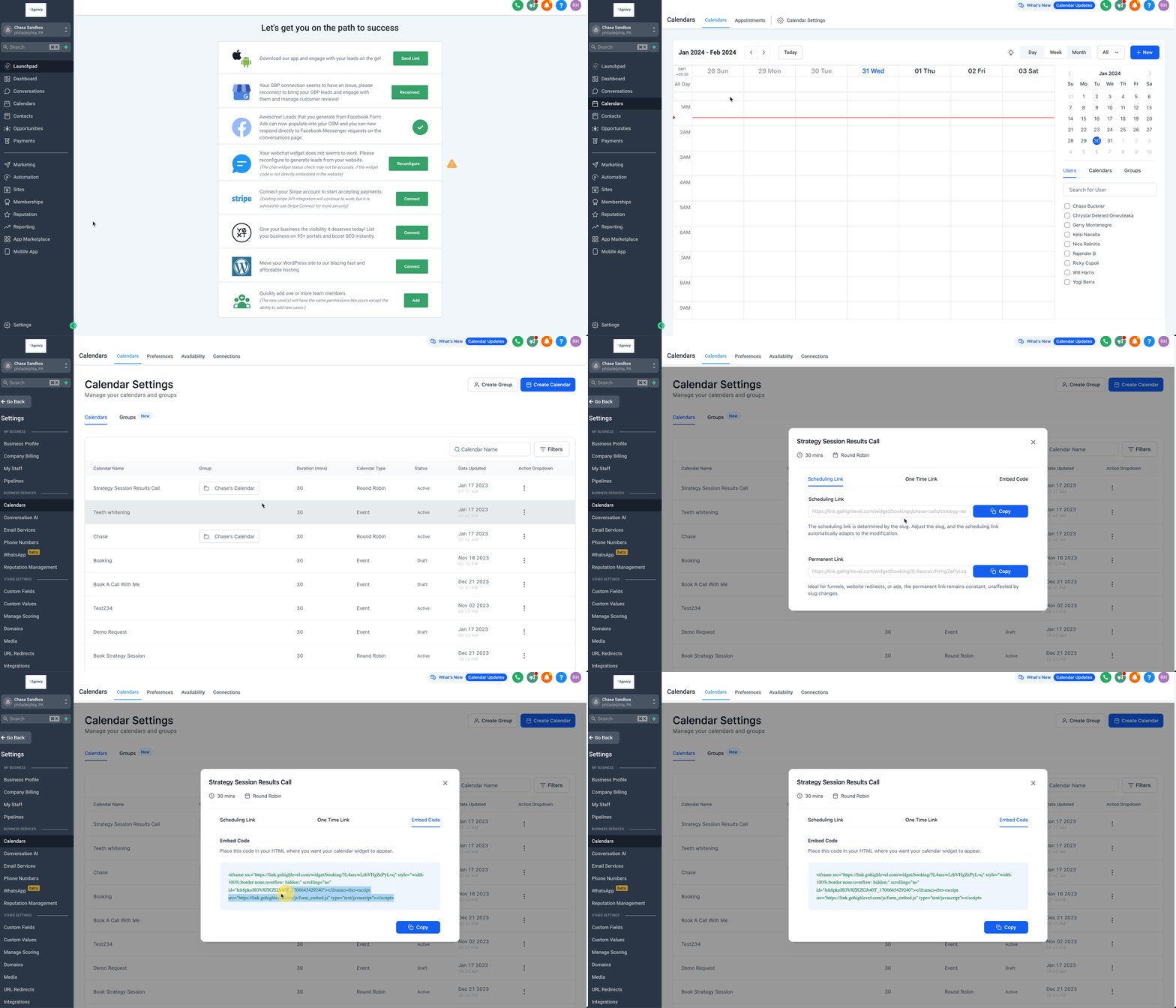
Embedding Patient Copilot Calendars using HTML Code
- Go to “Calendars” > “Calendar Settings”
- For the specific calendar you’d like to embed, click the “three dots” icon and select “Share”
- In the pop-up modal, select the “Embed Code” tab
- Click “Copy”
- Past the embed code in a custom code element on another website as desired. Note: If you are looking to embed a Patient Copilot Calendar in a funnel or website page in Patient Copilot, you can use the Calendar element in the page builder. This element will allow you to choose the calendar you’d like to display and automatically insert it without the need for adding an embed code manually.!(https://assets.patientcopilot.ai/355a32aebe98b154.gif) Was this article helpful? That’s Great! Thank you for your feedback Sorry! We couldn’t be helpful Thank you for your feedback Feedback sent We appreciate your effort and will try to fix the article