
Social Planner - Bluesky Integration
Bluesky is a decentralized social network for sharing text, images, and videos. With Patient Copilot’s Social Planner, you can connect your Bluesky account and publish without switching apps. This guide shows how to connect and start composing, scheduling, and publishing in one place.
What is Bluesky Integration?
Bluesky Integration adds the fast-growing Bluesky network to Social Planner’s supported platforms. Authenticate your Bluesky handle using an app password, then create, schedule, and track Bluesky posts from the same calendar that already manages Facebook, Instagram, LinkedIn, Google Business Profile, TikTok, and more.
Key Benefits of Bluesky Integration
- Zero context-switching: Plan, draft, and publish Bluesky posts alongside your other channels in Social Planner.
- Faster client approvals: Route Bluesky posts through the same review/approval flow your team already uses, so nothing goes live without sign-off.
- Fail-safe publishing: Compose within Bluesky’s limits (300 characters, up to 4 images or one video) to avoid last-minute errors and failed posts.
- Keep a steady cadence: Batch and schedule posts for the week in minutes so Bluesky stays active even when your team is busy.
- Fewer tools, lower cost: Skip separate Bluesky schedulers—manage everything in Patient Copilot to save money and reduce admin overhead.
Bluesky Publishing Specifications
| Category | Images | Video |
|---|---|---|
| File Types | JPEG, PNG | MP4, MOV |
| Max File Size | 1 MB | 50 MB |
| Max Uploads per Post | Up to 4 images | 1 video (cannot mix with images) |
| Dimensions / Resolution | Standard web resolution | Recommended 480p–720p) |
| Aspect Ratio | – | 16:9 or 1:1 |
| Duration | – | Up to 3 minutes |
| Frame Rate | – | 30–60 FPS |
| Codecs | – | H.264 (video), AAC (audio) |
| Other Notes | - | No custom thumbnails |
Bluesky Posting Guidelines
- Tagging/Mentions: Tag users with their full handle (e.g., @name.bsky.social). No autocomplete available, type carefully or copy/paste.
- Hashtags: Use #hashtag to make posts discoverable. Can include letters, numbers + underscores, but not numbers alone.
- Character Limit: 300 characters per post.
- Emojis: Supported.
- Links: - Must start with http:// or https://.
- Count as 23 characters, regardless of length.
- Link shorteners are discouraged.
- Daily Posting Limit: 100 posts per 24 hours.
How to Create App Password in Bluesky
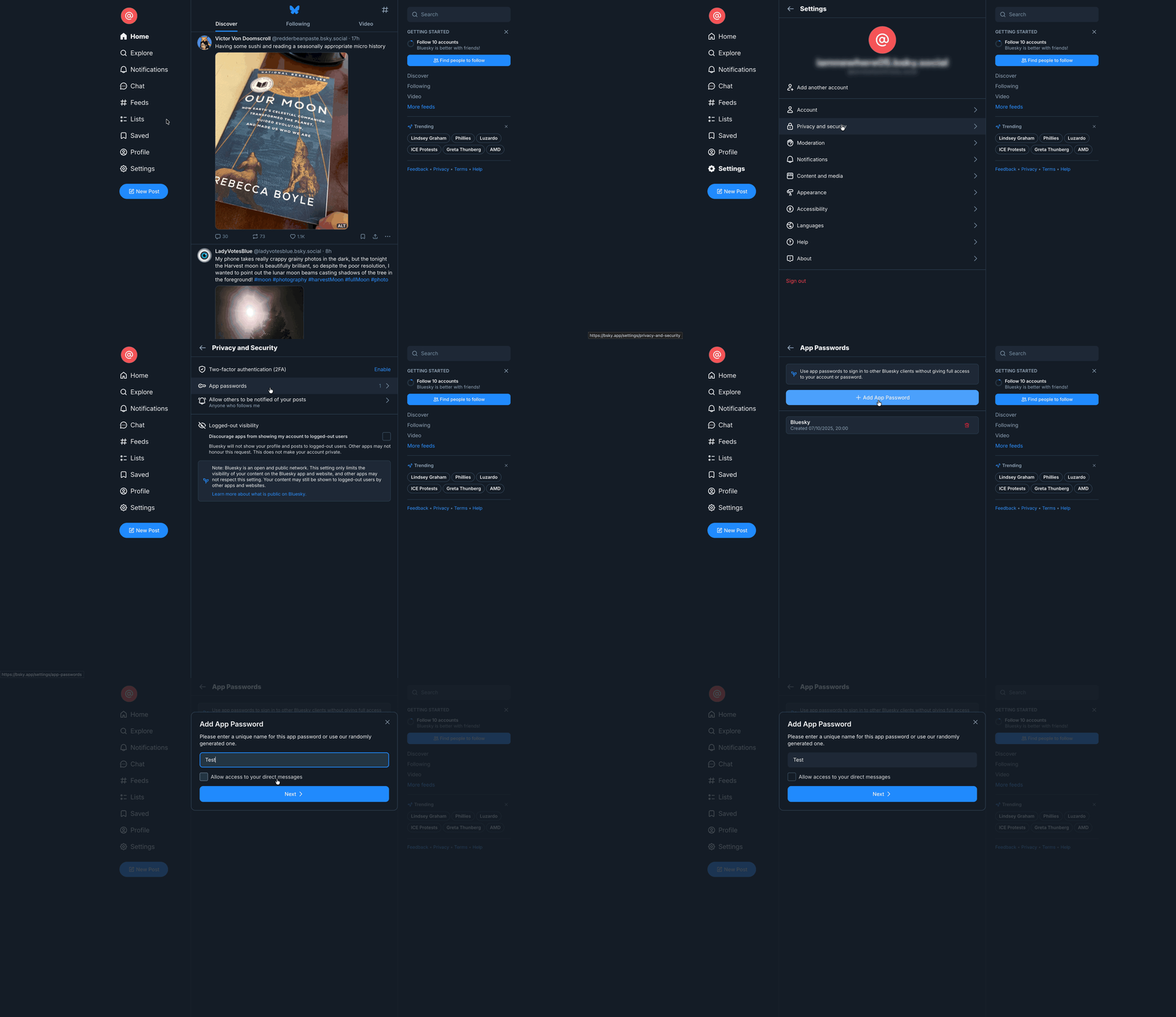
Important: The app password is displayed only once. If you miss it, you’ll need to delete it and create a new one. 1. Login to your Bluesky account in a new tab. 2. Go to Settings > Privacy & security > App Passwords. 3. Click + Add App Password. 4. In the pop-up modal, name your app password, then click Next.
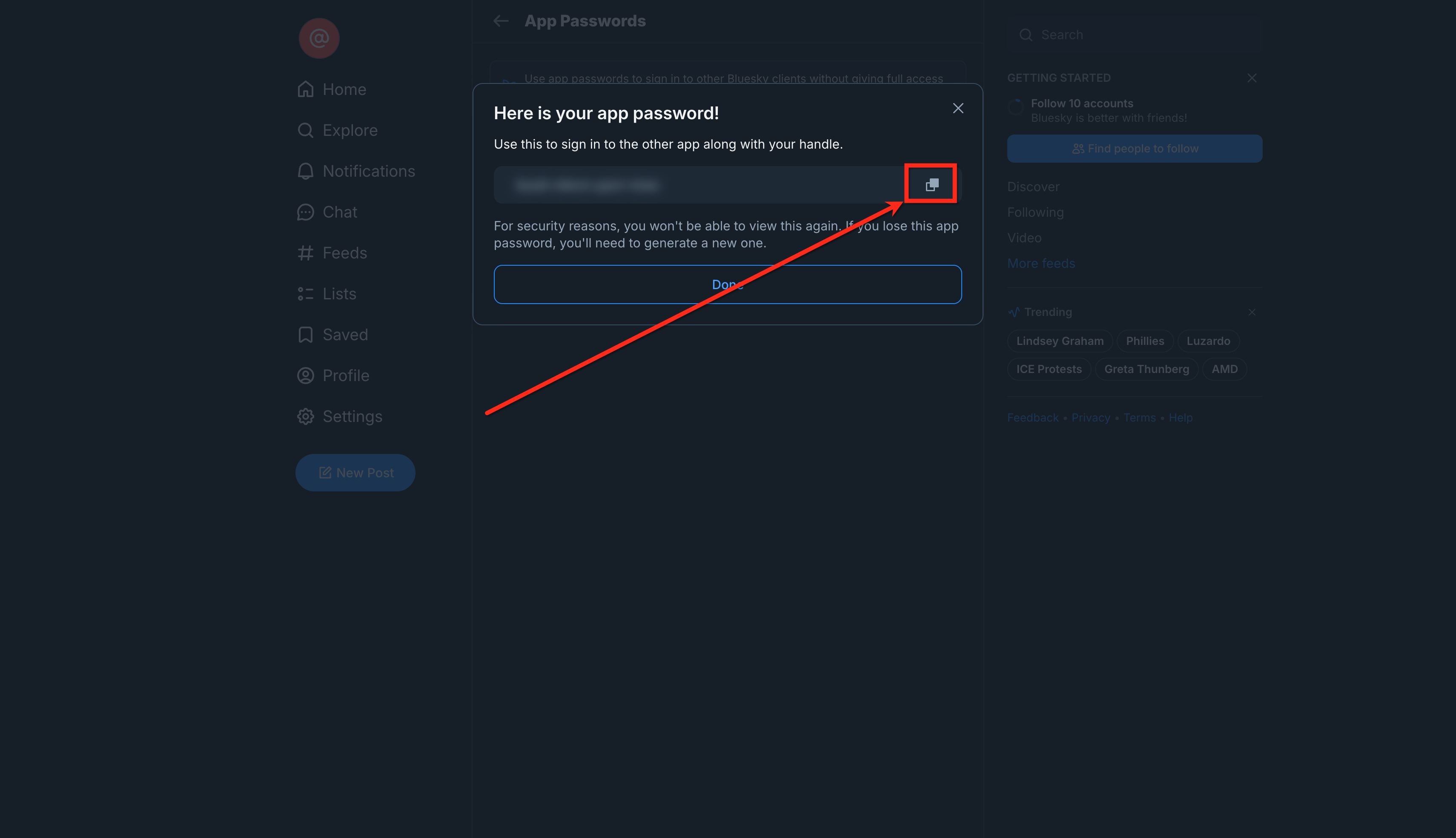
- Copy the App Password as you will need it while connecting Bluesky with social planner.
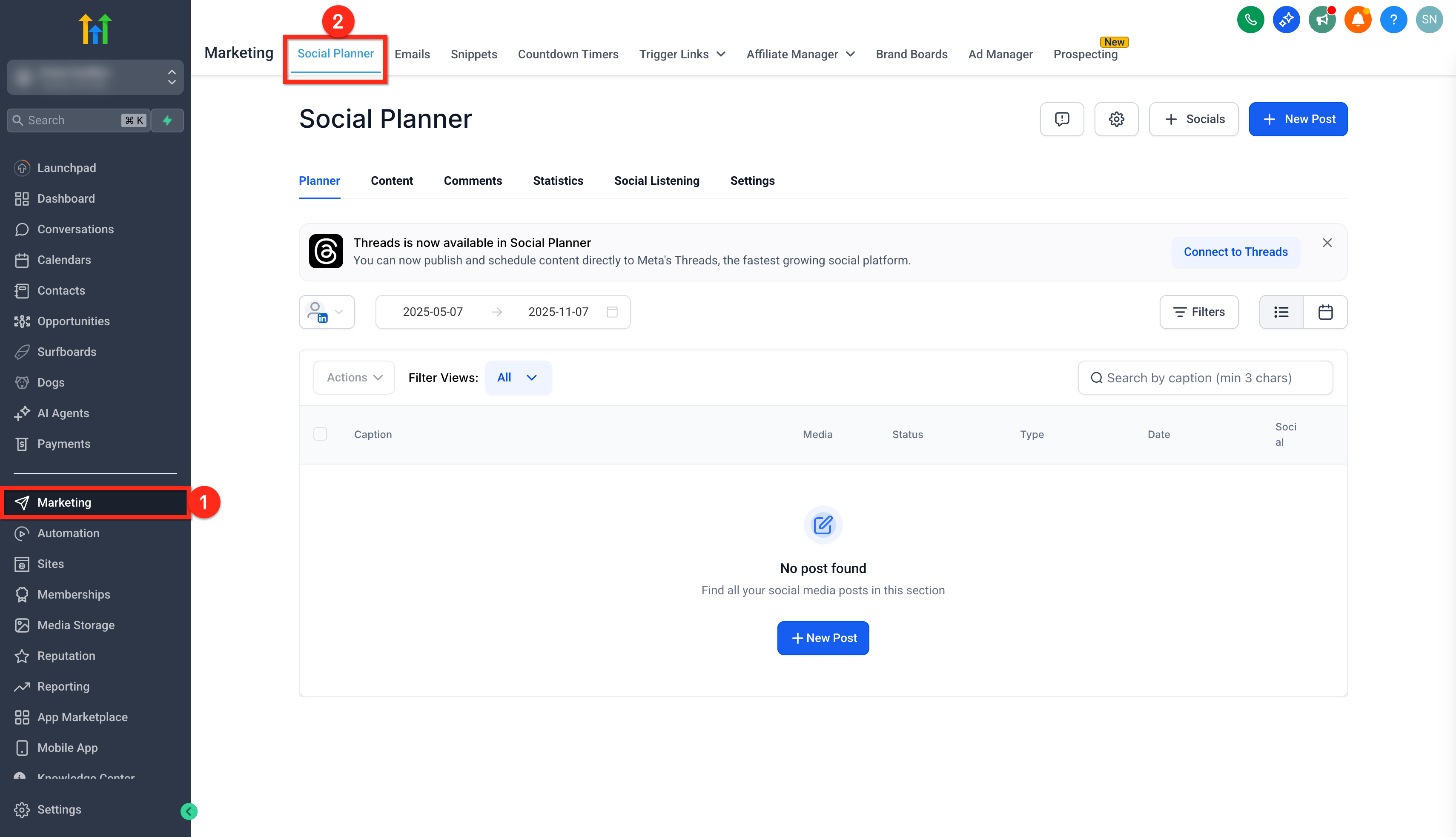
- Click on the Marketing tab from your sub-account.
- Click on Social Planner.
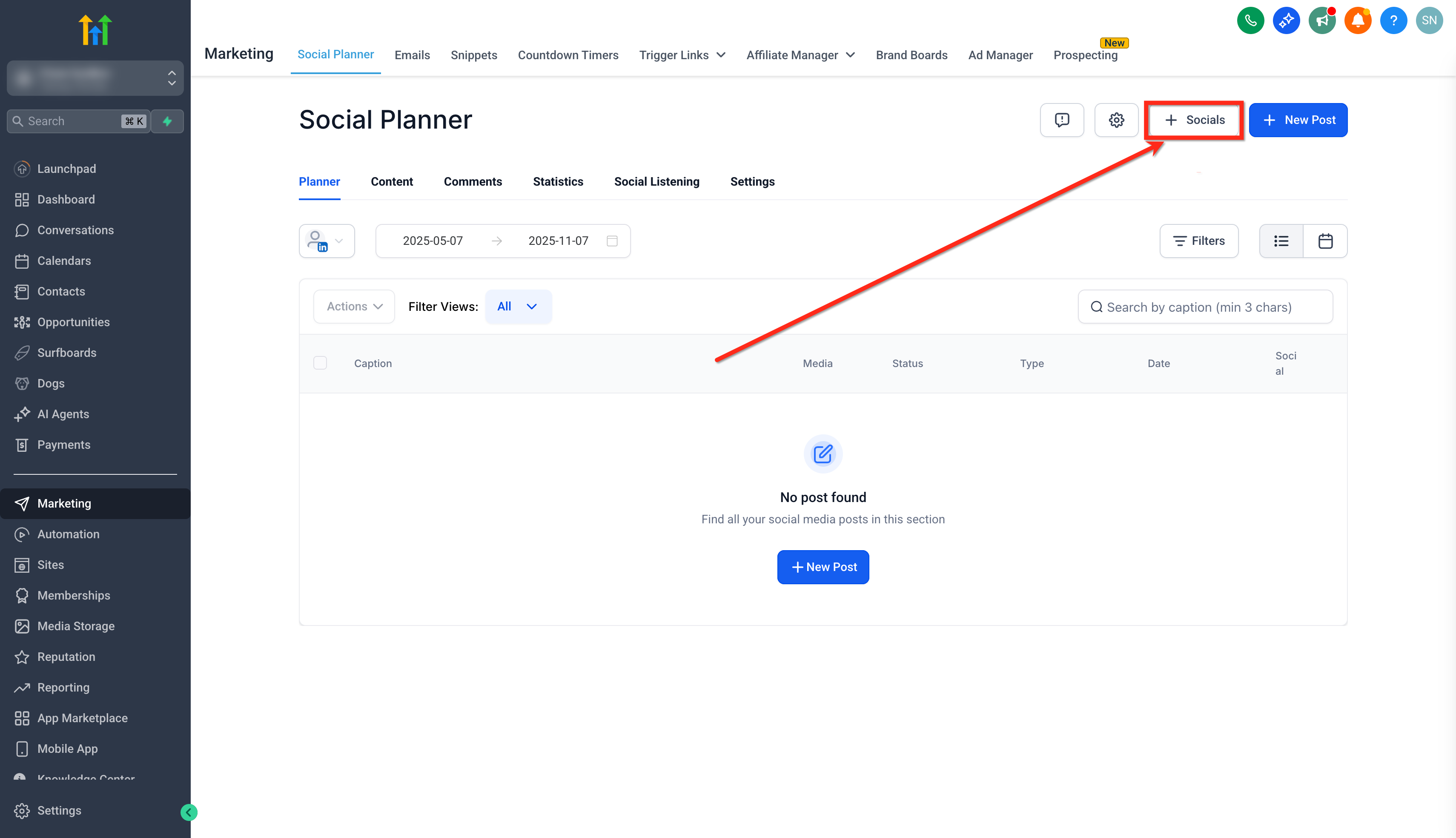
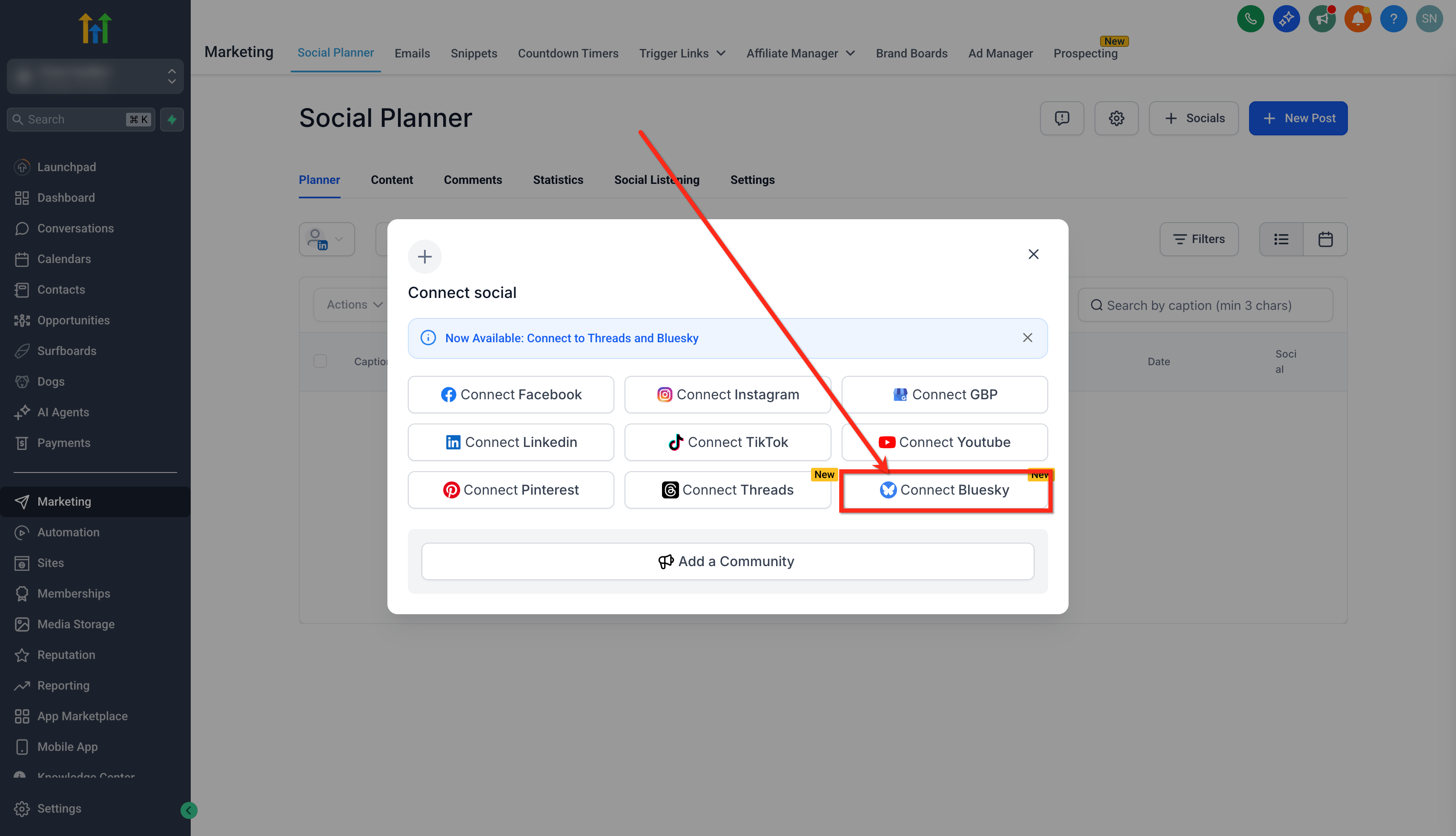
- Click on the + Socials button.
- Click on the Connect Bluesky option.
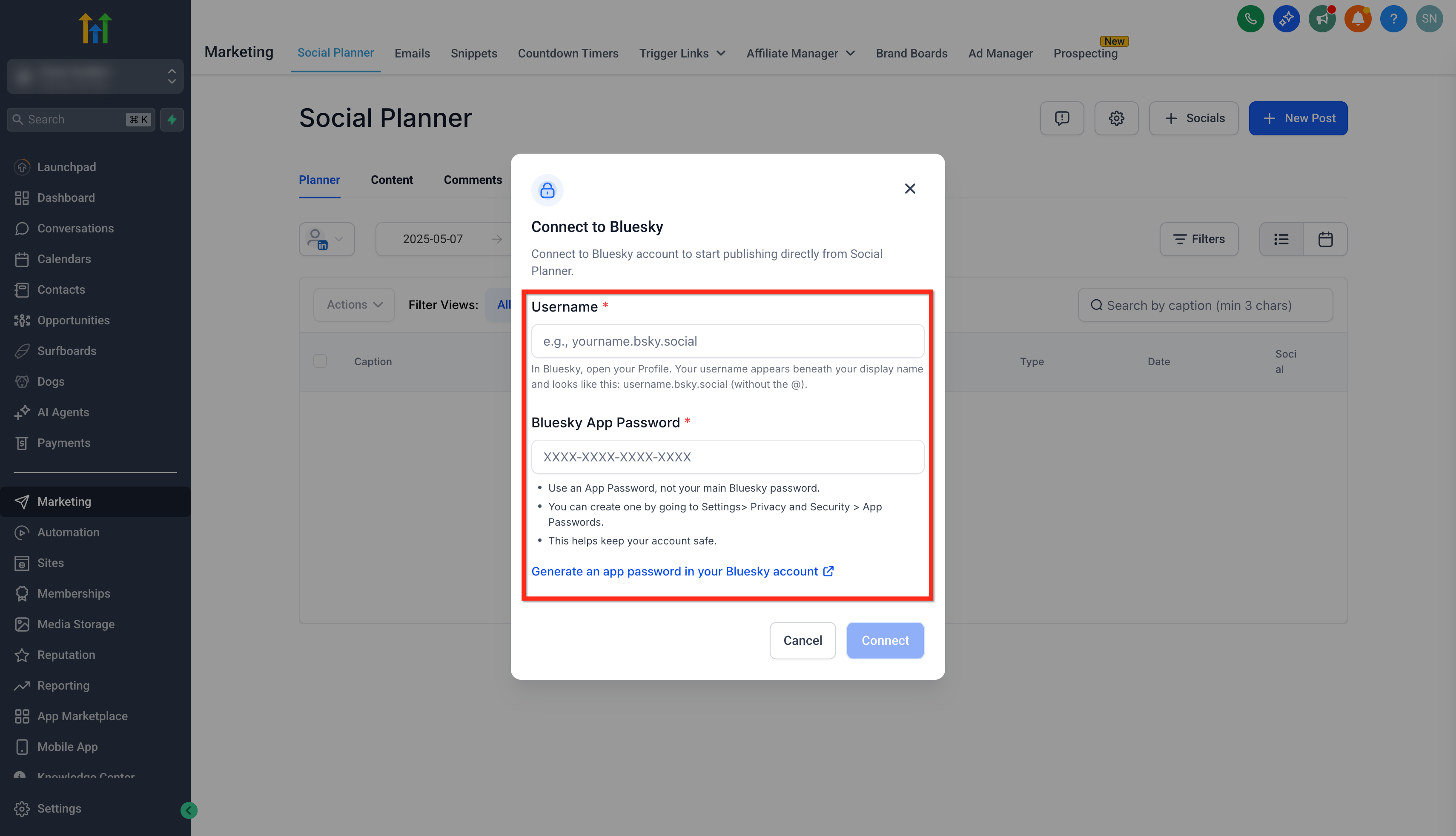
- Enter your Bluesky Username, without the @. (e.g., username.bsky.social). 6. Enter/paste the copied app password. (Not your main account password)
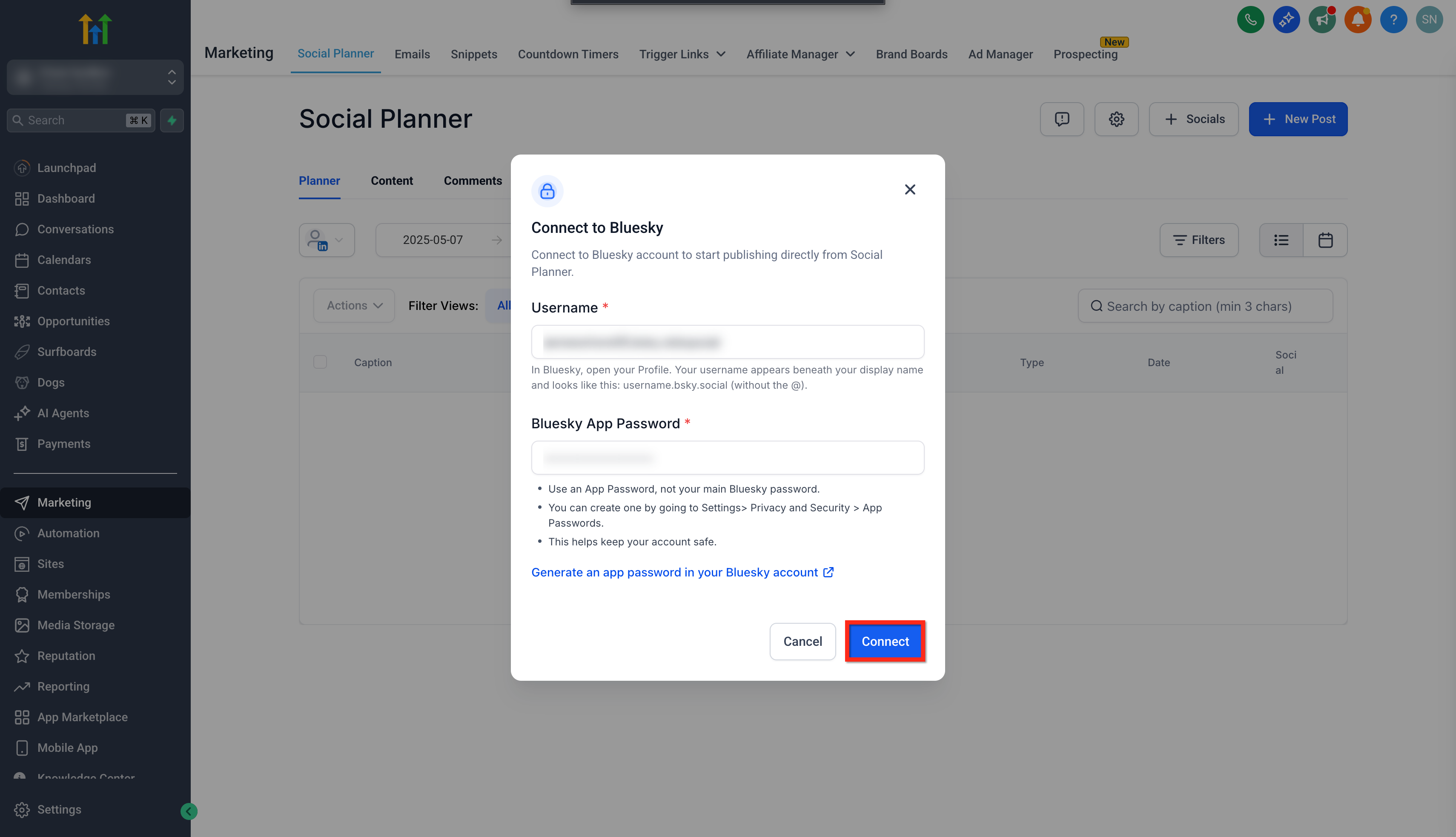
- Click on the Connect button.
- Click on the Add button next to your profile to add it to social planner.
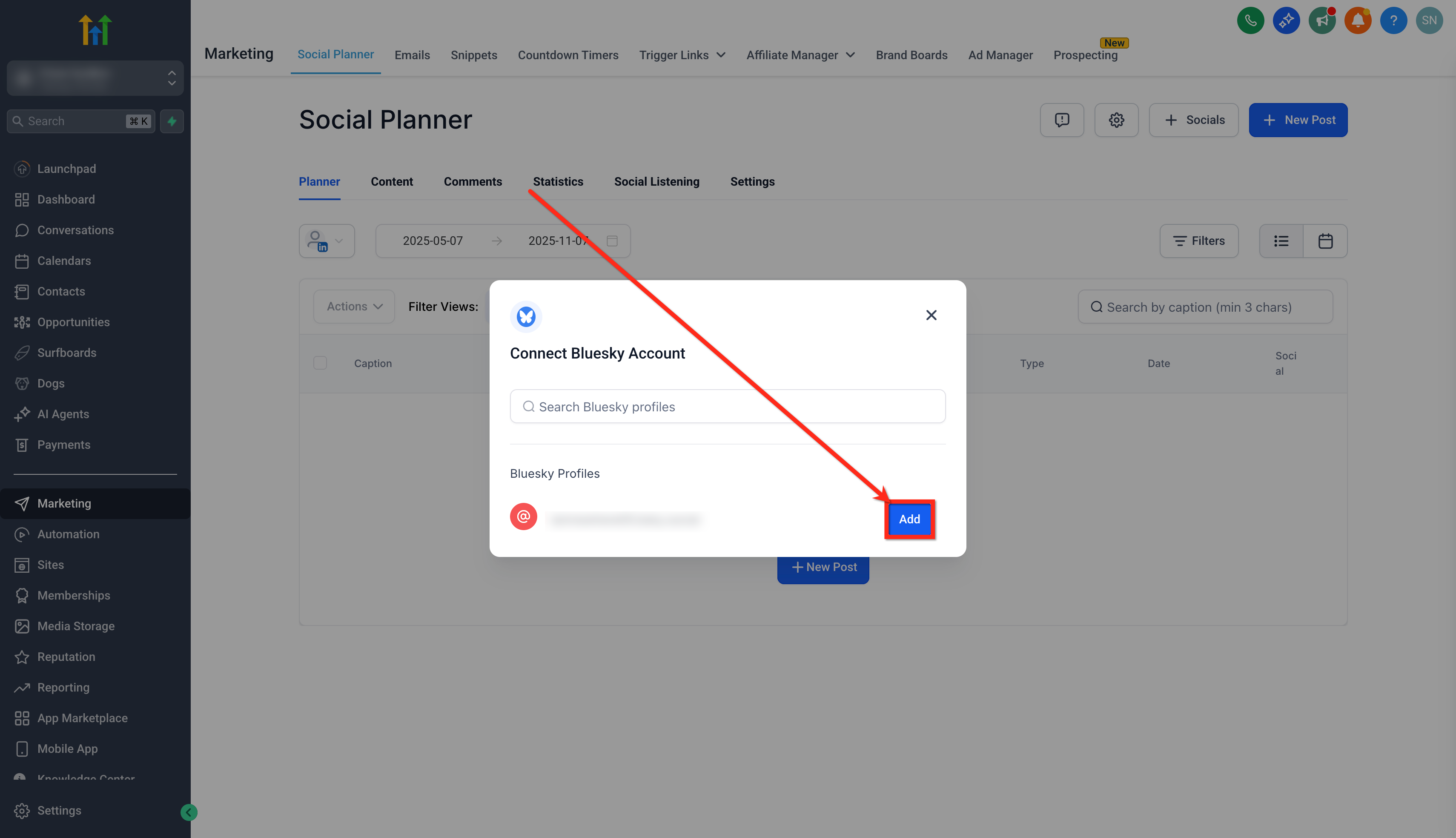
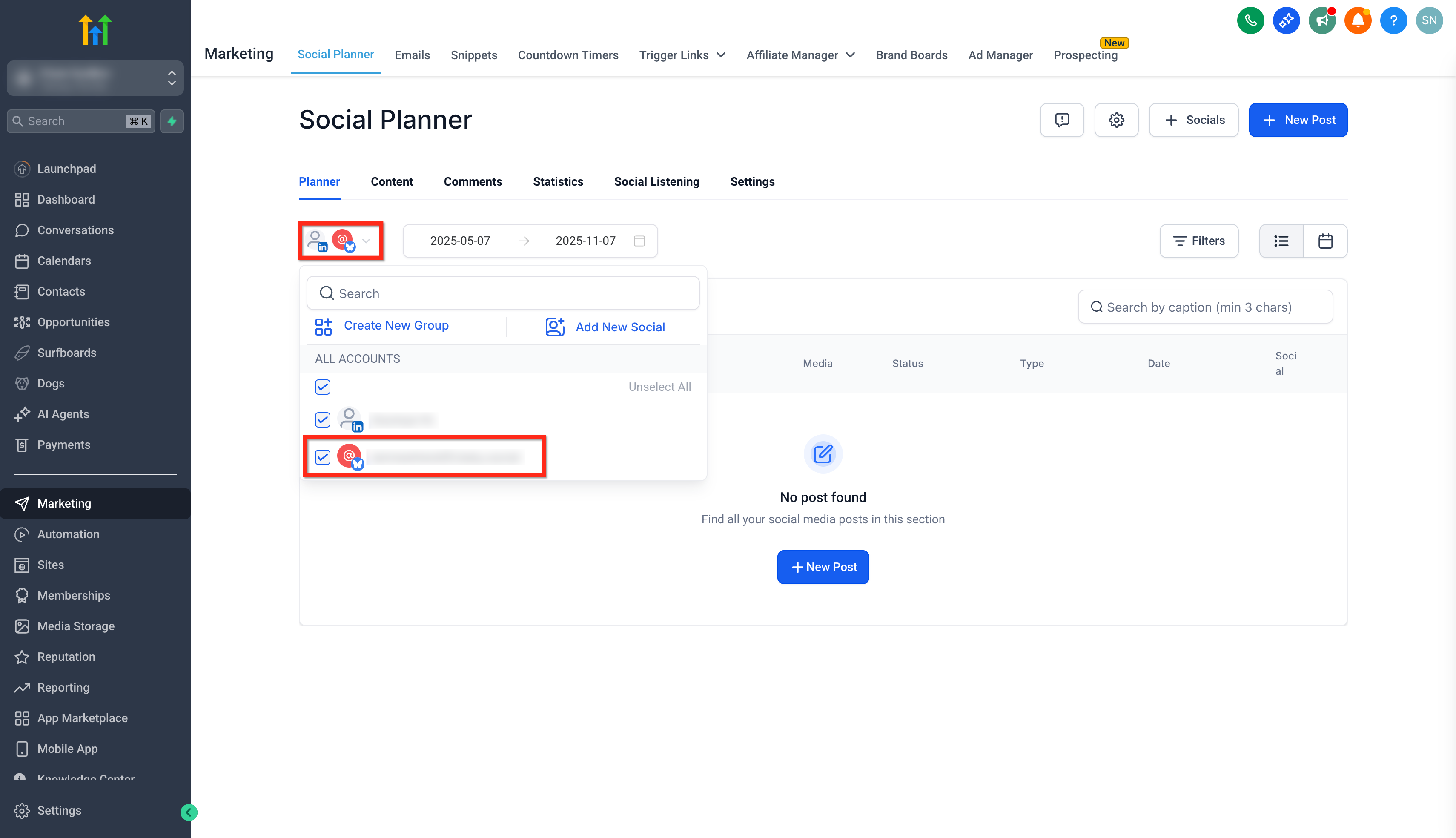
- Once connected, your Bluesky account will appear under All Accounts drop-down in Social Planner.
Frequently Asked Questions
- Getting Started - Setup Social Planner
- Connecting LinkedIn Profile and Business Pages to Social Planner
- Social Planner - Meta Threads Integration
- Connect Instagram: Facebook-Linked vs. Direct Instagram Integration Was this article helpful? That’s Great! Thank you for your feedback Sorry! We couldn’t be helpful Thank you for your feedback Feedback sent We appreciate your effort and will try to fix the article