
Associating Contacts using Custom Labels
Managing relationships between contacts is an important aspect of organizing customer data efficiently. Patient Copilot CRM’s Contact Associations feature allows structured connections between contacts and other objects, such as business partners, family members, and employees. This guide provides a comprehensive overview of setting up and managing these associations to improve CRM organization.
Managing and Editing Associations
Editing an Existing Association
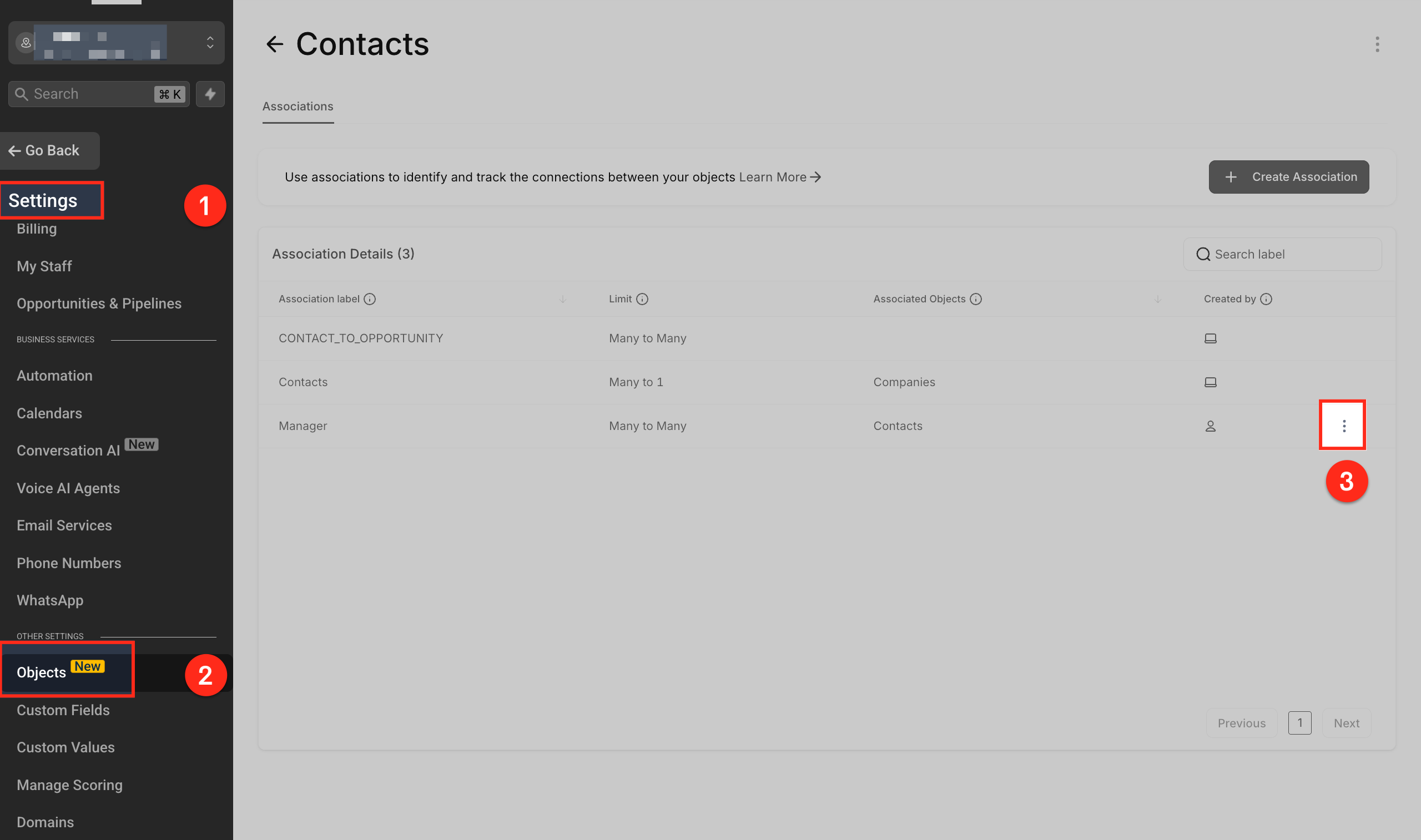
Go to Settings > Objects > Contacts, find the relevant association, and modify it using the three-dot menu (⋮).
Removing an Association
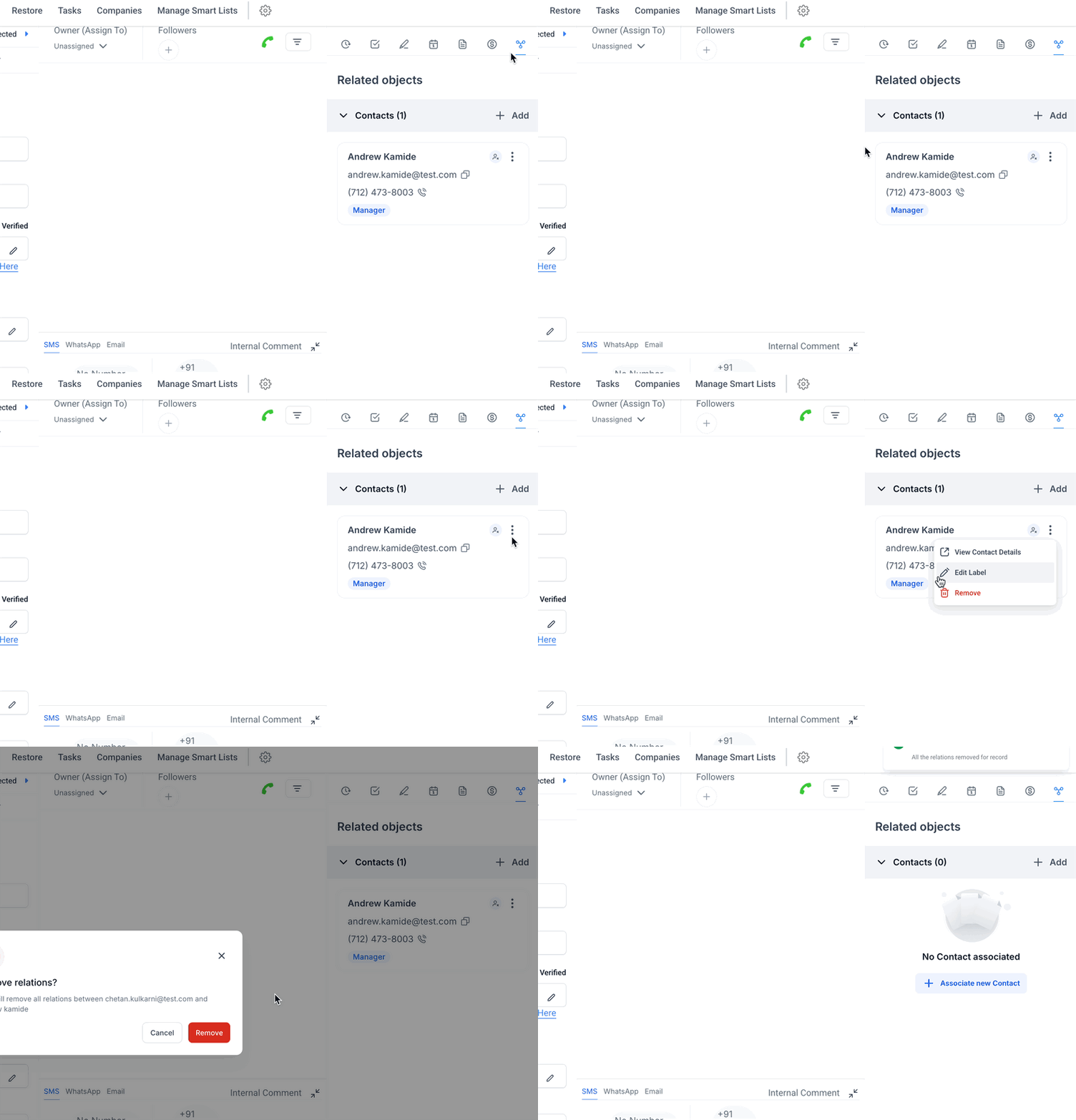
Within a Contact Profile, navigate to the Related Objects section, locate the associated contact, and remove the link.
Frequently Asked Questions
Q. What is the difference between Single and Pair Labels?
Single Label: Both contacts receive the same label (e.g., “Colleague”). Pair Labels: Each contact has a distinct role in the relationship (e.g., “Manager” and “Employee”). Q. Can associations be used in automations or workflows? At present, associations serve as an organizational tool. Future updates may introduce automation capabilities. Q. Can contacts be linked to custom objects? Yes, contacts can be associated with predefined objects such as Surfboards, with additional custom object support expected in future updates. Q. Can an association label be deleted? Yes, but deleting a label is permanent and requires removing all linked associations first. Q. How many associations can a single contact have? A contact can have up to 10 associations, and one label can link up to 1000 contacts. This feature allows users to associate multiple contacts with one another using custom labels. This is particularly useful for businesses that need to manage relationships between contacts, such as family members or business associates. If you are looking to streamline communication and data organization for linked contacts, the information below will guide you through the key functionalities, benefits, and how to effectively use this feature.