
Workflow Action - Add To Affiliate Campaign
Overview The Add To Affiliate Campaign adds a contact to the selected affiliate campaign as an active affiliate. This action is useful for enrolling existing contacts or customers as your Affiliates in specific affiliate campaigns
Action Name Add To Affiliate Campaign
Action Description The Add To Affiliate Campaign action is designed to automate converting existing contacts as affiliate in the selected affiliate campaign.
Action Details Step by Step Guide
- Choose the Action Type: Select “Add To Affiliate Campaign” from the list of available actions.
- Name Your Action: Enter a descriptive name for the action, such as “Enroll Affiliates in Campaign XYZ”
- Select the Affiliate Campaign: From the dropdown choose the affiliate campaign in which you want to add the newly recruited affiliates
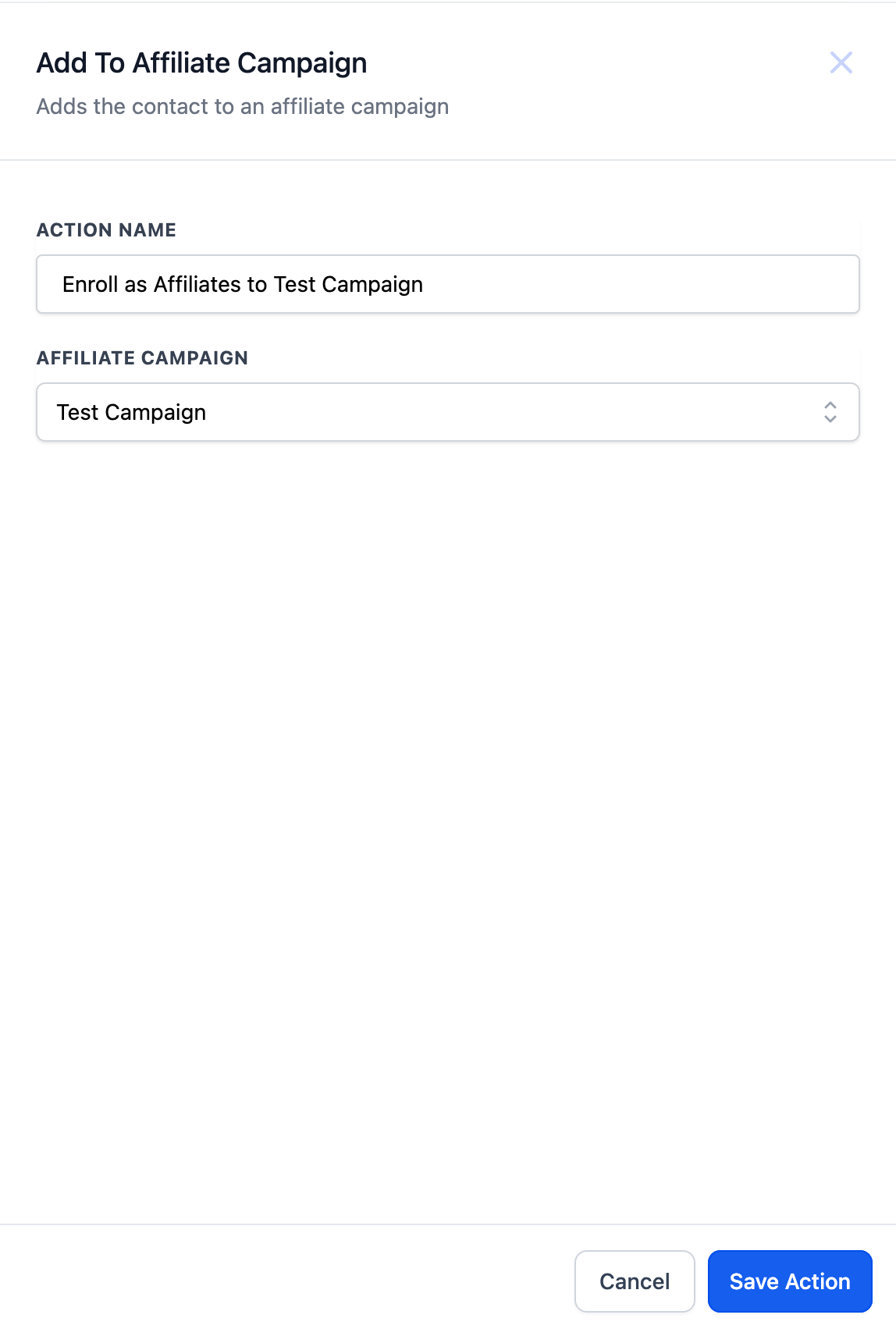
Example Convert existing contacts to Affiliates in Affiliate Test Campaign when a tag is added to the contact Scenario: A business wants to recruit the customers that have replied on a post or shown interest in being part of the affiliate network. The user adds a tag to categorize such contacts and then convert them to active affiliates. The user wants to automatically add these new affiliates to the Affiliate Test Campaign. Action Setup: Action: Add To Affiliate Campaign Name: Enroll as Affiliates to Test Campaign Workflow Trigger: 1. Contact Changed: The contact will enter the workflow when the selected filter is changed or added.
- Filters: Tags added “Affiliate” Workflow Actions: 1. Add To Affiliate Campaign
- Select the Affiliate Test Campaign Outcome: This ensures that whenever the tag will be added to a contact, the contact will be converted to an affiliate and get added to the Affiliate Test Campaign. The affiliate can now start selling the products or services to generate commissions Was this article helpful? That’s Great! Thank you for your feedback Sorry! We couldn’t be helpful Thank you for your feedback Feedback sent We appreciate your effort and will try to fix the article