
Searching an Object Record
This feature allows admins to configure which fields are searchable for their location. Once updated, this change reflects for all users and impacts every place where the object can be searched, enhancing the flexibility and customization of searches. In This Article
- Feature 1 - Configuring Searchable Fields for Your Organization
- Feature 2 - Admin Only Access
- Feature 3 - Changes Apply Globally
- Feature 4 - Regex Search(https://help.patientcopilot.ai/a/solutions/articles/155000003713?portalId=48000070066#How-to-update-your-searchable-fields?)
- How to update your searchable fields?
Feature 1
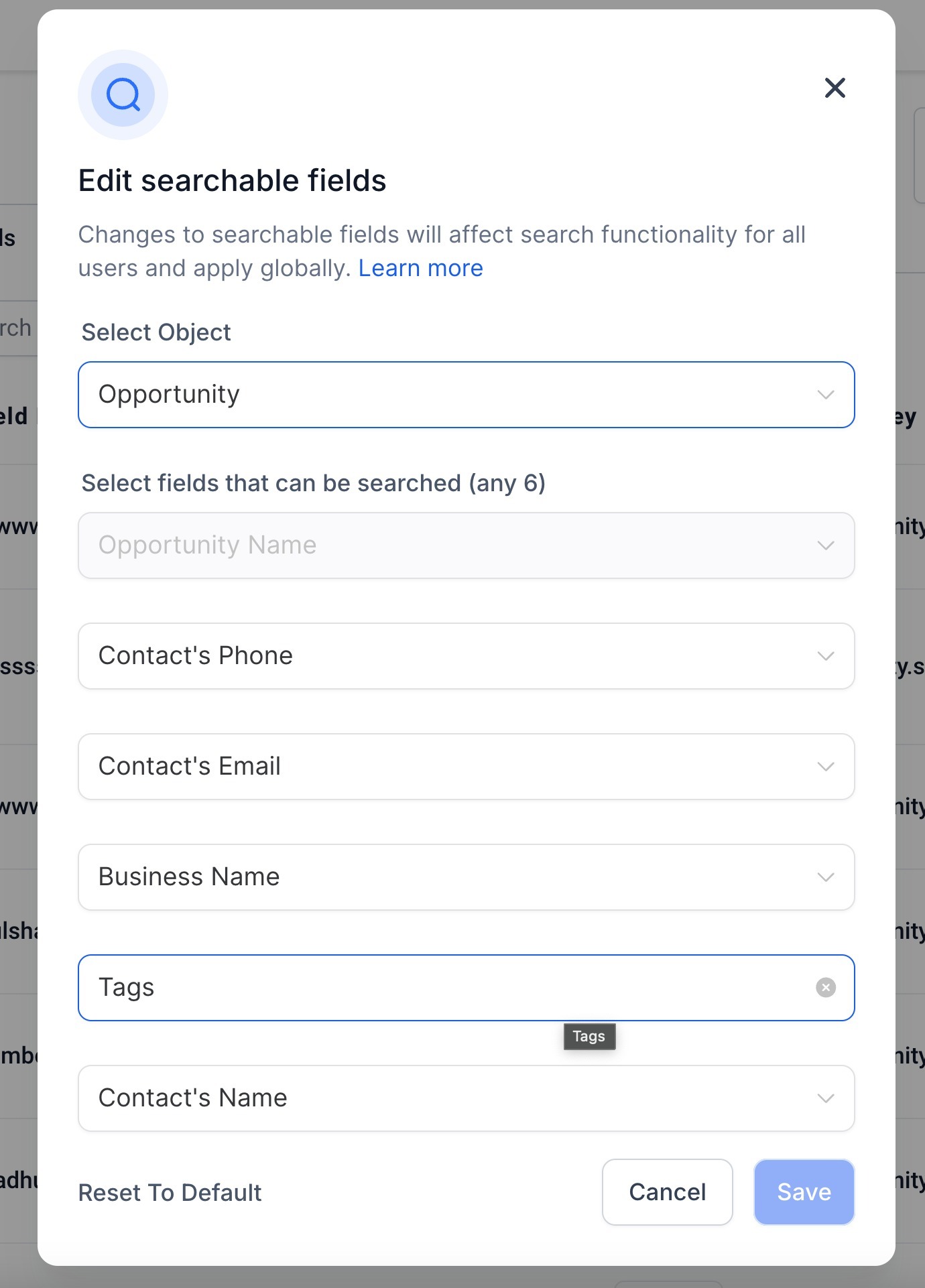
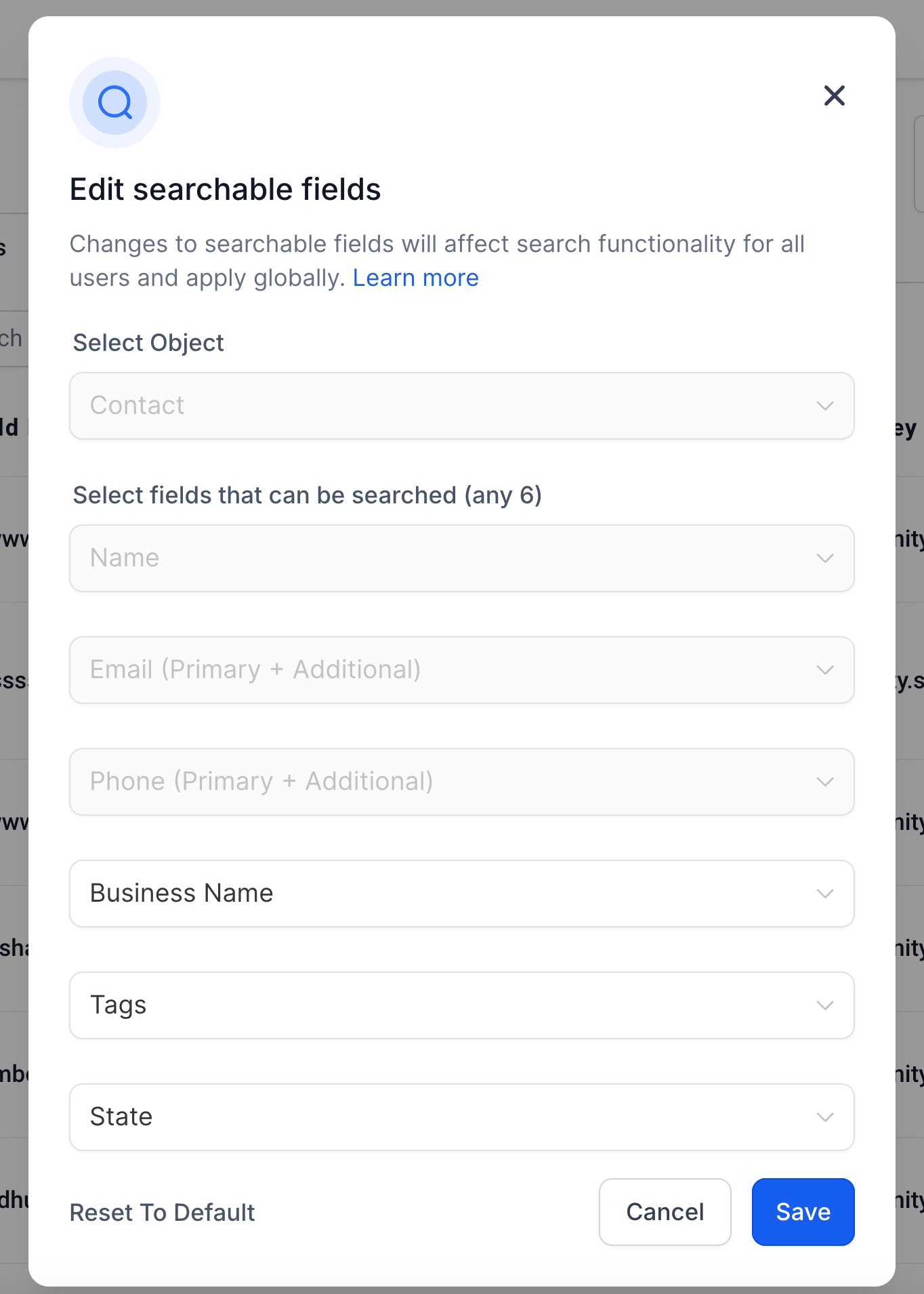
- Configuring Searchable Fields for Your Organization Admins now have the flexibility to update the fields that are searchable for objects such as Contacts, Opportunities, and Custom Objects. This feature allows for streamlined search customization and offers regex search capabilities for specific fields. For Contacts and Opportunities - you can search for upto 6 fields. A minimum of 3 characters need to be added in the search box for any search to execute. For Contacts - Contact Name, Phone Number and Email Address are mandatory and cannot be removed from the searchable fields. For Opportunities - Opportunity Name cannot be removed from the searachable fields.
Feature 2
- Admin Only Access The ability to configure searchable fields is available only to admins. Users do not have the ability to make these changes.
Feature 3
- Changes Apply Globally Once the change is applied, the change will reflect across all contact search bars in the platform.
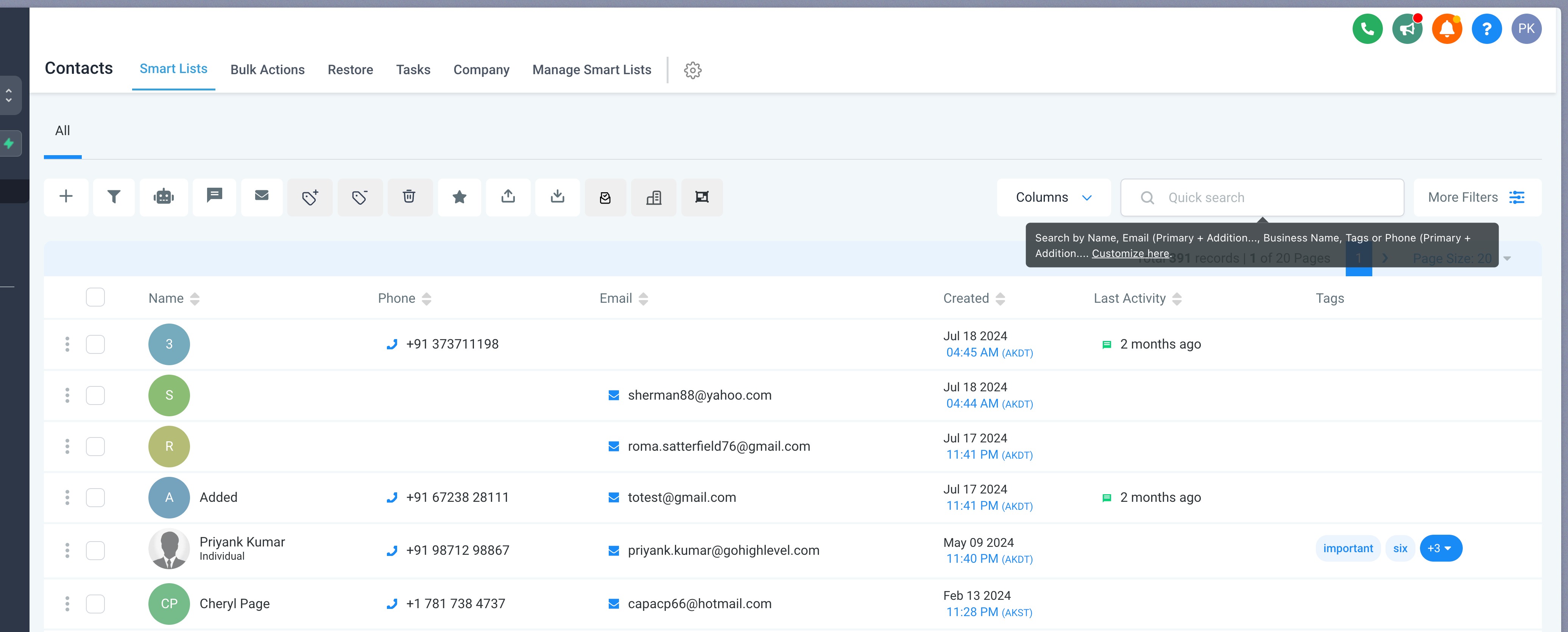
For Contacts, that includes: 1. Contacts Search bar
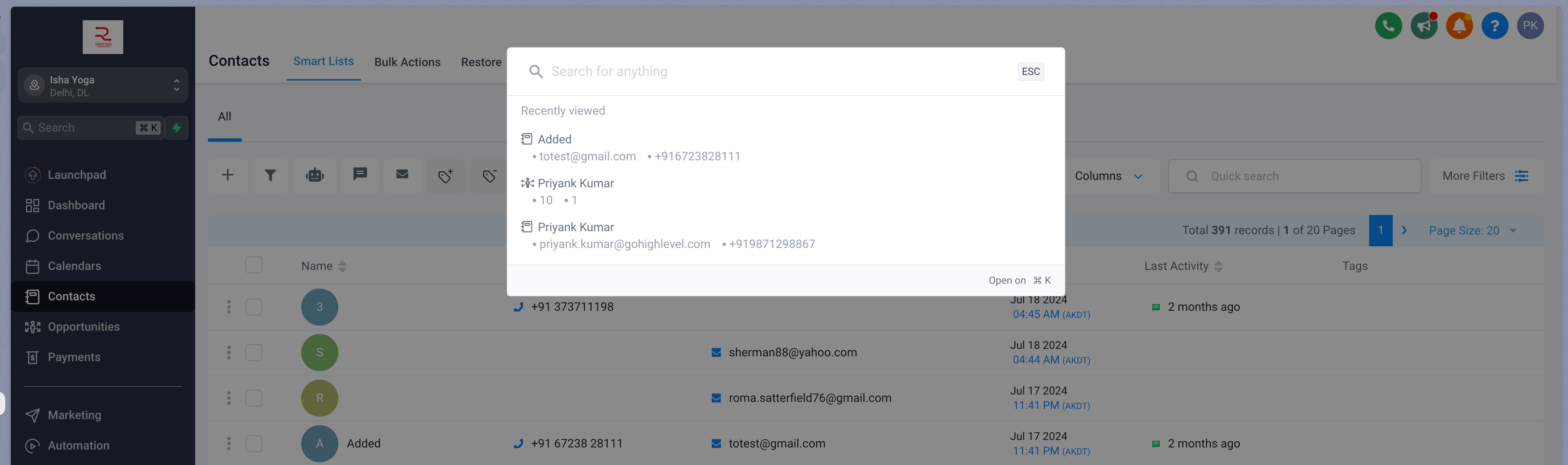
2. Global Search Bar
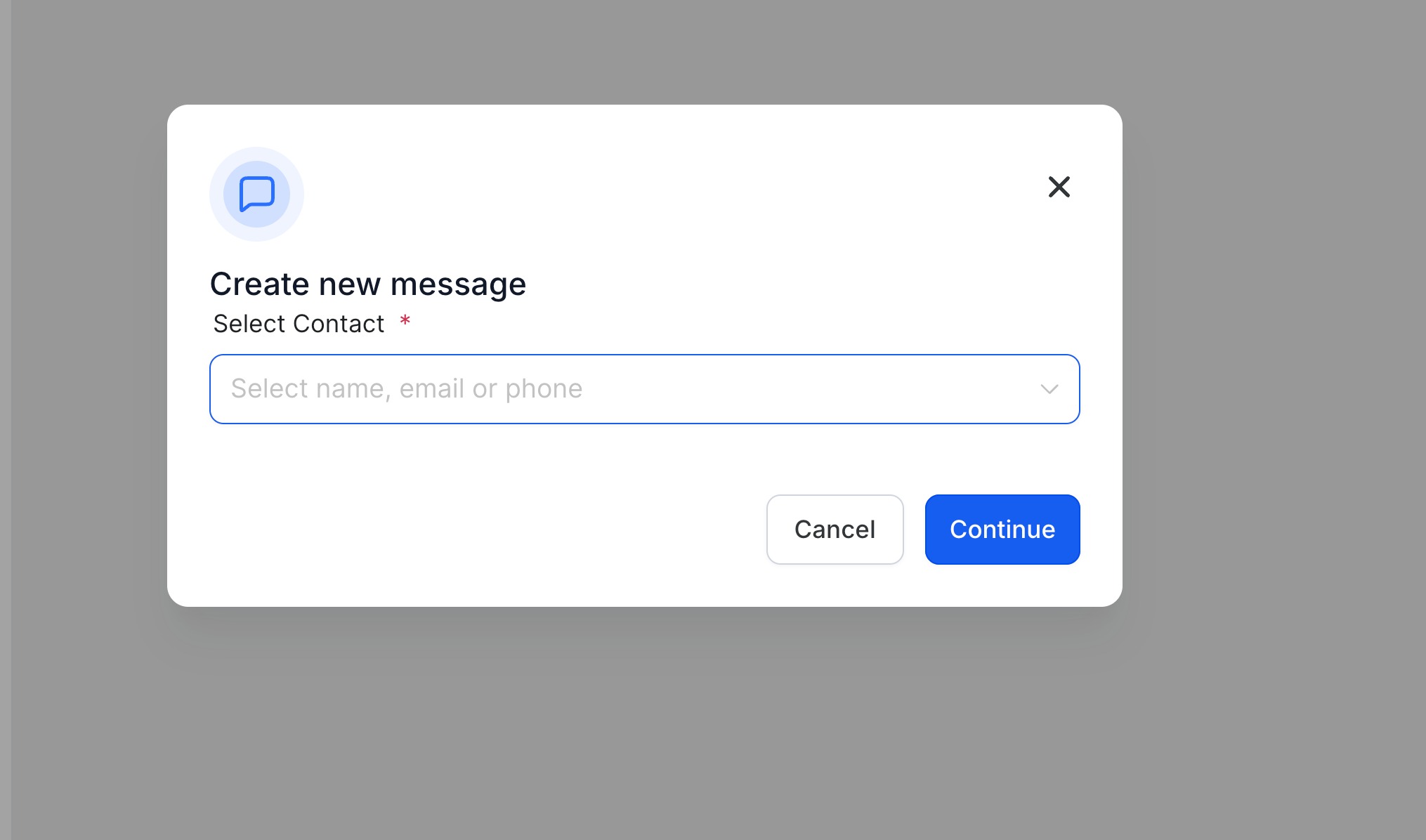
3. Creating a new message in Conversations
4. Creating a new appointment in Calendars
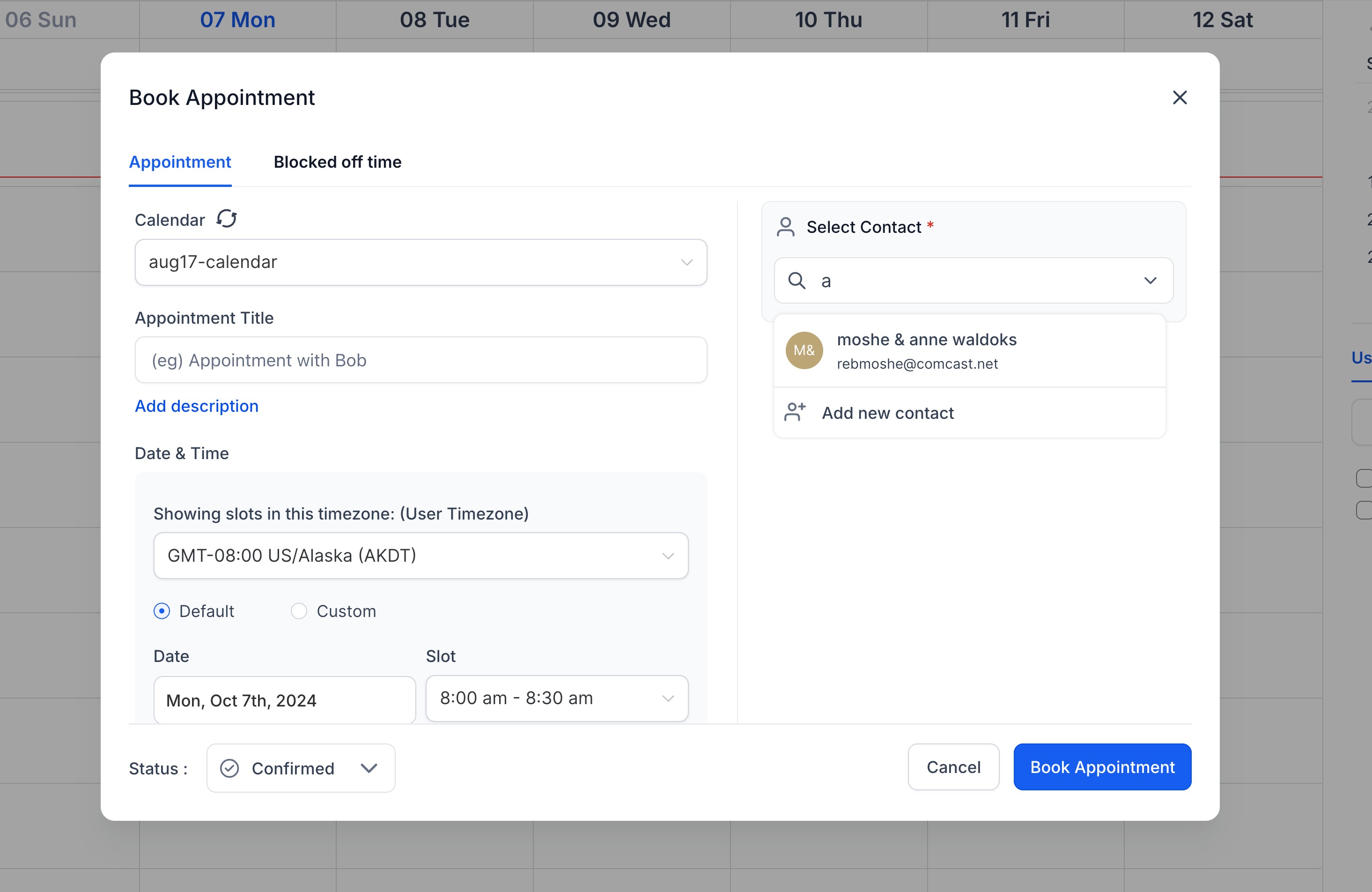
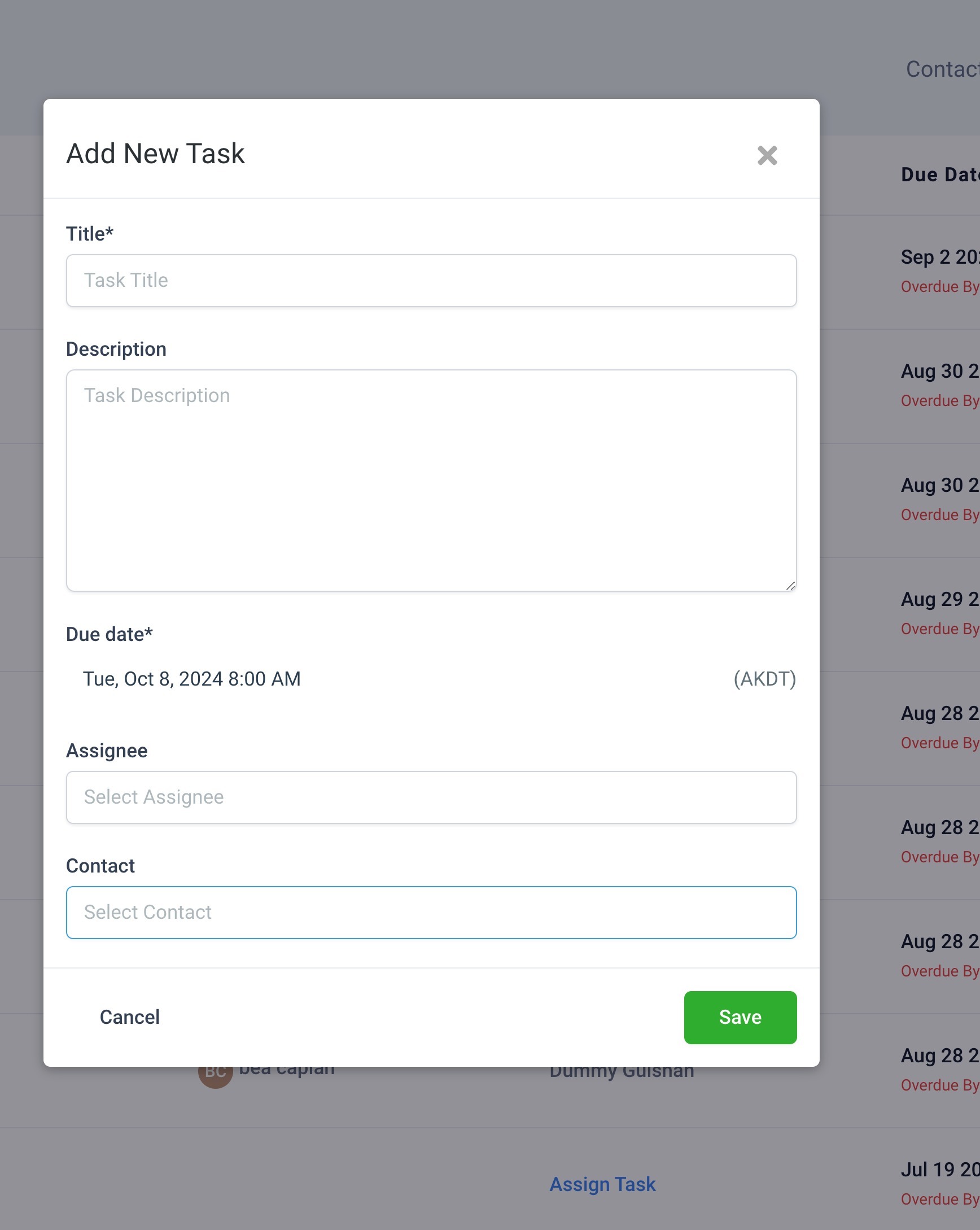
5. Creating and Updating Tasks in Contacts**
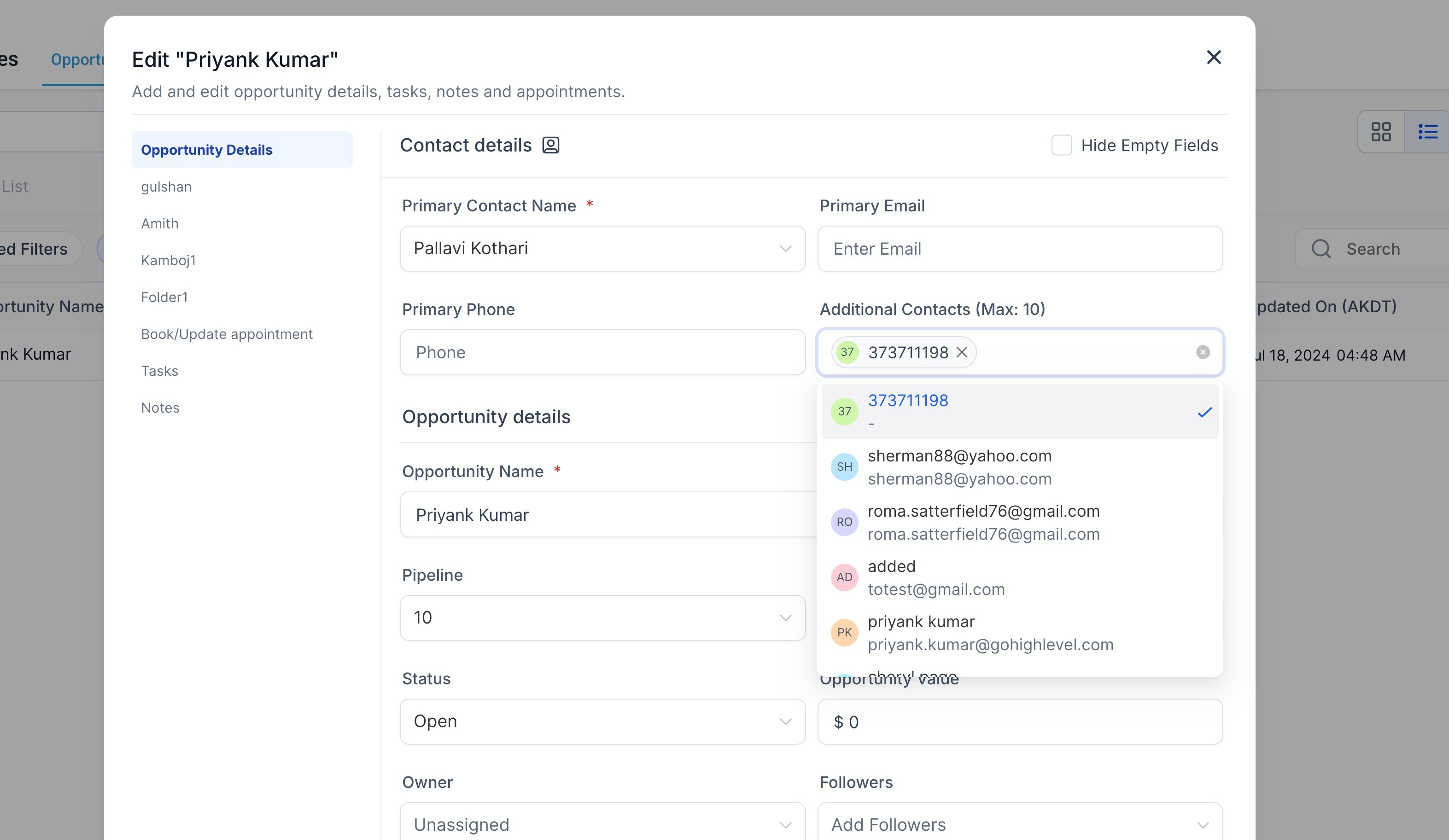
** 6. Contacts and Additional Contacts fields in Opportunities ****
**** And also across the following modules:
|
|
|
|
|
|
|
|
|
|
|
|
Feature 4
- Regex Search Users can take advantage of regex for more tailored searches. However, please note that regex will not work on fields like contact names, phone numbers, monetary values, numeric fields and other similar fields. Regex supports: -
*abc: Searches for records ending with “abc.” *abc*: Searches for records containing “abc.”abc*: Searches for records starting with “abc.”
Regex search does not work on fields like contact name, phone numbers and monetary values
How to update your searchable fields? 1. Launch the Subaccount > Settings > Custom Fields
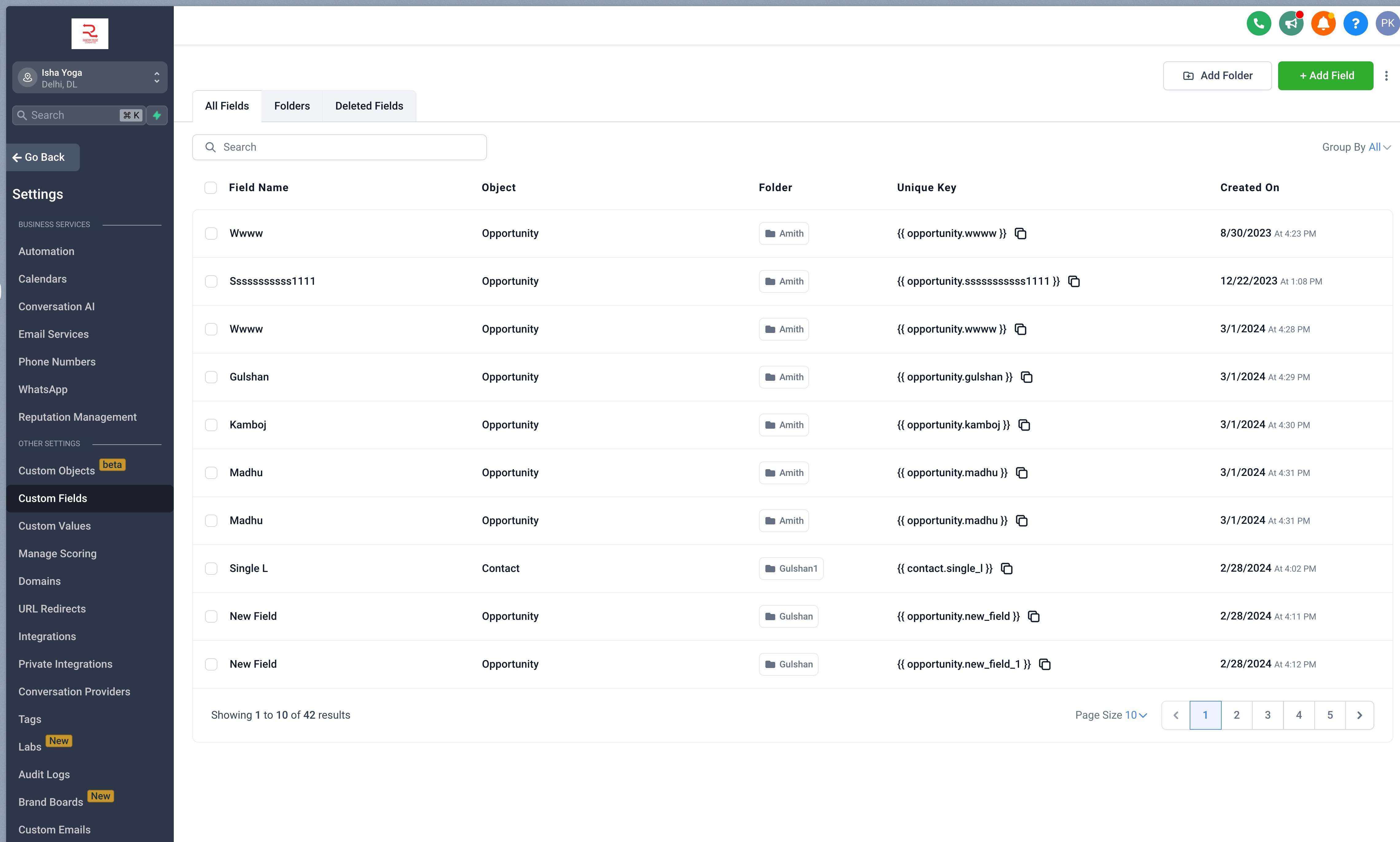
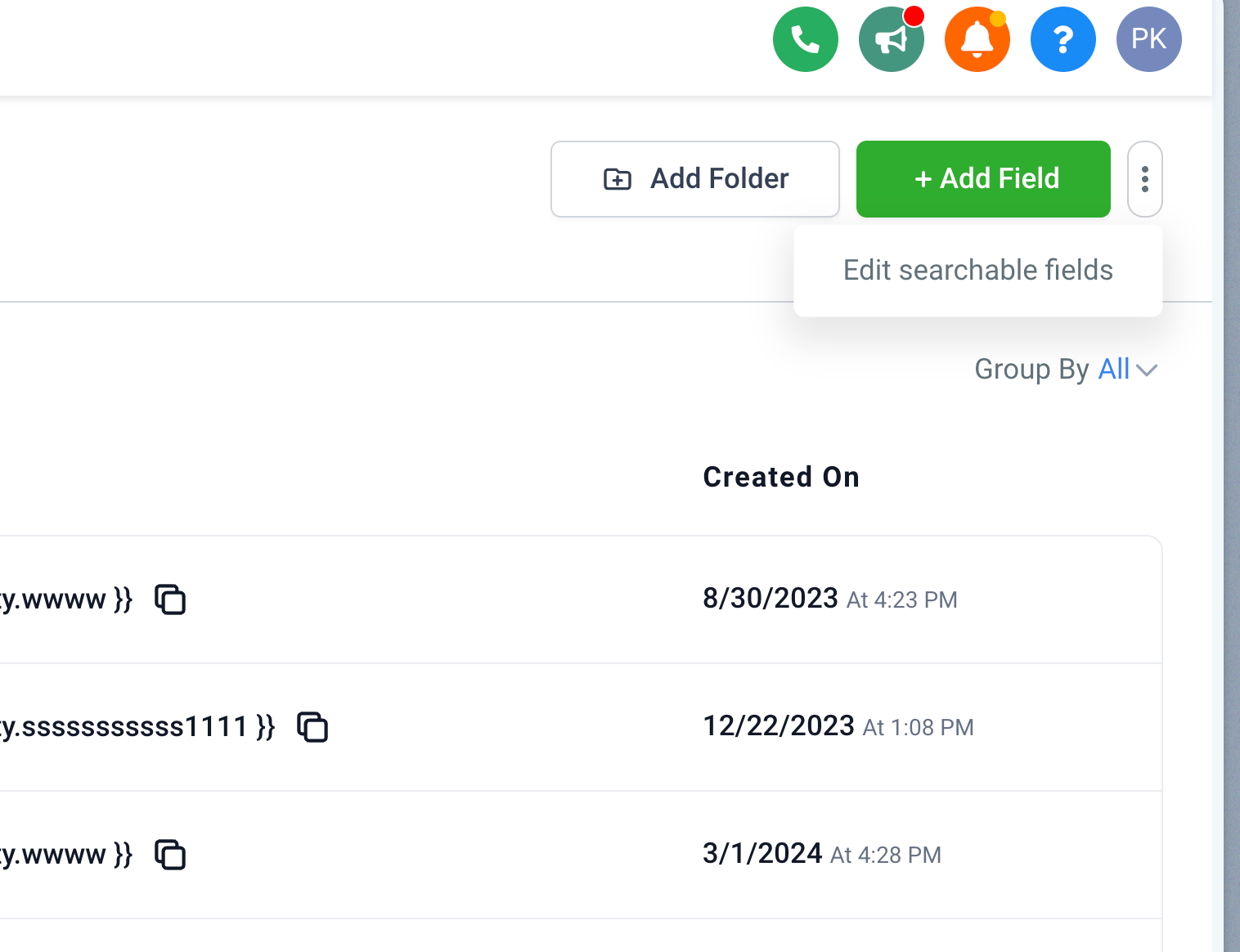
- Go to the kebab menu (3 dots) on the top right and click on “Edit searchable fields”
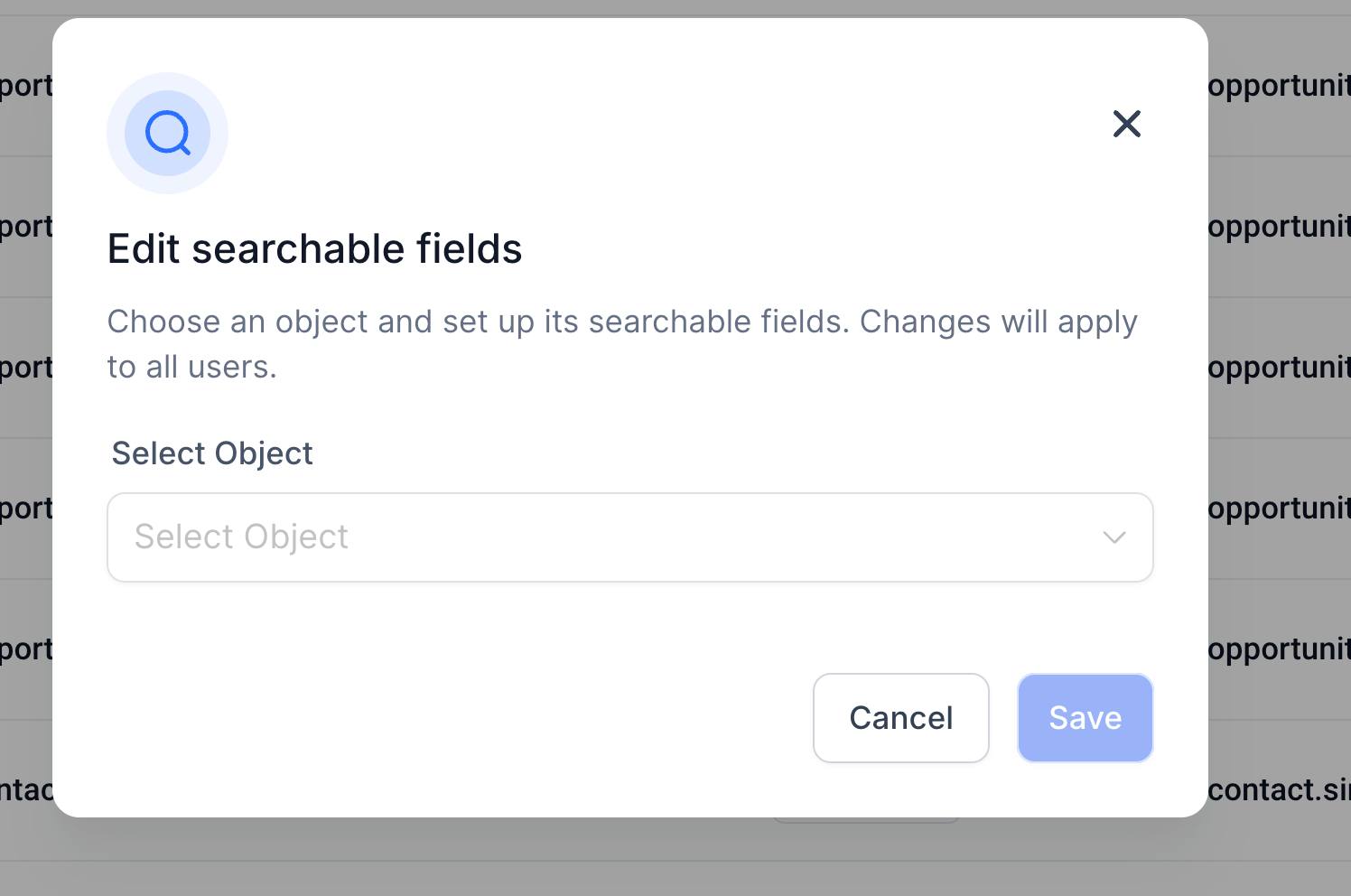
- Select the object you want to update the searchable fields for.
- Select fields that you want to mark Searchable.
- Save and confirm the changes.
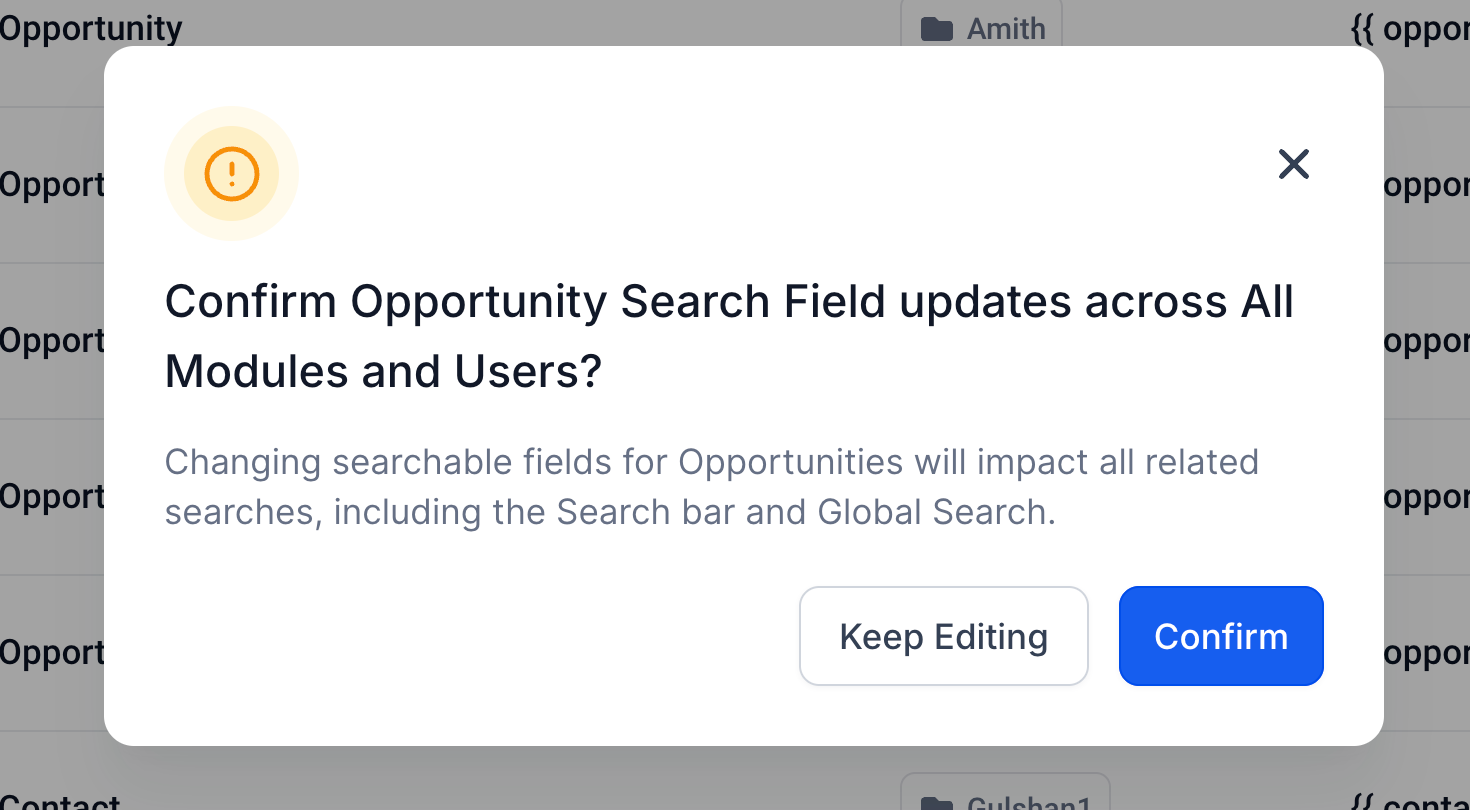
- The searchable fields are now updated for all modules and users in this account. Was this article helpful? That’s Great! Thank you for your feedback Sorry! We couldn’t be helpful Thank you for your feedback Feedback sent We appreciate your effort and will try to fix the article