Snapshot Load Retry
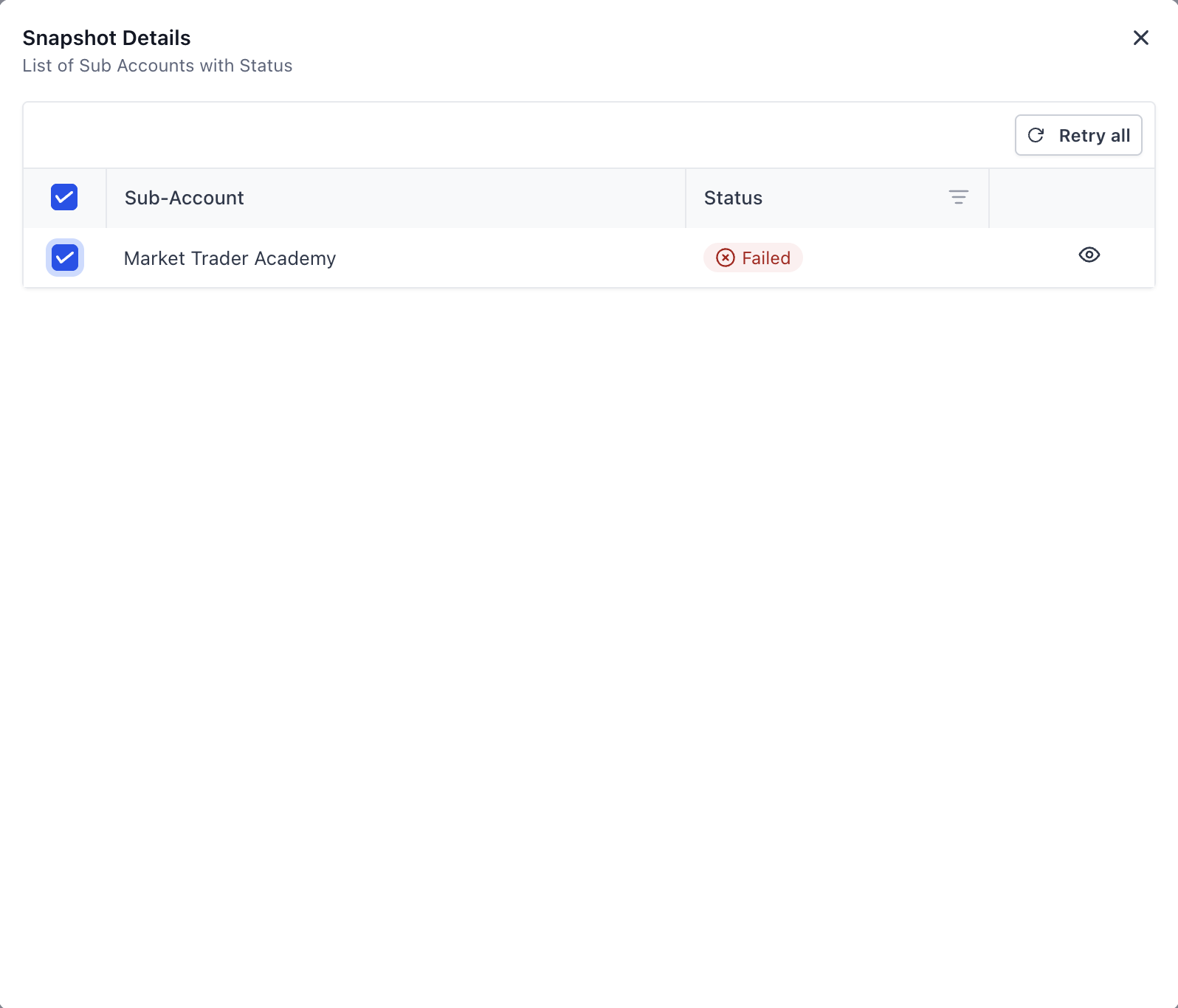
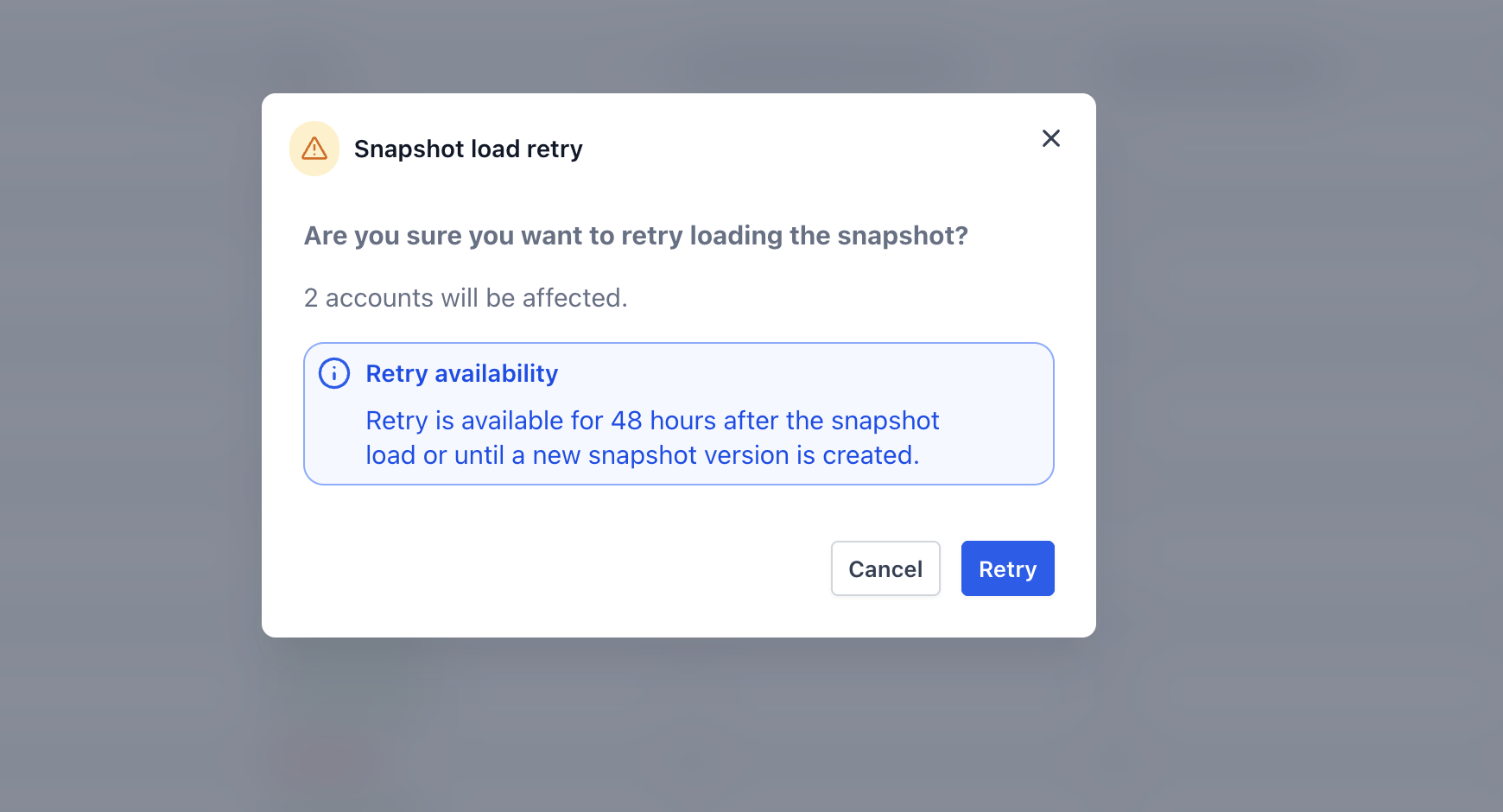
Snapshot Load Retry helps you quickly recover from snapshot pushes that fail for one or more sub-accounts. Instead of rebuilding a full push, you can retry only the failed sub-accounts directly from Load History and watch the retry progress update in real time. This is especially useful for resolving temporary errors like timeouts or account-specific permission issues. * * * ## What is Snapshot Load Retry? Snapshot Load Retry is a recovery tool in Patient Copilot that lets you re-run failed sub-account imports from the same snapshot load attempt. Keeping retries tied to the original load makes it easier to troubleshoot, audit what happened, and finish a rollout without recreating a brand-new push. * * * ## Key Benefits of Snapshot Load Retry Recovering failed snapshot loads quickly prevents delays in onboarding and reduces repetitive work when only part of a batch fails. - Time savings: Retry failed sub-accounts without rebuilding a full snapshot push. - Less manual effort: Re-run failures with a couple of clicks instead of starting from scratch. - Better organization: Retries stay grouped under the original load for easier auditing and troubleshooting. - Faster recovery: Resolve temporary issues (timeouts, intermittent errors, access problems) and complete the push sooner. * * * ## Where to Find Snapshot Load Retry Knowing exactly where Snapshot Load Retry lives makes it easier to act quickly when a load fails, especially during larger rollout batches. 1. Go to Snapshots in your Agency view. 2. Open Load History.!(https://assets.patientcopilot.ai/d4927cc37984170b.png) 3. Select a load that shows one or more failed sub-accounts.!(https://assets.patientcopilot.ai/5a11fdf2a82f5fa5.png) 4. Open the load details to access retry options (such as retrying all failures or retrying selected accounts).!(https://assets.patientcopilot.ai/1cd978bfba51ac7c.png) * * * ## Retry All Failed Sub-Accounts Retry All Failed is the fastest option when multiple sub-accounts in the same batch need another attempt. It reruns only the failed sub-accounts while leaving successful sub-accounts untouched. 1. Open Snapshots → Load History. 2. Click the load that contains failed sub-accounts. 3. Click Retry All Failed. 4. Watch statuses update as Patient Copilot retries only the failed items in the batch. * * * ## Retry Specific Sub-Accounts Retry Selected is ideal when only a few sub-accounts failed and you want a targeted retry. This helps you focus on specific accounts after fixing a known issue (like permissions) before re-running the load. 1. Open Snapshots → Load History and select the relevant load. 2. Expand the batch details to view the sub-account list. 3. Select the checkbox next to each failed sub-account you want to retry. 4. Click Retry Selected. * * * ## Track Retry Progress Clear progress tracking helps you confirm which sub-accounts recovered successfully and which ones still need attention without switching pages or recreating the push. - Status indicators update as retries run (for example: In Progress, Successful, Failed). - Progress updates appear within the same load details view, so you don’t need to restart the process. - Retry attempts remain associated with the original load for easier review and troubleshooting. * * * ## Retry Availability Rules These safeguards help ensure retries remain reliable and prevent you from reloading outdated snapshot content into sub-accounts. Snapshot Load Retry is unavailable in these scenarios: - 48-hour limit: Loads older than 48 hours can’t be retried. Create a new load instead. - Snapshot refreshed or modified: If the snapshot was refreshed/updated after the original load, start a new load to ensure the most current snapshot version is applied. * * * ## Frequently Asked Questions Q: Does Snapshot Load Retry apply new changes I made to the snapshot? No. If the snapshot was refreshed or updated after the original load, start a new load to ensure the latest snapshot version is used. Q: Can I retry a snapshot load after 48 hours? No. Retry is only available within 48 hours of the original load. After that, create a new load. Q: Will retrying overwrite the sub-accounts that were successful the first time? No. Retry actions run only for the sub-accounts that failed. Successful sub-accounts are not retried. Q: Who can run Snapshot Load Retry? Users who have access and permissions to push/load snapshots in the Agency view can run retries from Load History. * * * ## Related Articles - Snapshot Version Management