
Which Twilio phone number will the leads be getting the SMS from?
Overview When sending SMS through Patient Copilot, the system follows a set of rules to determine which Twilio phone number is used as the sender. This ensures messages are sent from the most appropriate number, maintaining consistency and compliance.
Workflow Settings Option
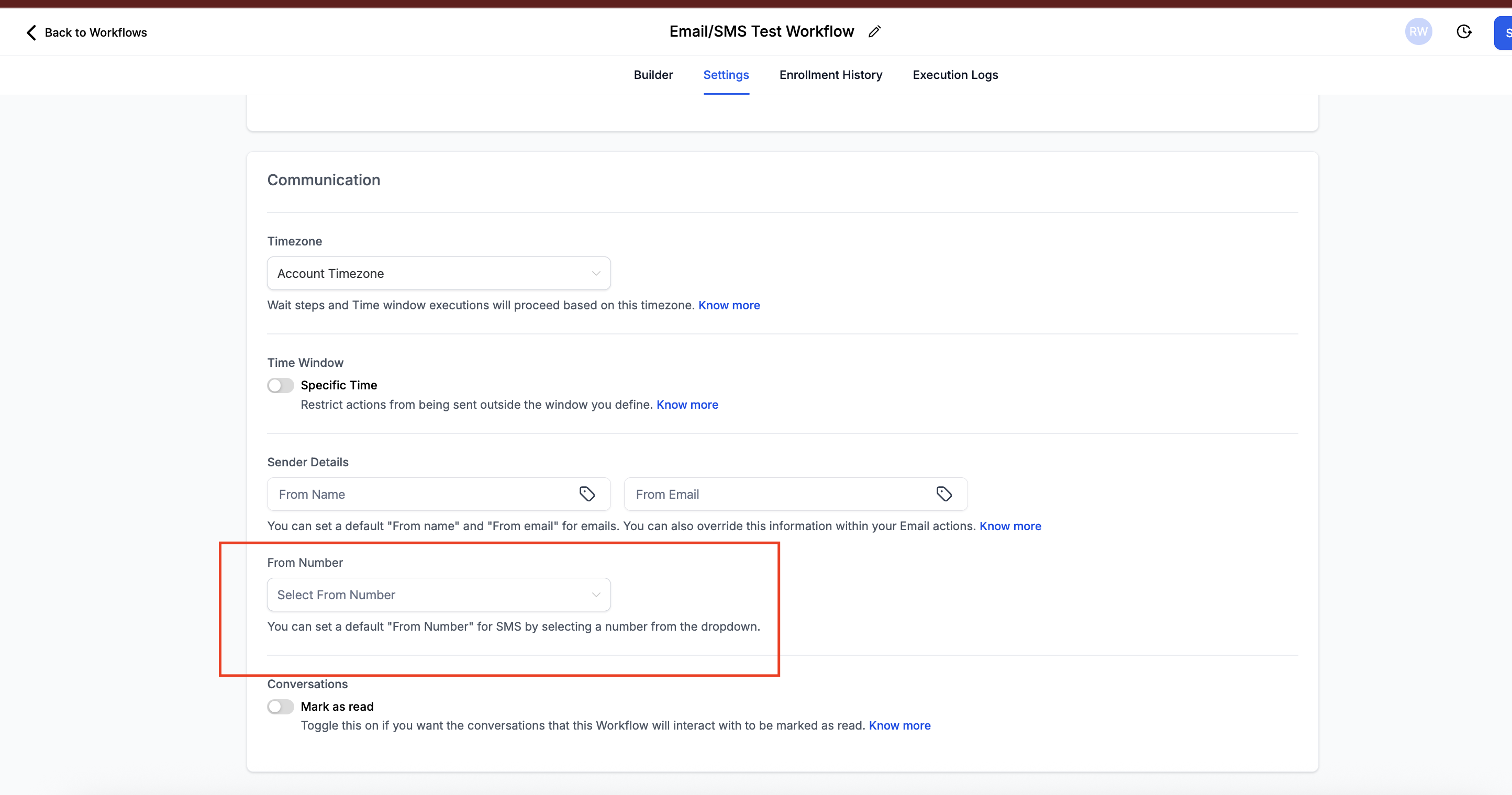
Inside the Workflow builder, you can also manually choose which number to send SMS from.
- When configuring a “Send SMS” step, you’ll see a dropdown for “From Number.” This is useful when you want workflows to always send from a particular number, regardless of staff assignment or channel number.
Fallback Rules (When No User Number Exists)
If the User logged into Patient Copilot is not listed in the sub-account, or doesn’t have a LC number assigned, the system will try the following in order:
- Channel Number – the first LC number ever used with that contact.
- This maintains conversation continuity. 2. Default Outbound Number – if the channel number has been removed, the system will use the default Twilio number set at the account level.
Checking Which Number Was Used
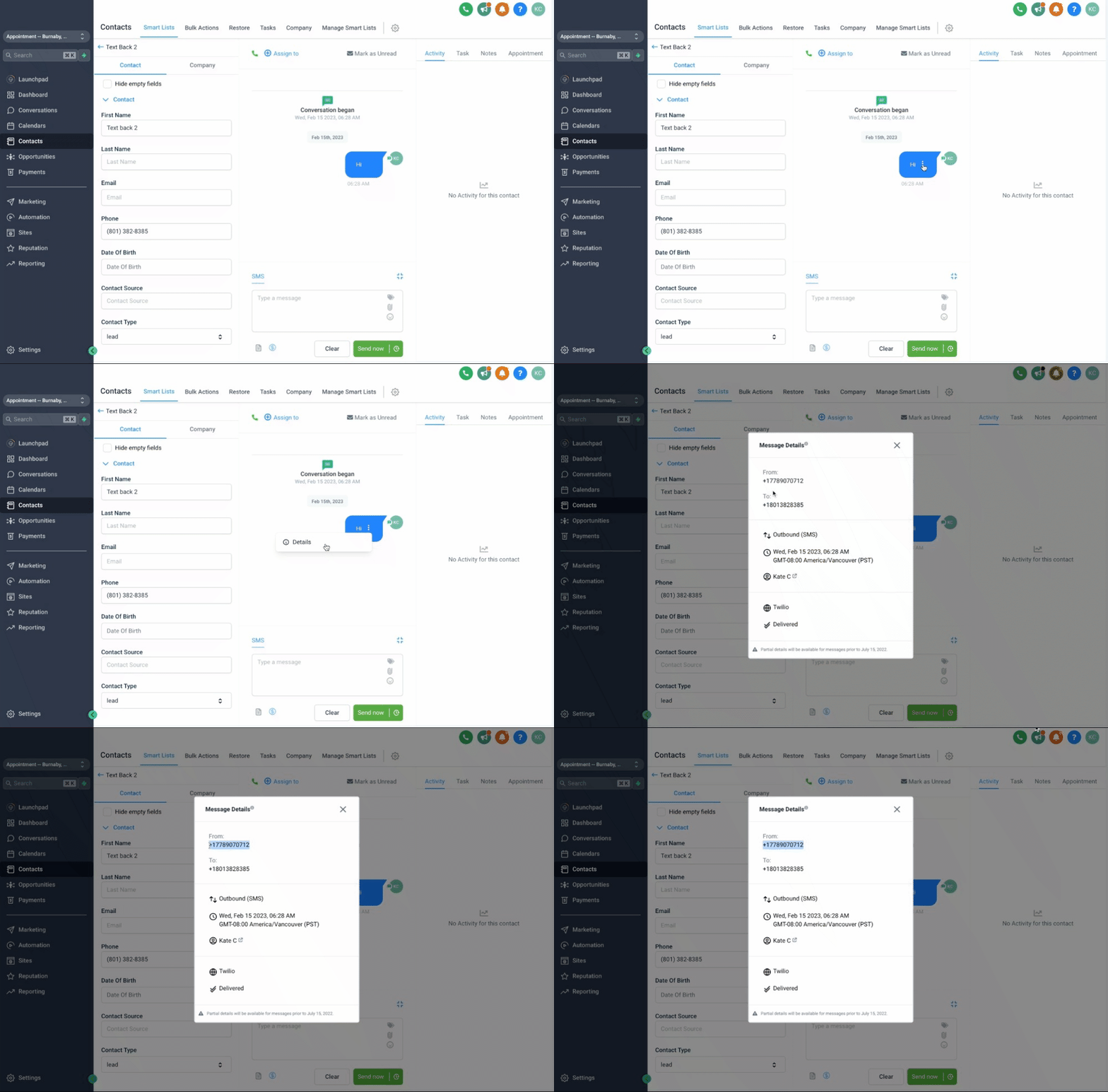
To confirm the exact Twilio number used in a conversation:
- Hover over the SMS message in the conversation view.
- Click the three dots (…) > Details.
- This will show the Twilio number used to send that SMS.
Was this article helpful? That’s Great! Thank you for your feedback Sorry! We couldn’t be helpful Thank you for your feedback Feedback sent We appreciate your effort and will try to fix the article