
Webinar Funnels
This new addition allows users to create and manage both On-Demand and Live Webinars. The goal is to simplify the process of setting up engaging webinars that drive lead generation, boost engagement, and enhance conversions, all from within a single, integrated platform.
Key Features & Benefits Patient Copilot’s webinar funnels are built to streamline setup while giving you powerful engagement tools.
- On-Demand Webinars → Pre-recorded content that can be accessed anytime, perfect for evergreen lead generation.
- Live Webinars → Host real-time sessions with scheduled dates/times and live interaction.
- Template Selection → Pre-built registration, confirmation, and broadcast pages to launch faster.
- Automated Workflows & Reminders → Pre-configured automation recipes for email and SMS reminders and follow-ups, reducing manual work.
Getting Started
Accessing Webinar Creation
- Login to your Patient Copilot account:
app.patientcopilot.ai2. Navigate to Sites in the left sidebar 3. Click Webinars 4. Select New Webinar Funnel
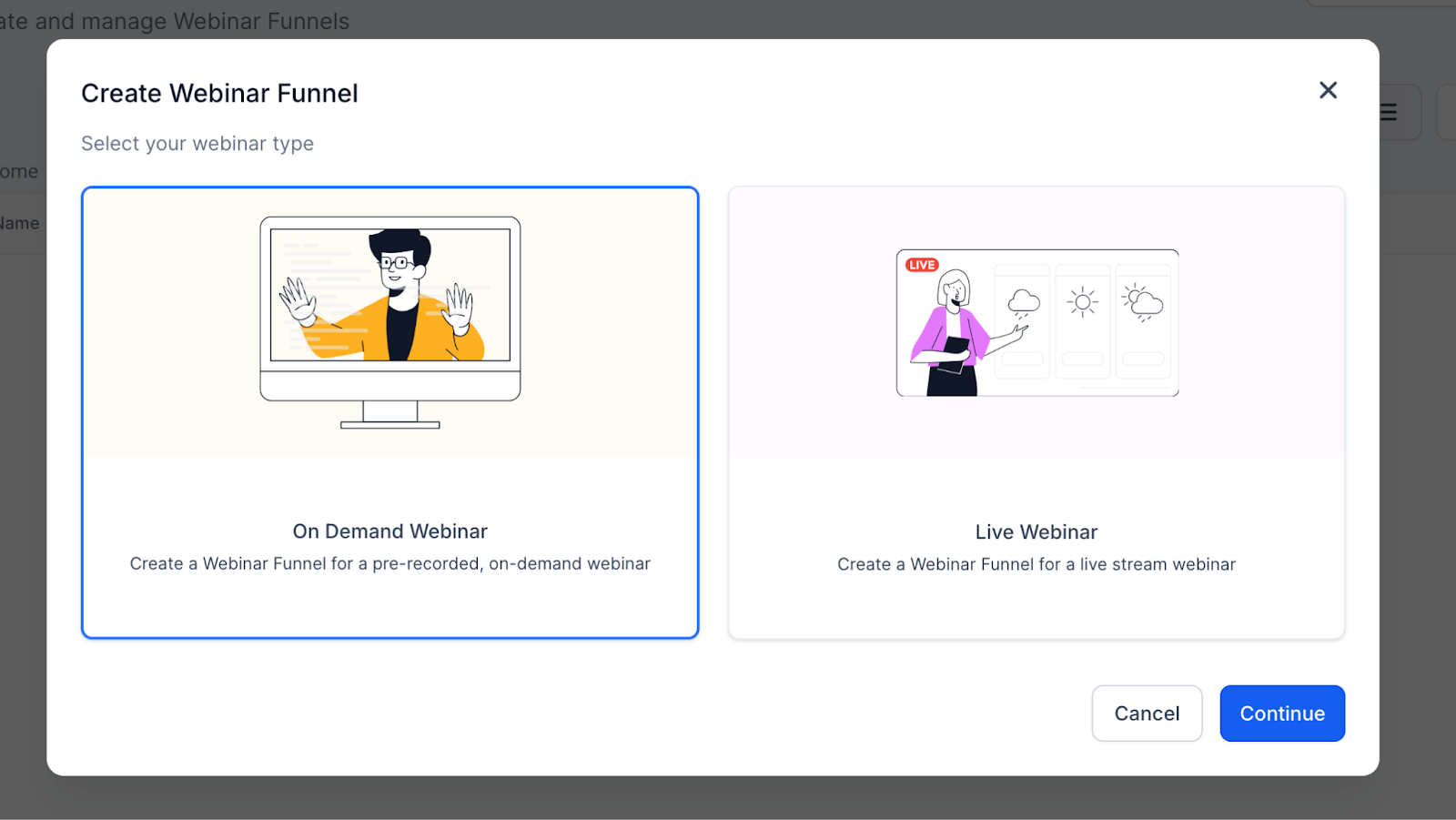
Initial Setup Choose your webinar type:
- On Demand Webinar → Pre-recorded, watch anytime
- Live Webinar → Scheduled event with a set date/time
Live Webinars
Overview Live webinars are real-time presentations where attendees join at a specific date and time.
4-Step Creation Process
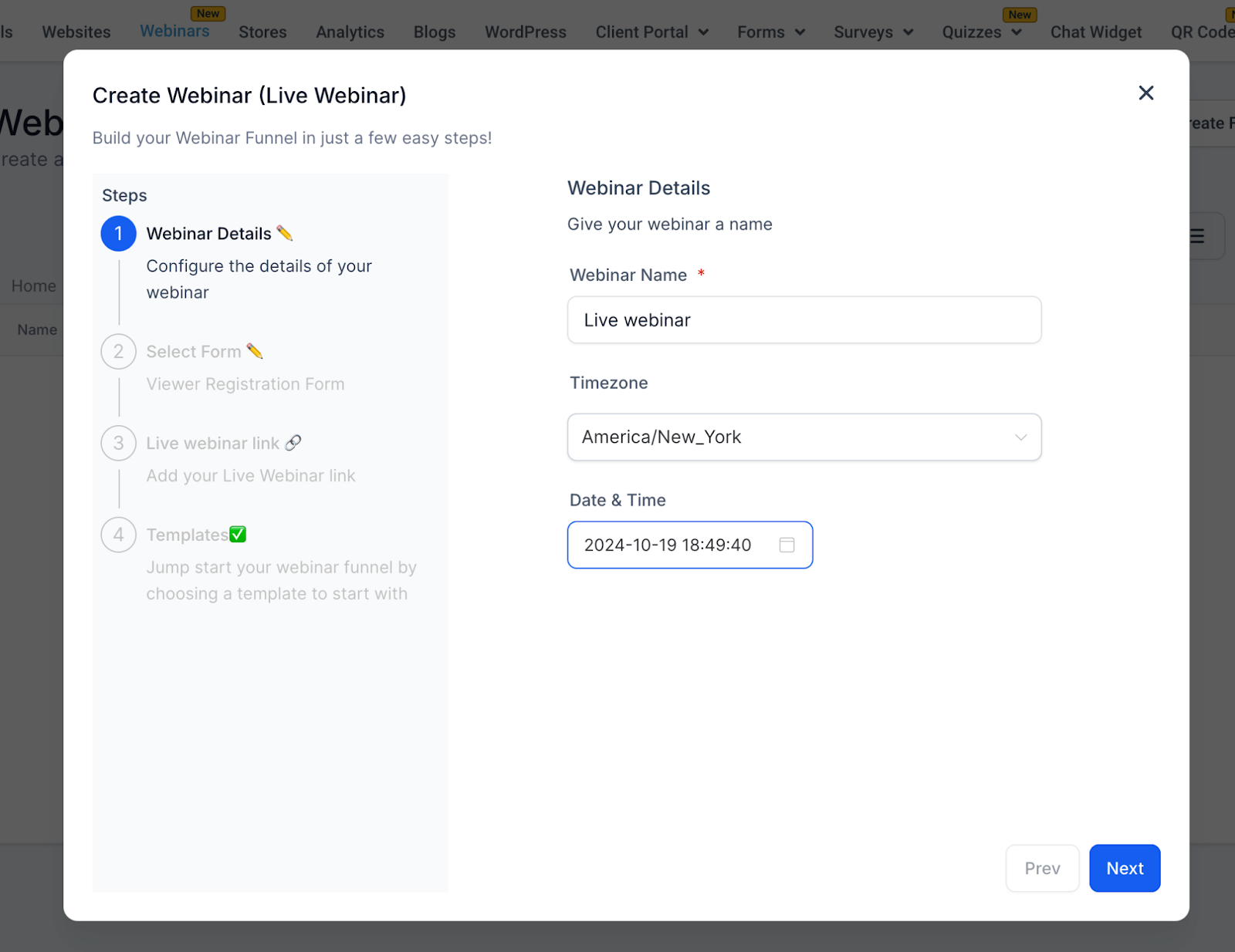
Step 1: Webinar Details
- Webinar Name (Required) — Example: Digital Marketing Mastery Webinar
- Timezone (Required) — Default: America/New_York (changeable)
- Date (Required) — Pick a future date
- Time (Required) — Example: 2:00 PM _
_
Step 2: Select Form
Attendees register via forms created in Sites > Forms.
- Dropdown Options → Displays all available forms
- Custom Forms → Create your own with fields like name, email, phone, etc.
- Lead Capture → Forms sync with your CRM for tracking and automations
- Automation Trigger → Form submissions also trigger reminder and follow-up workflows (see Automations & Reminders)
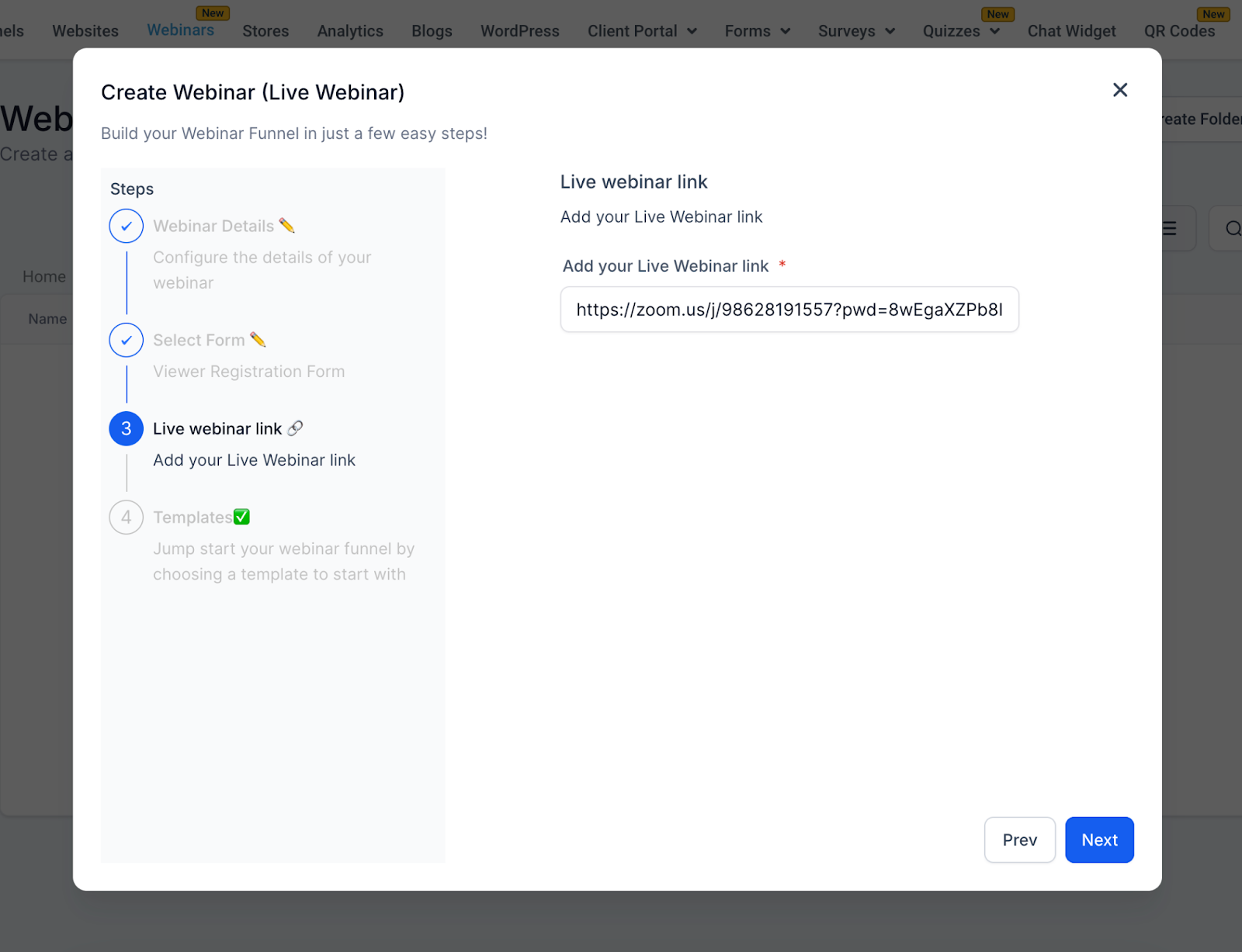
Step 3: Live Webinar Link
Enter your streaming link:
- Zoom →
https://zoom.us/j/123456789- YouTube Live →[https://youtube.com/watch?v=ABC123](https://youtube.com/watch?v=ABC123)`
`
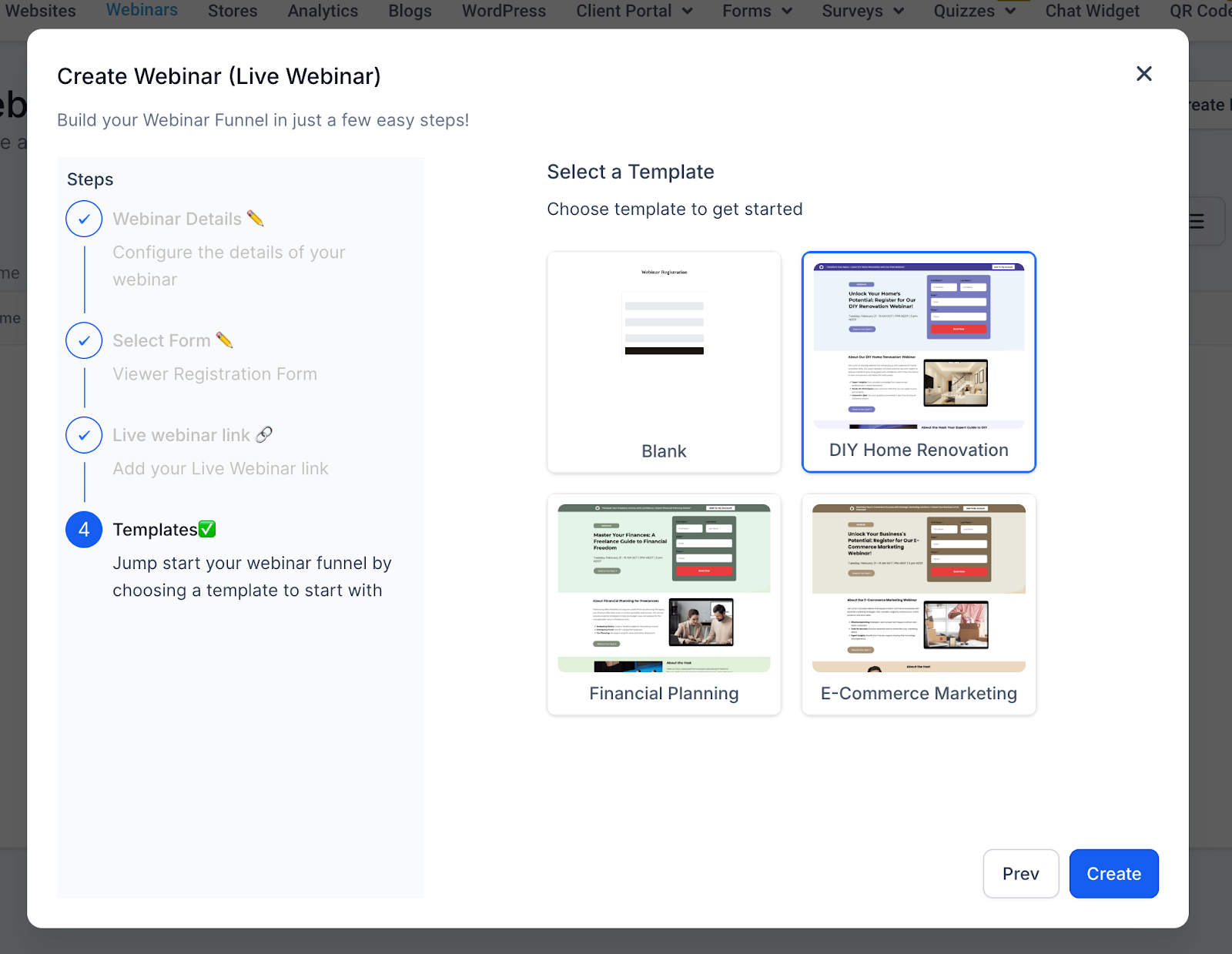
Step 4: Templates
Choose from pre-designed funnel templates, such as:
- Blank Live
- E-Commerce Marketing Live
- Financial Planning Live
- DIY Home Remodel Live **
**
On Demand Webinars
Overview On-Demand webinars are pre-recorded sessions that attendees can access anytime after registering.
4-Step Creation Process
Step 1: Webinar Details
- Webinar Name (Required) — Example: Content Marketing Mastery - On Demand
- Note → No timezone, date, or time needed.
Step 2: Select Form
Same as Live Webinars:
- Choose a form from Sites > Forms - Default Example: Marketing Form - Claim Offer - Customizable fields to capture the data you need
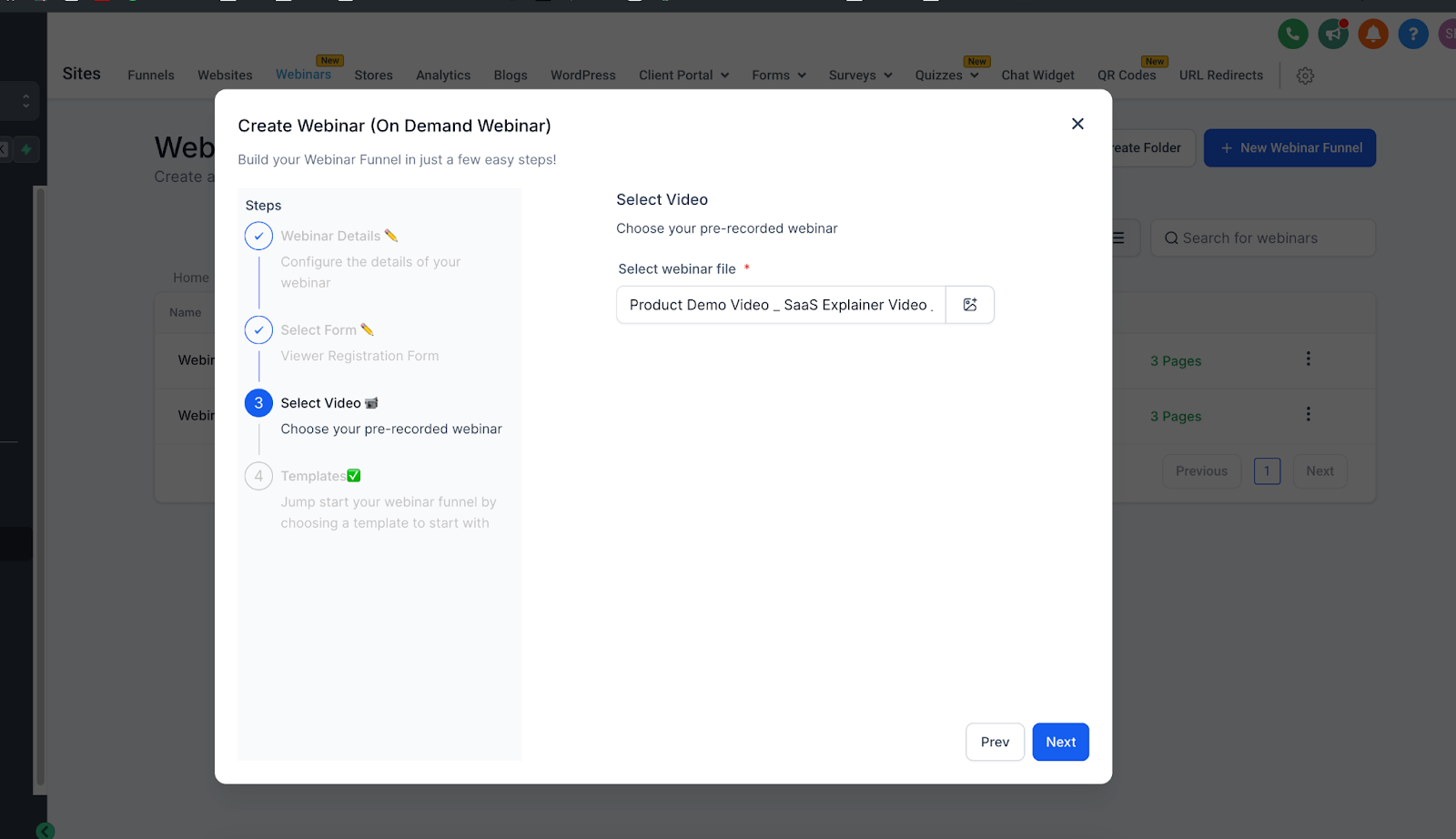
Step 3: Select Video
Upload or select a pre-recorded video:
- Supported formats: MP4, MOV, AVI, etc.
- Upload from your computer or select from the media library
- Required to proceed
Step 4: Templates
Same template library as Live Webinars, optimized for on-demand viewing.
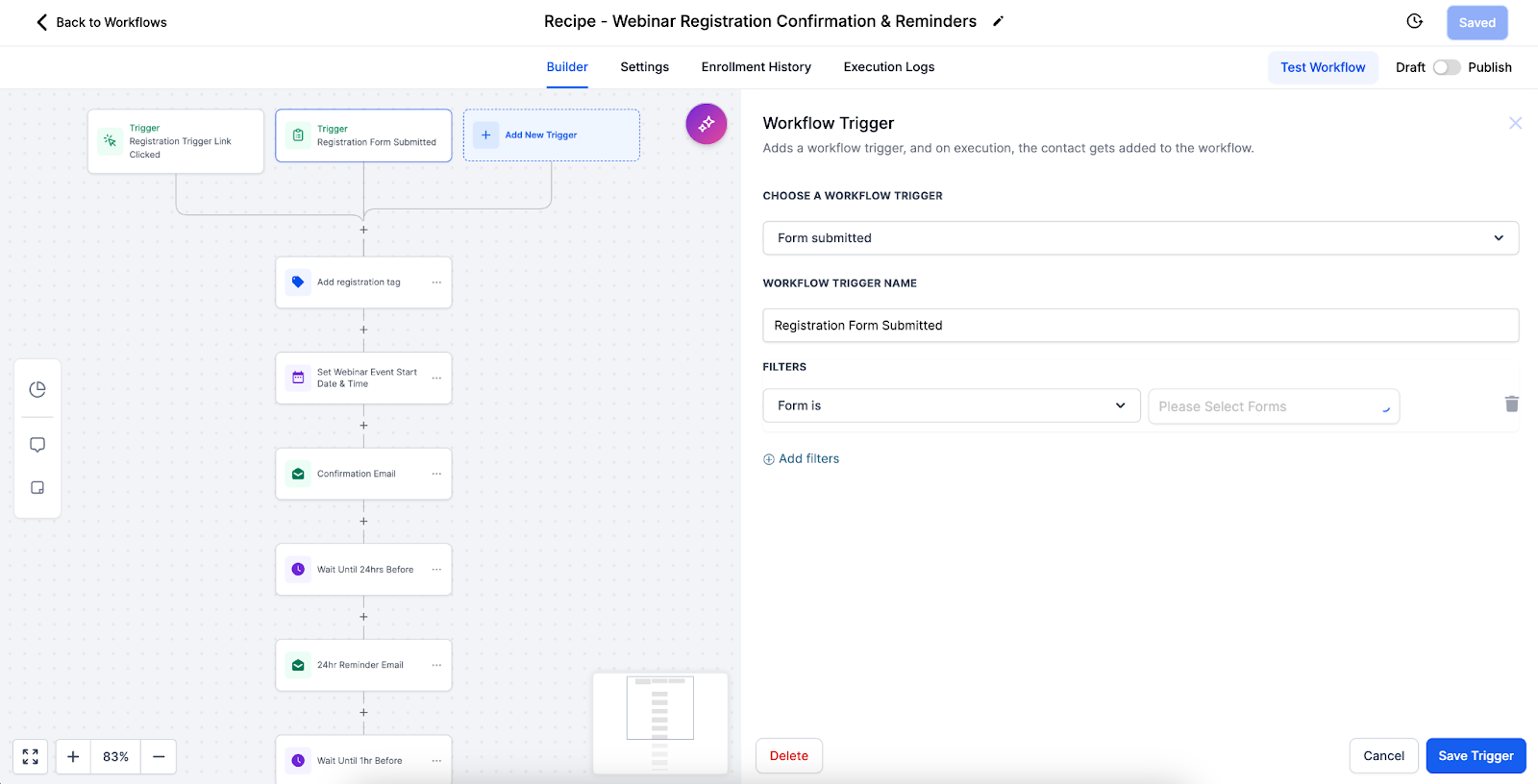
Automations & Reminders One of the most powerful features of webinar funnels is automation.
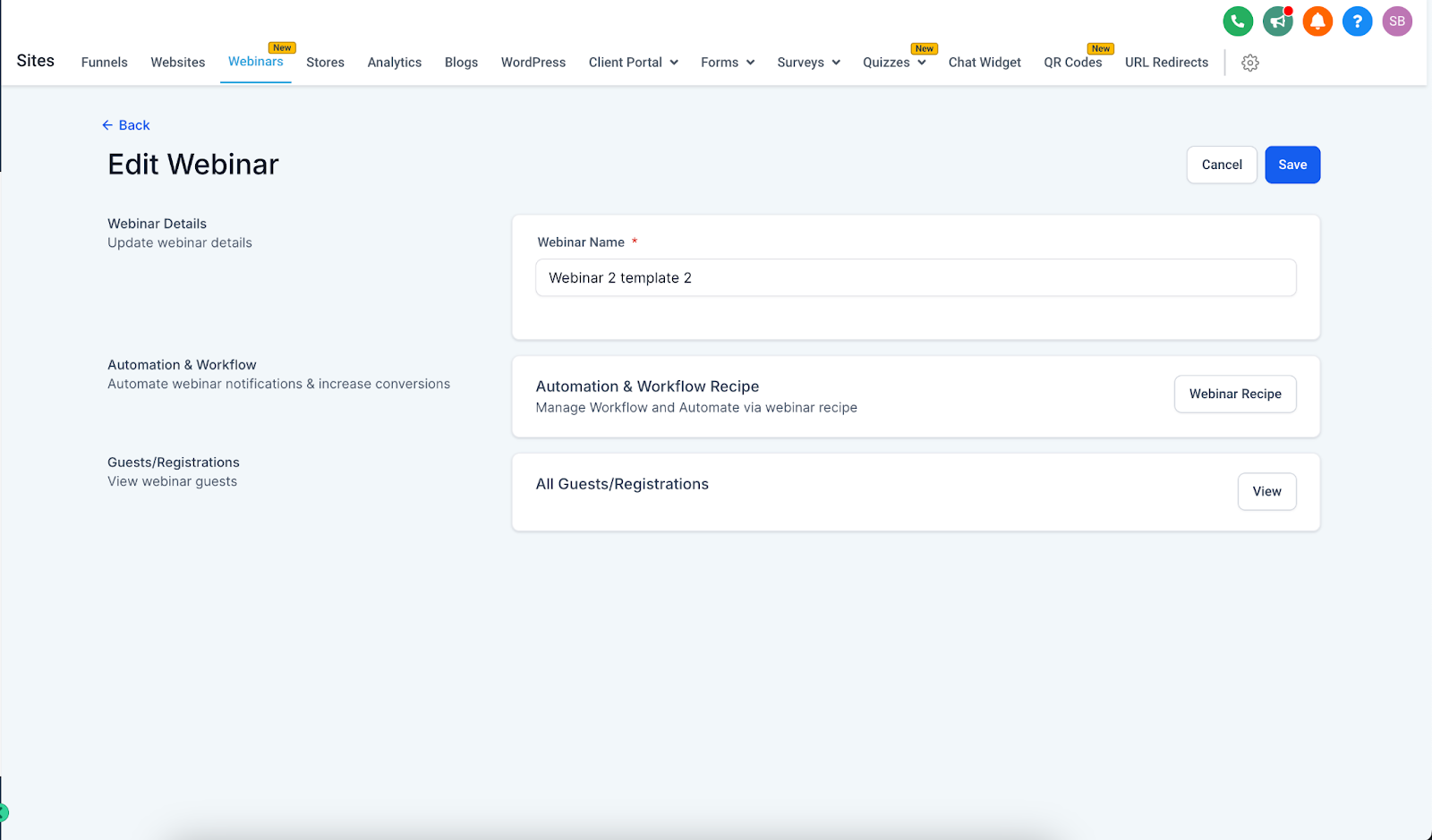
- Pre-Built Workflow Recipe → Each webinar funnel comes with an automation recipe for reminders and follow-ups.
- Triggers → Registrations (form submissions) automatically start the workflow.
- Reminders → Email/SMS reminders can be scheduled for Live Webinars (for example, 24 hours before, 1 hour before, 10 minutes before).
- Follow-Ups → Post-webinar workflows send thank-you emails, replay links, and nurture campaigns.
- Customization → You can edit workflows via the three-dot menu on your webinar funnel to adjust timing, personalize messages, or add extra steps. Pro Tip: Align reminder timings with your audience’s habits (for example, B2B audiences respond better to morning reminders, while B2C may need evening prompts).
Best Practices
Live Webinars
- Test setup before the event - Schedule with audience timezones in mind - Promote early and often - Have a backup plan for technical issues - Encourage interaction (chat, polls, Q&A)
On Demand Webinars
- Use high-quality recordings - Keep videos concise (30–60 minutes) - Structure content for self-paced learning - Keep your media library organized - Refresh content periodically
Troubleshooting
Live Webinars
- Link not working → Verify format & test before event
- Timezone confusion → Clearly display timezone on registration and confirmation pages
On Demand Webinars
- Upload fails → Check format, file size, and internet connection
- Poor video quality → Upload high-resolution versions
General
- Form not capturing leads → Test form integration with CRM
- Template not loading → Refresh or check connection
Conclusion Patient Copilot webinars let you deliver content live or on-demand, giving you flexibility to match your audience and strategy:
- Live → Real-time engagement and interaction
- On Demand → Evergreen, scalable, and flexible access With built-in templates and automation workflows, you can launch webinars quickly while ensuring attendees receive timely reminders, seamless confirmations, and personalized follow-ups — helping you maximize engagement and conversions with minimal effort.