
Workflow Action - Number Formatter
Overview
The Number Formatter workflow action is used to format and generate numeric fields. It includes several functionalities like converting text to numbers, formatting numbers, formatting phone numbers, formatting currency, and generating random numbers.
Action Name Number Formatter
Action Details
Text to Number Converts text representations of numbers into numeric format. For example, "" to 12345.67.
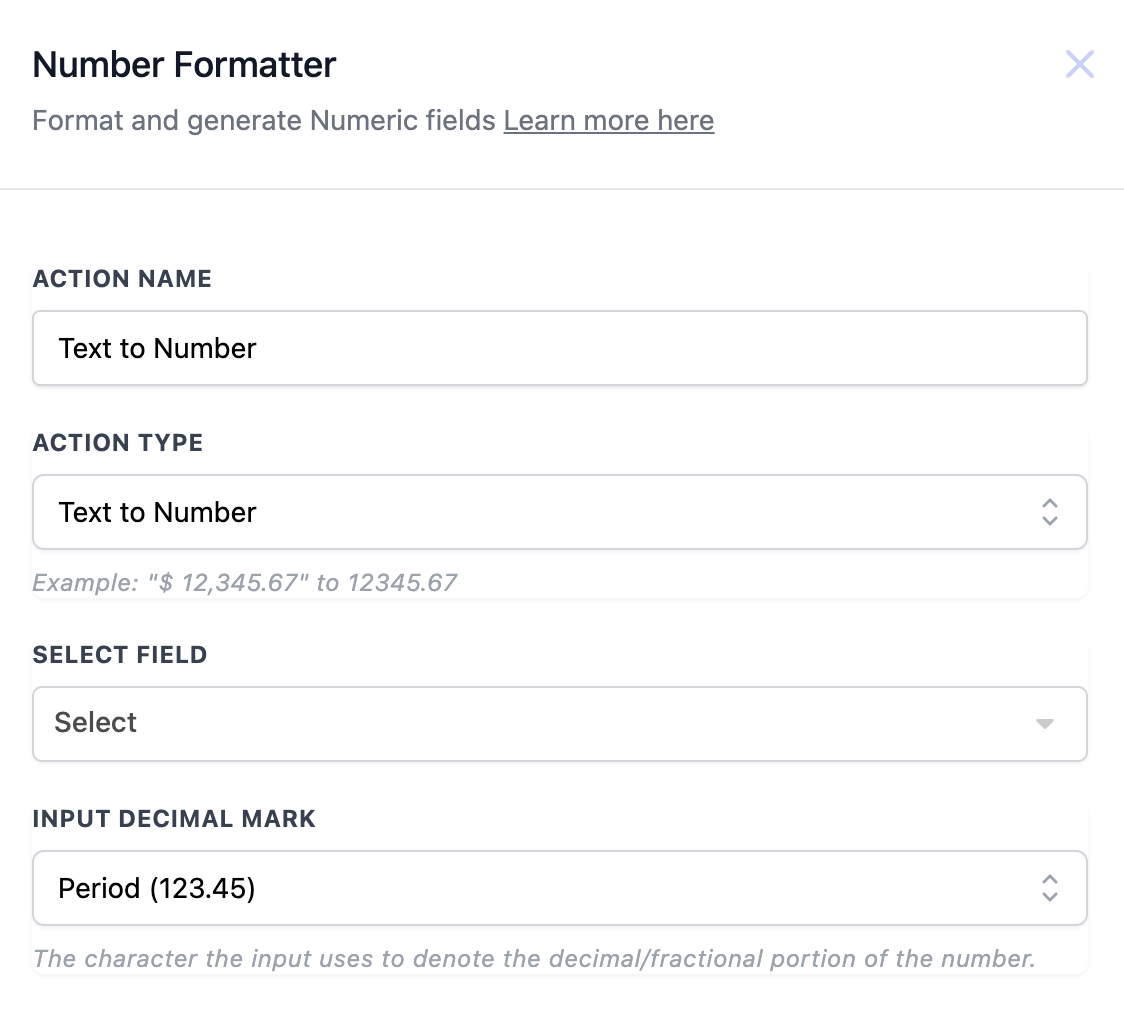
Action Details:
| Field | Description | Mandatory |
| Action Name | The name of the action, which can be customized. | Yes |
| Action Type | Defines the action, set as Text to Number. | Yes |
| Select Field | Choose the field containing the text representation of a number. | Yes |
| Input Decimal Mark | Specifies how the decimal is marked in the input (e.g., period). | Yes |
Example Workflow Configuration:
- Trigger: Form Submitted
- Action: Convert text to number to process payment data accurately. ----------------------------------------------------------------------------------------------------------------------
Format Number Formats a number according to the defined settings, such as decimal places and thousands separators.
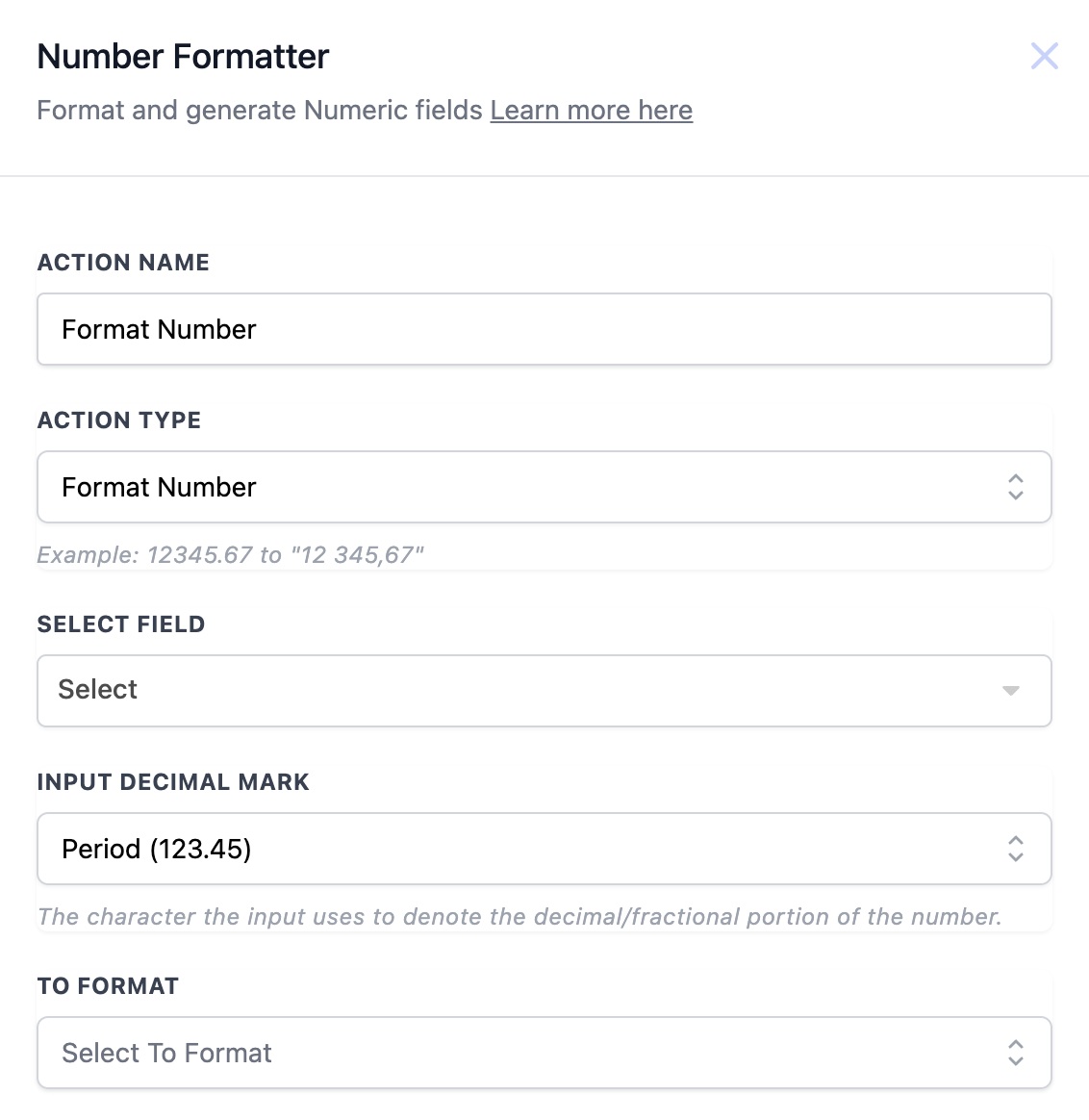
Action Details
| Field | Description | Mandatory |
| Action Name | The name of the action, which can be customized. | Yes |
| Action Type | Defines the action, set as Format Number. | Yes |
| Select Field | Choose the field containing the number. | Yes |
| Input Decimal Mark | Defines the current decimal mark used in the input number. | Yes |
| To Format | The desired output format for the number (e.g., period). | Yes |
Example Workflow Configuration:
- Trigger: Trigger link clicked
- Action: Format number for displaying statistical data in messages. ----------------------------------------------------------------------------------------------------------------------
Format Phone Number Standardises a phone number into the desired format (e.g., (123) 456-7890).
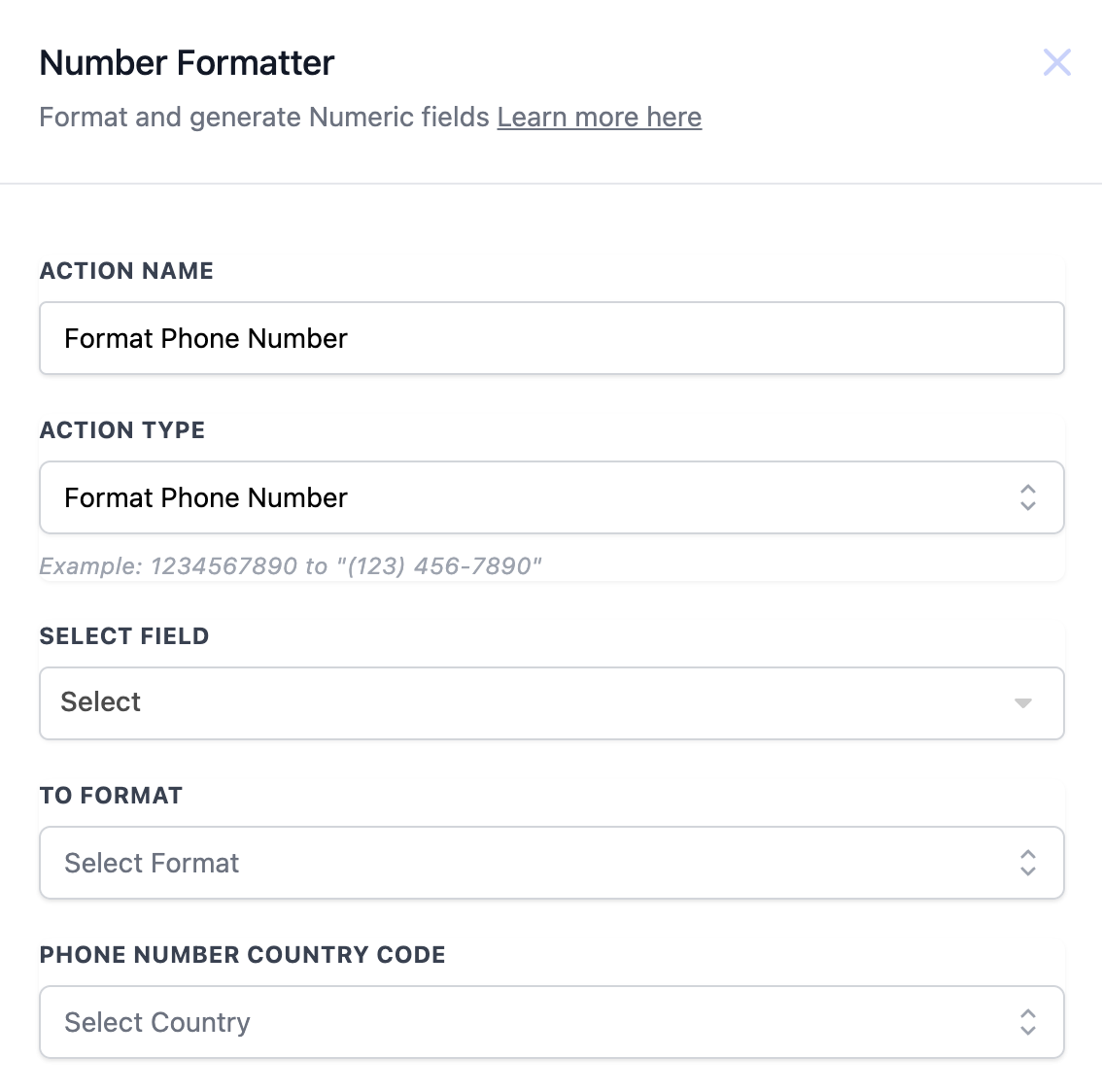
Action Details:
| Field | Description | Mandatory |
| Action Name | The name of the action, which can be customized. | Yes |
| Action Type | Defines the action, set as Format Phone Number. | Yes |
| Select Field | Choose the field containing the phone number. | Yes |
| To Format | The desired format for the phone number (e.g., E.164). | Yes |
| Phone Number Country Code | Specifies the country for the phone number. | Yes |
Example Workflow Configuration:
- Trigger: Appointment Booked
- Action: Format the contact’s phone number for outbound calls. ----------------------------------------------------------------------------------------------------------------------
Format Currency Formats a numeric value as currency, taking into account locale-specific settings.
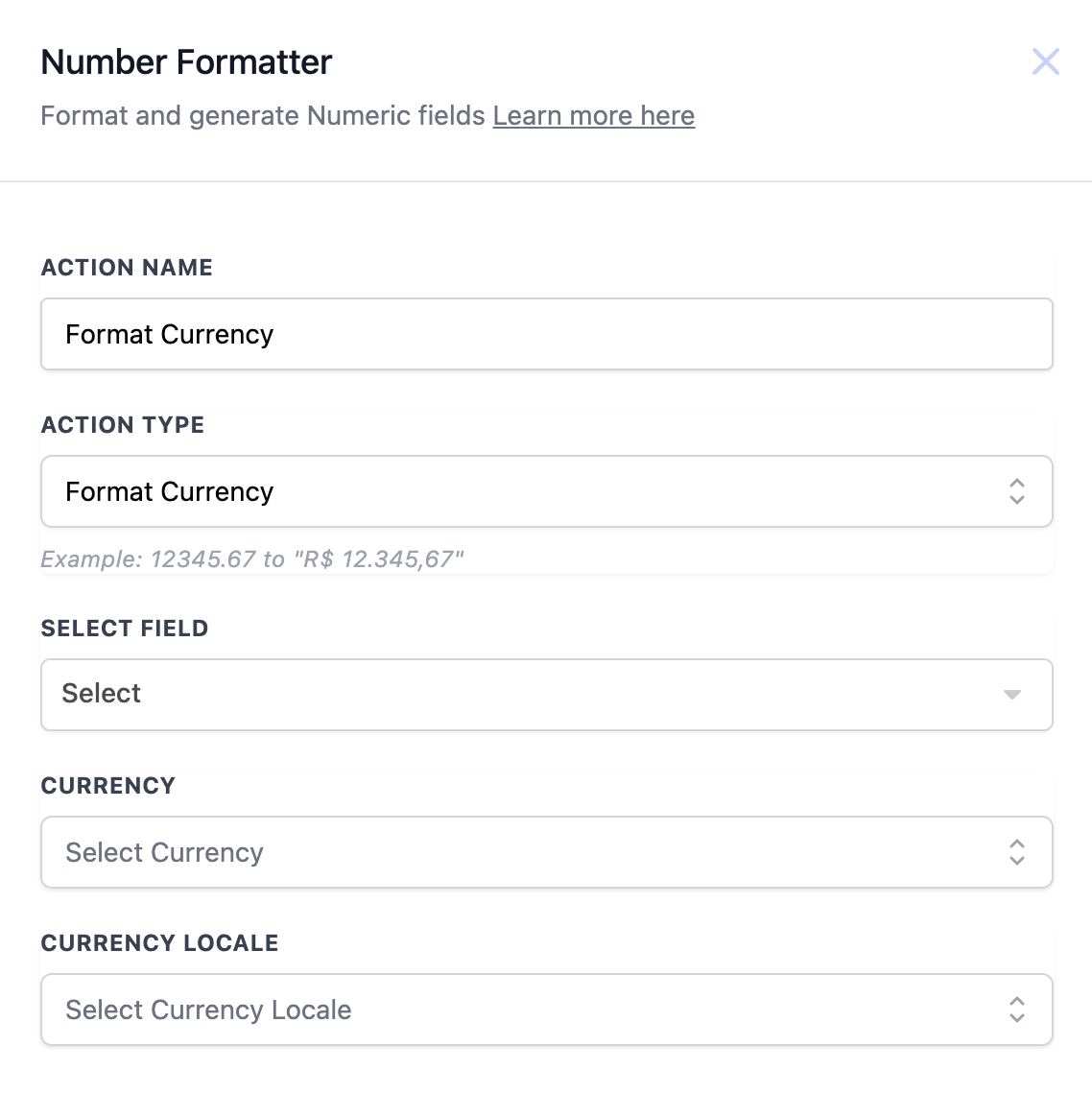
Action Details
| Field | Description | Mandatory |
| Action Name | The name of the action, which can be customized. | Yes |
| Action Type | Defines the action, set as Format Currency. | Yes |
| Select Field | Choose the field containing the numeric value. | Yes |
| Currency | The currency type (e.g., USD, EUR). | Yes |
| Currency Locale | The locale format for the currency (e.g., en-US). | Yes |
Example Workflow Configuration:
- Trigger: Payment Received
- Action: Format currency for generating accurate receipts. ----------------------------------------------------------------------------------------------------------------------
Random Number Generates a random number within a specified range.
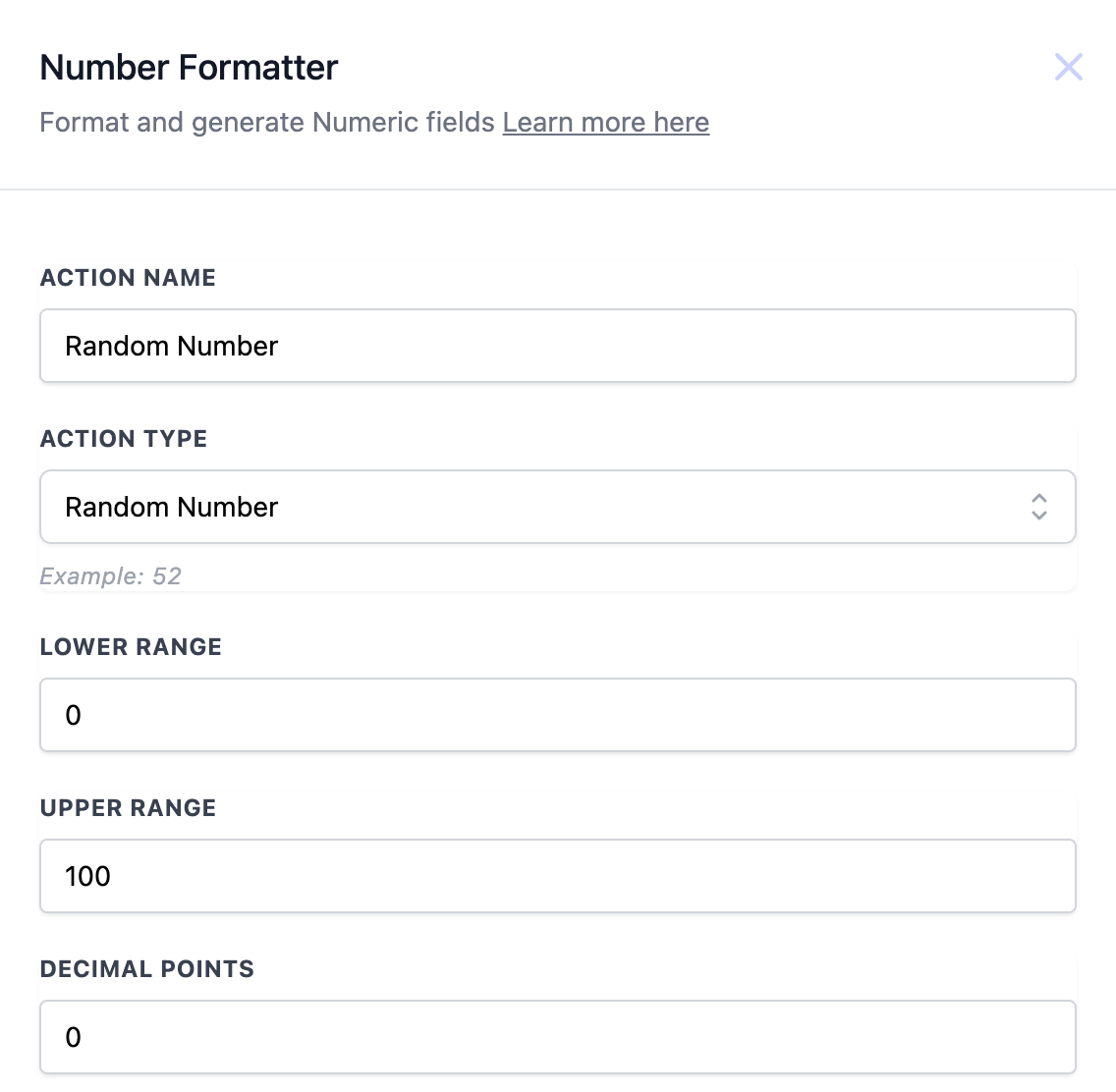
Action Details
| Field | Description | Mandatory |
| Action Name | The name of the action, which can be customized. | Yes |
| Action Type | Defines the action, set as Random Number. | Yes |
| Lower Range | The minimum value of the generated random number. | Yes |
| Upper Range | The maximum value of the generated random number. | Yes |
| Decimal Points | Defines how many decimal points are allowed. | No |
Example Workflow Configuration:
- Trigger: Email Opened
- Action: Generate a random number for A/B testing purposes. Was this article helpful? That’s Great! Thank you for your feedback Sorry! We couldn’t be helpful Thank you for your feedback Feedback sent We appreciate your effort and will try to fix the article