
How to Purchase Domain Step by Step
The Domain Purchase feature in Patient Copilot allows agencies to enable locations, and sub-accounts to buy and manage domains directly within the platform. This article will guide you through enabling, managing, and rebilling domain purchases. > **Note - Your domain automatically comes with WHOIS privacy protection, ensuring your personal details are not visible in public lookups. > ** Important: Once a domain is purchased, it is permanently associated with the account and cannot be refunded, canceled, or removed.
Purchasing a Domain
Start a domain purchase from Funnels, Websites, Stores, or Webinars
You can also start a domain purchase directly from the asset you are working on.
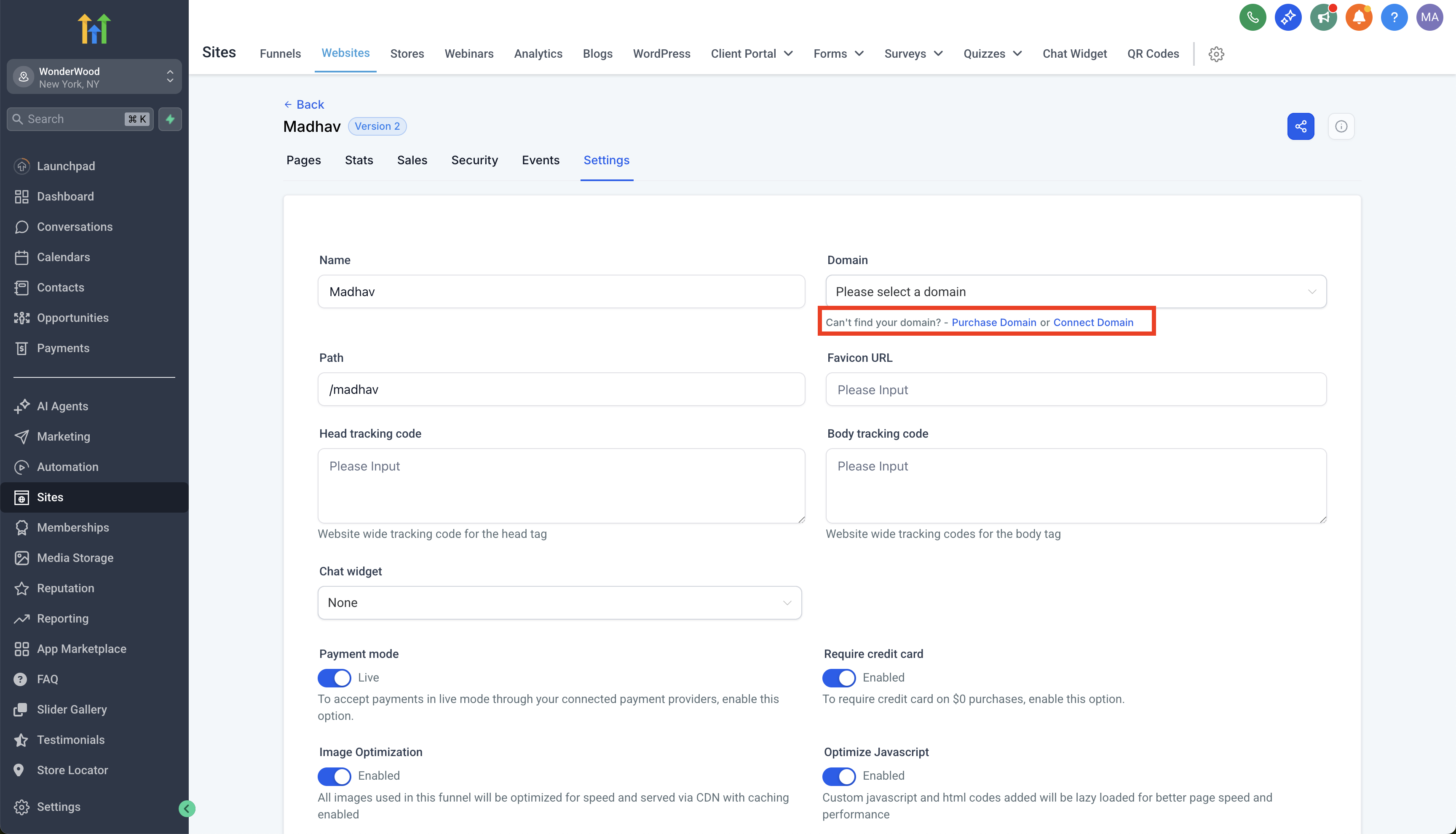
- In a Funnel, Website, Store, or Webinar Settings screen, open the Domain dropdown.
- If you do not see your domain, click Can’t find your domain? – Purchase Domain or Connect Domain.
- Select Purchase Domain to open the domain purchase page and start a domain search.
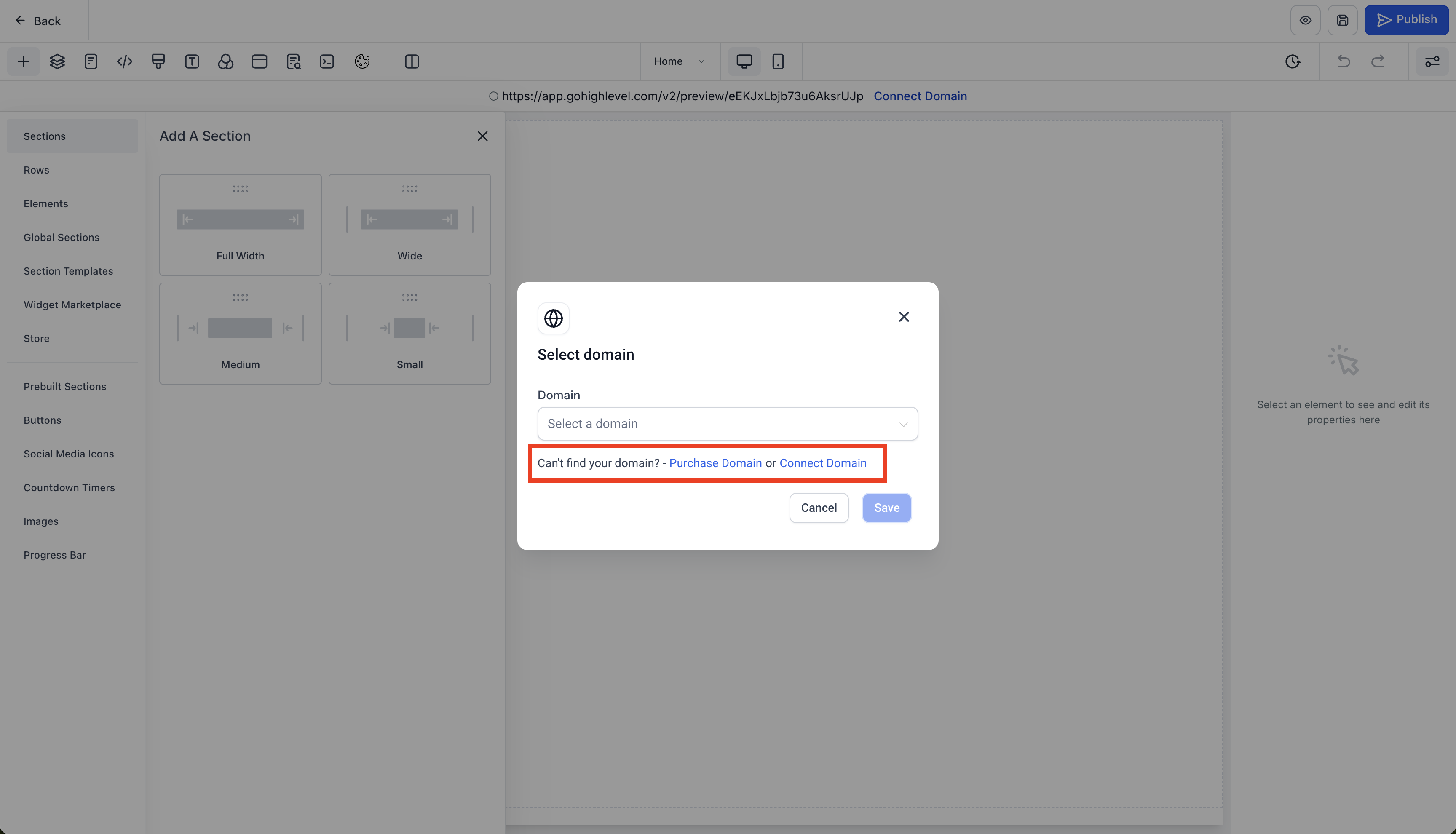
You will see similar options inside the builder:
- In the Funnel, Website, Store, or Webinar builder, click Connect Domain.
- Choose Purchase Domain when prompted. This opens the same domain purchase page in a new tab where you can search for and purchase a new domain. After purchasing your domain, continue with the configuration and connection steps in this article to use it with your funnels, websites, stores, or webinars.
Configuring and Managing Domains
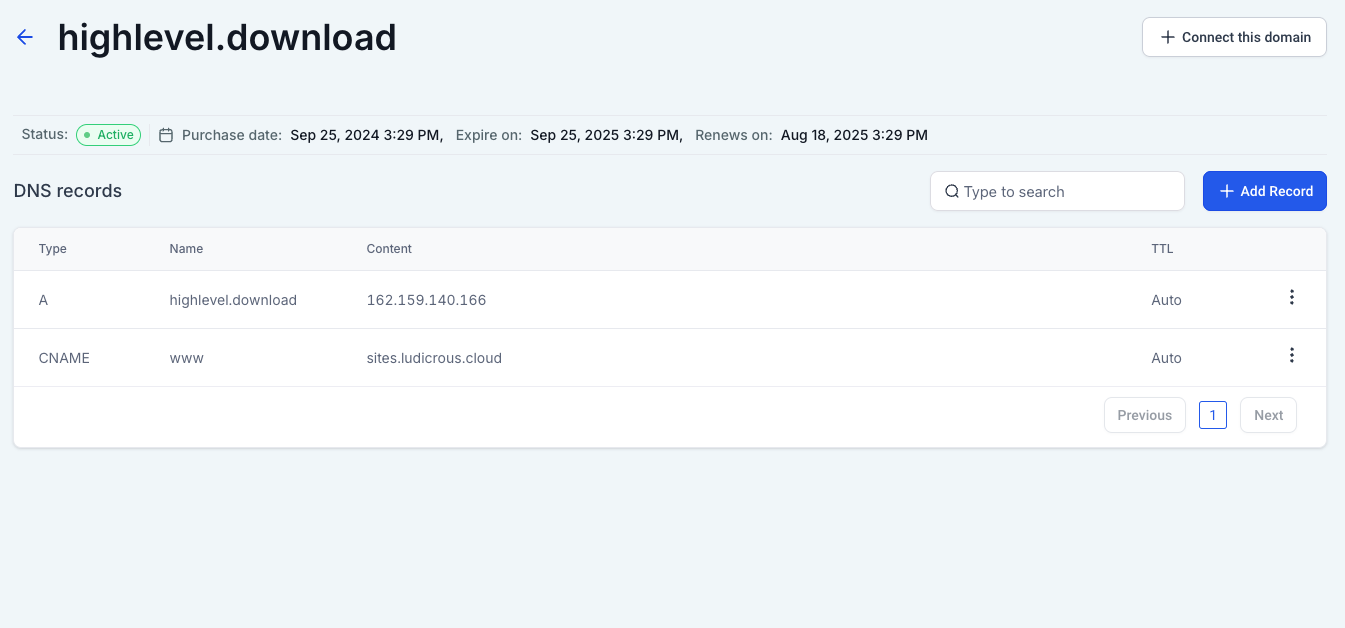
- Go to Domains Page. Click on Configure for the purchased domain and you will be able to see all the options.
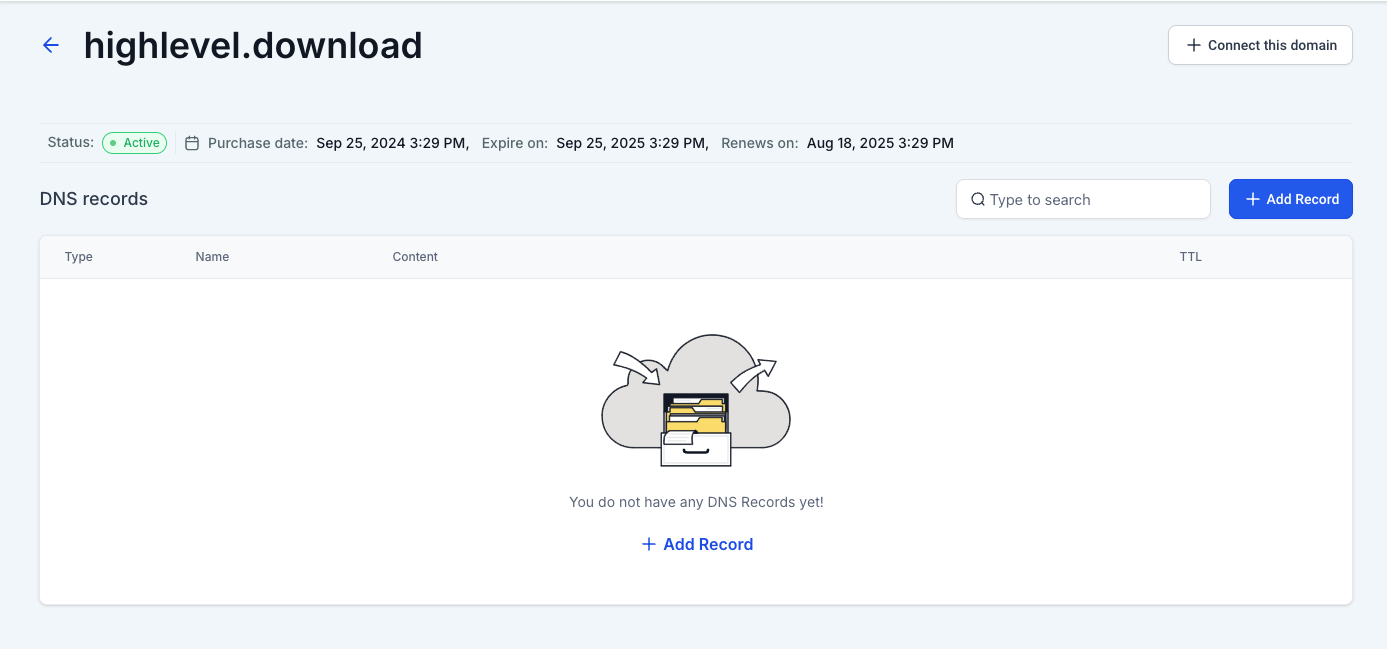
- Modify DNS records with a single click for quick updates and configurations.
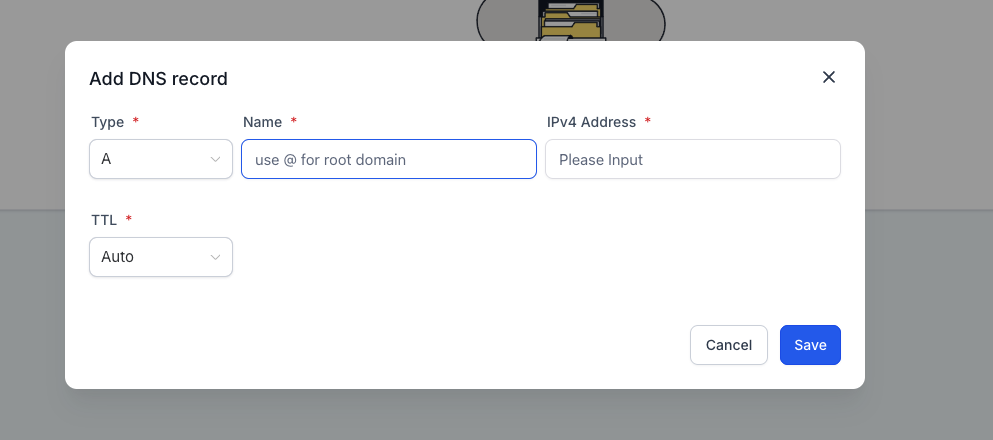
- Type of record supported as of now: 1. A 2. CName 3. AAAA 4. MX 5. TXT
- You can also connect this domain to sites product directly from connect domain.
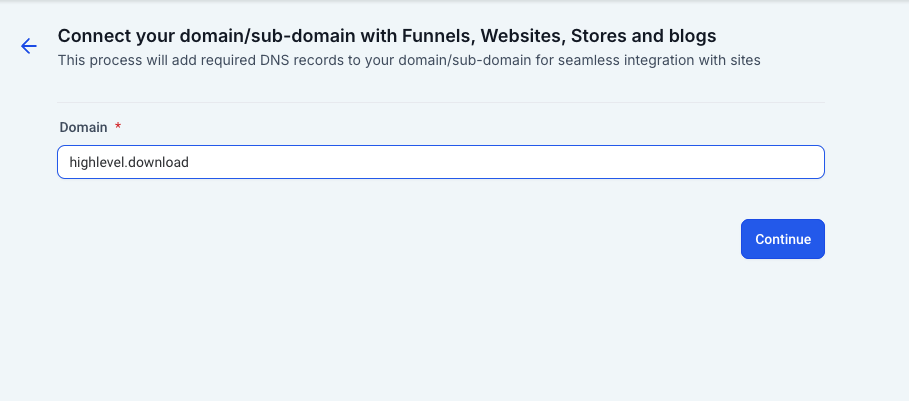
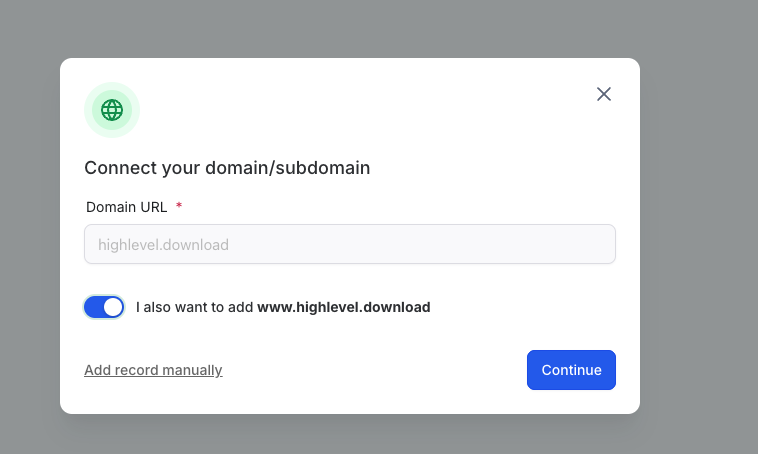
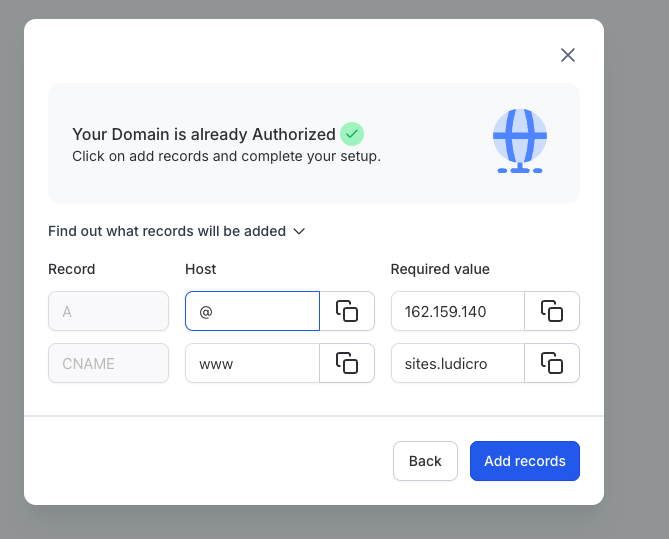
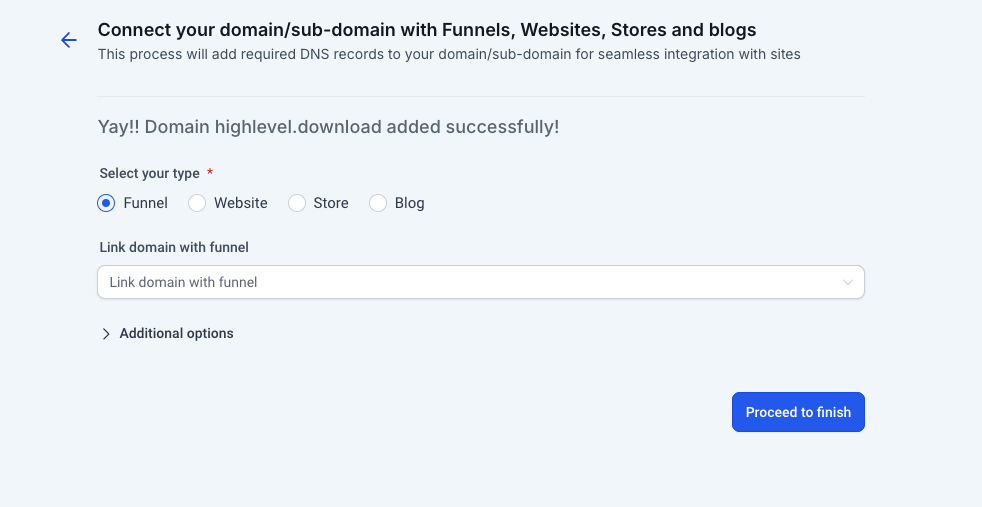
Integration with domain connect - For every product at sub account level, In the domain connect flow, if the domain is purchased through Patient Copilot, it will automatically authorize and add the records. Was this article helpful? That’s Great! Thank you for your feedback Sorry! We couldn’t be helpful Thank you for your feedback Feedback sent We appreciate your effort and will try to fix the article