
Configure & Connect Purchased Domains
When you have purchased a domain in Patient Copilot (not when connecting a domain from outside Patient Copilot) you can manage the DNS records directly inside Patient Copilot.
What is Purchased Domain Configuration?
Every domain has configuration settings (DNS). When the domain is purchased through Patient Copilot then Patient Copilot is also the domain registrar, so you can configure the domain without leaving Patient Copilot. You can add, edit, and remove the relevant DNS records (ex: CNAME).
Where is Purchased Domain Configuration?
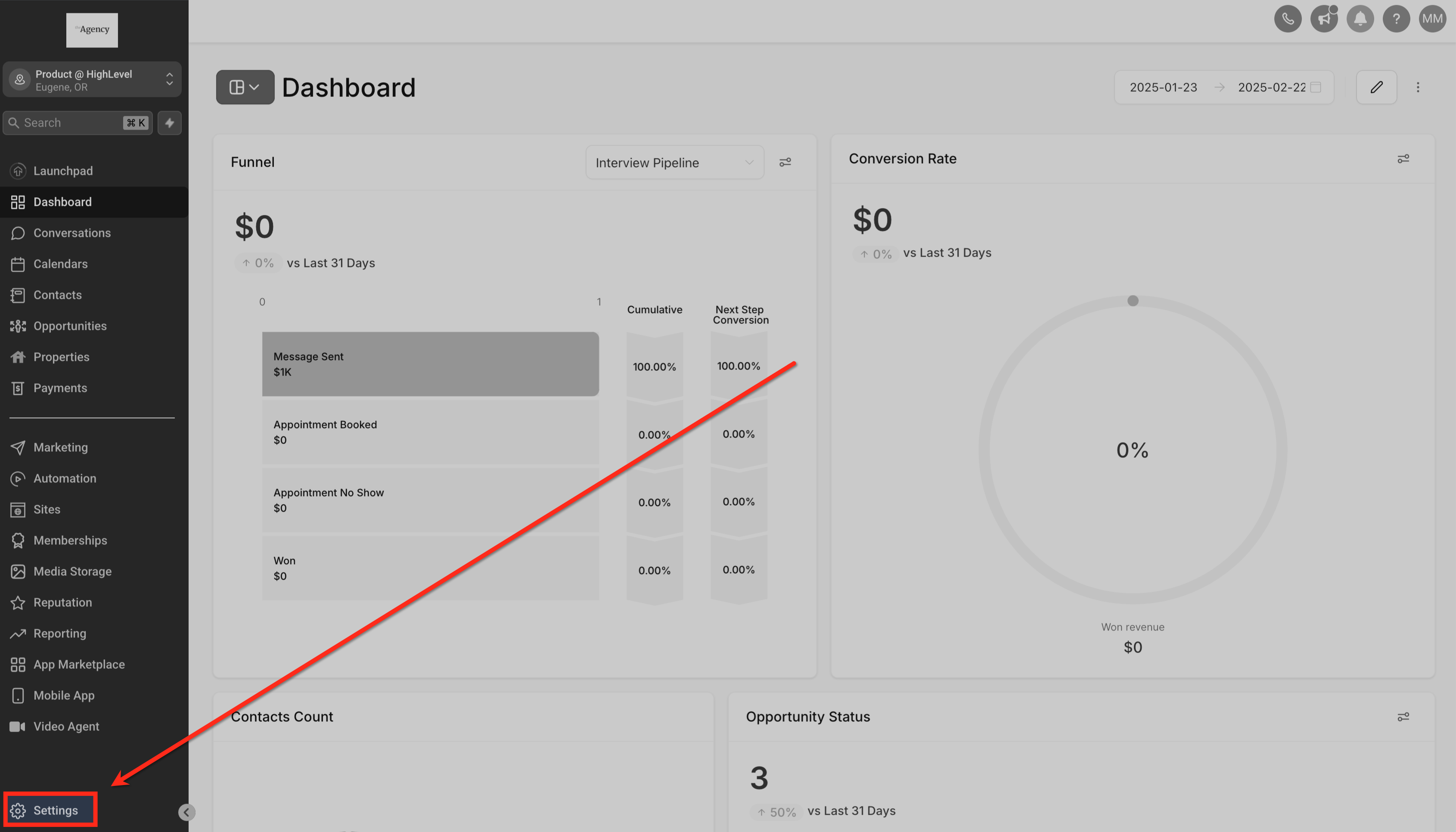
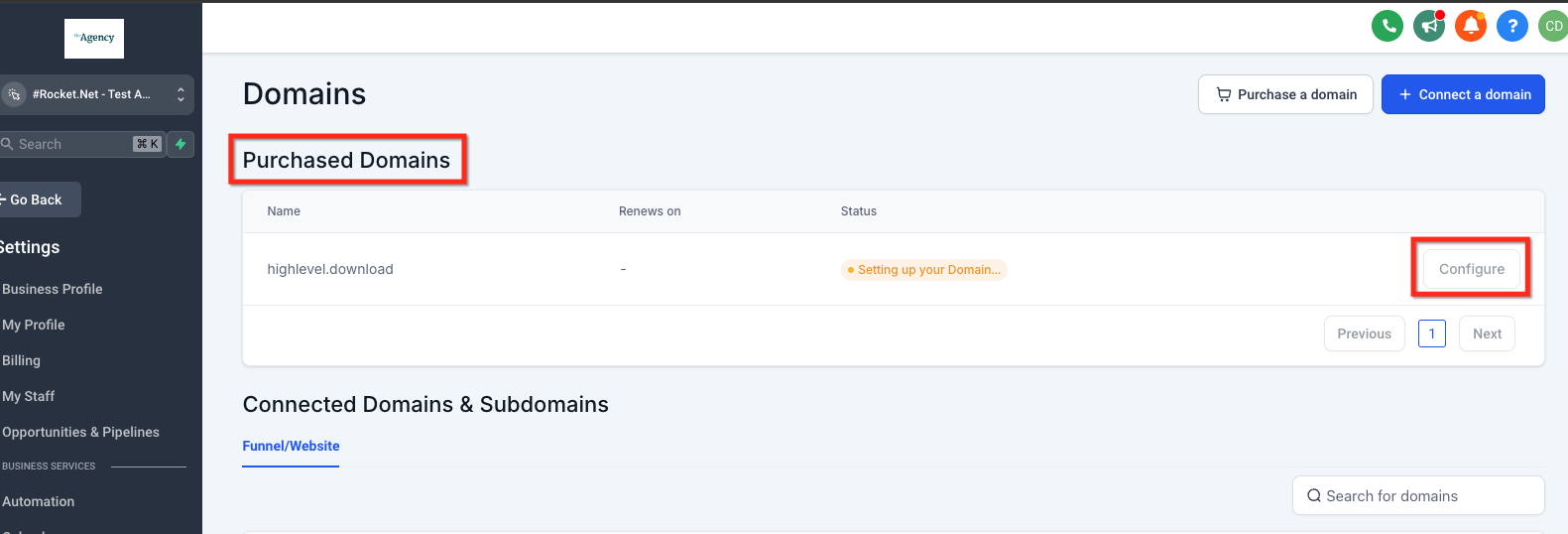
Navigate to Subaccount > Settings > Domains > Purchased Domains.
Configuration
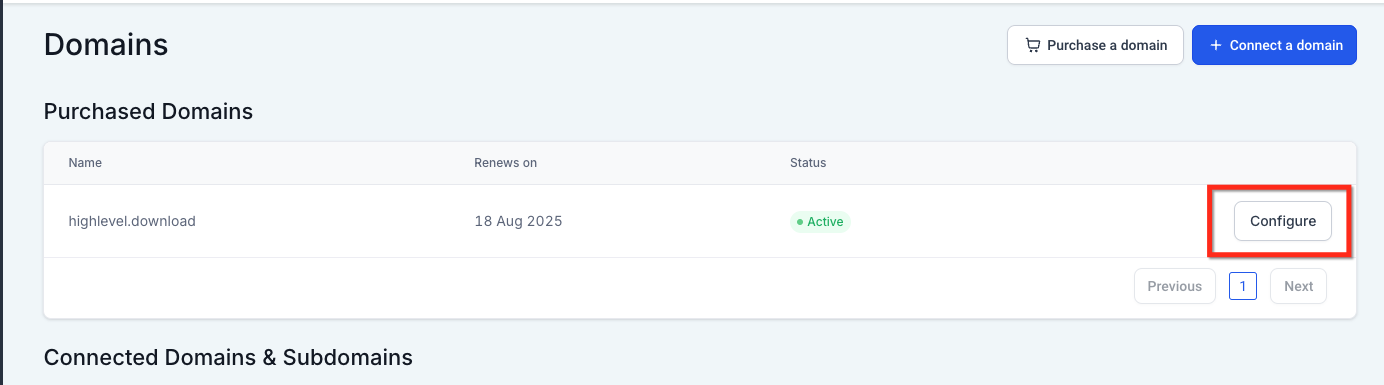
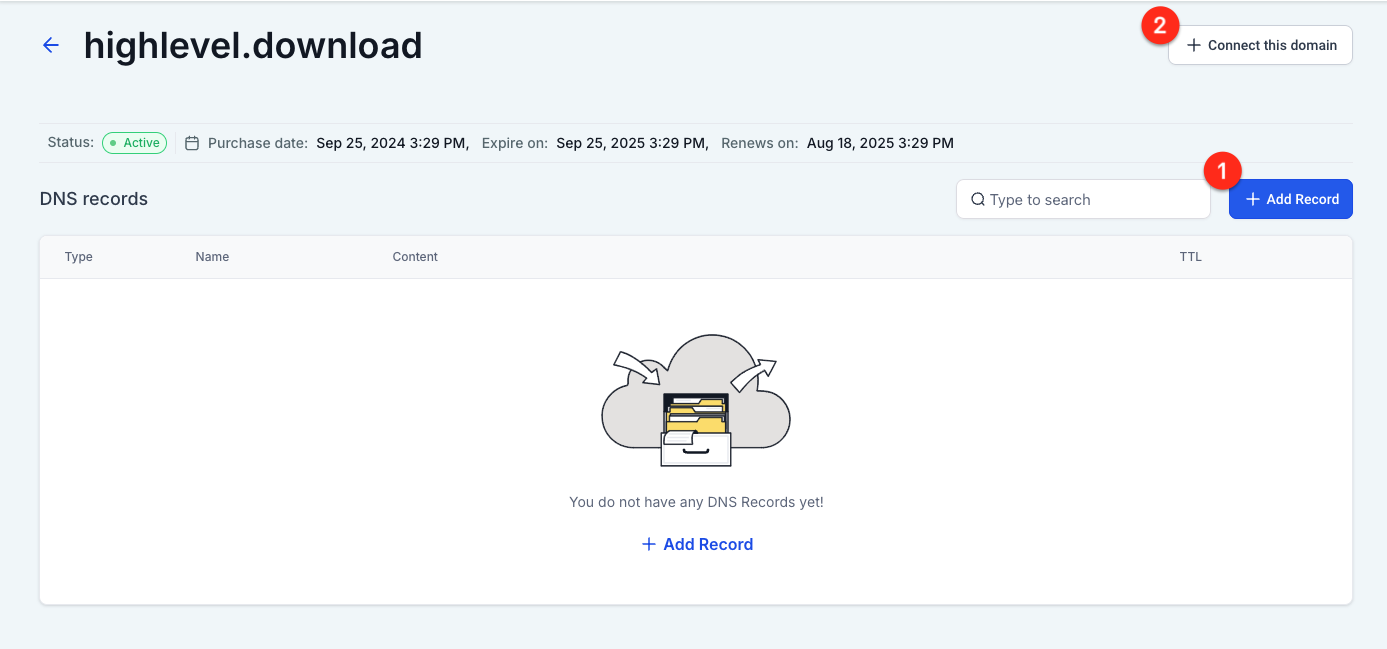
Click on Configure next to the Purchased Domain to open the settings. You can manage the domain in two ways:
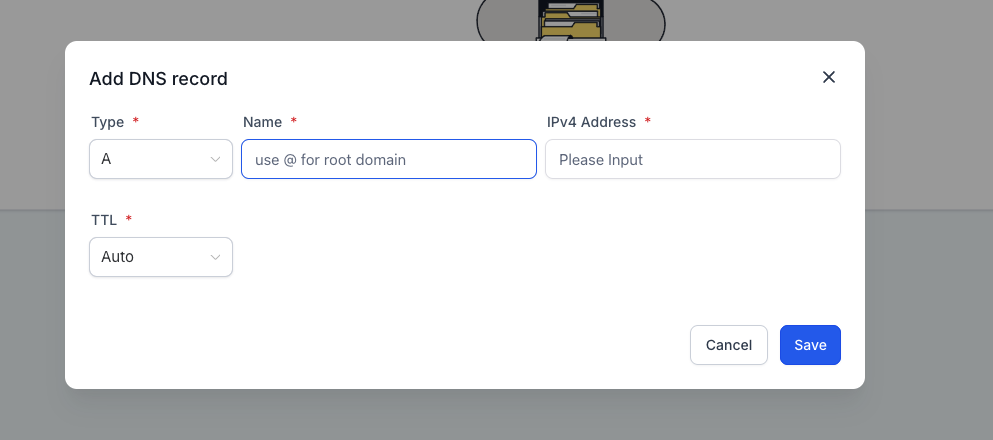
- Add Record (or edit existing record).
- Connect Domain to something in the Sites section (ex: Website, Store, etc).
Configuration - DNS Records
You can add and edit the following DNS records: 1. A 2. CNAME 3. AAAA 4. MX 5. TXT You should only have one A record when pointing a root domain. Multiple A records for the same domain (e.g., yourdomain.com) can lead to DNS resolution conflicts, especially when the system attempts to auto-insert its required A record.
Configuration - Connect Domain
Click Connect This Domain to attach the domain to one of the things you built in the Sites section, funnels, websites, stores, blogs, etc.
Frequently Asked Questions
Q1: Can I use a purchased domain for multiple sites like a website and a funnel at the same time?
No, a single root domain can only be connected to one site type (e.g., website, funnel, blog, or store) at a time. If you want to use the same domain for multiple purposes, it’s best to create and connect subdomains (like store.yourdomain.com or blog.yourdomain.com) for each type of content. Q2: What DNS records can I manage for a purchased domain inside Patient Copilot? When you purchase a domain through Patient Copilot, you gain full access to manage its DNS directly within the platform. You can add, edit, or delete A, CNAME, AAAA, MX, and TXT records—no need for an external registrar or third-party DNS tool. Q3: Do I need to verify the domain after purchasing it through Patient Copilot? No, domains purchased directly through Patient Copilot are automatically verified and ready for configuration. You can immediately begin managing DNS settings and connecting the domain to your funnels, websites, stores, or blogs.