
Sync Your Countdown: Dynamic Timer for Emails & Websites
Introduction
We are excited to introduce the Dynamic Timer from Email Builder into Funnels and Website Builder. This powerful feature allows users to create personalized countdown timers that sync across emails and live pages. Whether you are driving urgency for an e-commerce sale, event signup, product launch, or limited availability offer, the Dynamic Timer ensures consistency in timing and messaging.
How It Works The Dynamic Timer enables contact-specific countdowns that expire based on when a recipient opens an email. This ensures that each customer sees a unique timer aligned with their email engagement. Additionally, the timer remains synced on live pages, allowing a seamless transition from email promotions to website interactions.
Step-by-Step Guide
1. Create a Dynamic Timer in Email Builder
- Navigate to Marketing → Countdown Timers.
- Click Create a New Timer.
- Choose a timer design that fits your campaign.
- Select Dynamic Timer as the timer type.
- Set the countdown duration and expiration time.
- Click Save to finalize the timer.
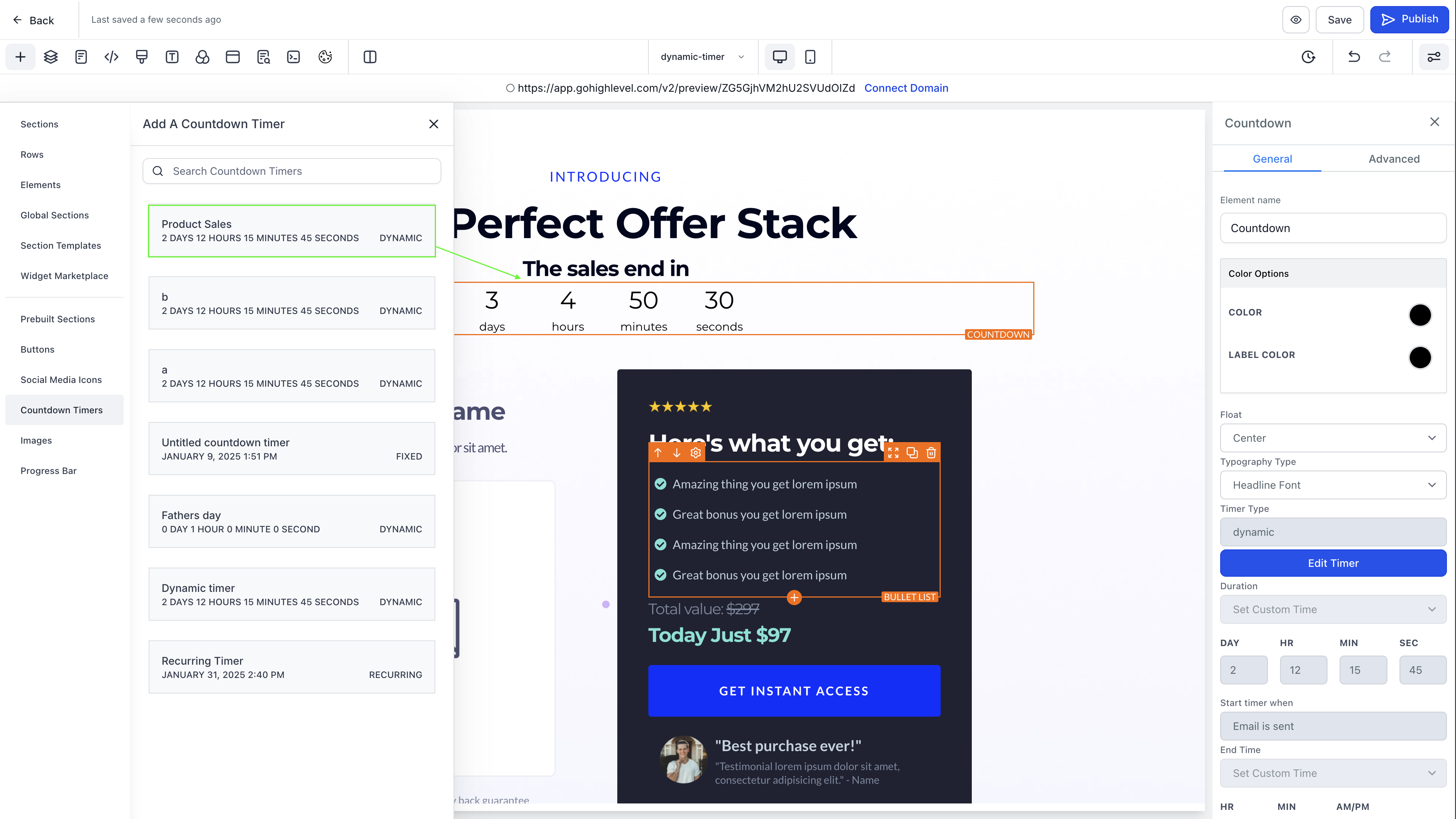
2. Add the Timer to Funnels and Website Builder - Open Funnels and Website Builder.
- Click on Add → Countdown Timers.
- Select Dynamic Timer from the available options.
- Place the timer in your desired section of the page.
- Save and publish the page to activate the timer.
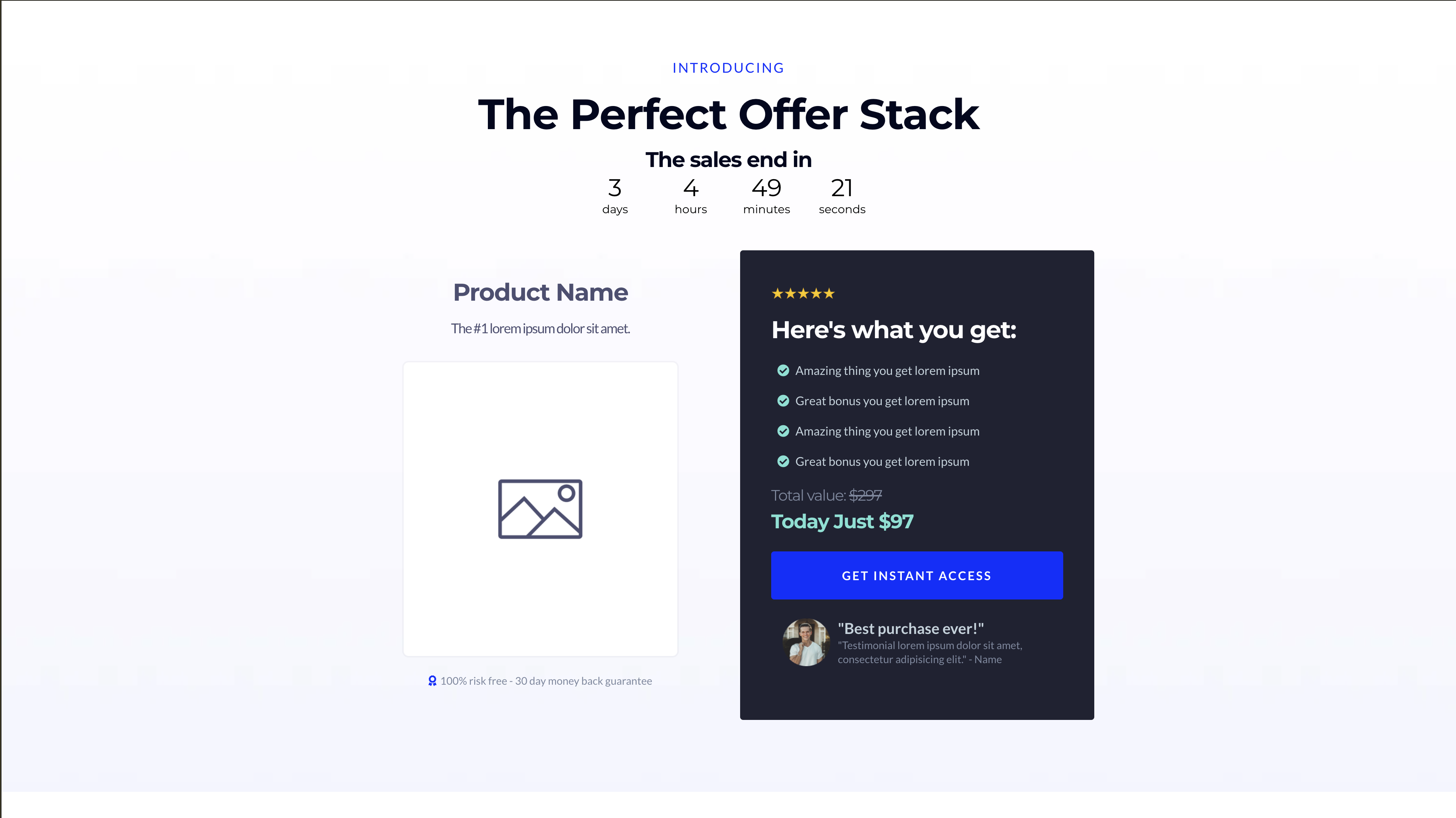
Now, the timer will remain synchronized between your emails and live pages, ensuring a cohesive user experience.
Use Cases
- E-Commerce Sales – Urgency-driven discounts that expire uniquely for each customer.
- Event Signups – Limited-time registration countdowns personalized per recipient.
- Product Launches – Time-sensitive product releases with synchronized email and site timers.
- Limited Availability Products – Drive exclusivity by displaying individualized countdowns for each visitor.