
LinkedIn Lead Ads integration
Seamlessly fetch all your leads from LinkedIn directly into your CRM with our easy integration.
How it works?
Initiate LinkedIn Integration:
Form Field Mapping:
- Click on Configure form field mapping or go to the LinkedIn form field mapping tab at the top.
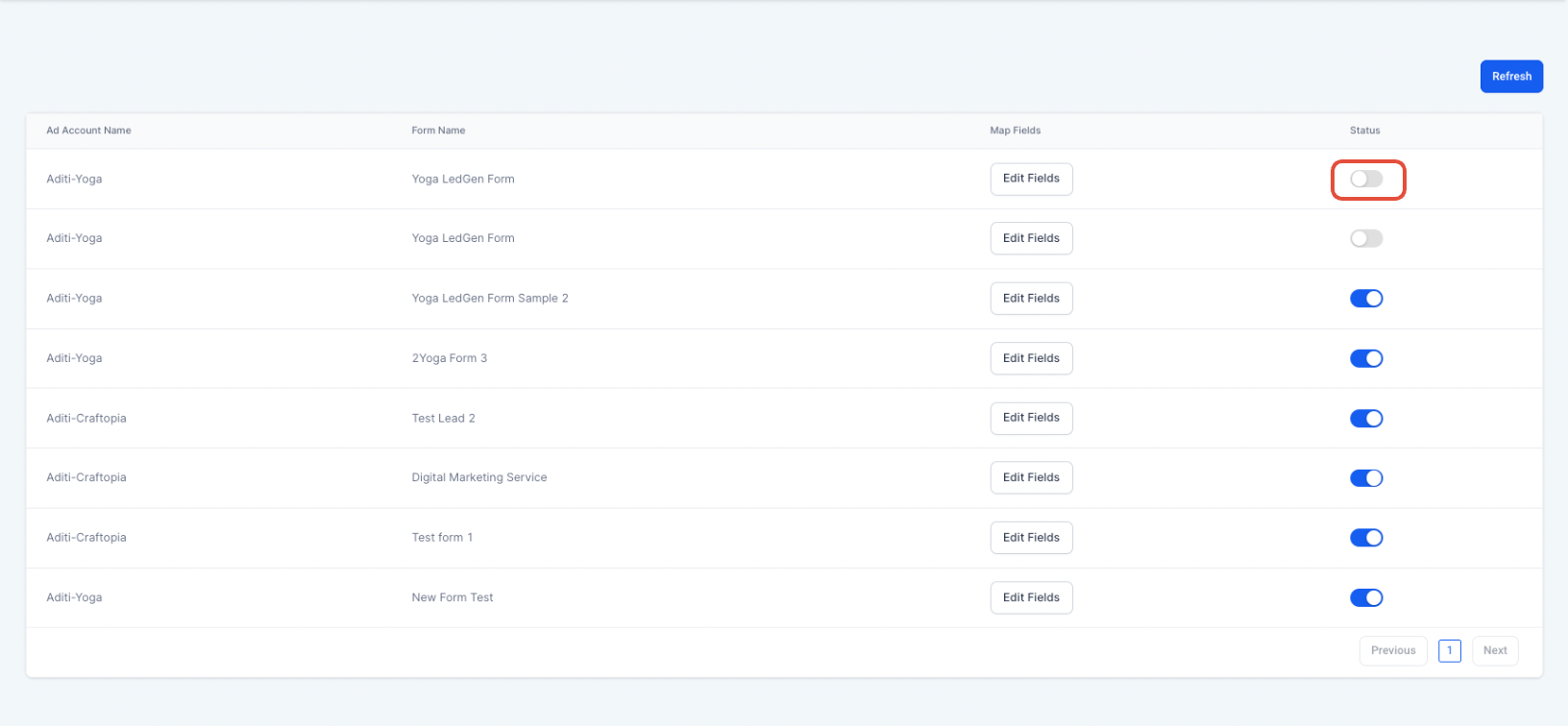
- Use the Map Fields button to align your LinkedIn form fields with CRM fields.
- Click Confirm to save and complete the integration.
- If you want to disable inbound leads from any of the forms, toggle the status off. [

How to test if the connection is successful: To test if the leads are syncing, please follow following steps:
- Go to LinkedIn Account, click on advertise

Was this article helpful? That’s Great! Thank you for your feedback Sorry! We couldn’t be helpful Thank you for your feedback Feedback sent We appreciate your effort and will try to fix the article