
Granular Permissions for WordPress
The WordPress team at Patient Copilot is excited to introduce Granular Permissions for WordPress. Now, agency and sub-account admins can control which team members have access to the WordPress tab, offering enhanced security and streamlined management.
Key Benefits: -
Improved Control: Agency/Sub-Account admins can assign WordPress access only to specific team members.
- Increased Security: Limit who can manage WordPress settings, improving overall data security.
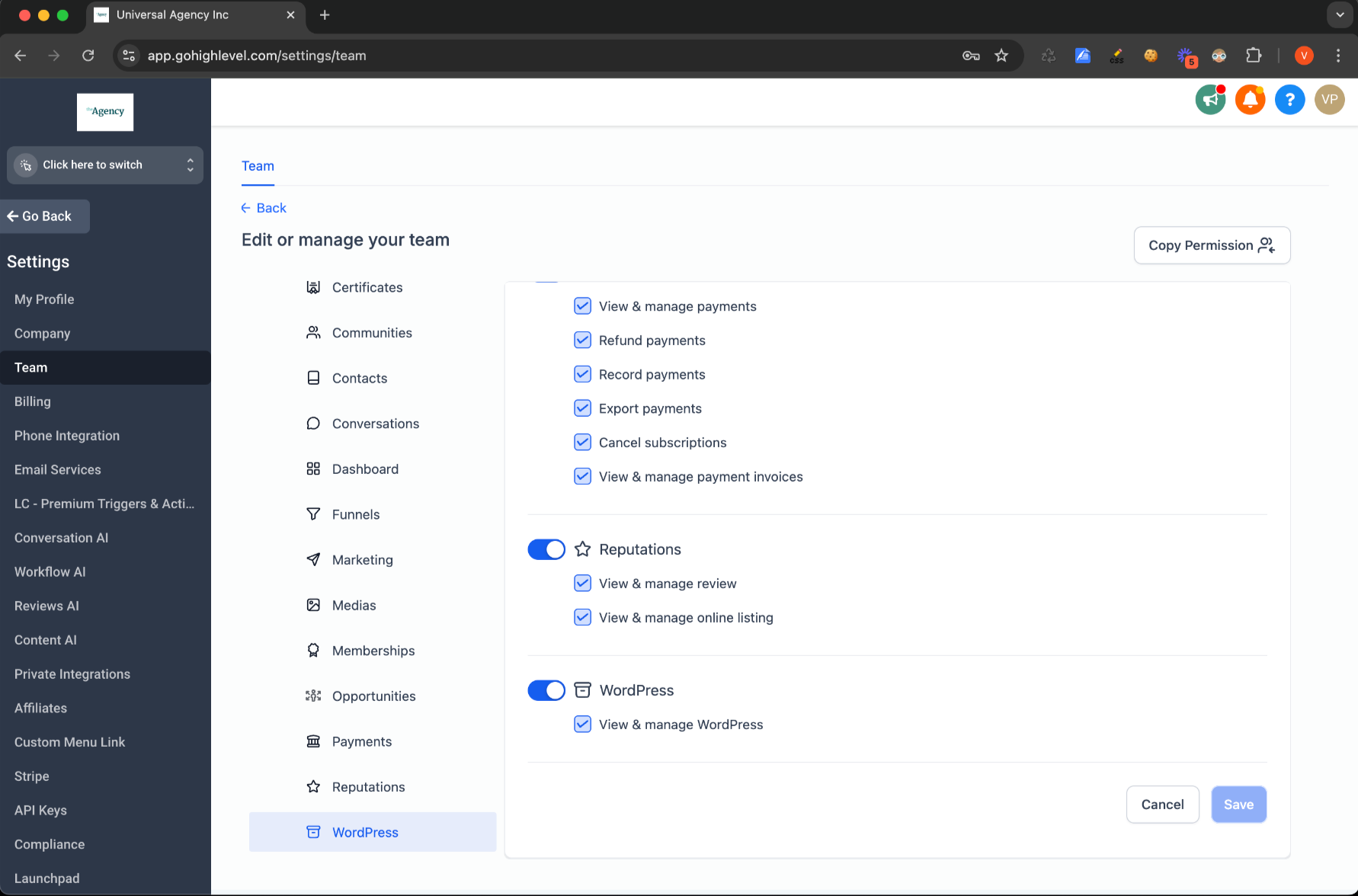
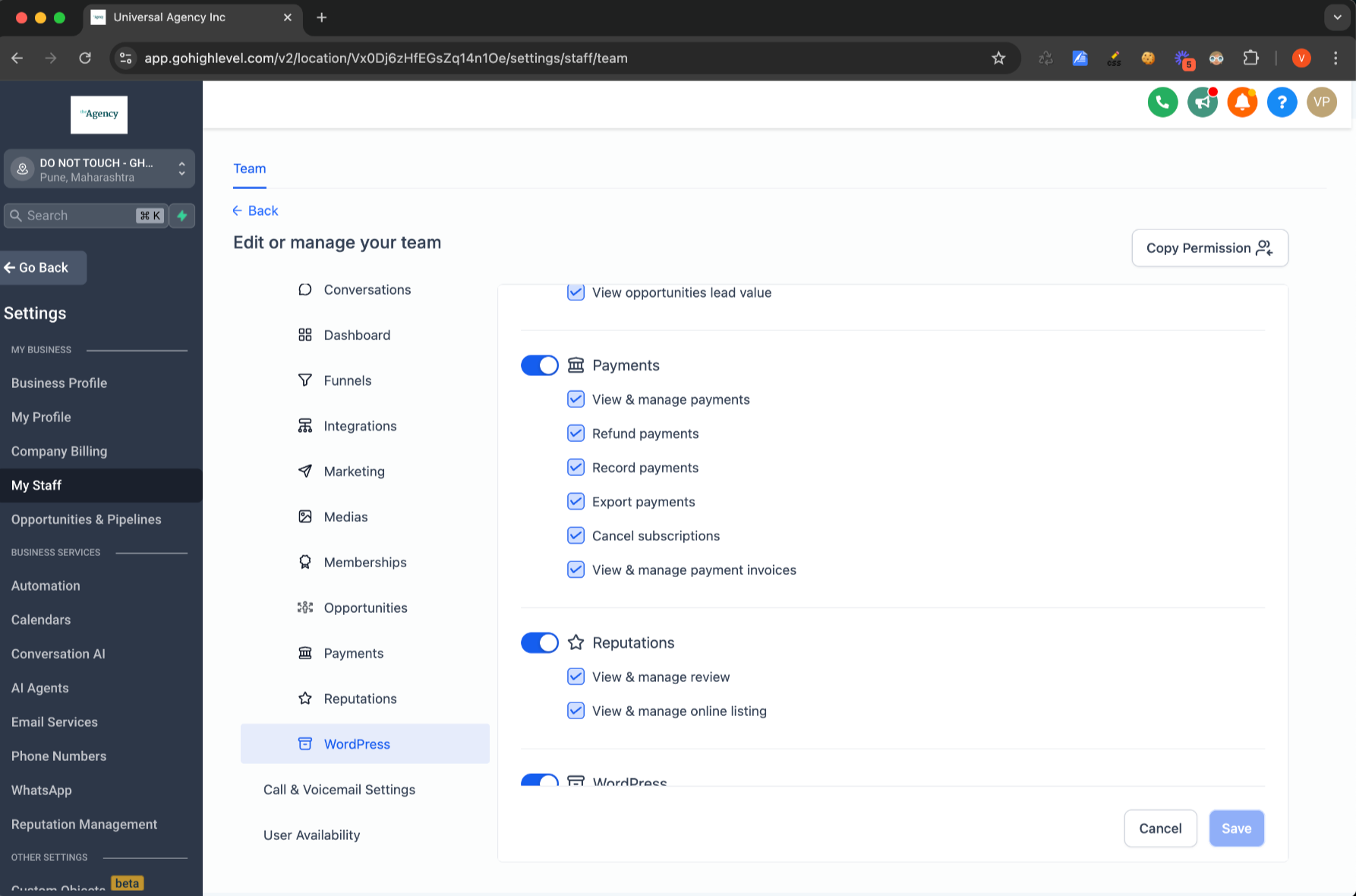
How to Access This Feature: 1. Go to Agency/Sub-Account Settings.
- Select the My Staff/Team tab.
- Click Edit next to a specific user.
- Under Roles and Permissions, you’ll find the WordPress option.
 Was this article helpful? That’s Great! Thank you for your feedback Sorry! We couldn’t be helpful Thank you for your feedback Feedback sent We appreciate your effort and will try to fix the article