Template Library for Webinars
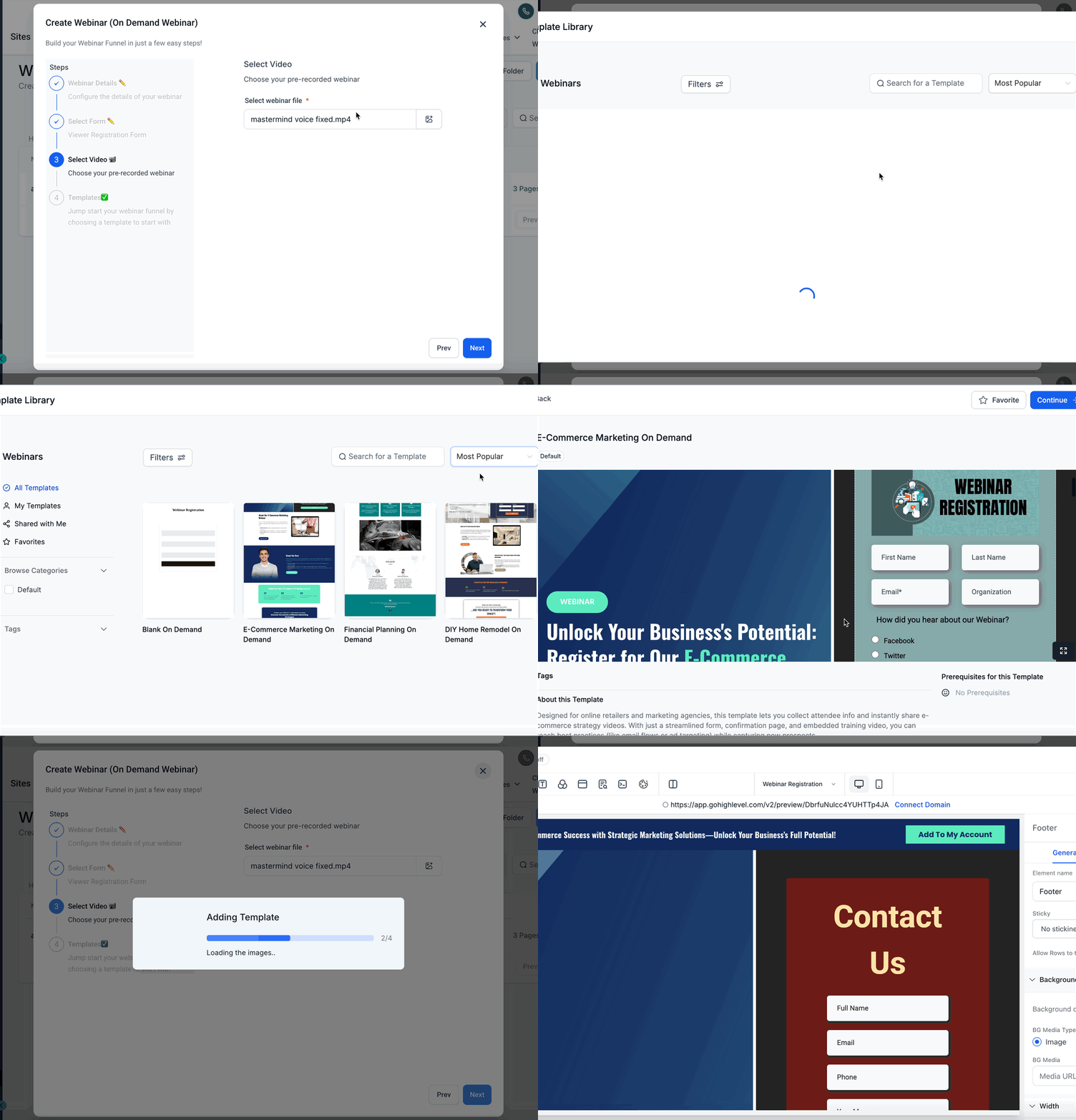
This article will show you how to quickly set up live or on-demand webinars using Webinar Templates in Patient Copilot! Webinar Templates automatically insert your chosen video and form into a pre-designed webinar layout, so you can maintain brand consistency and reduce setup time. * * * ## What are Webinar Templates? Webinar Templates allow you to pre-design reusable layouts for webinars. When creating a webinar, your selected video and form will automatically replace the placeholders in the chosen template. This ensures fast setup and consistent branding across your webinars, whether they are live or on-demand. * * * ## Key Benefits of Using Webinar Templates Webinar Templates speed up webinar setup and ensure a cohesive look and feel across multiple webinars. This helps you deliver a professional experience to your audience while saving valuable time. - Faster Webinar Setup: Launch webinars in minutes by auto-filling templates with your selected video and form.
- Consistent Branding: Maintain a unified brand experience with reusable, customizable templates.
- Flexible Template Management: Agency admins can upload, manage, and control template visibility for different subaccounts.
- Easy Customization: Start from a template or a blank slate, and personalize content as needed.
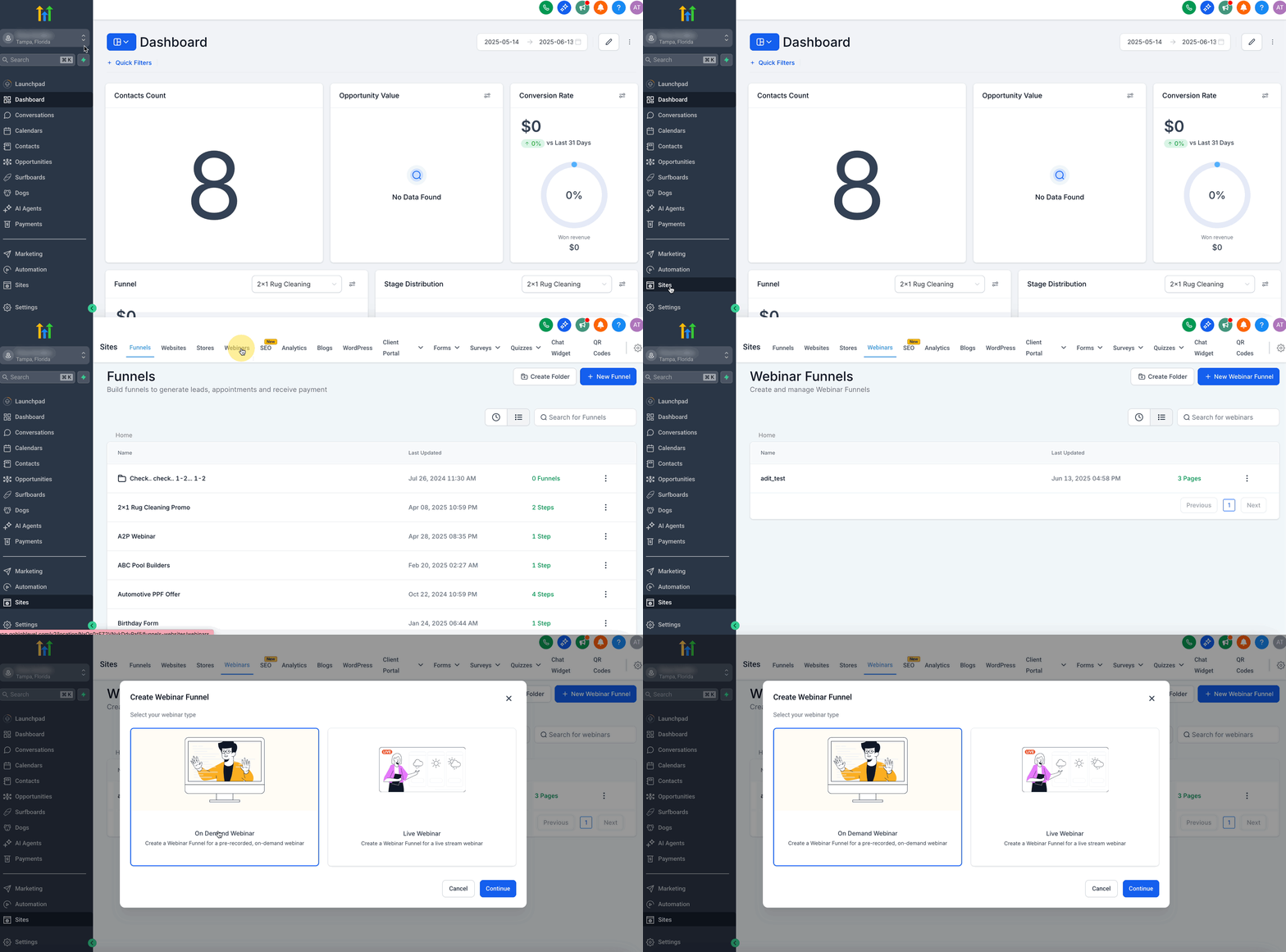
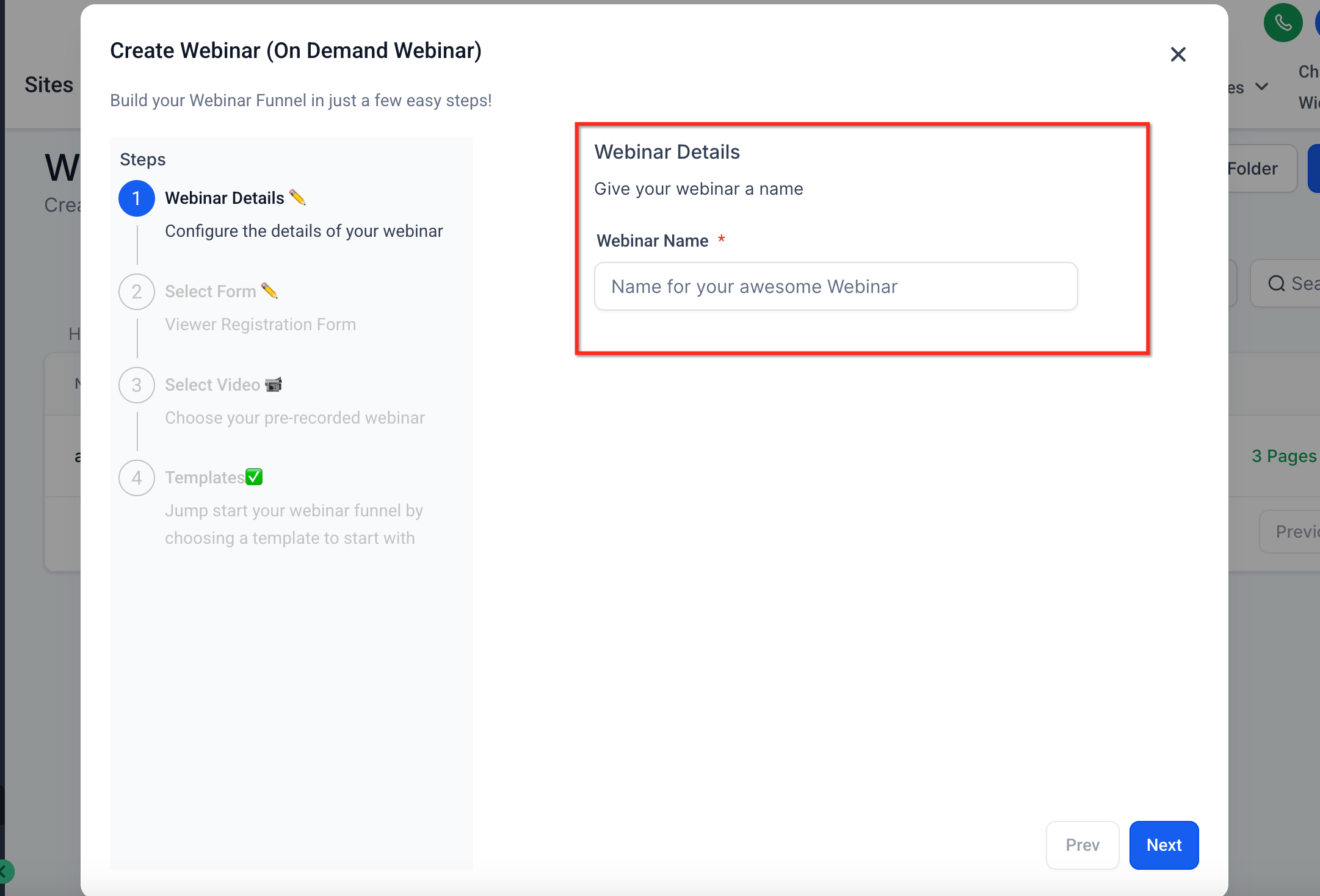
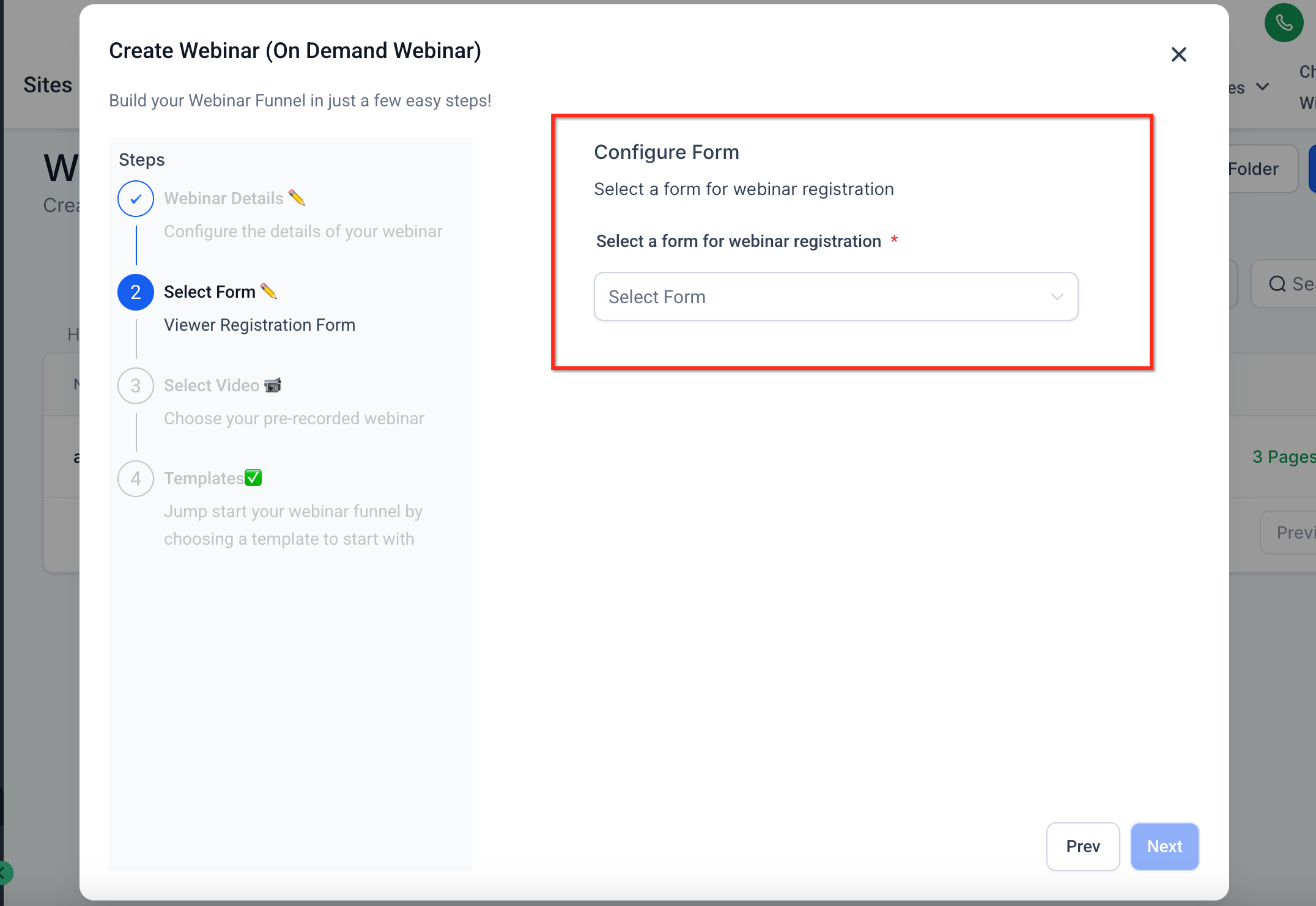
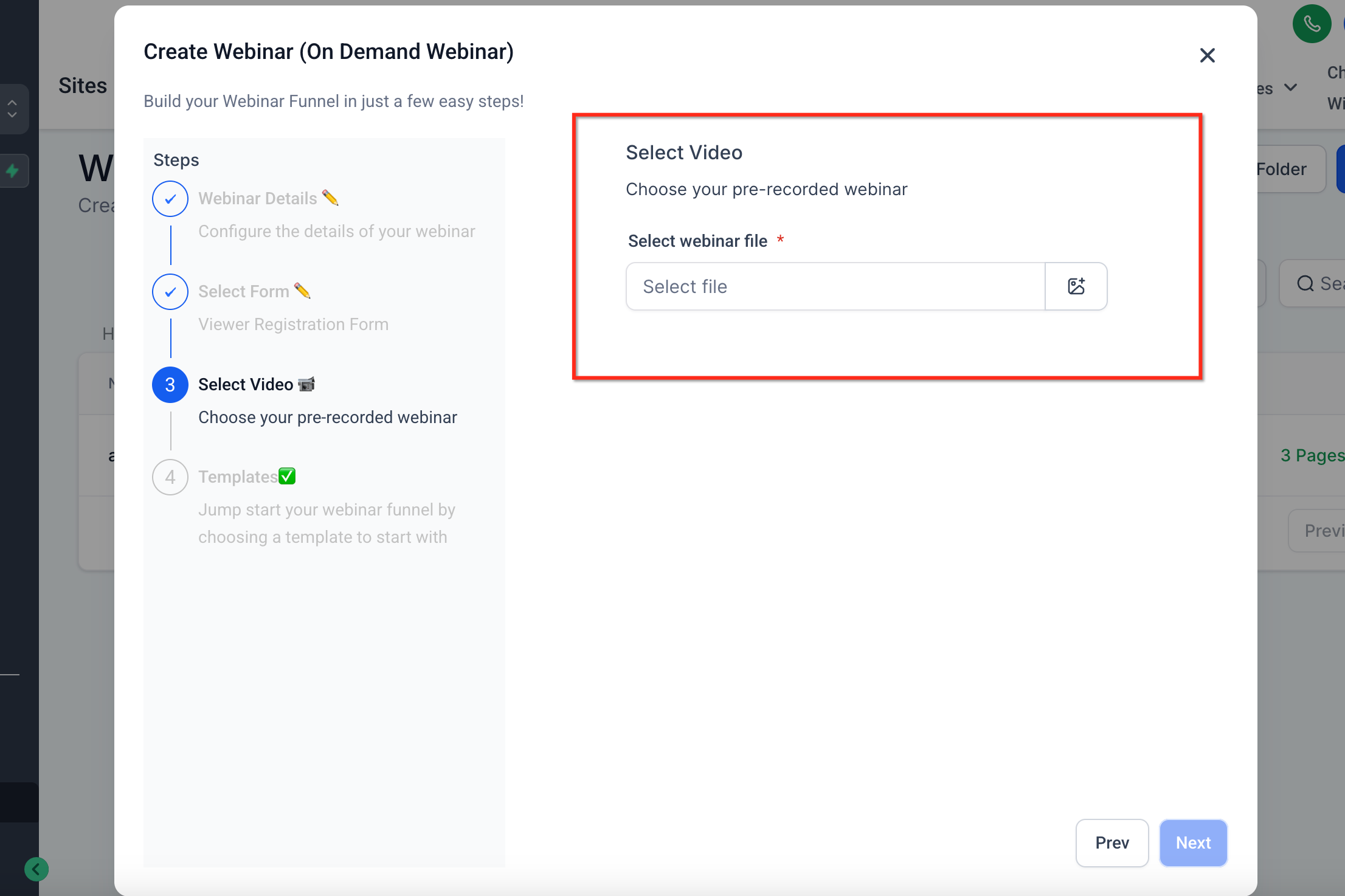
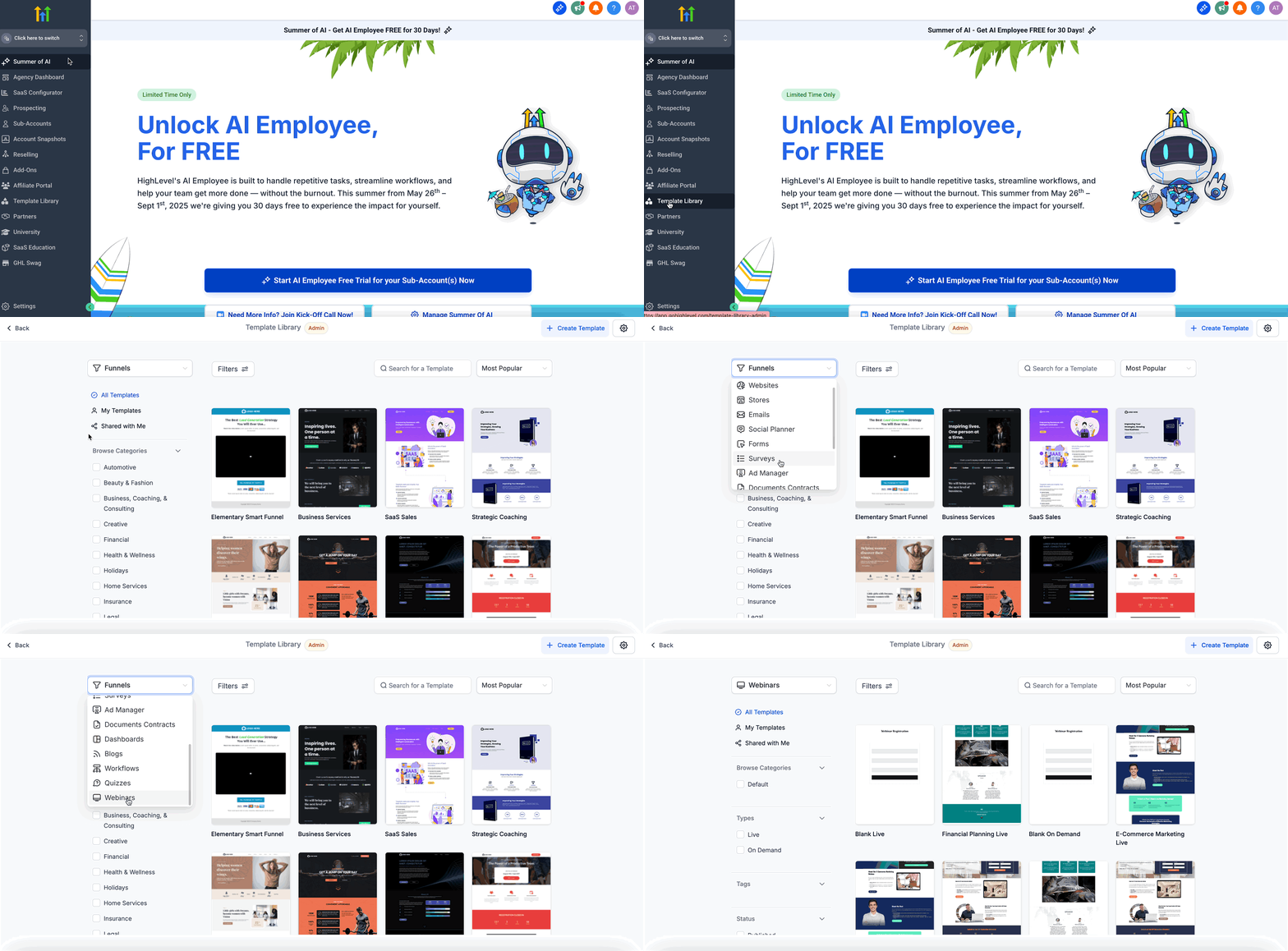
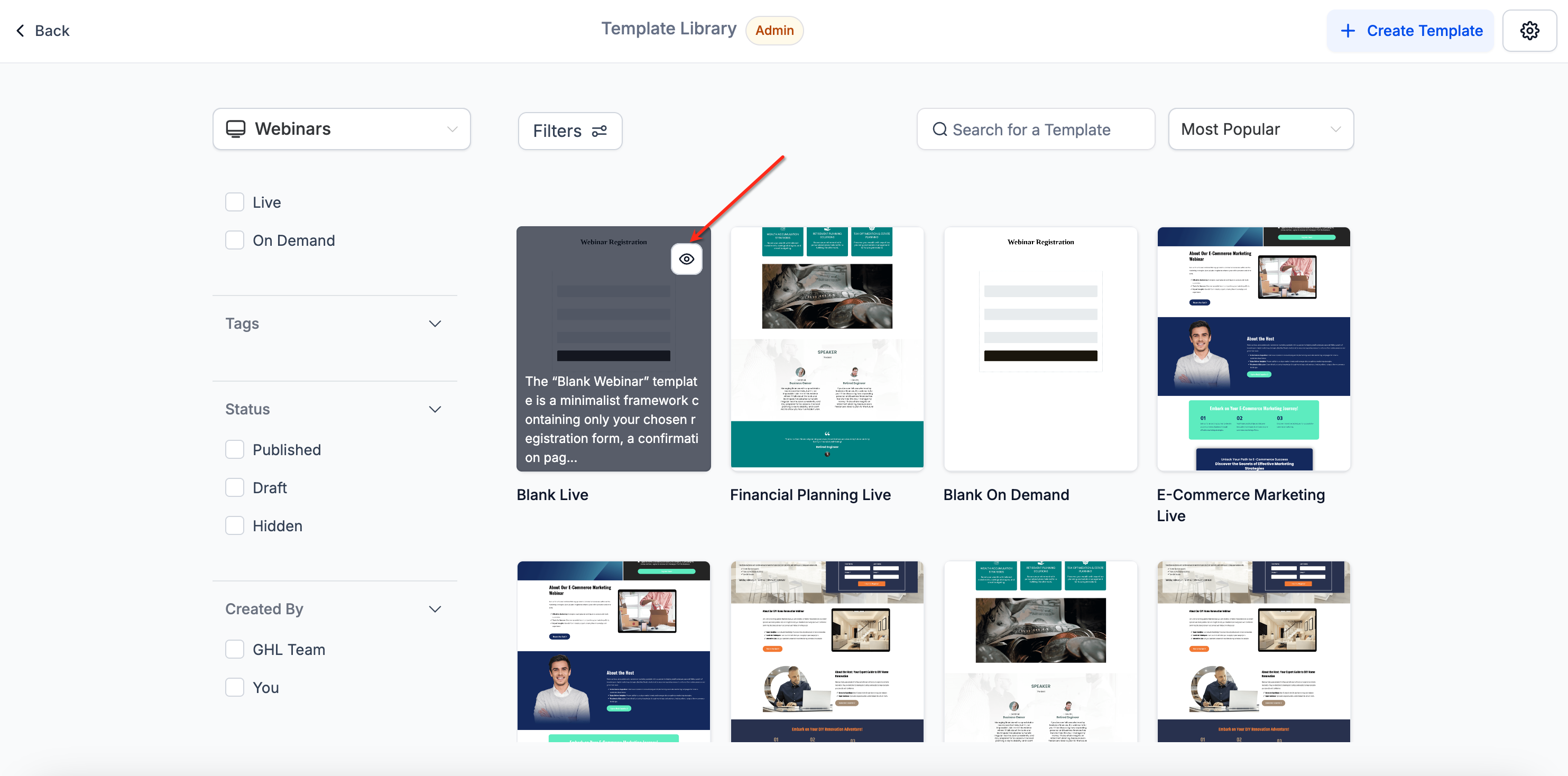
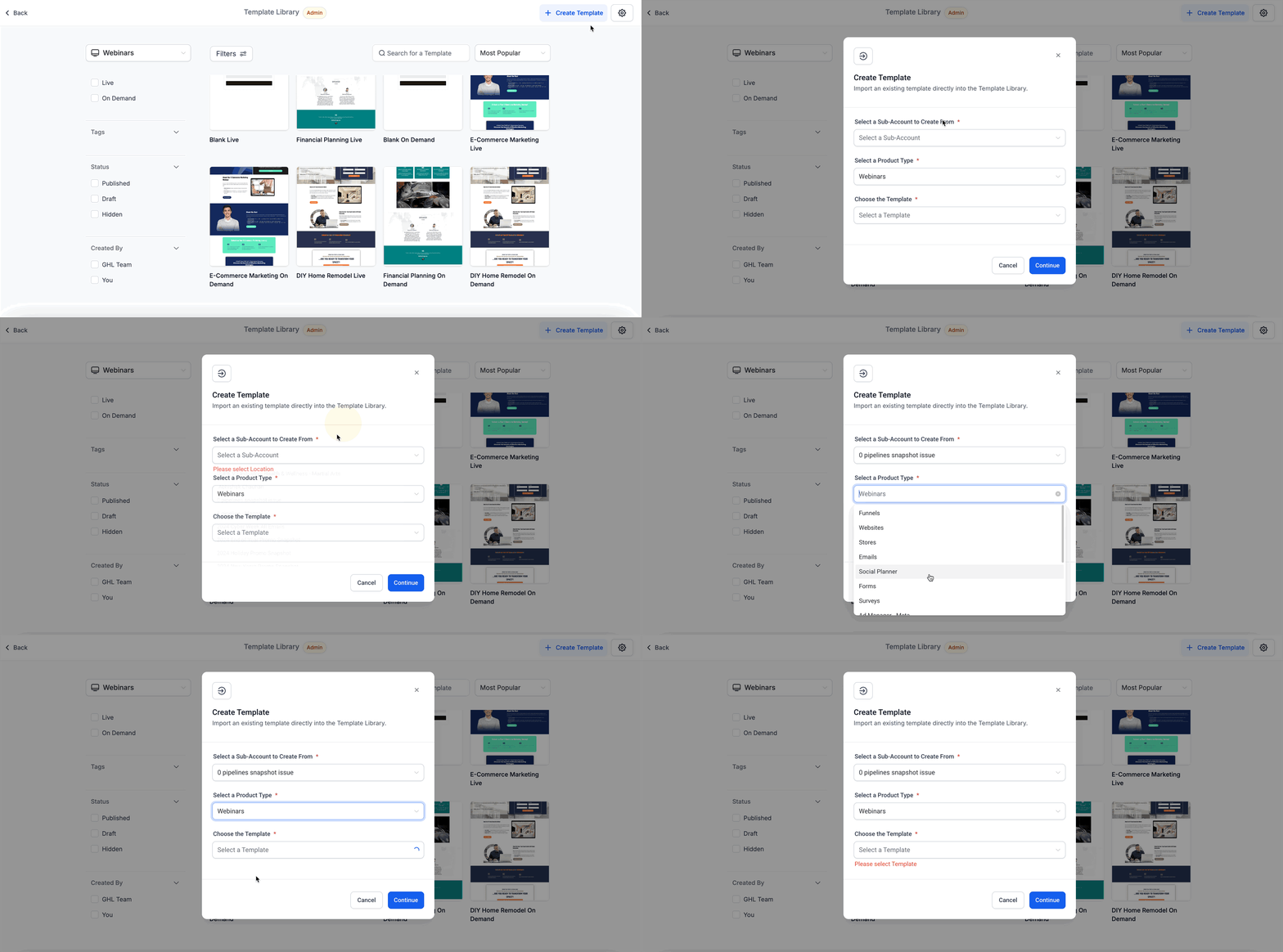
- Reduced Manual Work: Placeholders are automatically replaced, minimizing repetitive tasks. * * * ## How to Create a Webinar with a Template Creating a webinar using a template is simple. You can quickly apply a consistent design without manual formatting, so you can focus on your content and audience engagement. 1. Navigate to Webinars and click Create Webinar (choose Live or On-Demand).!(https://assets.patientcopilot.ai/c44969a1f8da5364.gif) 2. Enter Webinar Details: Give your Webinar a name.!(https://assets.patientcopilot.ai/e5b6aa5c6047c44c.png) 3. Select your F****orm: Select a form for webinar registration.!(https://assets.patientcopilot.ai/2f523982009b709c.png) 4. Select Video: Choose your pre-recorded webinar!(https://assets.patientcopilot.ai/1e17eedcf5c06283.png) 5. Choose a Webinar Template from the list, or start from a blank template. Click Proceed. Your selected video and form will automatically replace placeholders in the template.!(https://assets.patientcopilot.ai/865ba890d37a7137.gif) * * * ## Managing Webinar Templates (for Agency Admins) Agency admins have additional controls for managing Webinar Templates. This helps ensure that subaccounts only see templates that match their branding and requirements. - Navigate to Template Library → Select the Webinar category.!(https://assets.patientcopilot.ai/4b3ce81f2ca0df68.gif) - To hide/show templates for subaccounts, click the visibility toggle next to each template.!(https://assets.patientcopilot.ai/bc09fb386acc0ffa.png) - To upload new templates, click Create → Upload a new Webinar Template. To customize the experience, manage which templates each subaccount can access and use.!(https://assets.patientcopilot.ai/14d1b8701bca4561.gif) Please Note: The Default/blank templates cannot be hidden. * * * ## Additional Benefits of Using Webinar Templates Understanding how Webinar Templates work helps you take full advantage of their capabilities. These features are designed to save time and ensure high-quality webinars across your business. - Automatic placeholder replacement: Your selected video and form will replace the placeholders in the chosen template. - Reusable design: Templates can be used across multiple webinars to maintain consistent branding and layout. - Visibility control: Agency admins can manage which templates subaccounts can access and use. - Template Library integration: Webinar Templates live in your centralized Template Library, making them easy to find and manage. * * * ## Frequently Asked Questions Q: Can I create my own Webinar Templates? Yes! Agency admins can upload new Webinar Templates via the Template Library. Q: Can I change the video or form after applying a template? Yes, you can edit the video or form in the webinar settings after applying a template. Q: Can I hide default/blank templates? No. Default/blank templates are always visible. Q: Do templates support custom styling? Yes, your custom template design will be preserved. Only the video and form placeholders are auto-replaced. Q: Are Webinar Templates available to subaccounts by default? Yes, unless an agency admin hides specific templates from subaccounts. Q: Can I preview a template before using it? Yes, templates can be previewed in the Template Library before selecting one. * * * ## Related Articles - How to Create and Manage Webinar Events in Patient Copilot
- Using the Template Library for Funnels and Websites
- Managing Subaccount Permissions in Patient Copilot
- Uploading and Customizing Templates in Patient Copilot
- Best Practices for Webinar Registration Forms
- Branding Guidelines for Patient Copilot Templates