2FA for New SaaS Sub-Accounts
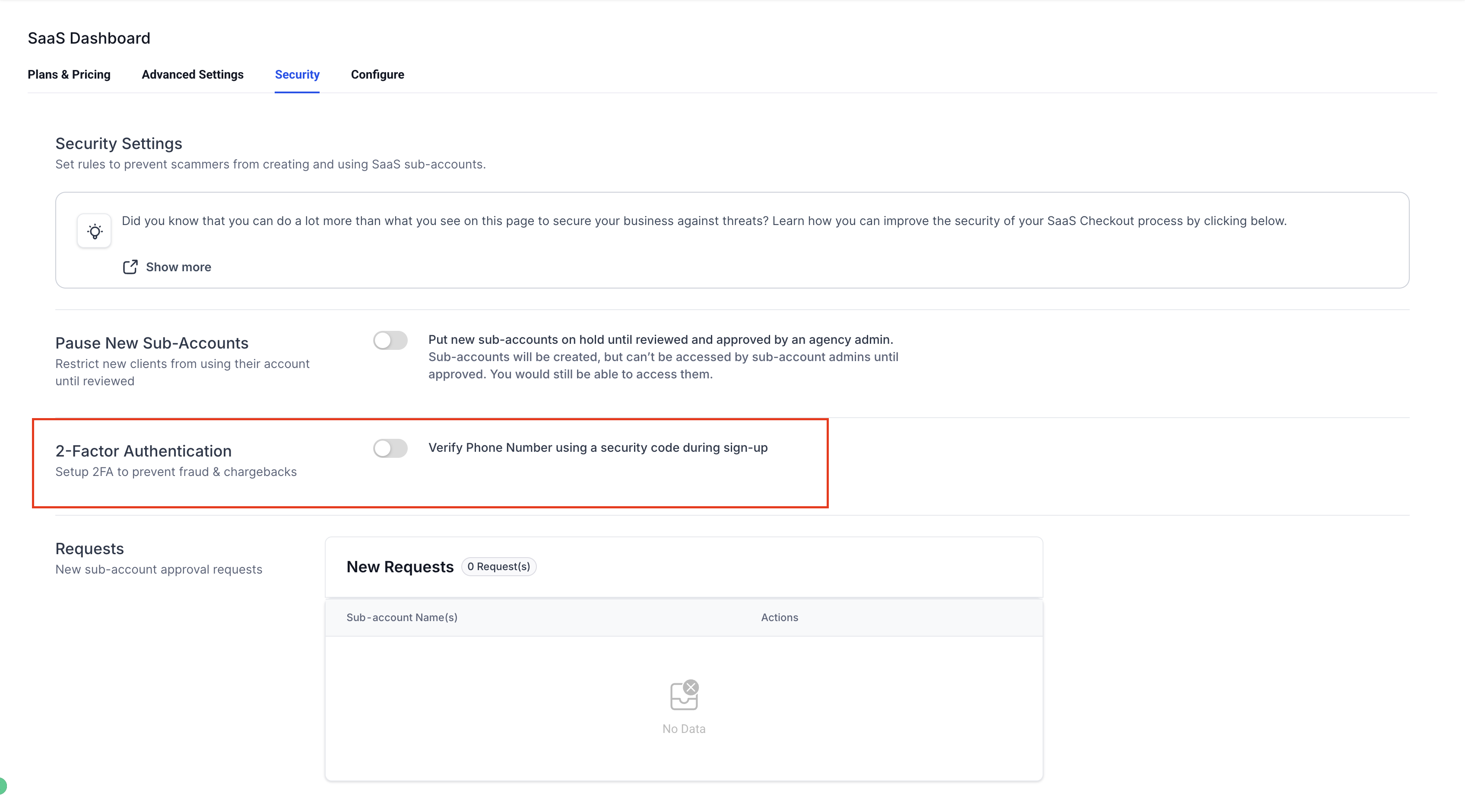
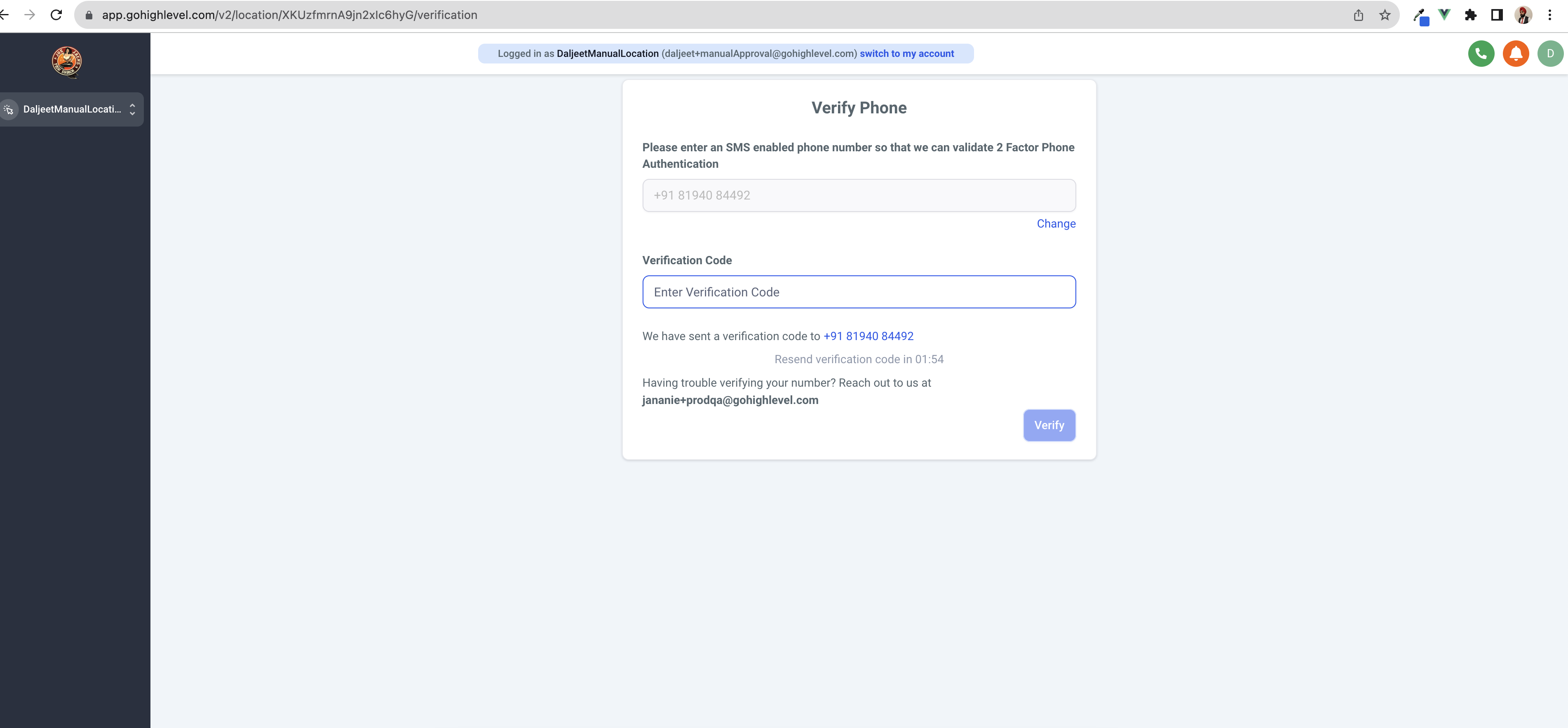
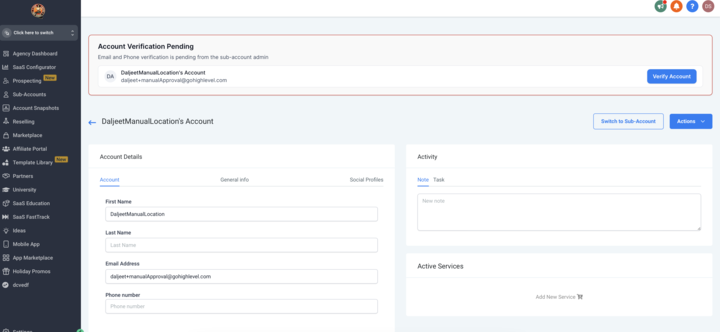
New SaaS sub-accounts can be asked to complete 2 Factor Authentication before they can purchase any phone numbers. ## Use Case Protecting SaaS agencies from scammers who use VoIP numbers and disposable email IDs to create multiple sub-accounts. ## How it works? 1. Agencies can enable 2FA for newly signing-up SaaS sub-accounts from SaaS Configurator > Advanced Settings > 2-Factor Authentication.!(https://assets.patientcopilot.ai/7c5e1d8b8b14202c.png) 2. When the clients tries to purchase a phone number for the first time, the sub-account admin is asked to enter an SMS enabled phone number which will then get a verification code that they have to enter.!(https://assets.patientcopilot.ai/4948dafb21e89c07.png) 3. They can proceed to purchase phone numbers after the 2FA is successfully completed. A phone number can NOT be used to create/verify another sub-account till 7 days after it has been used to verify a sub-account. ## Bypassing 2-Factor Authentication 1. There is no way for a sub-account admin to bypass the 2FA. 2. Agency admins will have the option to manually verify a sub-account (without any code) from the sub-account’s Manage Client page.!(https://assets.patientcopilot.ai/c9874d3d6d1d3d5b.png) Was this article helpful? That’s Great! Thank you for your feedback Sorry! We couldn’t be helpful Thank you for your feedback Feedback sent We appreciate your effort and will try to fix the article