
Issue Certificates: Triggers and Actions
The Issue Certificates Triggers and Actions in Workflows allows you to send certificates or take an action when a certificate is already issued
Setting up a workflow automation for Certificates
Triggers
To add a Certificate Issued Trigger, go to “Automations” > “Workflows” > click the “Create a Workflow” button at the top right of the screen. Then, click “Add New Trigger” and search for the “Certificate Issued” trigger.

Actions
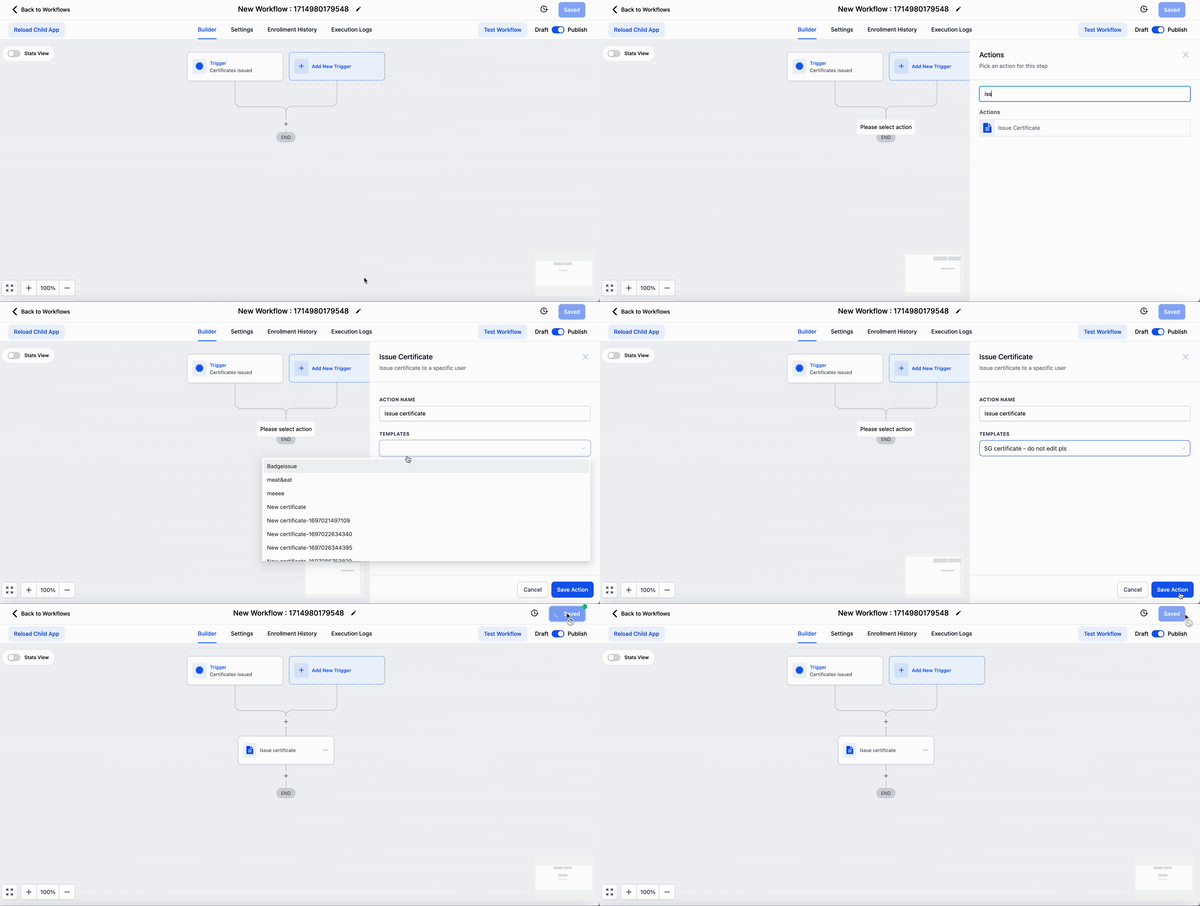
To add a Issue Certificate Action, go to “Automations” > “Workflows” > click the “Create a Workflow” button at the top right of the screen. Then, click “Add New Action” and search for the “Issue Certificate” action.
Note: All certificates issued via Workflows will show up in Membership > Certificates > Issued Certificates, for easy references. Was this article helpful? That’s Great! Thank you for your feedback Sorry! We couldn’t be helpful Thank you for your feedback Feedback sent We appreciate your effort and will try to fix the article