
Funnel Statistics
This article will show you how to track and interpret the performance of your funnels using Patient Copilot’s built-in funnel statistics. You’ll learn what is tracked, where to find stats, how to interpret them!
How to Access Funnel Statistics
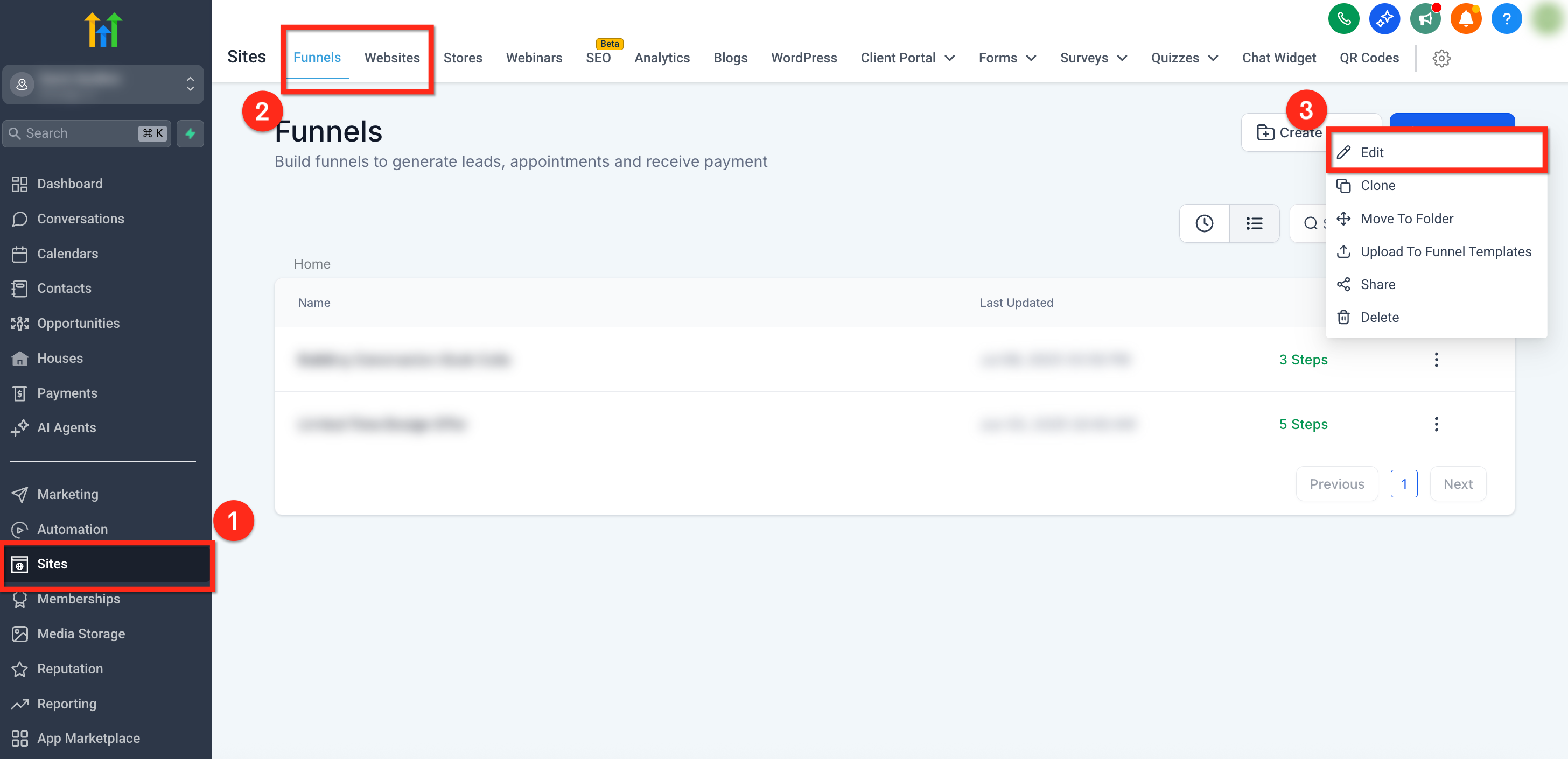
Step 1: Navigate to Site or Funnel
- From the left side navigations menu, go to Sites 2. In the top navigation ribbon, select Funnels or Sites 3. Click the 3 dots next to the funnel or site you’d like to analyze and select Edit
Step 2: Open Stats
- In the top secondary navigation bar, click the Stats tab 2. Use the timeline drop-down in the upper-right to filter by custom date ranges.
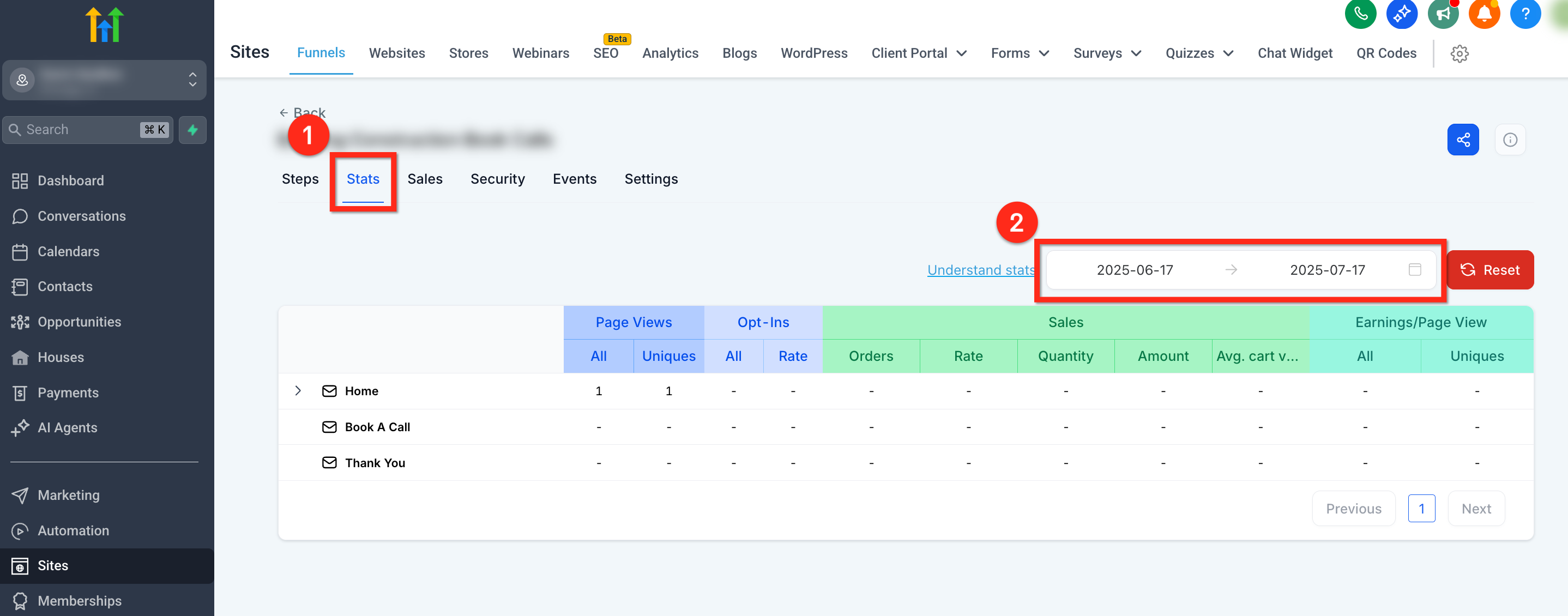
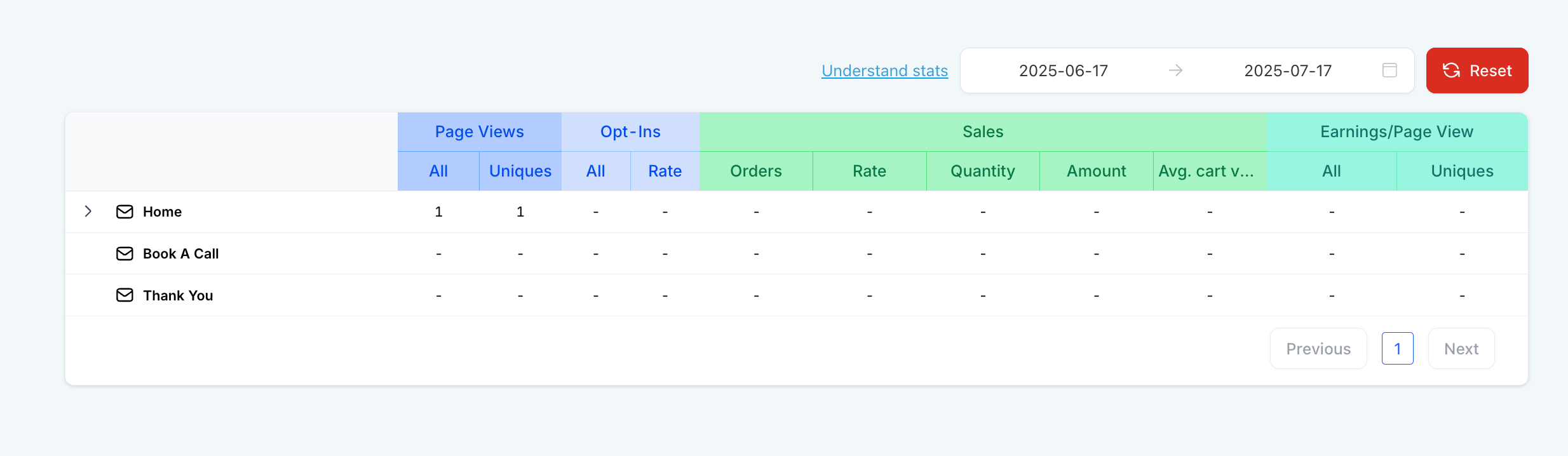
Step 3: Analyze Stats The stats table will display with the following columns:
- Page: the funnel step or page
- Views (All/Uniques): total and unique visitors
- Opt-ins (Count/Rate): submissions and opt-in rate
- Sales (Count/Rate/Value): transactions, conversion rate, and total revenue
- Earnings/Page View: revenue per view
Metrics Breakdown
Page Views
- All: Number of total page visits
- Uniques: Uniques page views
Opt-ins (Form Submission, Survey Submission, 2-Step Order Form Submission)
- All: Opt-ins
- Rate: (Opt-ins * 100) / (Unique page views)
Sales
- Count: Number of product sold
- Rate: (Number of product sold * 100) / (Unique page views)
- Value: Total value of products sold
Earnings / Pageview
- All: (Total value of products sold ) / (Page views )
Site and Funnel Analytics
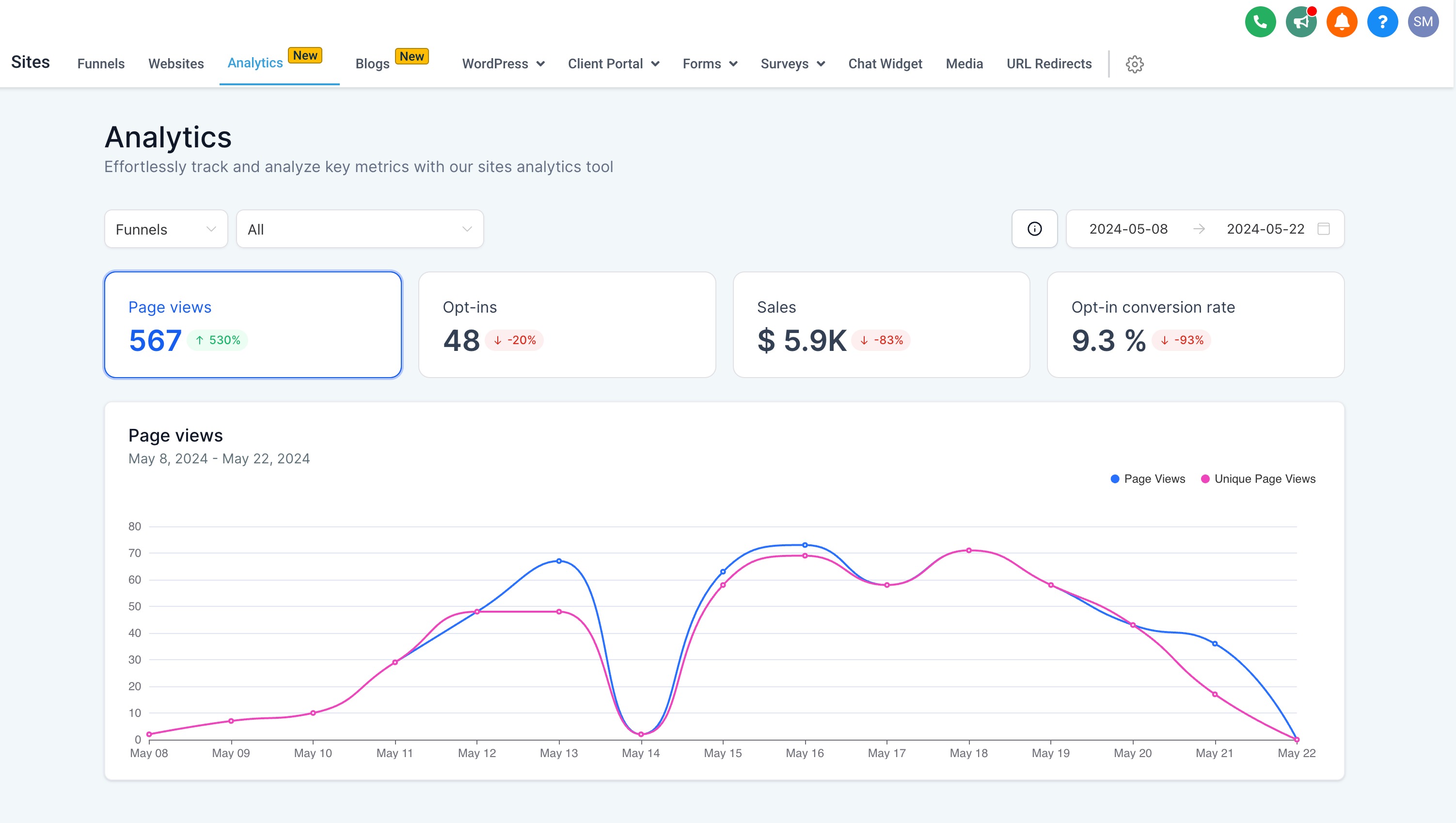
While the Stats tab inside a funnel provides performance data at the page level, the Analytics dashboard offers a broader, more visual overview across all your funnels and websites. It includes interactive graphs, comparison tools, and visitor segmentation, making it easier to spot trends and identify opportunities for optimization. To explore this centralized reporting view, go to Sites > Analytics. For more information, see How to Use Site and Funnel Analytics in Patient Copilot
Frequently Asked Questions
Q: Why don’t my stats match my Google Analytics data?
Google Analytics tracks sessions differently than Patient Copilot. Differences may arise from bounce filtering, ad blockers, or non-funnel entry points. Q: What qualifies as an ‘opt-in’? Any successful form submission on a funnel step with a form block counts as an opt-in.
Related Articles
- Page View Triggers for Funnels and Websites Was this article helpful? That’s Great! Thank you for your feedback Sorry! We couldn’t be helpful Thank you for your feedback Feedback sent We appreciate your effort and will try to fix the article