
Resend to Unopened for RSS and Batch Scheduled Emails
You now have more control when it comes to reconnecting with contacts who didn’t open your emails. Previously, the Resend to Unopened feature was limited to “Send Now” campaigns—leaving RSS and Batch Schedule campaigns without a simple way to re-engage missed recipients. With this update, you can now use Resend to Unopened for RSS and Batch Schedule campaigns, giving you greater flexibility to maximize your email reach and improve engagement rates.
What’s New? - Support for RSS Campaigns
- Support for Batch Scheduled Campaigns
- Boost your campaign performance by re-engaging contacts who didn’t open your emails
- Simple interface with custom subject lines and scheduled resend times
Why It Matters
Before this update, users could only resend unopened emails using the “Send Now” campaign type. This limitation prevented those using scheduled email flows (like RSS feeds and batch scheduling) from taking advantage of a powerful engagement tool. Now, whether you’re sending weekly newsletters or batch-planned campaigns, you can follow up with your audience more effectively—without switching campaign types. Step 1: Navigate to Your Sent Campaigns - Go to Marketing > Emails > Campaigns
- Locate your RSS or Batch Schedule campaign in the list Step 2: Open the Options Menu - Click the three dots (⋮) on the right-hand side of the campaign entry Step 3: Select “Resend to Unopened” - From the dropdown, click Resend to Unopened
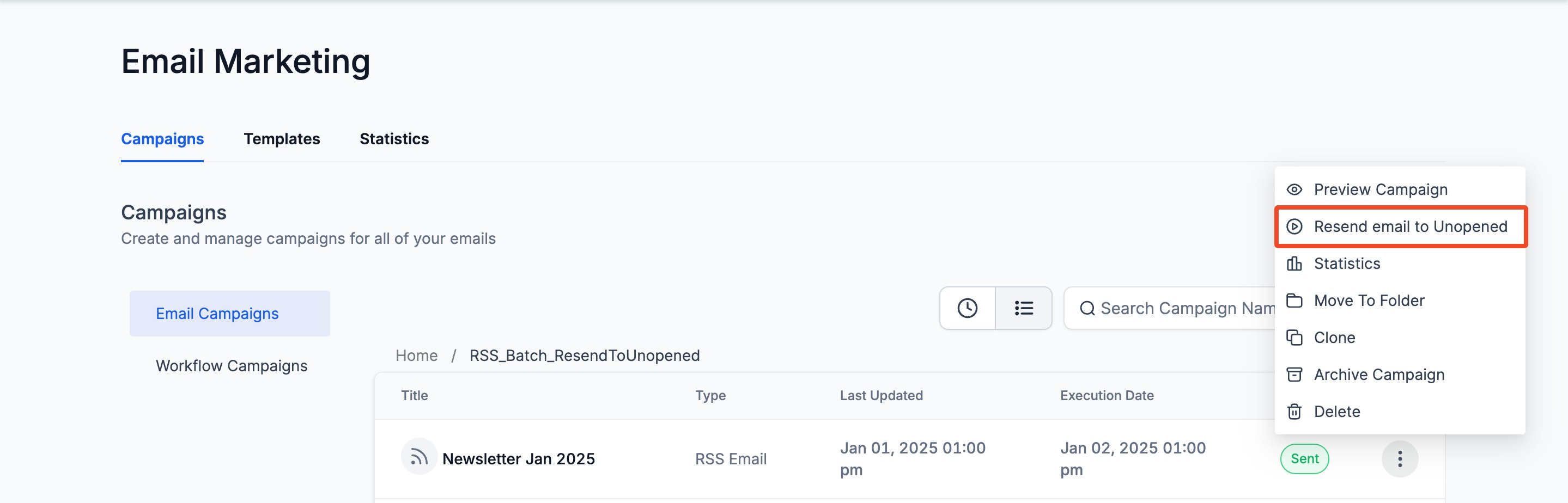
Step 4: Customize the Resend - Enter a new subject line (optional but recommended to increase open rate)
- Choose a resend time to schedule when the follow-up should go out
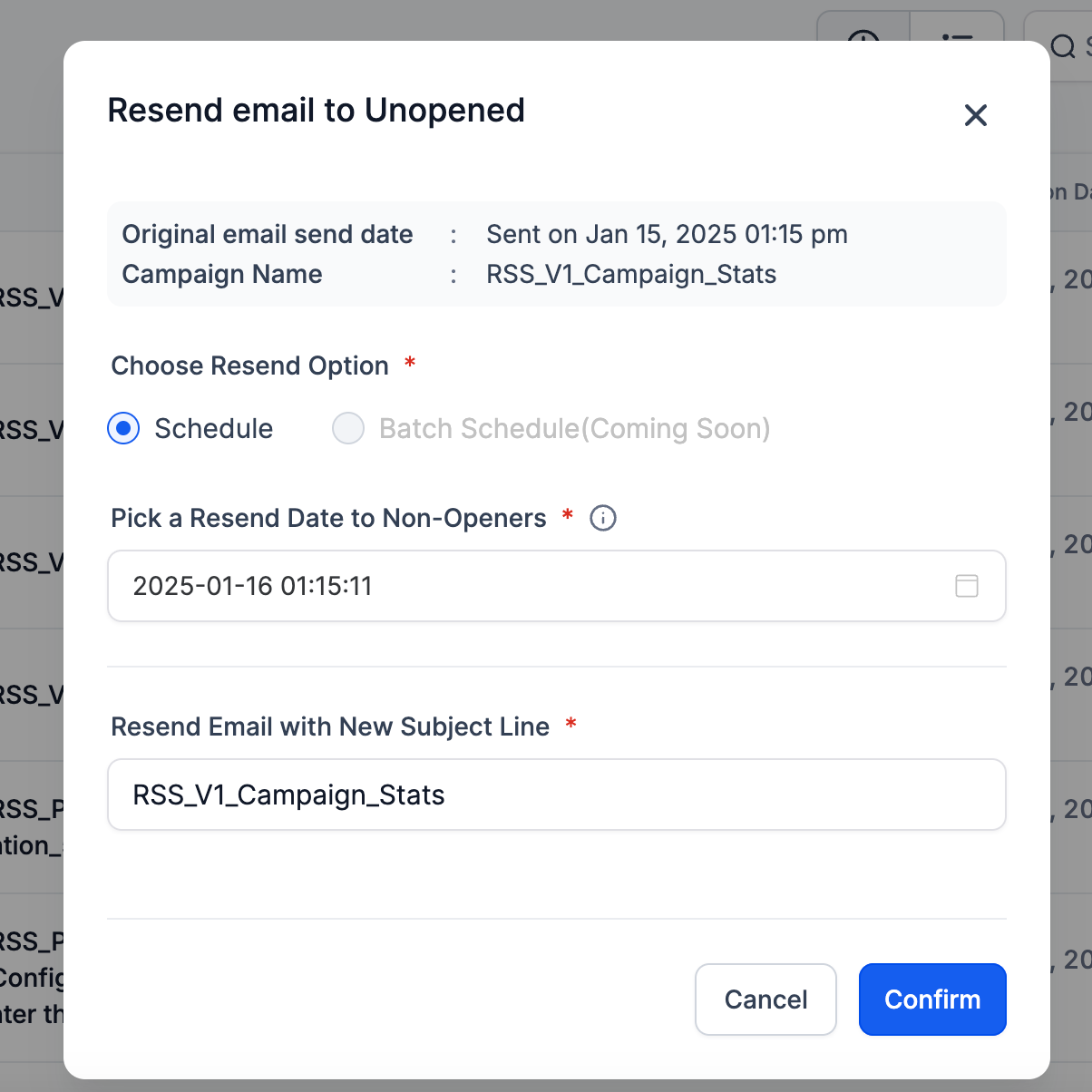
Step 5: Click “Schedule” to Complete - Once your details are set, click Schedule
- The system will queue the resend only for contacts who didn’t open the original email
Coming Soon: Batch Resend Functionality
We’re working on a broader batch resend capability that will let you perform bulk resend actions across multiple campaigns—stay tuned for this upcoming enhancement.
- Use a different subject line to test what resonates better
- Don’t resend too soon — give your audience time to open the original email
- Monitor engagement metrics post-resend to refine your strategy Was this article helpful? That’s Great! Thank you for your feedback Sorry! We couldn’t be helpful Thank you for your feedback Feedback sent We appreciate your effort and will try to fix the article