Assets Protected Snapshots ( Called "IP Protected" Earlier )
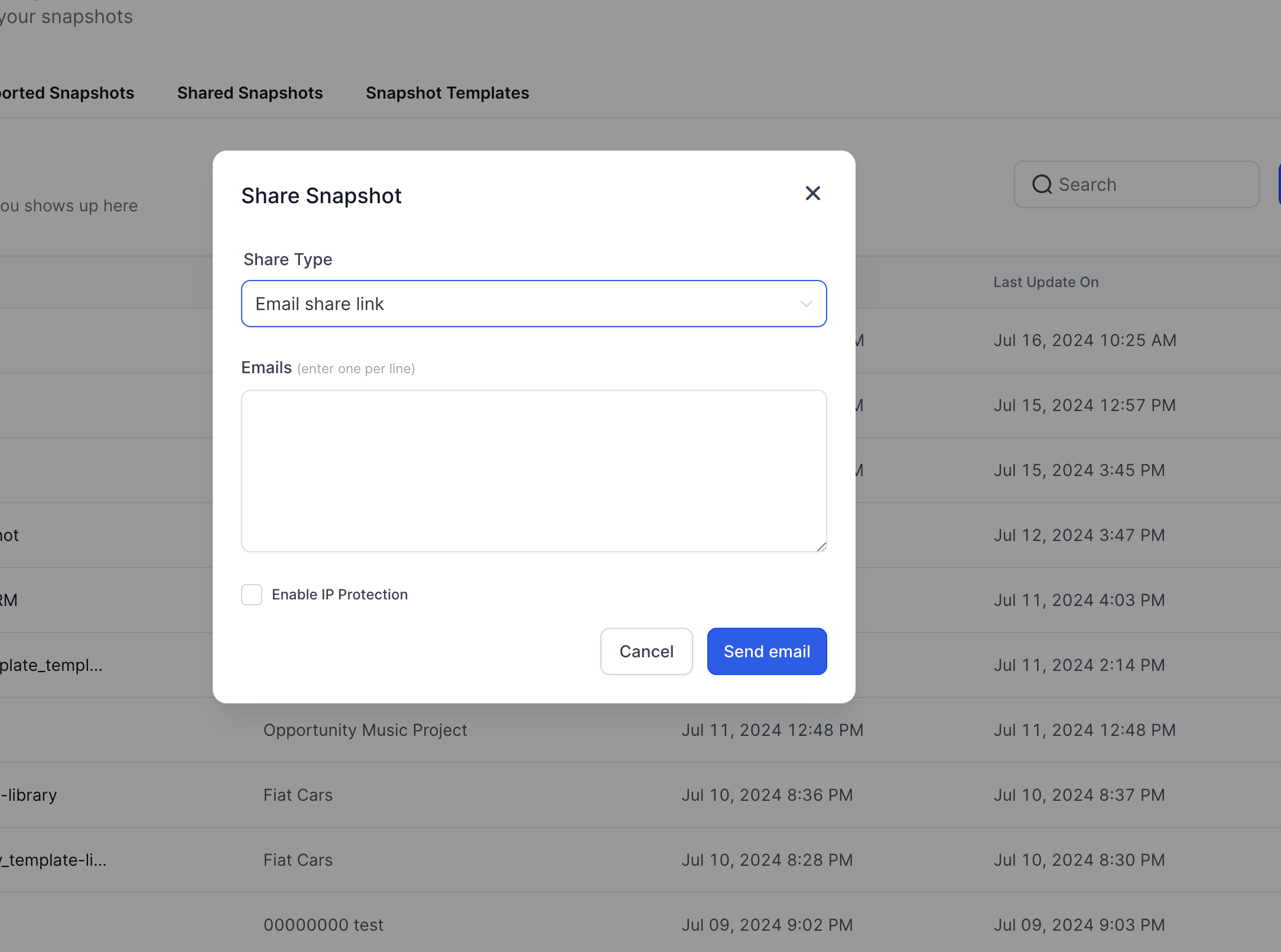
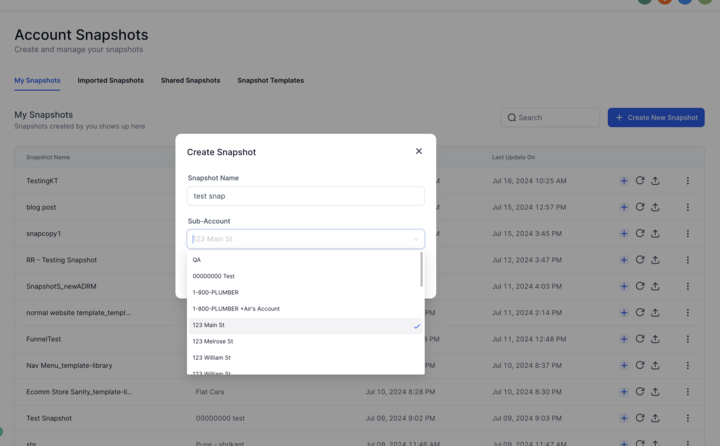
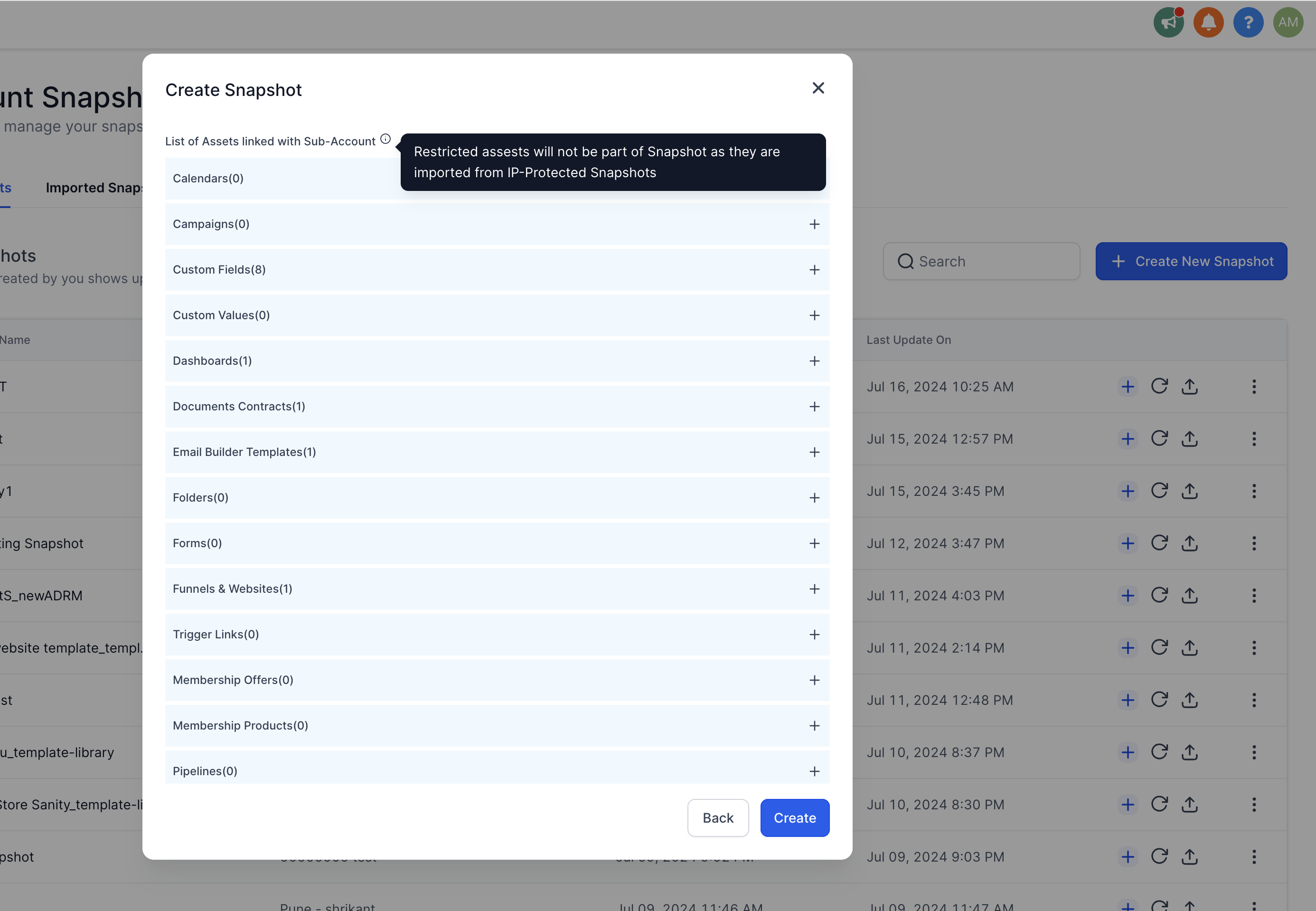
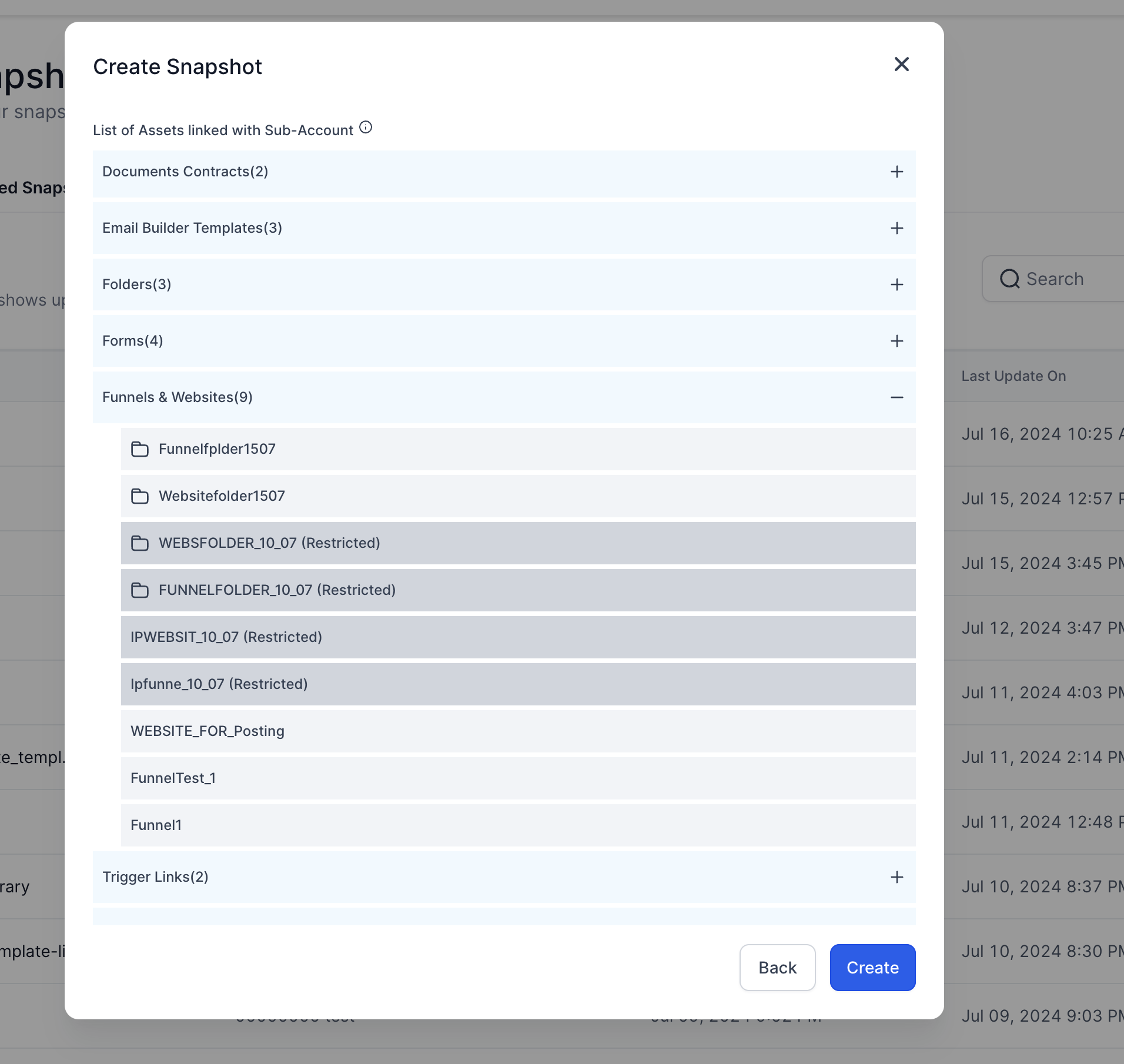
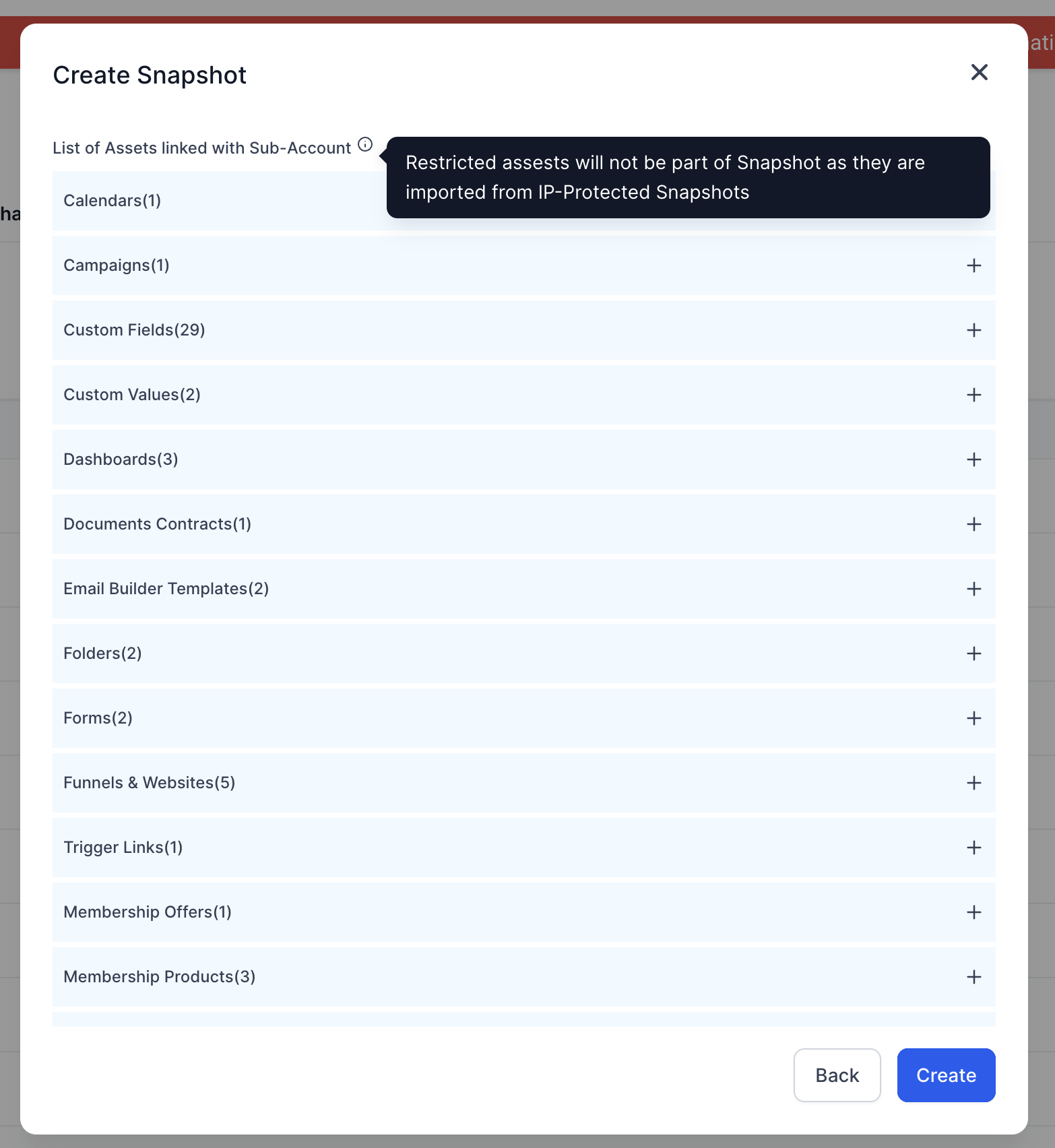
Overview The new Assets Protected Snapshots feature allows you to share snapshots with enhanced protection for your intellectual property (IP). This feature ensures that your valuable assets cannot be easily re-shared or duplicated by others. ## Why Use Assets Protected Snapshots? Many customers invest significant time and effort into creating complex assets such as workflows and funnels in their sub-accounts. These assets are often sold offline through snapshots. However, there have been instances where customers re-sell these assets by creating new snapshots from sub-accounts, which undermines the value of the original creator’s work. Assets Protected Snapshots address this issue by preventing unauthorized duplication and re-sharing of your assets. ## How to created Assets Protected Snapshots Enable Assets Protection: A new option in the Snapshot Share Modal allows you to enable Assets protection when generating a new share link. This ensures that the assets in your snapshot cannot be re-shared or duplicated.!(https://assets.patientcopilot.ai/89c18f6f56dbb2f3.png) ## Trying to snapshot a sub account created with Assets Protected assets Asset List: The modal displays a list of all assets that will be included in the snapshot. Restricted Assets: It also highlights any assets that are Assets protected within the sub-account and will not be included in the snapshot.!(https://assets.patientcopilot.ai/3f2c71e261a6fed7.png) ## How to Use Assets Protected Snapshots 1. Access Snapshot Share Modal: Navigate to the Snapshot Share Modal in your Patient Copilot account.!(https://assets.patientcopilot.ai/8b15c26c872a6cd9.png)
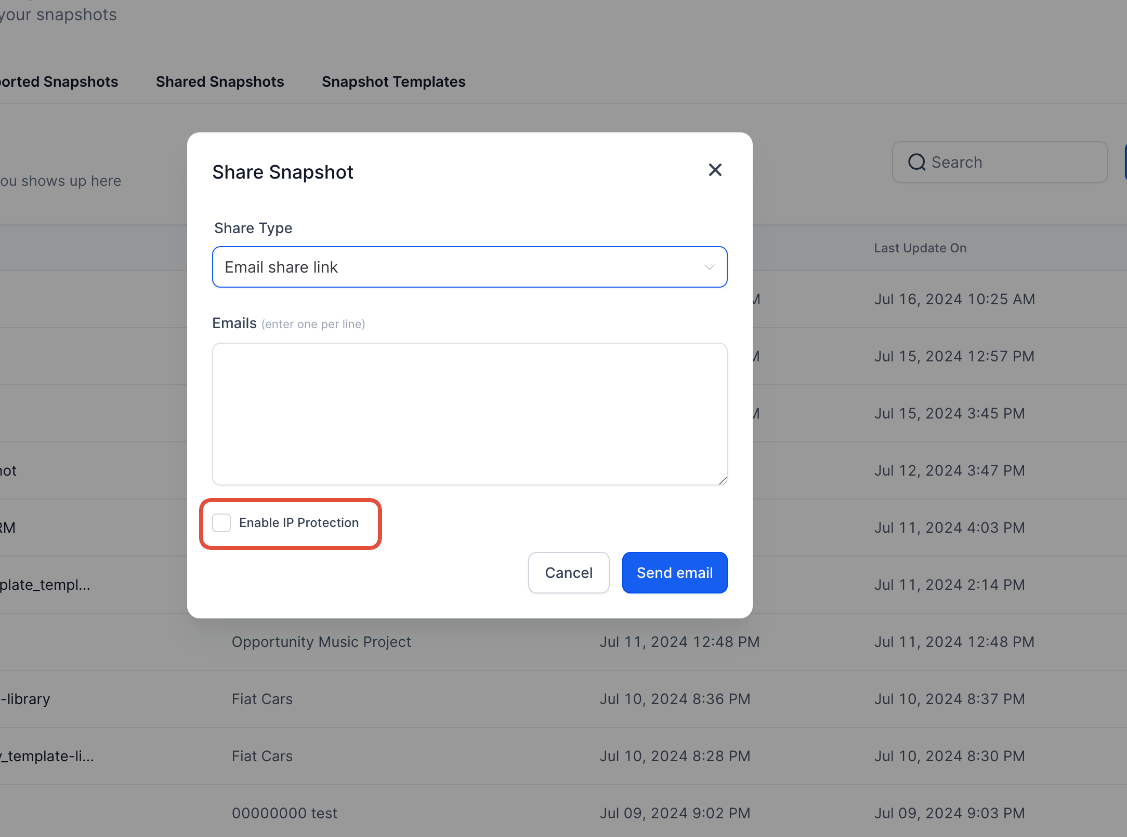
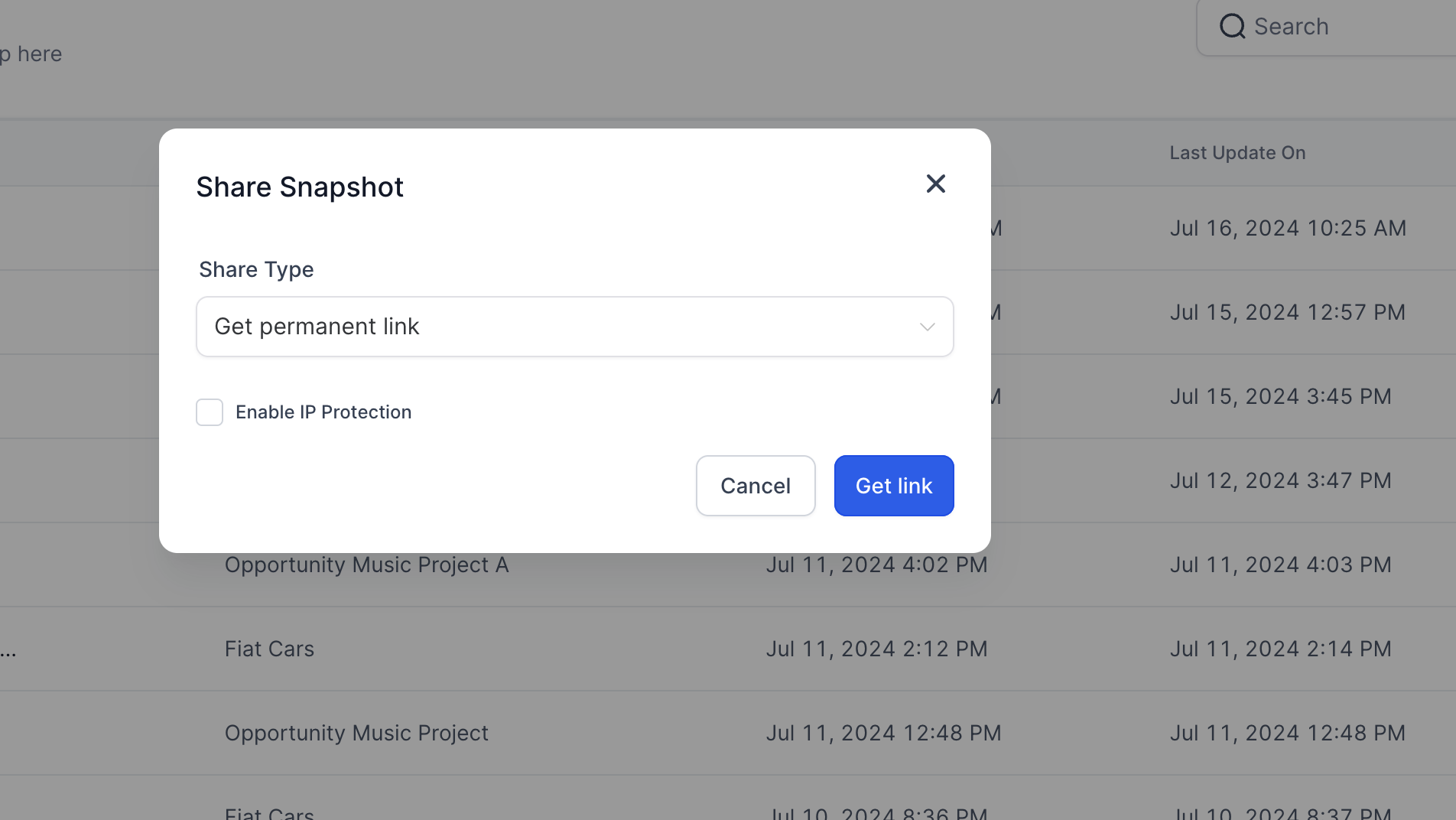
- Enable Assets Protection: Click on the checkbox labeled “Enable Assets Protection.!(https://assets.patientcopilot.ai/3a58869a1e27f55a.png)
- Generate Share Link: Proceed to generate the share link with Assets protection enabled. ### Creating a snapshot from a sub-account which was created with Assets protected assets 1. Access Snapshot Create Modal: Navigate to the Snapshot Create Modal in your Patient Copilot account.!(https://assets.patientcopilot.ai/26f5642aed7ec71d.png)
- Review Asset List: Check the list of assets that will be part of the snapshot.!(https://assets.patientcopilot.ai/efc00cb7efd40265.png)
- Identify Restricted Assets: Note any assets marked as “Restricted (Assets Protected)” that will not be included in the snapshot.!(https://assets.patientcopilot.ai/df10161ea9af81b8.png)
- Create Snapshot: Proceed to create the snapshot with the desired assets.