
How To Fix - Phone Call Redirect Loop
If you’re hearing phone calls that loop, playing the same message over and over again, or you’re seeing phone calls stack up one after another in Conversations, that is a “redirect” loop. Let’s fix it.
What Is A Phone Call (Redirect) Loop?
A phone call loop, or a redirect loop, is when a call to number A gets routed/redirected/forwarded to number B, and then number B routes it to number A.
Evidence of a Phone Call (Redirect) Loop
Evidence that you have a phone call redirect loop:
- You hear the call repeat the same sounds over and over again.
- You see inbound calls stack up quickly (less than a minute).
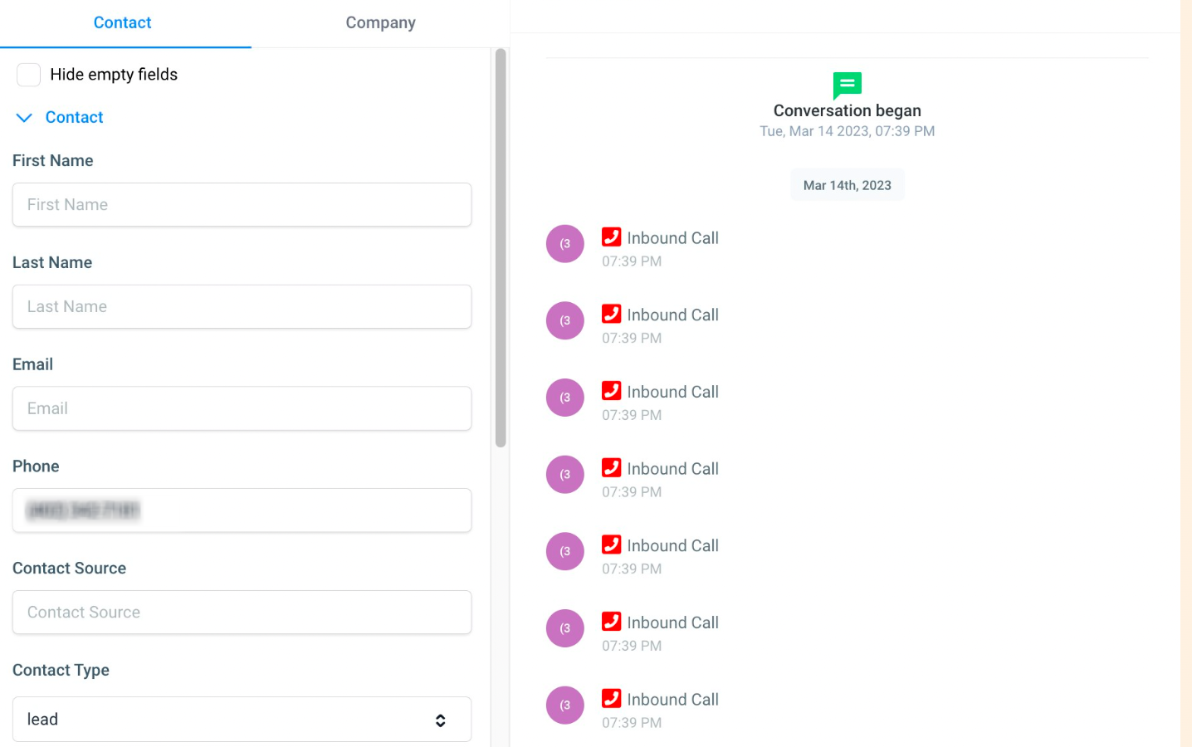
Fix a Phone Call (Redirect) Loop
Check User Phone Number
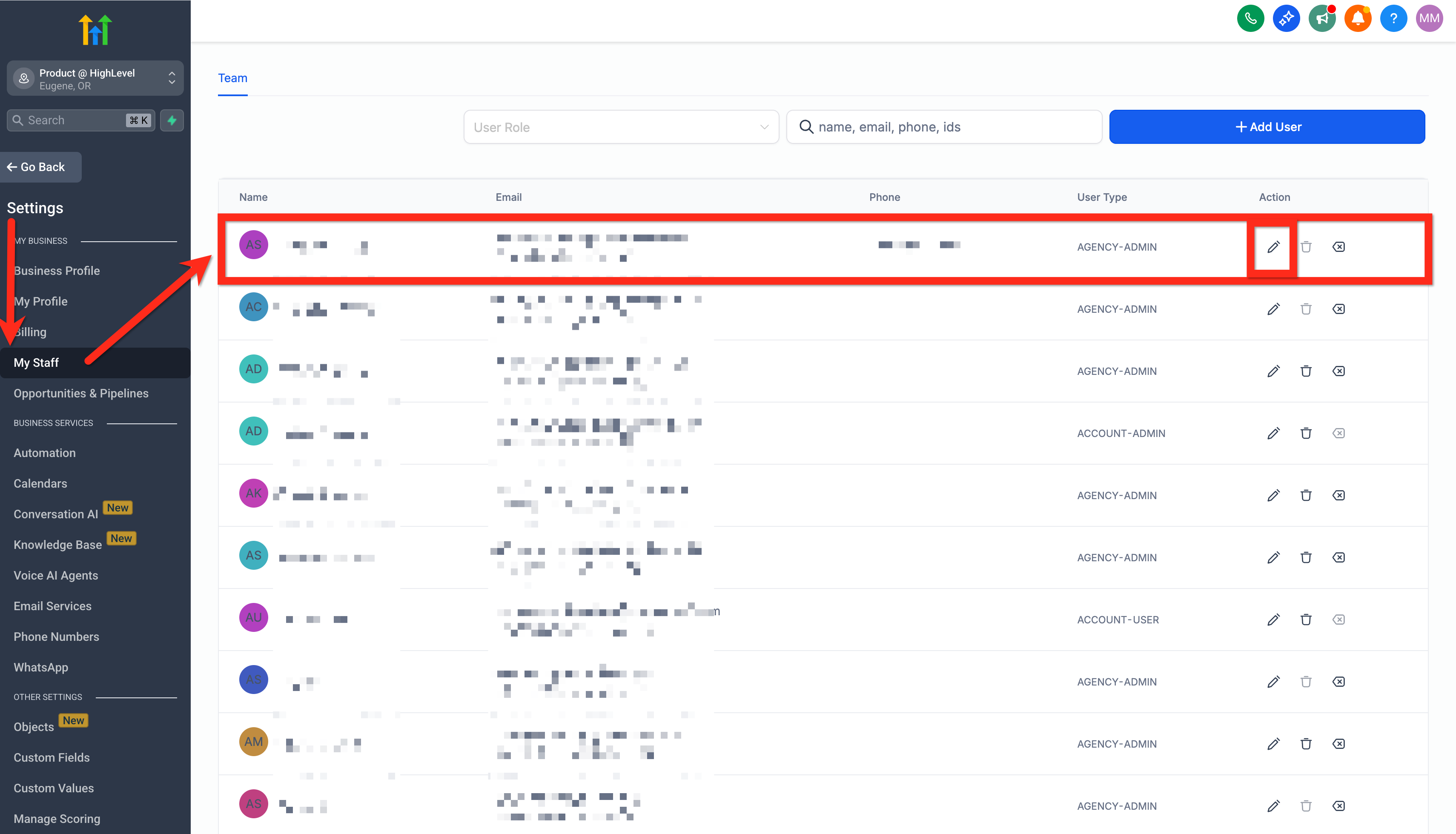
Navigate to Subaccount > Settings > My Staff > edit specific user. Make sure the user’s phone number (the number you call to talk to them) is not the same as a Patient Copilot number (the number you got from Patient Copilot).
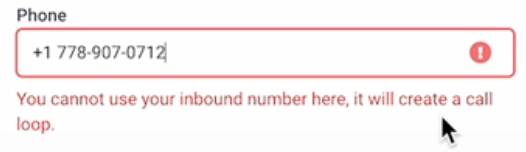
This would create a forwarding loop where the call calls itself. You might see an error like this:
Check Forwarding Number
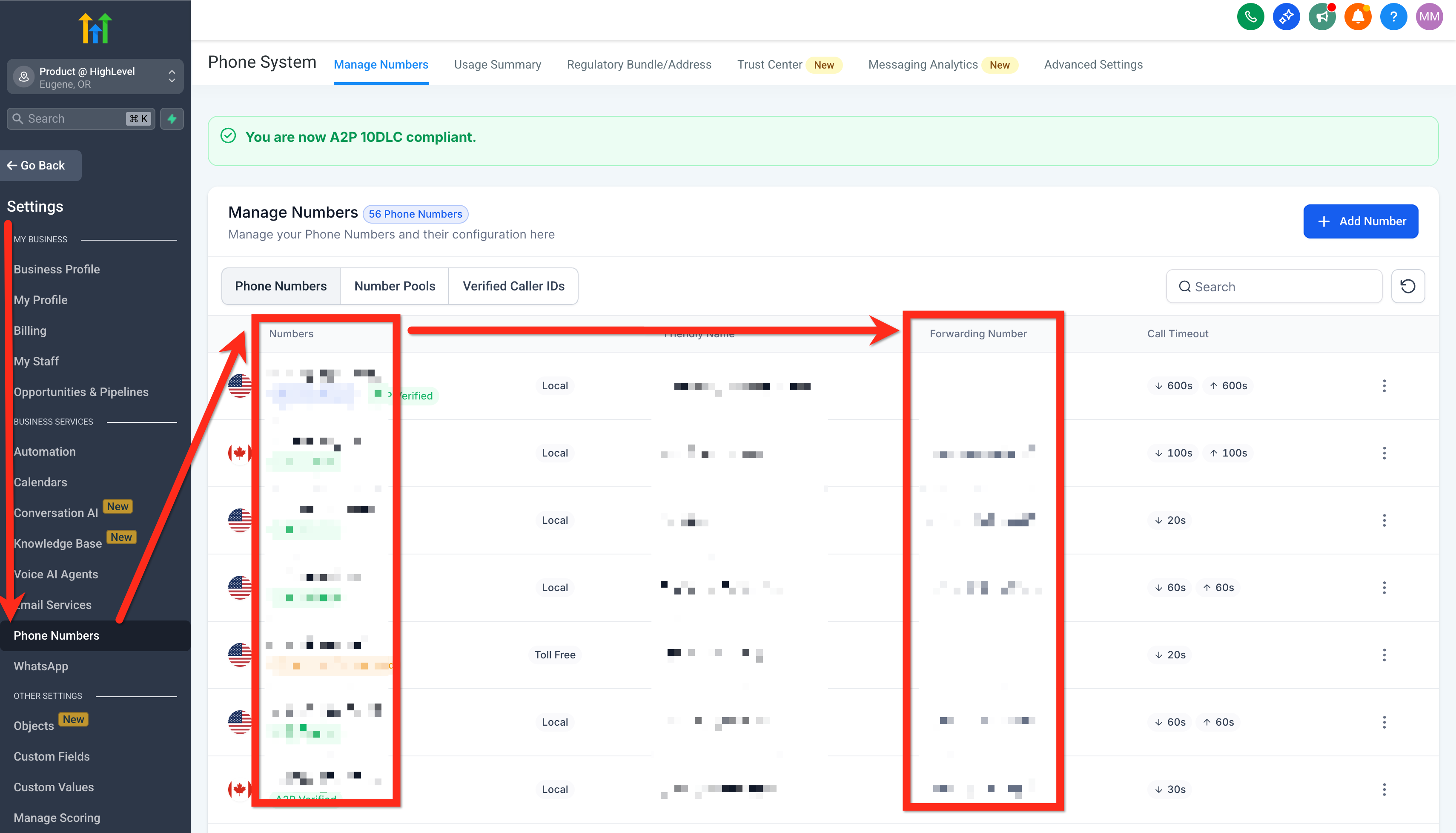
Also check Subaccount > Settings > Phone Numbers > Forwarding Number. The forwarding number needs to be different from the phone number.
Check Business Profile Phone
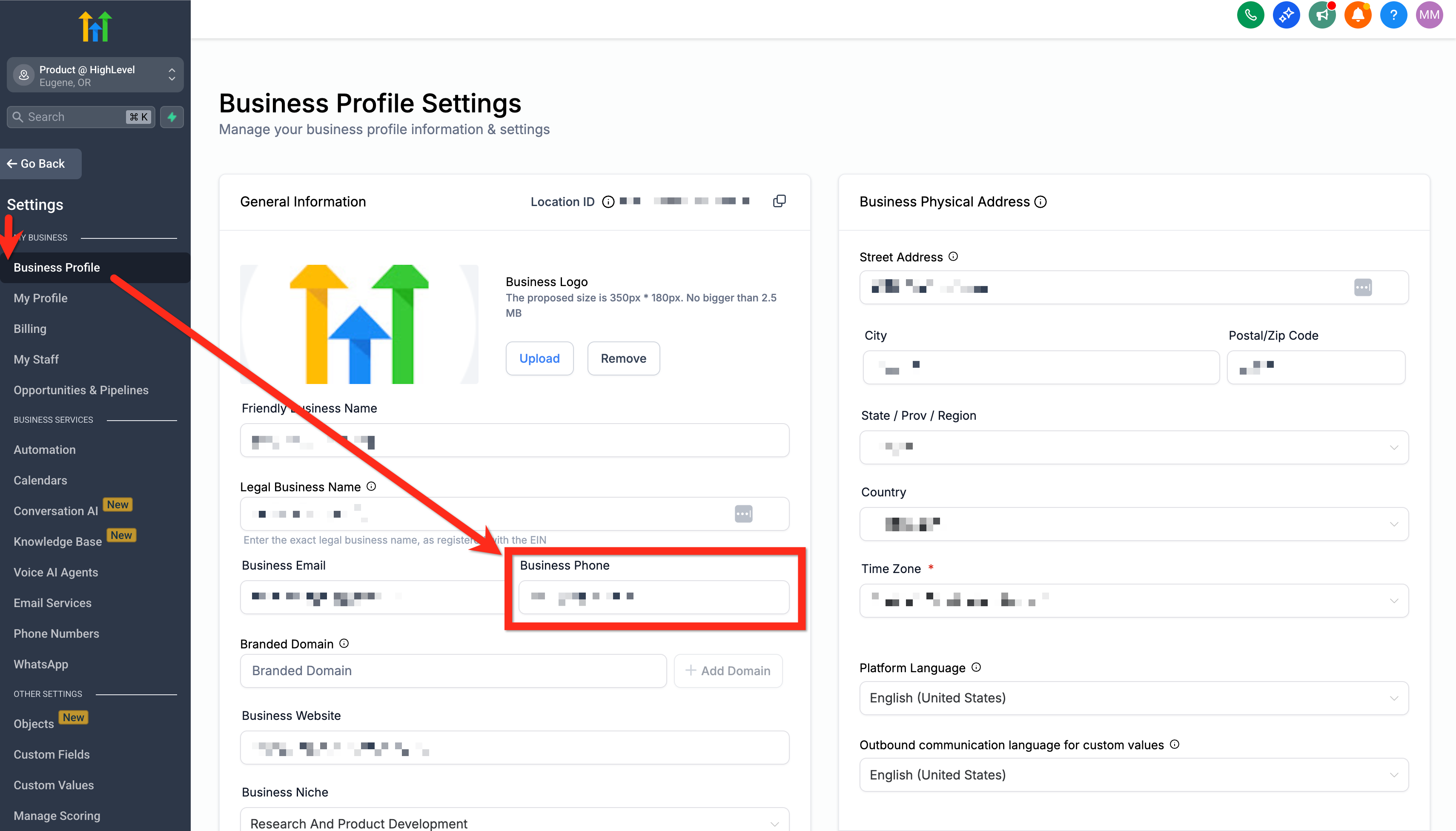
Also check Subaccount > Settings > Business Profile > Business Phone. This is the fallback number to route the inbound call to. Check this but also call this number to see if it ends up routing to the Patient Copilot number anyway. It might look like a different number that is still setup to route to the Patient Copilot number, so test it manually.
Was this article helpful? That’s Great! Thank you for your feedback Sorry! We couldn’t be helpful Thank you for your feedback Feedback sent We appreciate your effort and will try to fix the article