
Ad Manager Run As Ad & Create Engagement Ad
New buttons bring one-click ad creation links (“breadcrumbs”) straight into two of Patient Copilot’s most-used tools—WhatsApp and Social Planner—so you can turn conversations and social posts into paid ads without ever hunting for Ad Manager.
Key Benefits of Breadcrumbing
• Accelerates campaign setup—pre-selected objective, destination, media, and copy cut down form-filling time. • Boosts Ad Manager adoption by surfacing upgrade prompts exactly where non-Ad-Manager users work. • Improves workflow continuity—marketers move from organic content to paid promotion in a single click. • Reduces user error; the correct objective (Engagement) and channel (WhatsApp/Facebook/Instagram) are automatically applied.
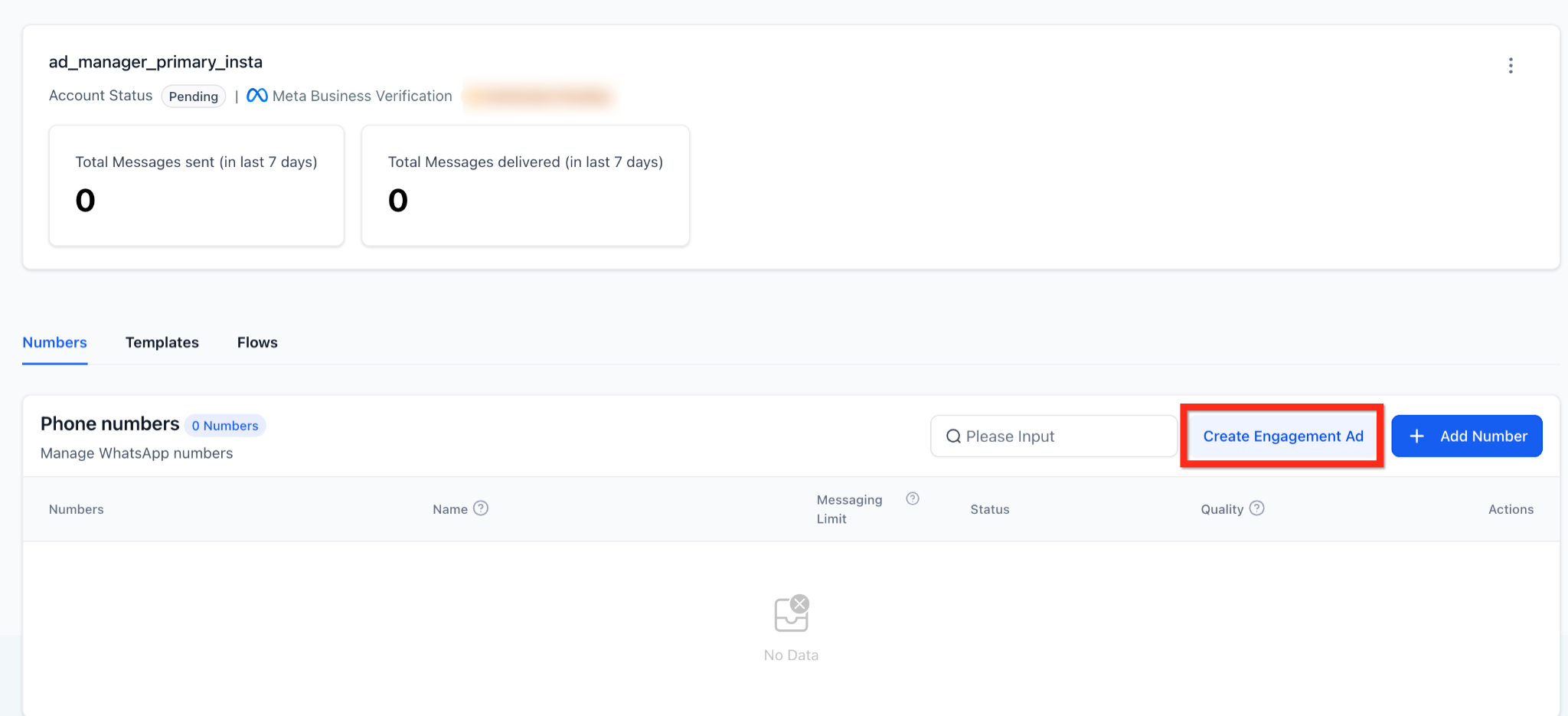
WhatsApp > Create Engagement Ad
Quickly convert a WhatsApp phone number into an Engagement campaign. • Button location: Settings > WhatsApp > Numbers tab, next to “Add Number”. • Auto-filled in Ad Manager: – Objective: Engagement – Destination: WhatsApp – Budget, audience, and creative remain editable. • Users without Ad Manager see a subscription-benefits modal with “Connect Ad Manager” CTA. • Users with Ad Manager but without a connected Ad Account see a button “Connect Account”.
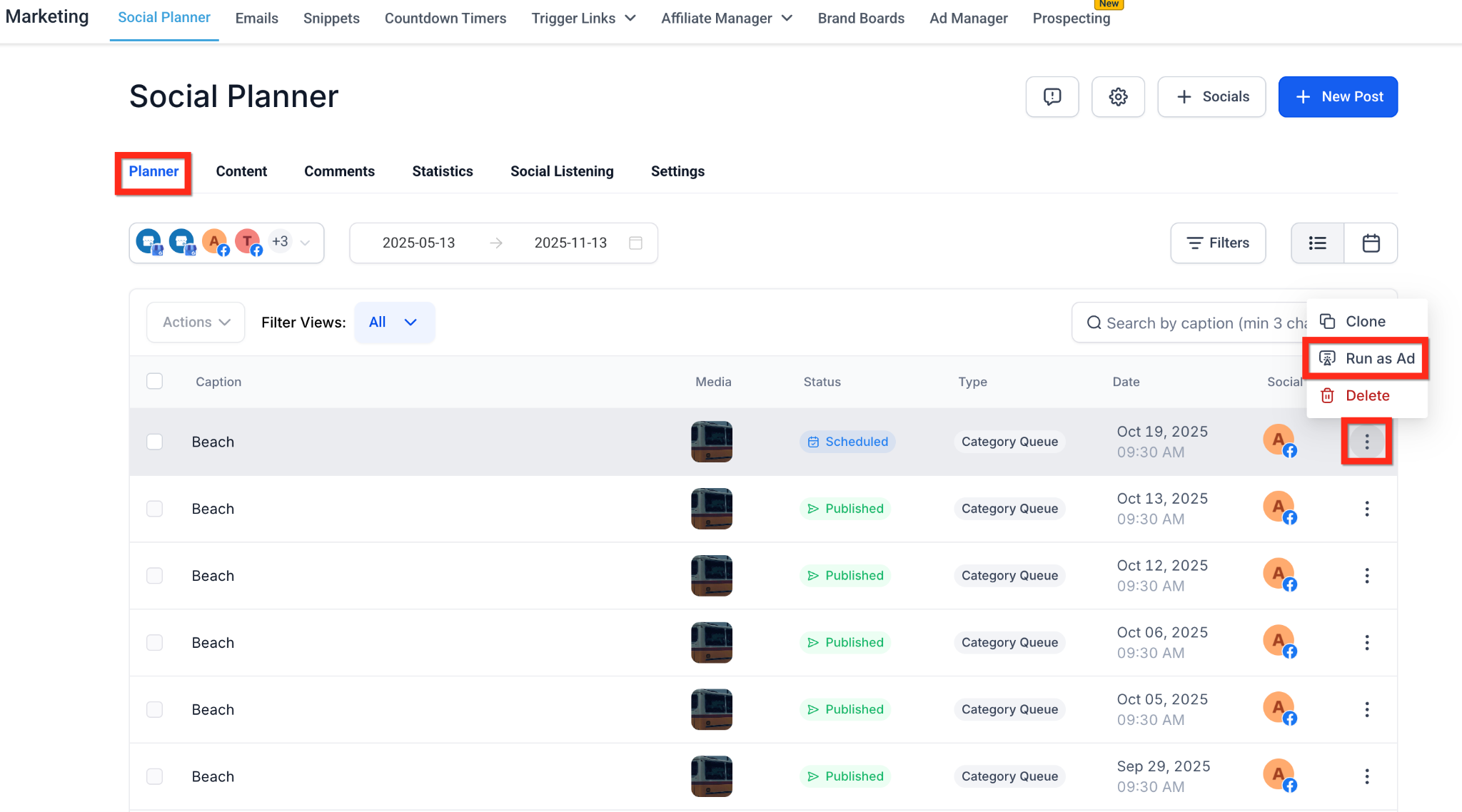
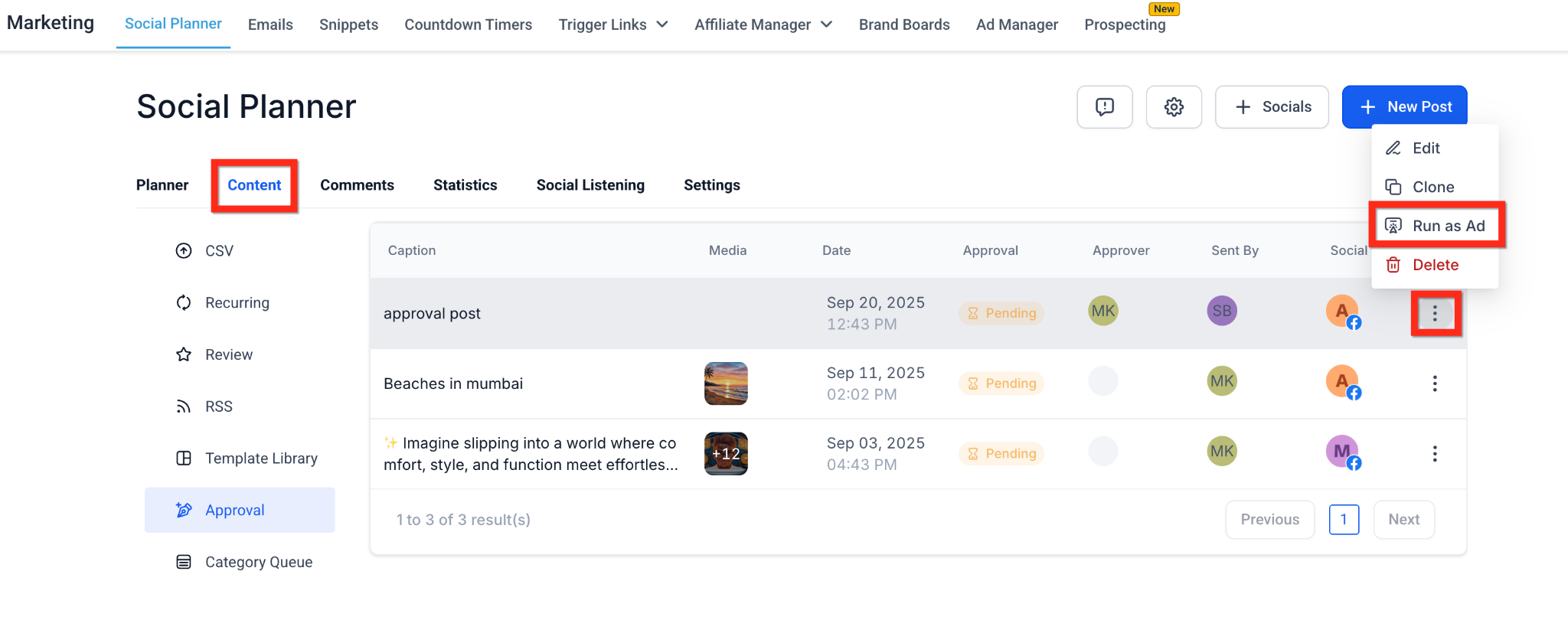
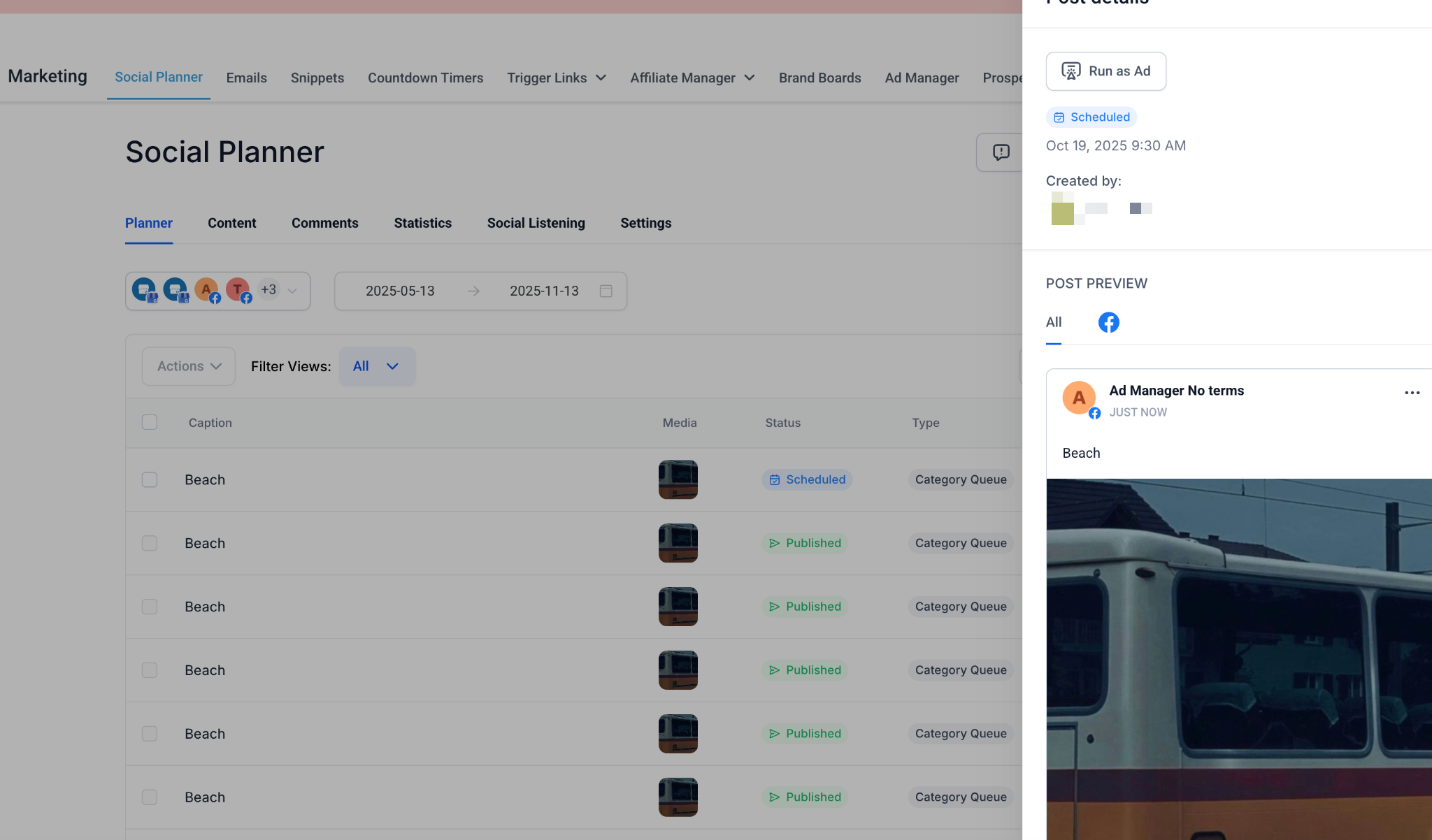
Promote published or scheduled Facebook/Instagram posts without re-uploading assets. • Where you’ll see “Run as Ad”:
- Marketing > Social Planner > Planner tab > 3-dot action menu on list row - Marketing > Social Planner > Content tab > Approval tab > 3-dot action menu on list row - Marketing > Social Planner > post detail sidebar • Supported post statuses: Published, Scheduled, In Review (not Draft or Recurring). • Redirect flow: click > confirm modal > Ad Manager opens → choose Google or Meta → campaign pre-filled with media & caption (text-only posts remain editable).
Frequently Asked Questions Q. Does breadcrumbing cost extra?
A. No. The feature is free, but the sub-account must have an active Ad Manager subscription or pay-as-you-go plan. Q. Can I use “Run as Ad” for TikTok or LinkedIn posts? A. Not yet. Breadcrumbing currently supports Facebook and Instagram posts only. Q. What happens if I edit a post after turning it into an ad? A. Changes made in Social Planner will not sync to the live ad; edit the creative directly inside Ad Manager instead. Q. Why don’t I see the “Create Engagement Ad” button in WhatsApp? A. Confirm you’re on the Numbers tab and that your location has WhatsApp enabled. Standard user permissions also apply. Q. Can I bypass the confirmation modal? A. No. The modal prevents accidental navigation and clarifies you’re entering the Ad Manager flow.
Related Articles
• How to Create a Meta Click-to-Direct (CTX) Ad for Engagement • Overview of Ad Manager Settings • Getting Started – Setup Social Planner • How to Resell Ad Manager with Your SaaS Plan • Patient Copilot Pricing Guide • WhatsApp – 30-Day Free Subscription Trial