
Workflow Trigger - Courses New Sign Up
Overview
The New Signup trigger is designed to automatically initiate workflows when a new customer purchases or signs up for membership offers, services, or products such as Community Groups for the first time. This trigger is particularly useful for welcoming new members, delivering onboarding information, or providing incentives for signing up. NOTE: If the contact being run through the workflow with the New Signup trigger has already been granted access to a Membership Offer or Community Group through other means, this trigger will not work.
Trigger Name New Signup
Trigger Description
The New Signup trigger activates a workflow when a new customer signs up for an offer, membership, or any service you are providing. You can use this trigger to automate welcome emails, provide access to resources, or apply specific tags to the new customer’s profile.
How to Configure
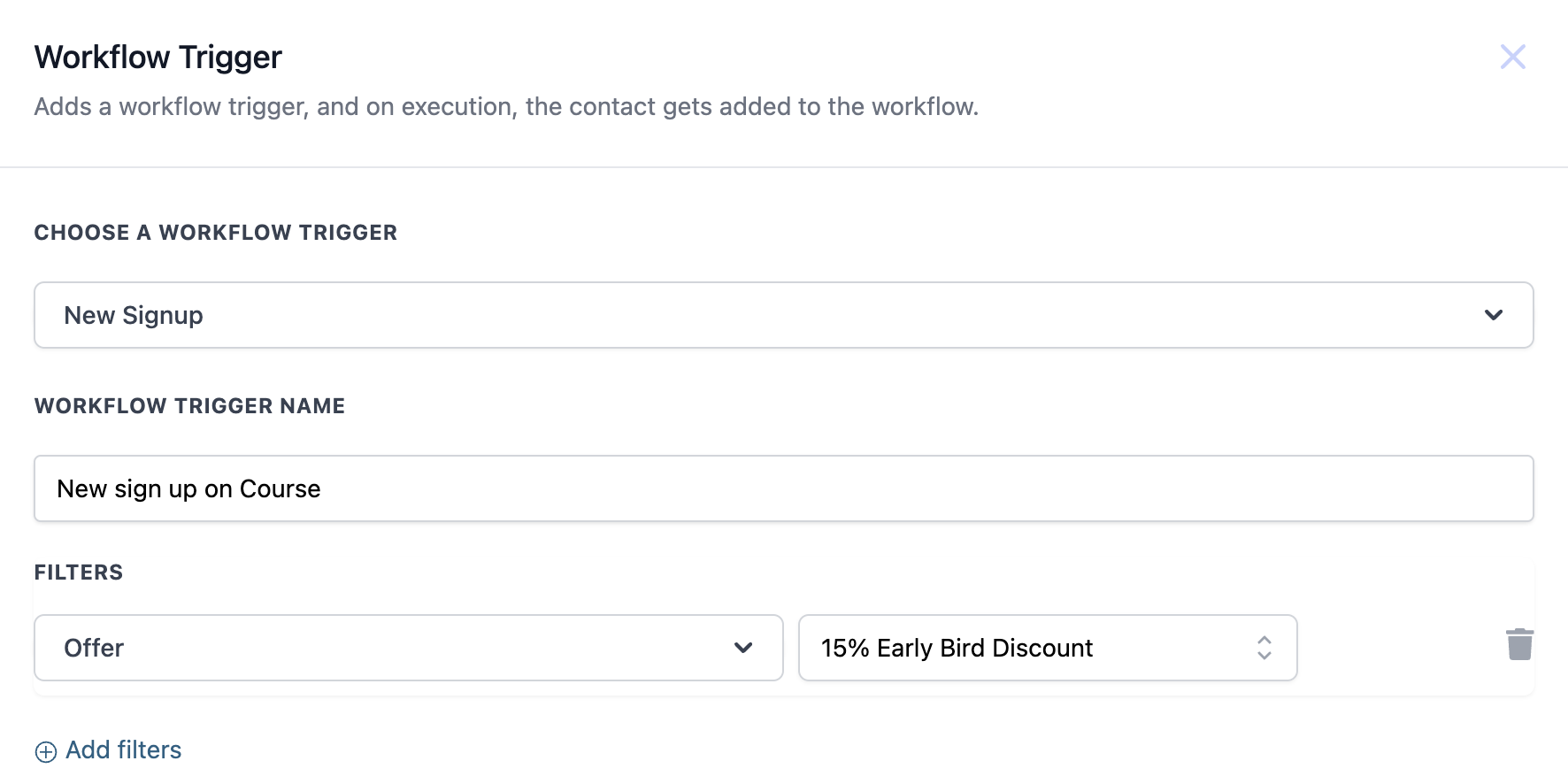
To configure the New Signup trigger, you need to define the workflow trigger name and set filters based on the offer or criteria you wish to monitor.
| Field | Description | Mandatory |
| Workflow Trigger Name | Name given to the trigger for easy identification. | Yes |
| Offer | Specify the offer that the new signup relates to (e.g., a discount or specific membership). | No |
Example
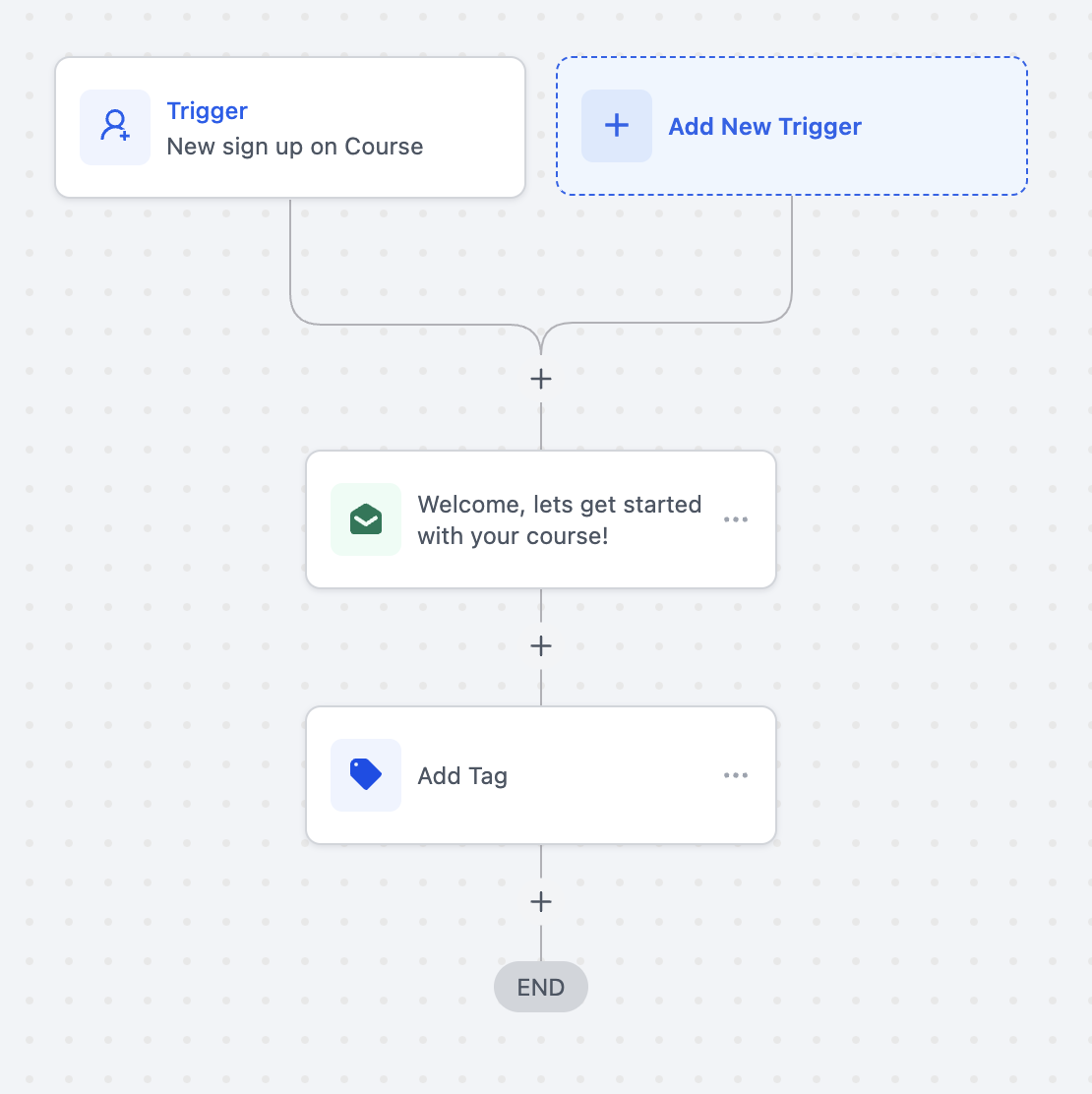
In this example, the workflow is set up to trigger when a customer signs up for a membership and selects the “15% Early Bird Discount” offer:
- Workflow Trigger Name: Course
New Sign Up - Offer:
15% Early Bird Discount
Example Workflow
When a customer signs up for a membership using the “15% Early Bird Discount” offer, the following actions could be triggered:
- Send a Welcome Email: Automatically send a personalized welcome email to the new member, outlining the next steps and providing relevant information.
- Tag Customer: Apply a tag such as “Early Bird” to the customer’s profile for easy segmentation in future campaigns. This configuration ensures that the workflow is triggered only when a customer signs up using the specific “15% Early Bird Discount” offer, allowing for targeted and relevant automated actions. Was this article helpful? That’s Great! Thank you for your feedback Sorry! We couldn’t be helpful Thank you for your feedback Feedback sent We appreciate your effort and will try to fix the article