
Custom Objects - Real Estate Case Study
Custom Objects let real estate teams model “Property” and related entities in a flexible way. This article provides a concise, real‑estate–specific overview of using Custom Objects in Patient Copilot.
What is Custom Objects for Real Estate?
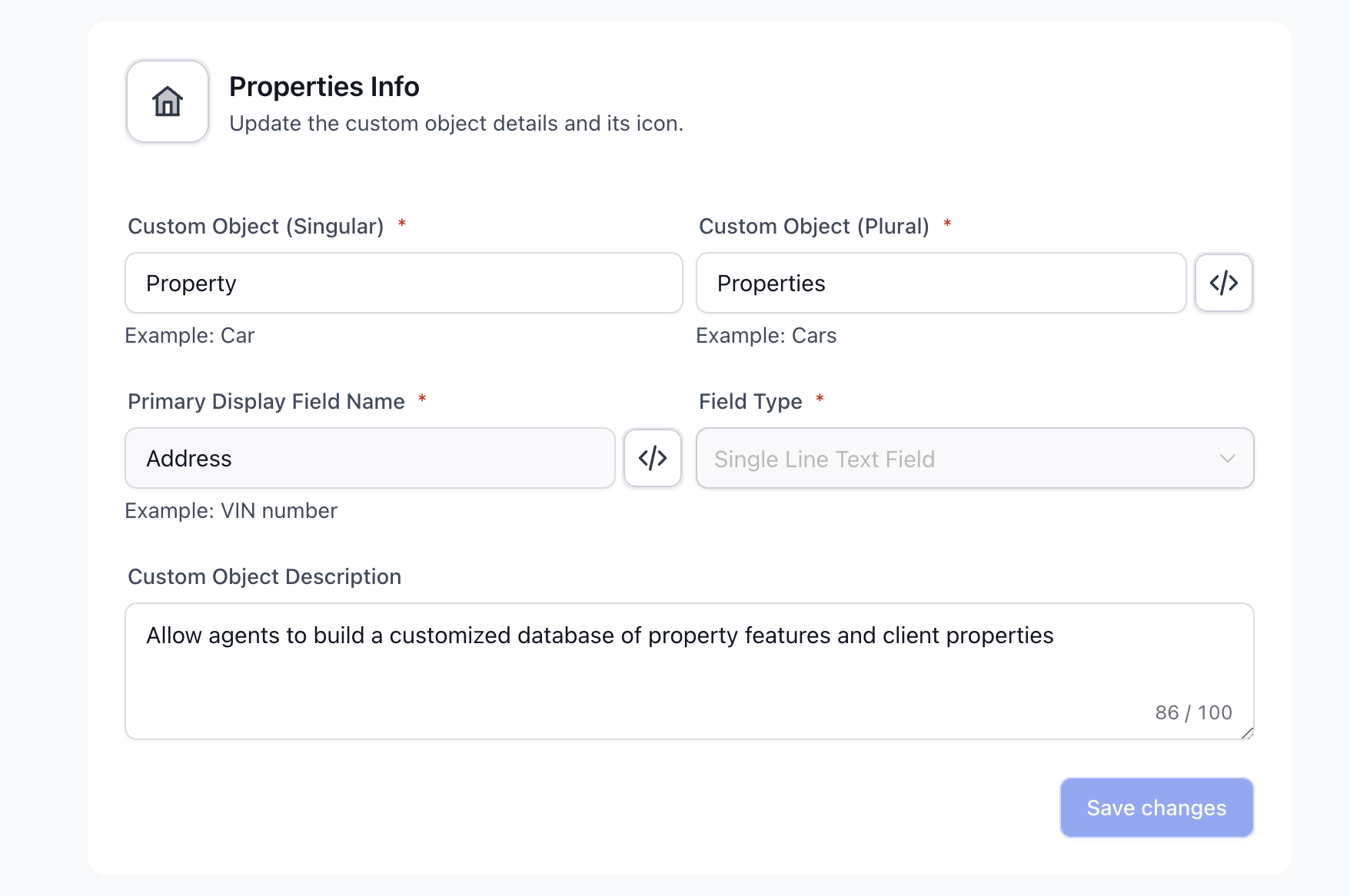
Real estate businesses can use Custom Objects to track unique property details, associate properties with clients and vendors, manage maintenance schedules, and organize transaction records. These Custom Objects allow agents to build a customized database of property features and client preferences, enabling targeted matching and improved relationship management. They store exactly the fields you care about and link to clients, vendors, and deals, so information lives in one place and stays reportable.
Key Benefits of Custom Objects for Real Estate
- Targeted matching: Align client preferences with detailed property attributes.
- Operational visibility: Centralize maintenance and transaction context per property.
- Faster workflows: Filter and surface the right listings quickly.
Feature Applications
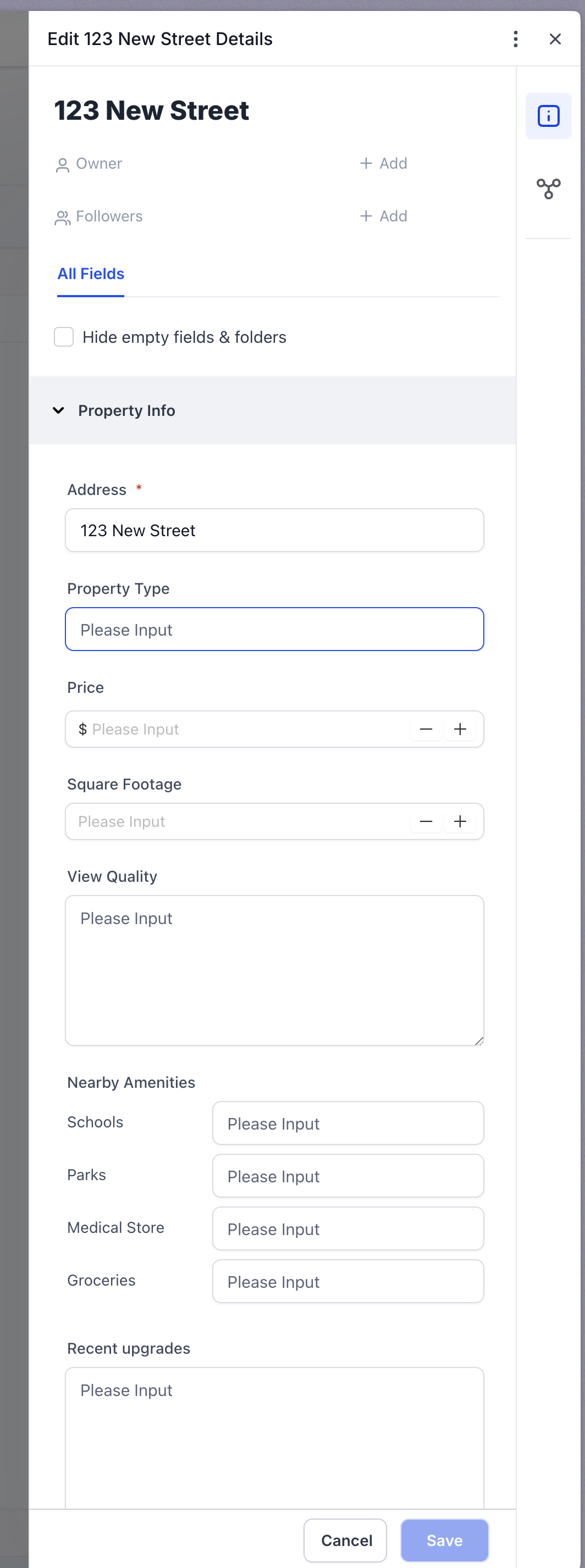
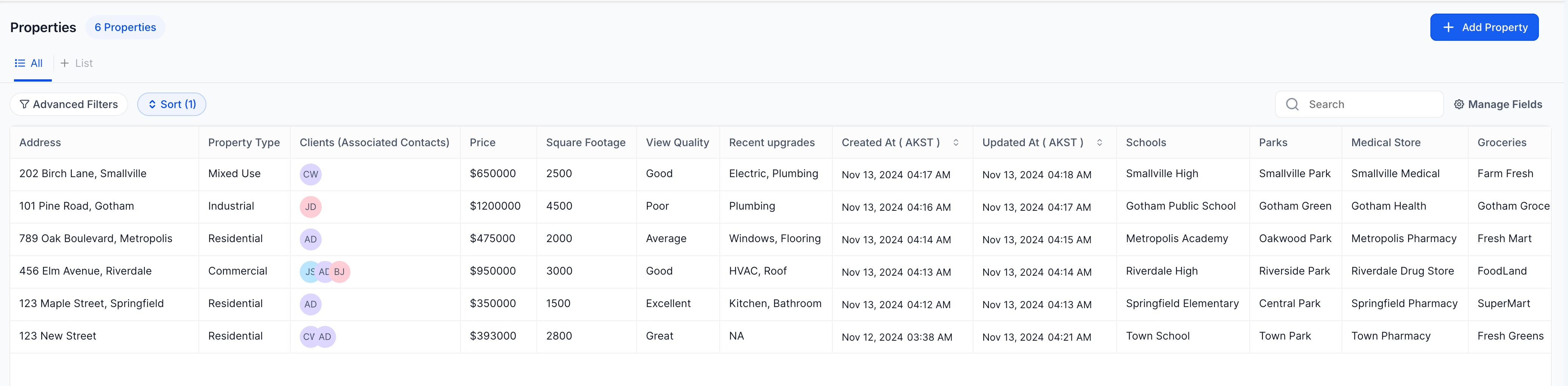
- Creating and Managing Property Records: Each property can be added as a Custom Object record, with specific fields like location, property type, price, and square footage. Custom fields allow agents to capture unique property attributes, such as view quality, nearby amenities, and recent upgrades.
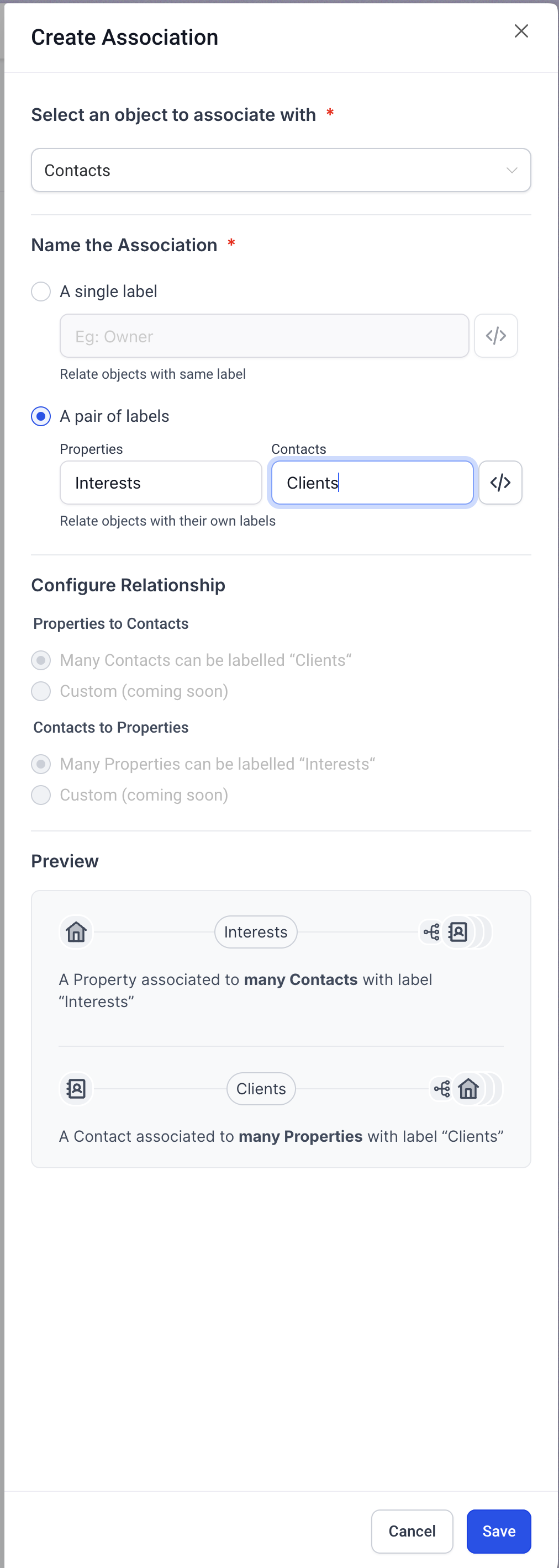
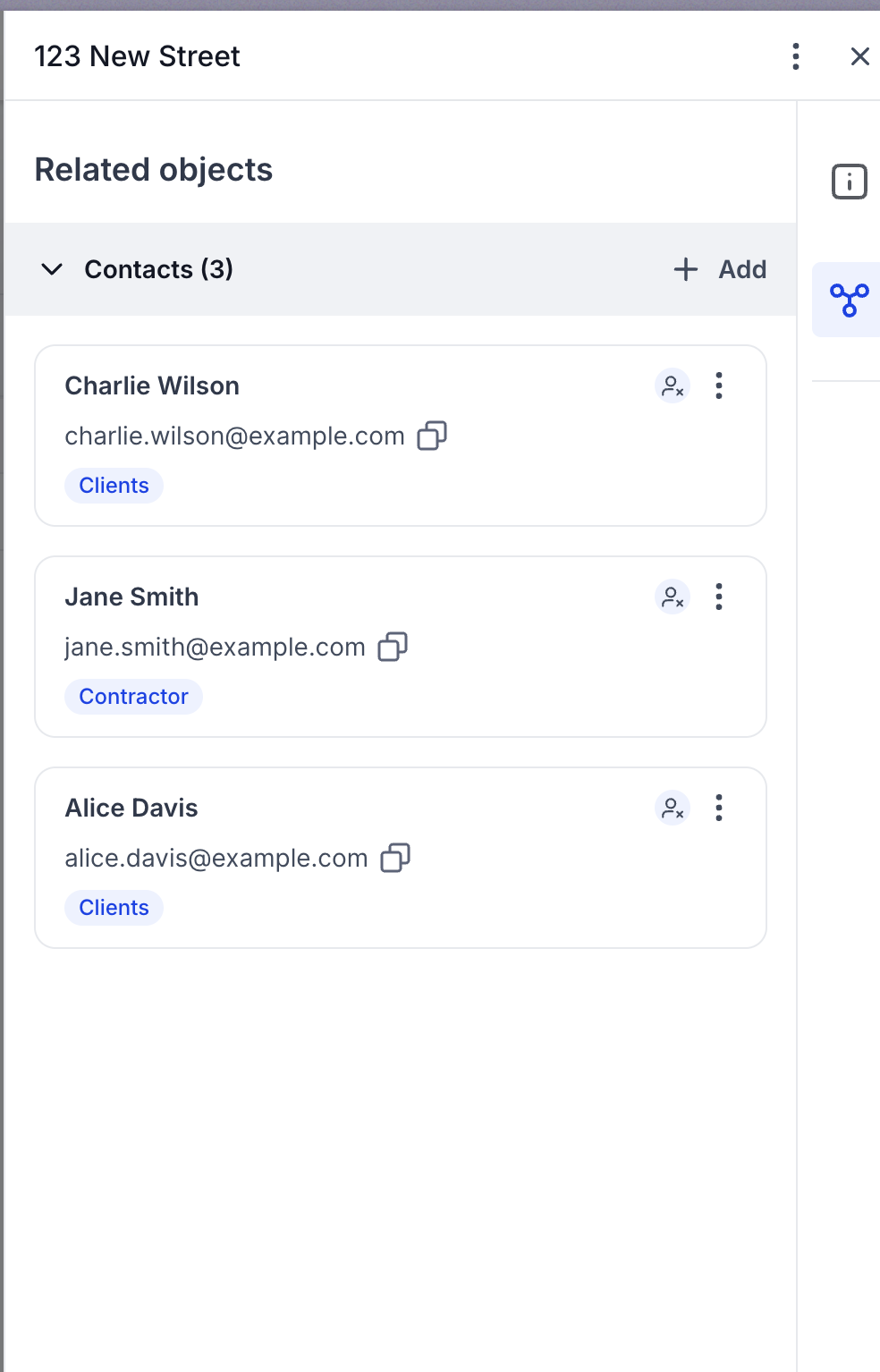
- Associating Properties with Clients and Vendors: Using association labels, agents can link properties to clients, tracking properties clients have shown interest in or have scheduled for viewings. Vendors such as contractors or inspectors can also be linked to properties, helping manage tasks related to property maintenance and inspection.
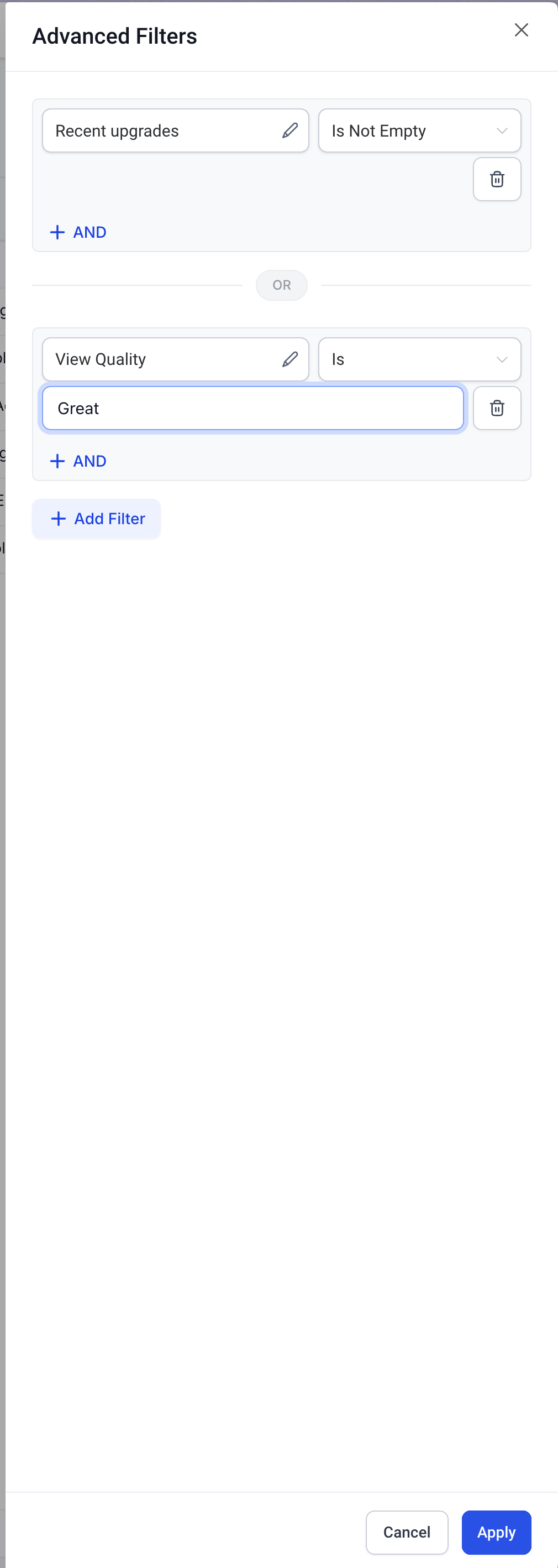
- Filtering and List Views for Efficient Tracking: Applying filters in the list view enables agents to quickly locate properties based on specific criteria, such as location, price range, or property type. This can speed up the matching process when working with clients who have particular requirements. **
**
Expected Outcomes
- Enhanced Client-Property Matching: With detailed property records and the ability to filter properties by client preferences, agents can better match clients to properties, increasing the likelihood of sales.
- Streamlined Maintenance Management: By linking properties with associated vendors and maintenance schedules, agents can efficiently track property upkeep, enhancing property value and client satisfaction.
- Improved Organizational Efficiency: Custom Objects allow real estate firms to streamline their workflows by creating a centralized database that is easily accessible and customizable to their needs.
Related Articles
- Getting Started with Custom Objects
- Creating and Editing Custom Objects
- Creating and Updating Custom Object Records
- Using Custom Objects in Workflow Actions and Triggers
- SmartLists for Custom Objects Was this article helpful? That’s Great! Thank you for your feedback Sorry! We couldn’t be helpful Thank you for your feedback Feedback sent We appreciate your effort and will try to fix the article