
Ad Manager - Create & Manage Google Ads Offline Conversions
Patient Copilot’s Ad Manager allows you to create, manage, and edit Google Ads offline conversion actions — directly from within the platform. This ensures that your offline sales, leads, and actions are properly tracked for better optimisation and reporting. In this article, we’ll cover how to use the Google Ads Conversion Action Flow inside Ad Manager. Note: Before setting up the conversion actions in Patient Copilot’s Ad Manager, you must have your Google account integrated with Patient Copilot.
How to Edit or Delete a Conversion
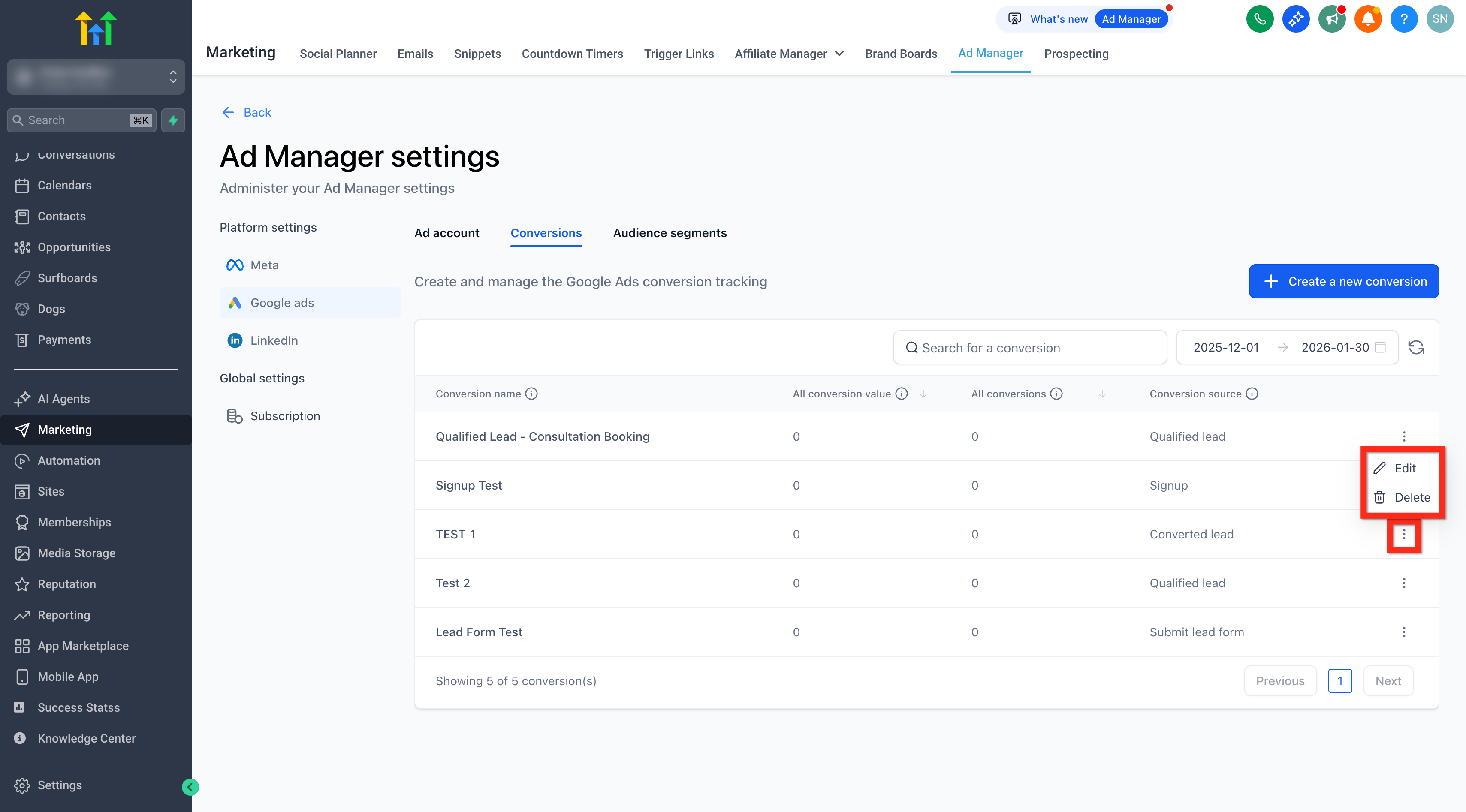
Note: Attribution model is fixed to Data-driven for offline conversions (per Google Ads guidelines). You can edit or delete any conversion action created via Patient Copilot: 1. Click the 3-dot menu next to the conversion. 2. Choose Edit or Delete. **
**
Frequently Asked Questions
Q. Can I set up website conversion actions with this feature?
No. This feature supports only offline conversion actions. Website conversion tracking via Google Tag Manager is planned for a future update. Q. Will conversions created in Patient Copilot appear in Google Ads? Yes. Any conversion action you create in Patient Copilot is automatically synced to your connected Google Ads account via API. Q. Can I edit or delete existing Google Ads conversions from Patient Copilot? Yes. You can manage both existing and newly created conversion actions directly within the Patient Copilot Ad Manager. Q. What types of offline conversions can I track? You can track events like leads, purchases, form submissions, and other actions that happen outside your website or app—such as phone calls or CRM-updated statuses. Q. Will changes made in Google Ads reflect in Patient Copilot? Yes. All existing conversion actions from your connected Google Ads account are automatically imported and kept in sync.