
QR Code Bulk Actions, Renaming & Copy Link Shortcut
Take control of large QR-code libraries in less time. From the QR Codes List View, you can now multi‑select QR Codes to move, download, or delete, rename codes and folders inline, and copy a QR link in one click.
T
Overview of QR Codes Bulk Actions, Renaming & Copy Link Shortcut
Patient Copilot’s QR Code Bulk Actions & Quick Management features adds multi-select workflows (move, delete, download), inline editing, and instant link sharing to the QR Codes List Page. By surfacing core tasks in one toolbar, teams can maintain huge code libraries without opening each QR code individually.
Key Benefits of QR Code Bulk Actions
- Time Savings: Select many items and complete common tasks (move, download, delete) in one go.
- Fewer Clicks: Rename QR Codes and folders directly from the list view, no page changes required.
- Faster Sharing: Copy Link from any QR Code page without clicking into the specific QR Code.
- Smarter Exports: Download as PNG, SVG, or PDF; large batches are zipped asynchronously for reliable delivery.
Selecting QR Codes in Bulk
Selection enables the bulk toolbar. Choose specific QR Codes or select all visible to run a mass action.
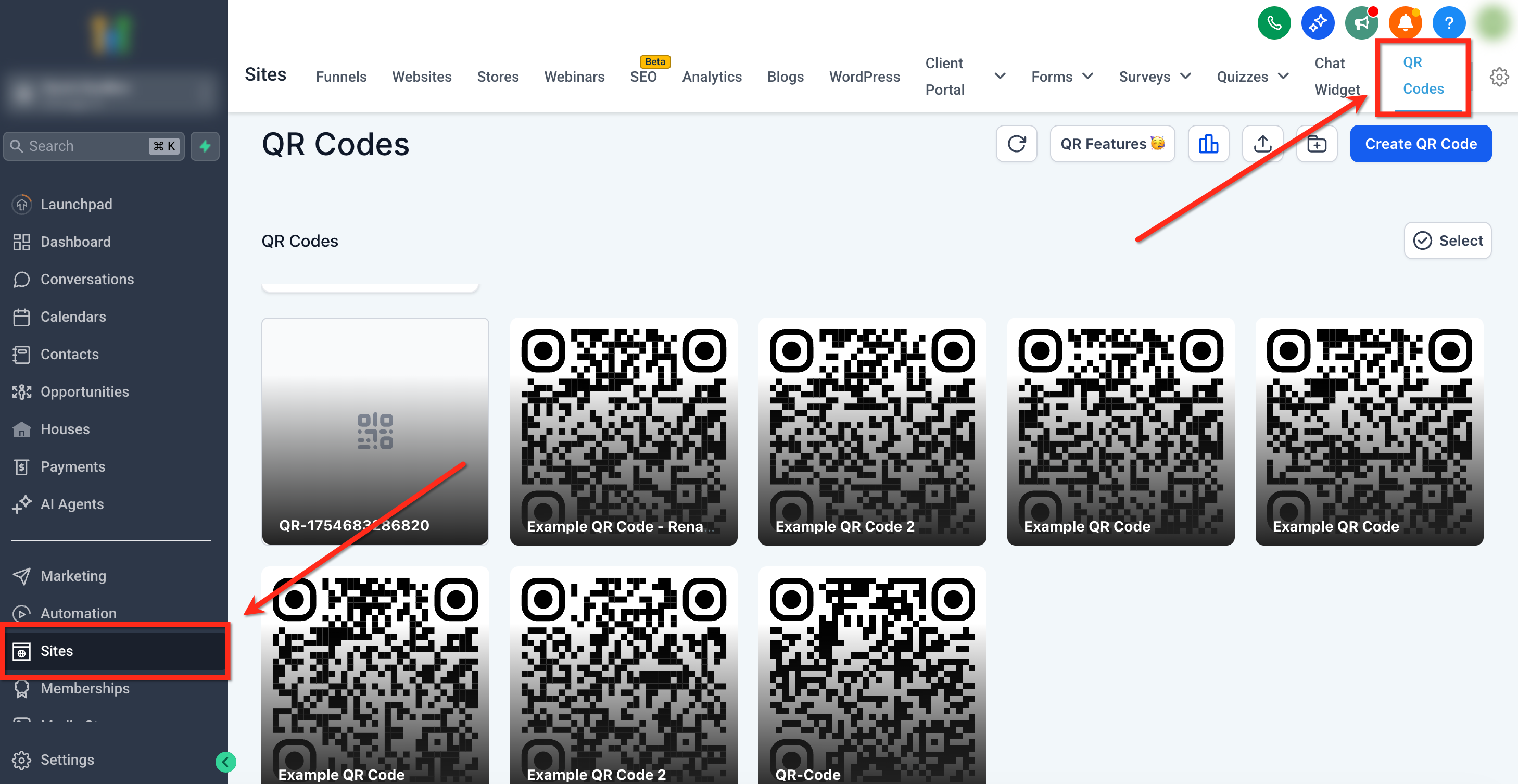
Step 1: Navigate to QR Codes From the sub-account dashboard, go to Sites → QR Codes **
**
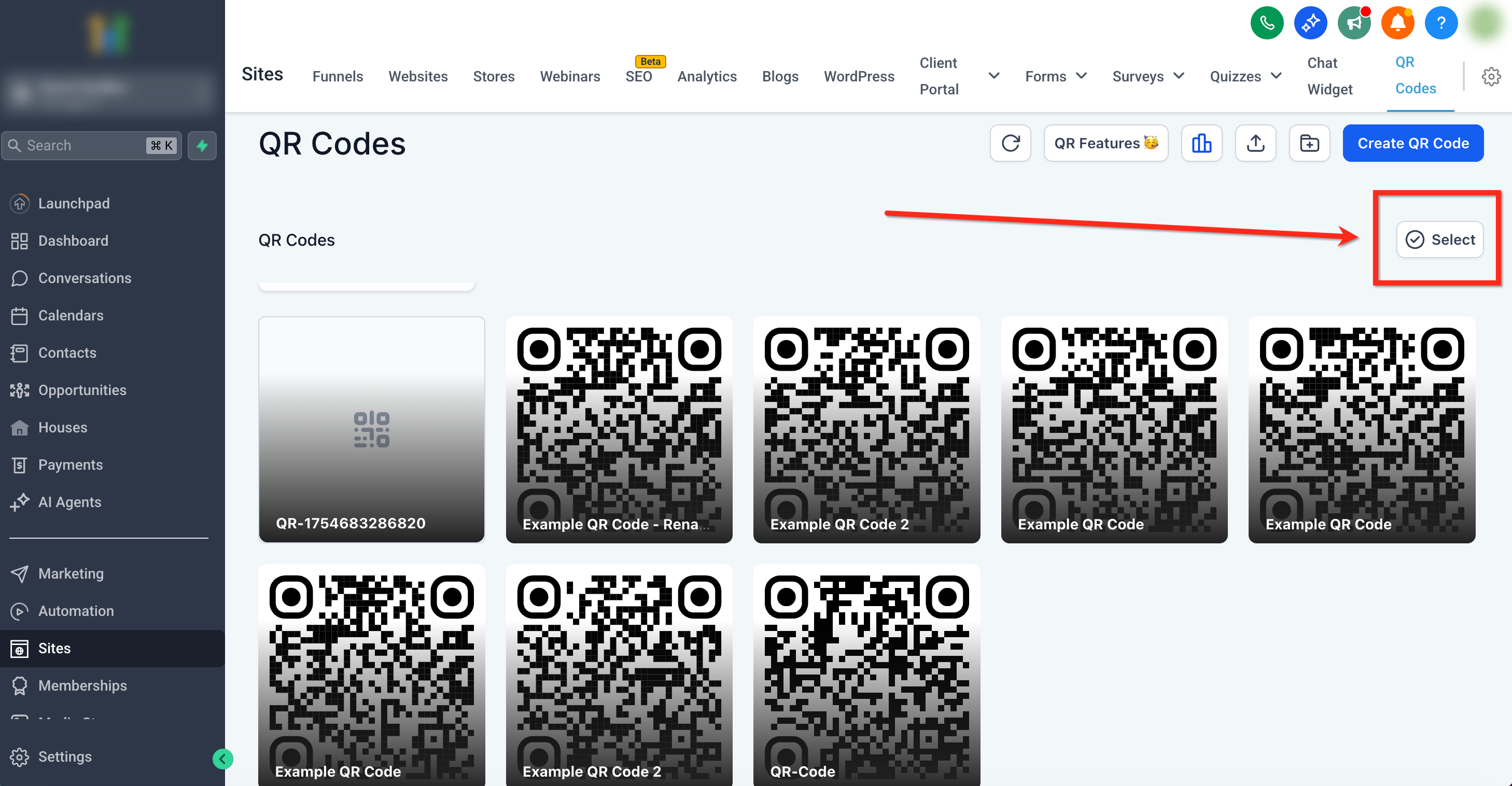
Step 2: Enable Select Click Select (top right) to enable checkboxes on each card.
Step 3:
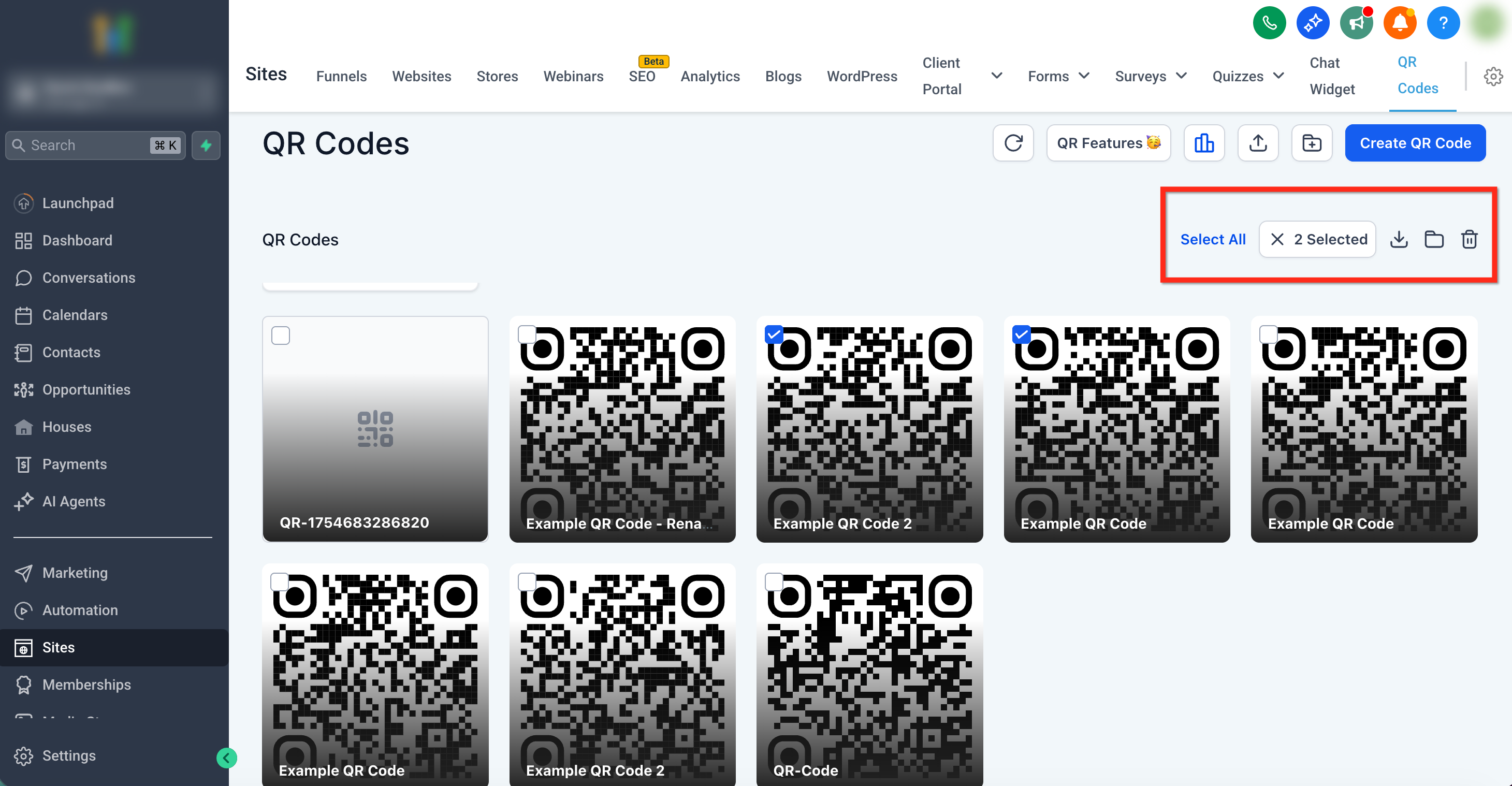
Select QR Codes Check the items you want to manage. A counter (e.g., “3 Selected”) appears with bulk action icons in the top-right corner.
Bulk Download (PNG, SVG, PDF)
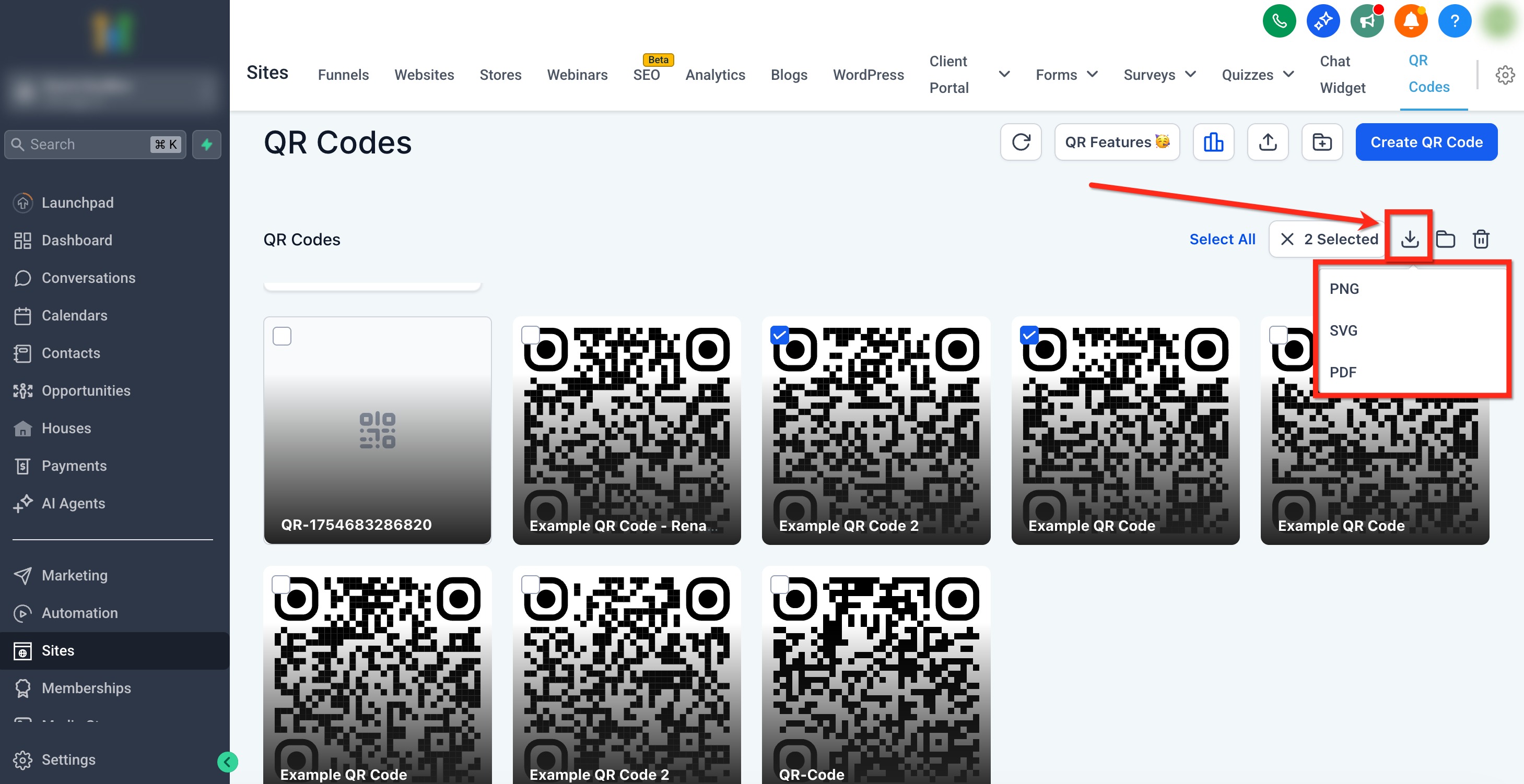
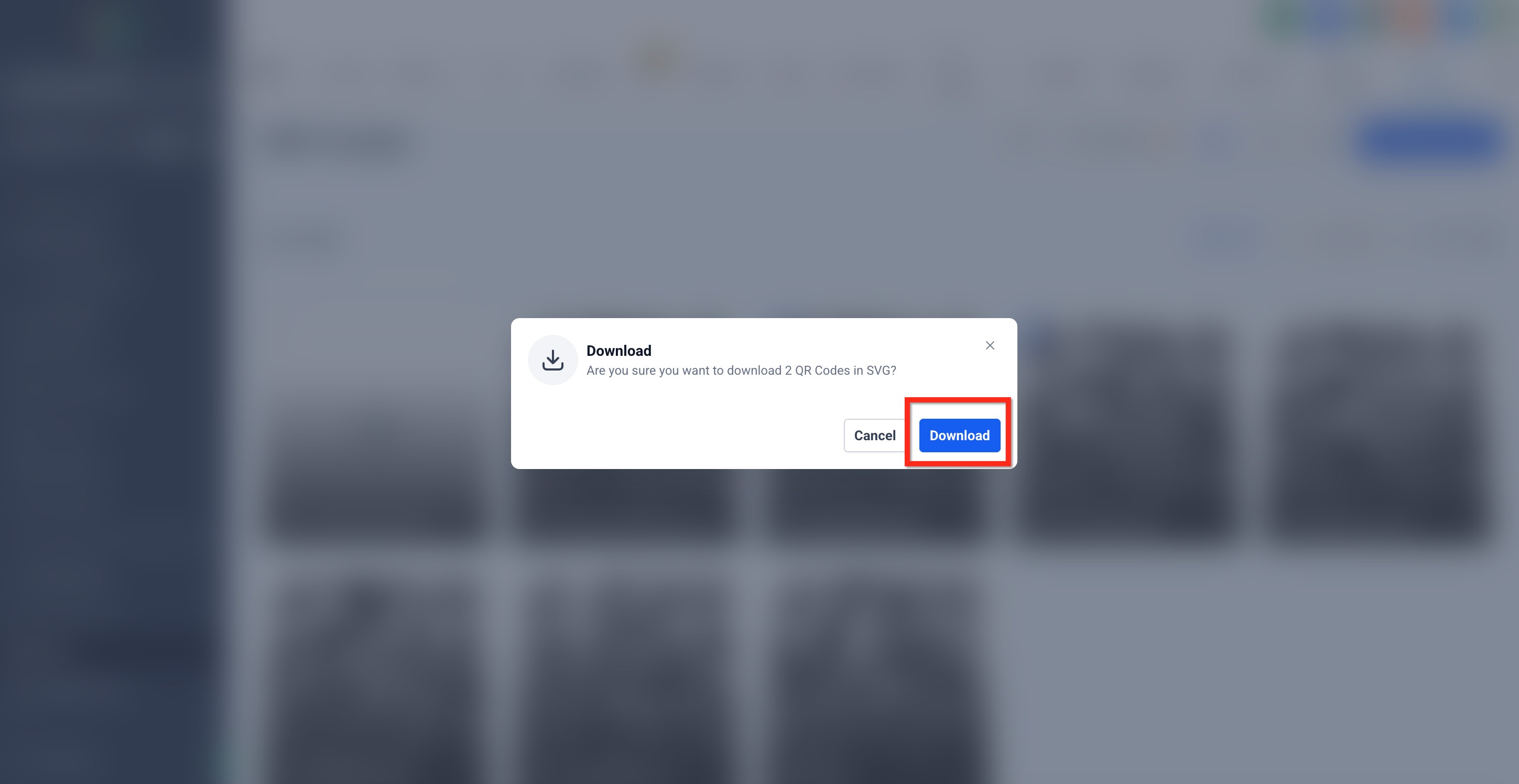
Export many QR Codes at once. Patient Copilot generates ZIP files in the background and starts the download when ready. 1. With items selected, choose Download from the bulk toolbar, then pick PNG, SVG, or PDF.
- Confirm the download in the pop-up.
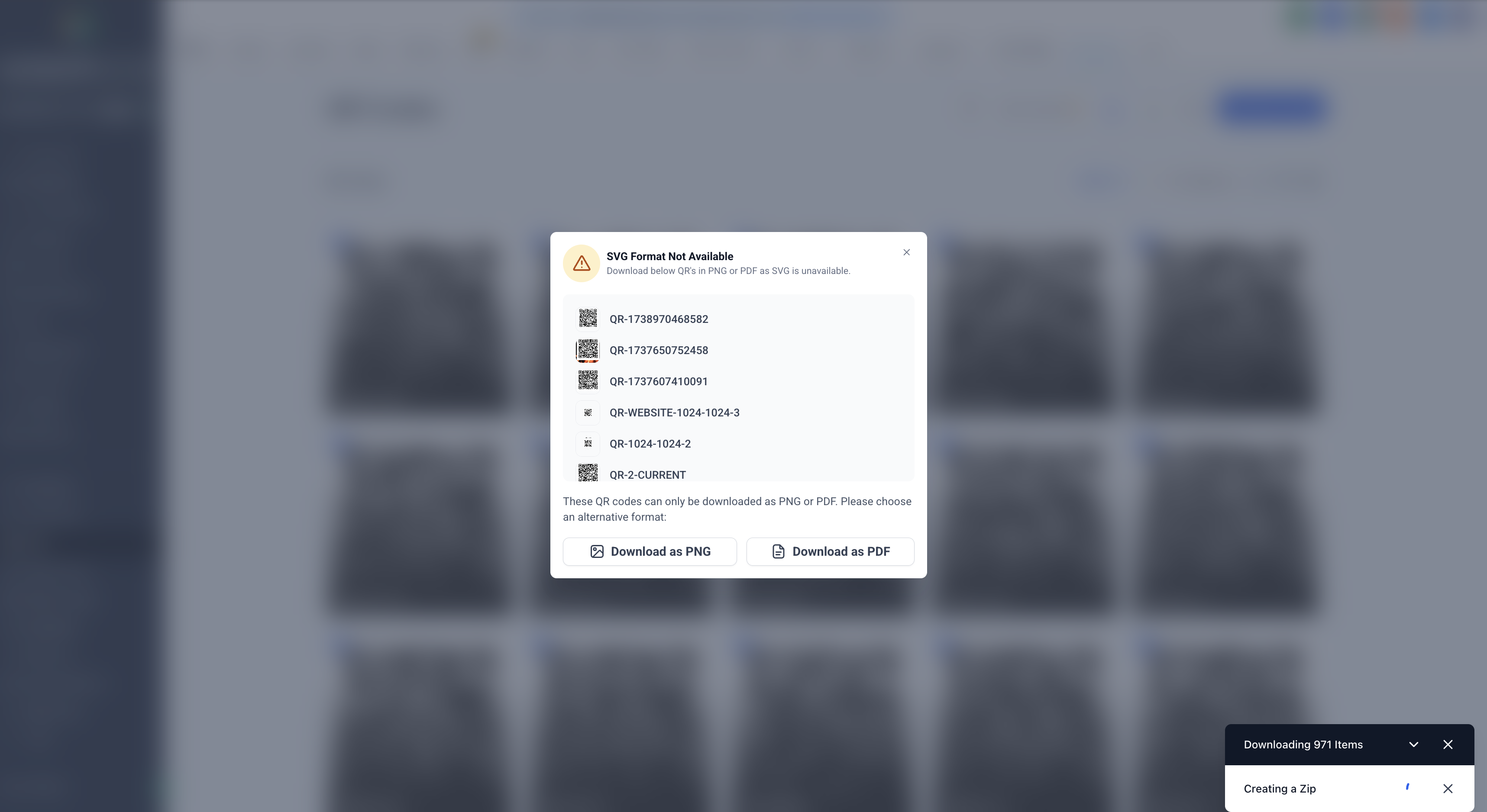
- If a QR Code’s requested format isn’t available, you’ll be offered alternative formats to choose from.
Move to Folder (Bulk)
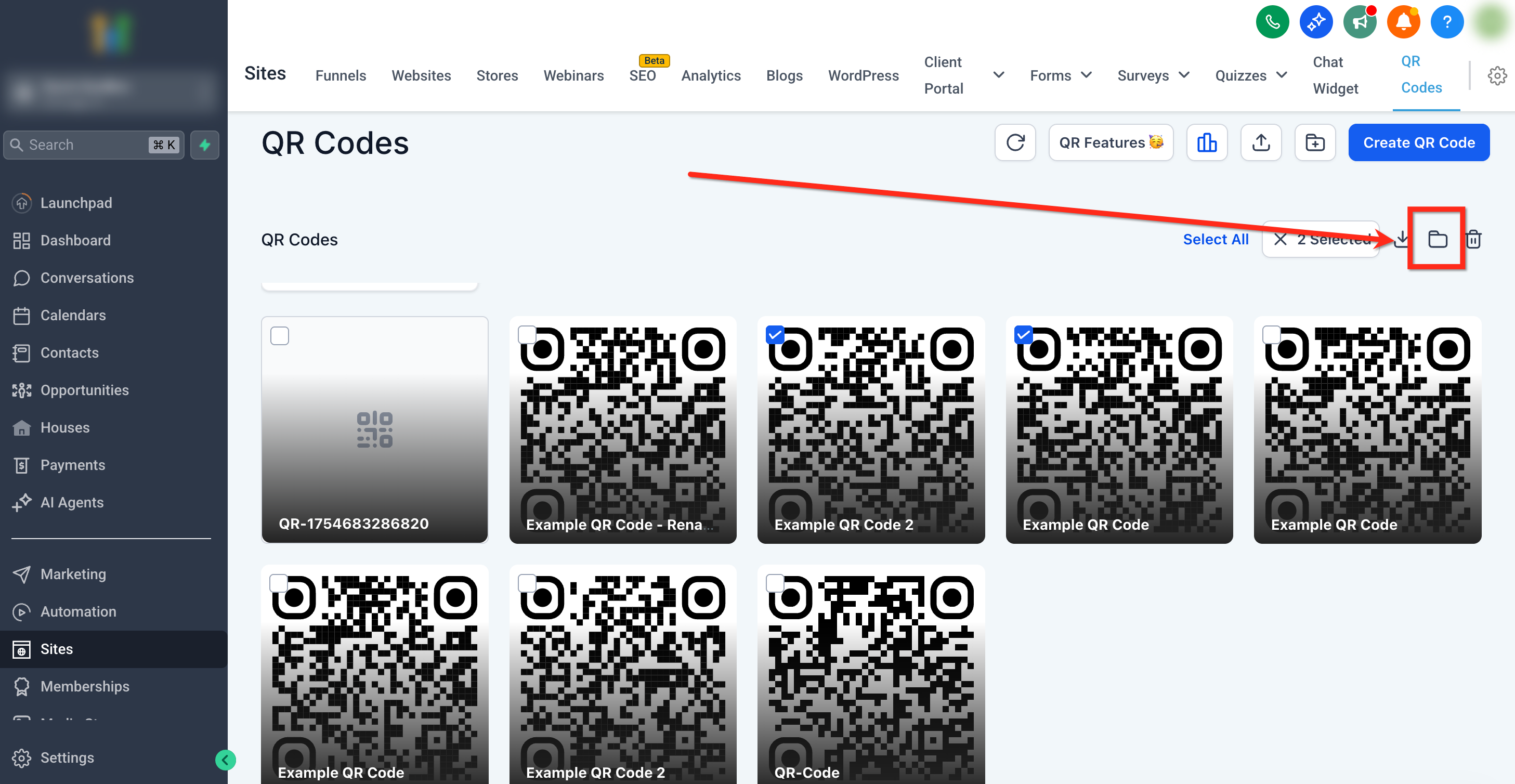
Keep your library tidy by moving many QR Codes into a folder at once. 1. With items selected, click the Move to Folder icon.
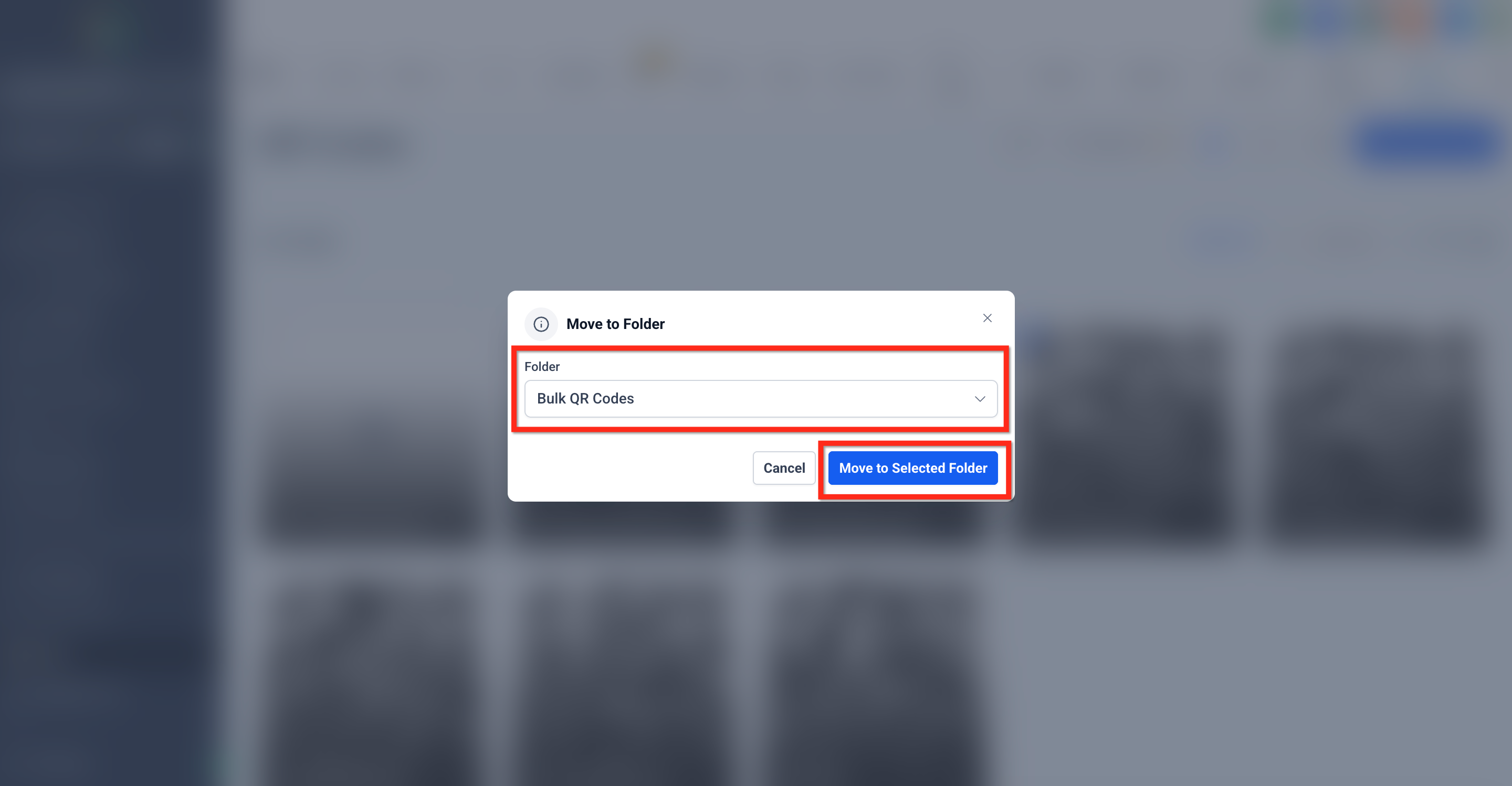
- Choose a destination folder from the dropdown and click Move to complete.
Bulk Delete
Remove unwanted QR Codes safely. A confirmation helps prevent accidental loss. 1. With items selected, click the Delete icon.
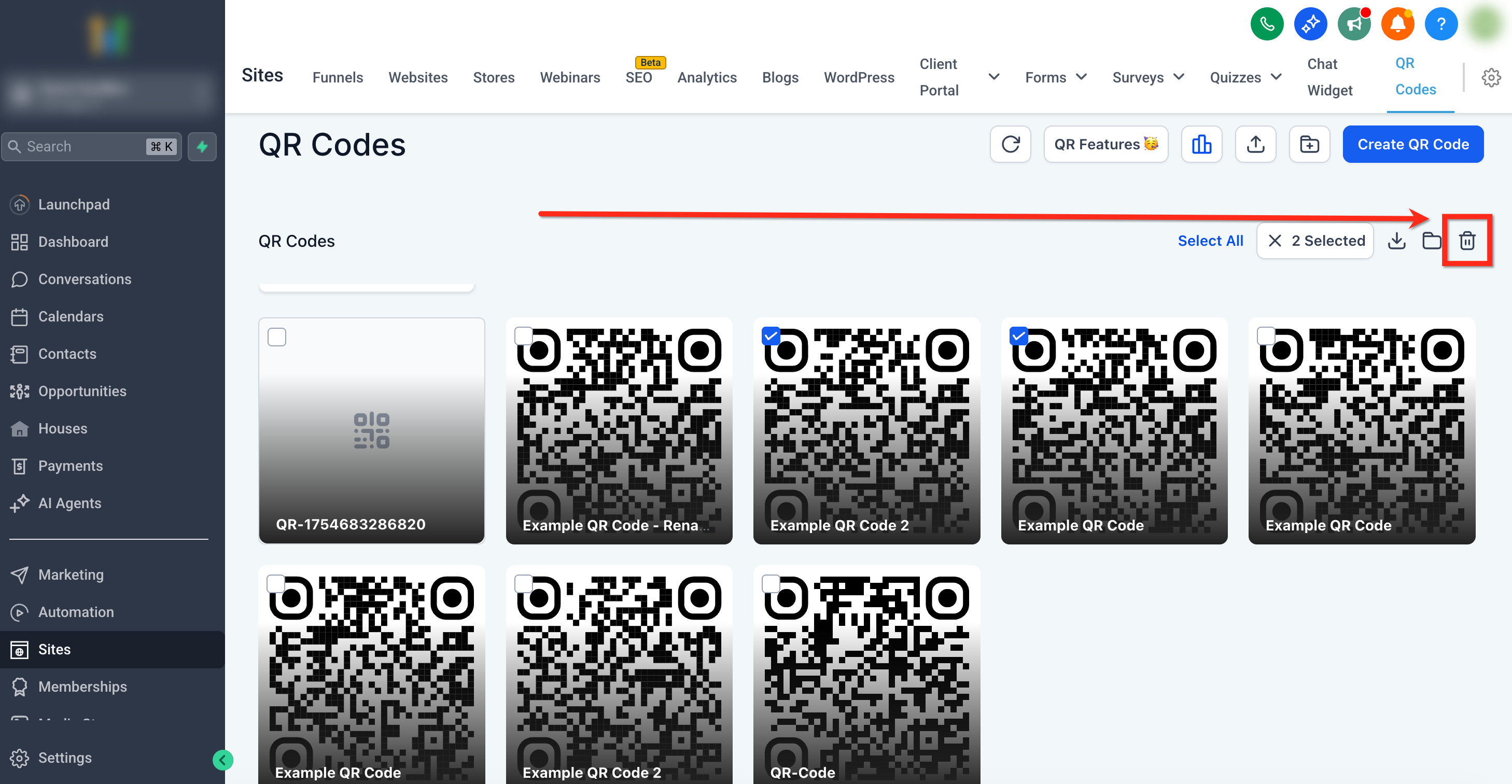
- Review the confirmation message and click Delete to proceed.
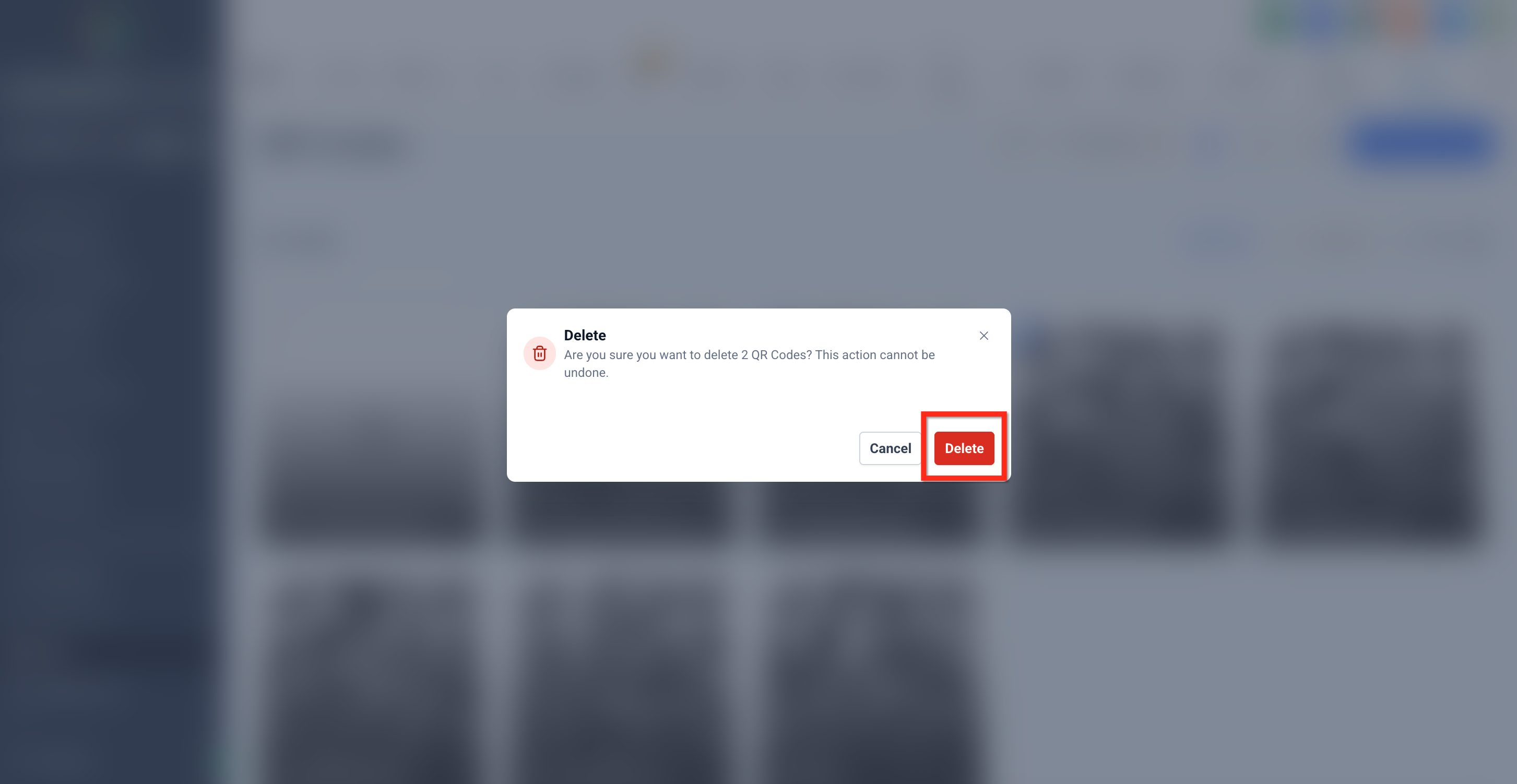
Renaming QR Codes
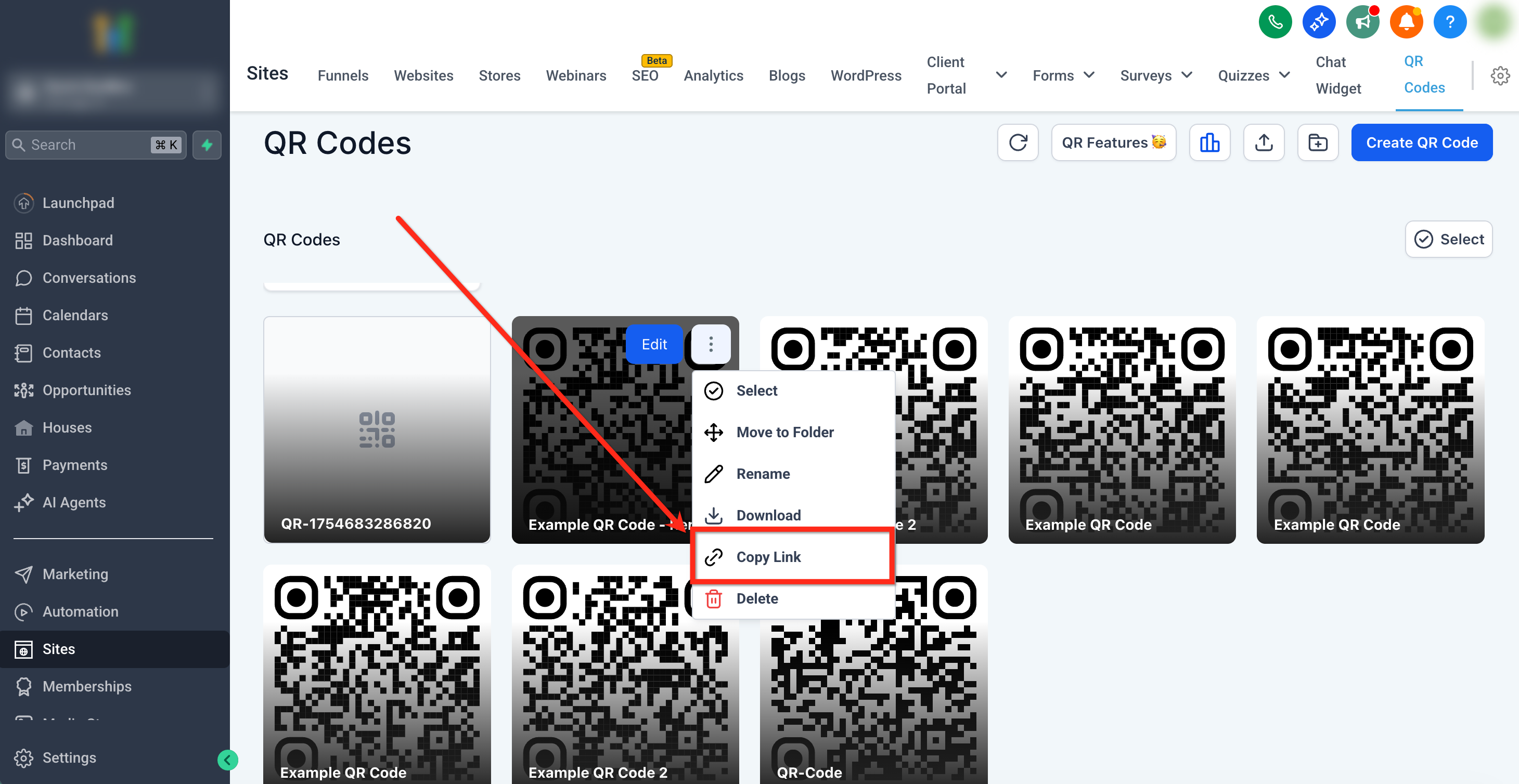
Rename items without leaving the page. Use consistent naming to improve searchability and reporting. 1. Hover any QR Code card and click the ⋯ menu → Rename.
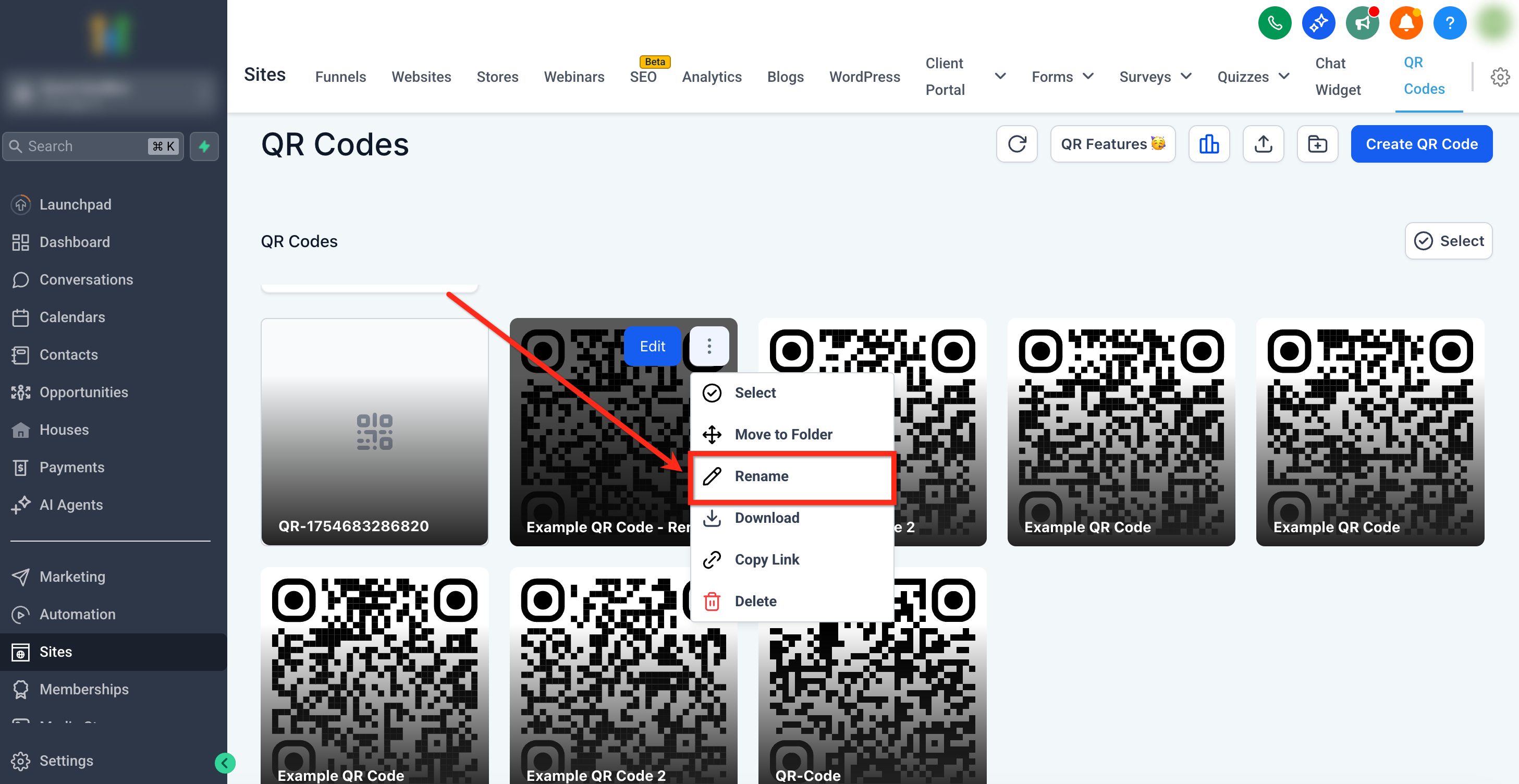
- Enter the new name and click Save.
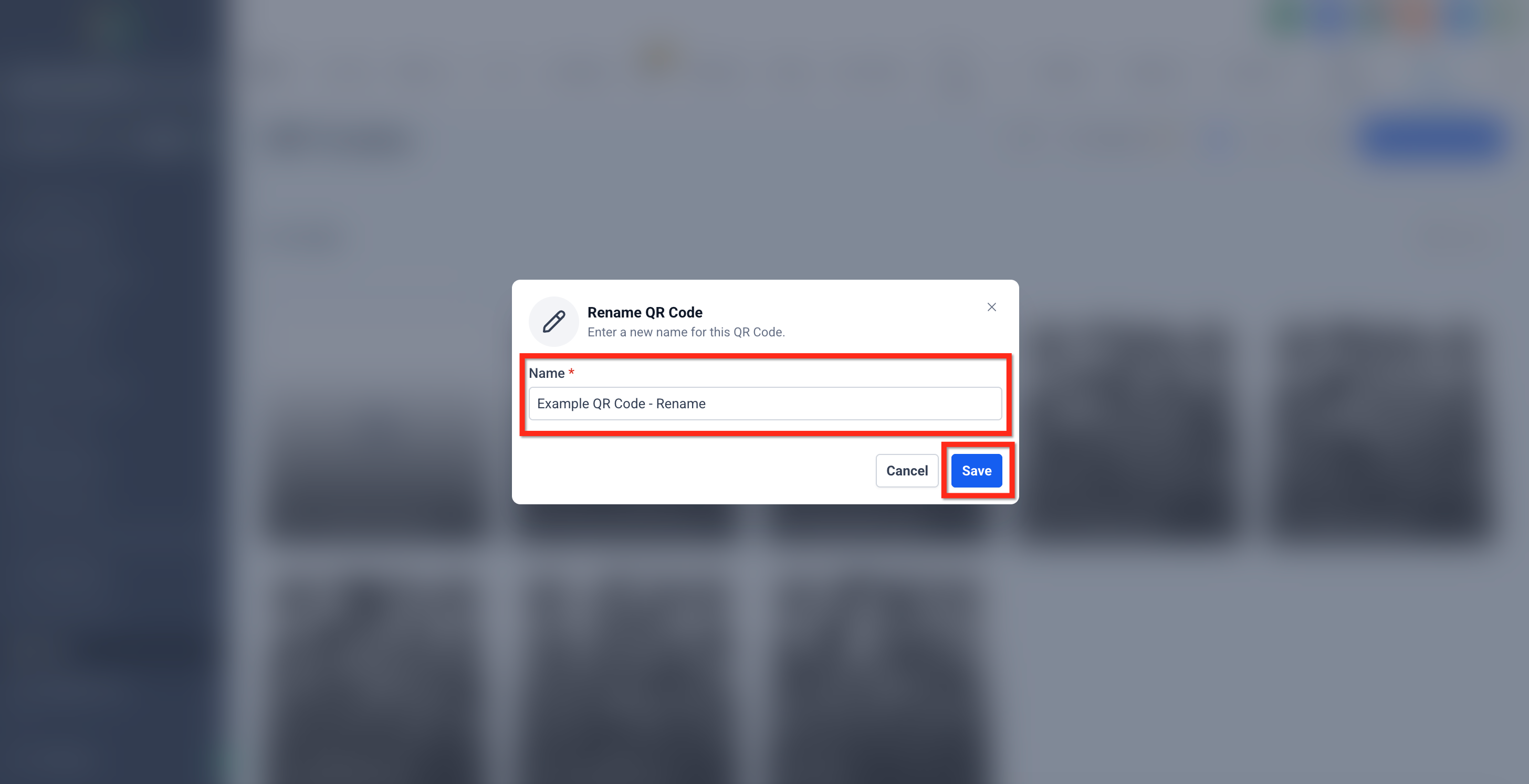
Copy Link from the QR Code
Instantly copy a direct link to the QR Code for sharing in emails, docs, or print workflows. Hover a QR Code card, click ⋯, then select Copy Link.
Folder‑Level Actions: Download All / Rename
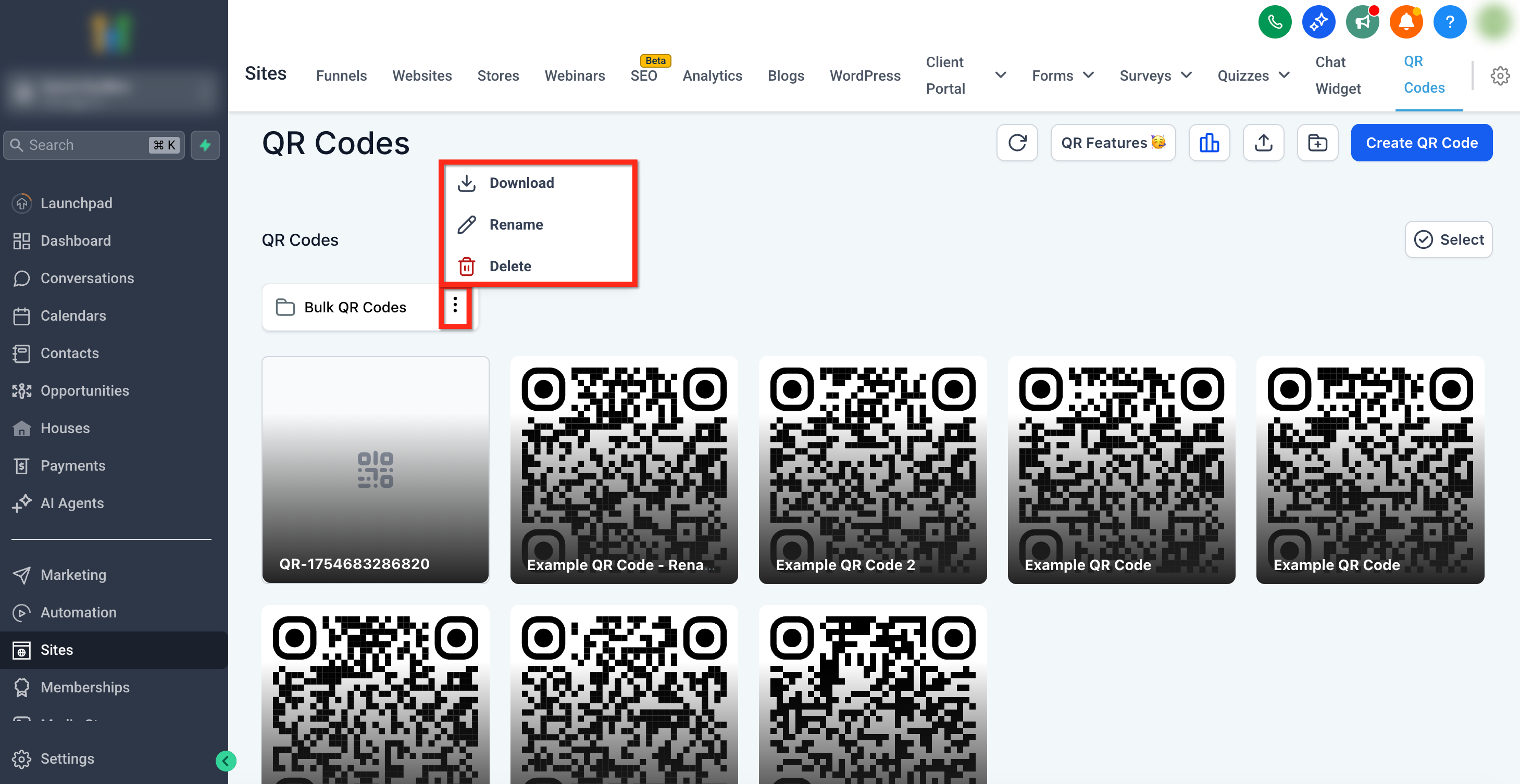
Manage whole folders quickly—download everything inside or rename the folder. To make folder-level edits, click the 3 dot icon on the folder.
- Click the Download icon on a folder to export all contained QR Codes (ZIP, async).
- Click the Rename icon on a folder to change its name.
- Click the Delete icon to remove all QR Codes in a folder.
Frequently Asked Questions
Q: Where can I find these bulk actions?
In Sites → QR Codes, click Select to enable the bulk toolbar at the top right. Q: Which formats can I download? PNG, SVG, or PDF. Large batches are delivered as ZIP files. Q: I chose SVG, but I see an “SVG Format Not Available” message. What now? Some older QR Codes may not support SVG. Use the dialog to switch to PNG or PDF for those items. Q: Can I download everything inside a folder at once? Yes. Click the Download icon on the folder to export all codes (async ZIP). Q: Is delete permanent? Yes. Bulk delete is irreversible. Download any needed codes before deleting. Q: Are there selection limits? You can select many items at once; very large batches may be split into multiple ZIPs. (If you encounter limits, reduce the selection and repeat.)
Related Articles
- Bulk QR Code Creation
- QR Code Generation and Download Guide
- QR Code Builder Redirect Options
- How to create a QR Code linked with Website
- How to create a QR Code linked with Review Page Was this article helpful? That’s Great! Thank you for your feedback Sorry! We couldn’t be helpful Thank you for your feedback Feedback sent We appreciate your effort and will try to fix the article