
Services Notifications: Custom Email & In-App Alerts
Services now support fully customizable email and in-app notifications, giving you control over how customers and team members are notified throughout the service booking journey. You can configure notifications for key service events, choose recipients, customize templates, and insert service-specific custom values—all from a centralized Services notification setting. > Note: This feature is currently available in Private Beta.
Overview
Service notifications provide a built-in alternative to workflow-based messaging for service bookings. Instead of relying on generic calendar notifications, Services notifications allow you to define event-specific messaging that automatically applies to all service bookings. This update introduces new notification triggers, recipient options, template customization, and service-specific custom values—along with smart notification consolidation to prevent duplicate messages.
What’s New with Services Notifications
Notification Triggers
You can configure notifications for the following service booking events:
- Appointment Booked (Unconfirmed) Sent when a customer books a service with an unconfirmed status.
- Appointment Booked (Confirmed) Sent when a booking is auto-confirmed or manually approved.
- Sent when a service booking is canceled.
- Sent when a booking is moved to a new date or time.
- Pre-appointment reminders to help reduce no-shows.
- Post-appointment messages used to engage customers or collect feedback.
Recipient Options
Each notification can be sent to one or more of the following recipients:
- The customer who booked the service.
- The staff member assigned to the service.
- Additional Email Addresses Internal recipients such as front-desk staff, managers, or other team members.
Template Customization
Services notifications include a built-in editor that allows you to:
- Adjust formatting and layout You can also choose from pre-created templates to speed up setup and maintain consistent messaging.
Service-Specific Custom Values
Services notifications support custom values specific to service bookings, including:
- Additional service attributes These values ensure notifications accurately reflect the booked service.
Smart Consolidation of Notifications
When a booking includes multiple services, only one notification is sent for the overall service booking. This prevents customers and team members from receiving multiple redundant emails for the same appointment.
How to Configure Service Notifications
To configure notifications for Services:
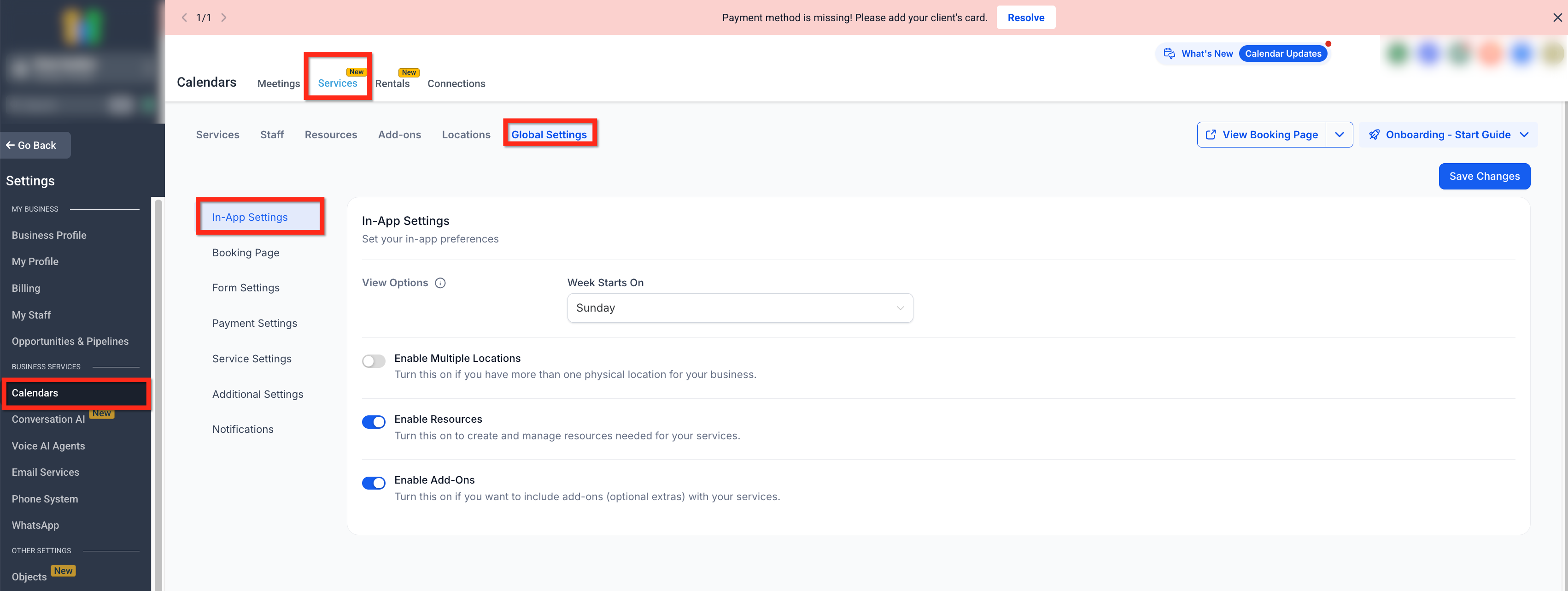
- Calendar Settings → Services → Global Settings → Notifications 2. Select the desired notification trigger 3. Customize the notification template 5. Insert service-specific custom values 6. Save your changes
How Service Notifications Are Used
- Notifications trigger automatically based on service events - Templates are reused consistently across bookings - Consolidation logic is applied automatically for multi-service bookings - No workflows are required for standard service communications
What Did Not Change
- Replace workflow-based notifications - Affect non-service calendar appointments - Change appointment availability or booking rules - Apply outside Services (Private Beta)
Frequently Asked Questions
Q: Is this available for all calendar appointments?
No. These notifications apply only to bookings made using Services. Q: Can I send both email and in-app notifications? Yes. Services support both email and in-app notification channels. Q: Are notifications sent per service or per booking? Notifications are consolidated per booking. Multi-service bookings send one notification. Q: Do I still need workflows for service notifications? No. Services notifications provide a built-in option for common booking communications, though workflows remain available if needed. Q: Is this feature available to all accounts? No. Services notifications are currently in Private Beta.