
Test Call Logs visible in Voice AI Dashboard
Overview
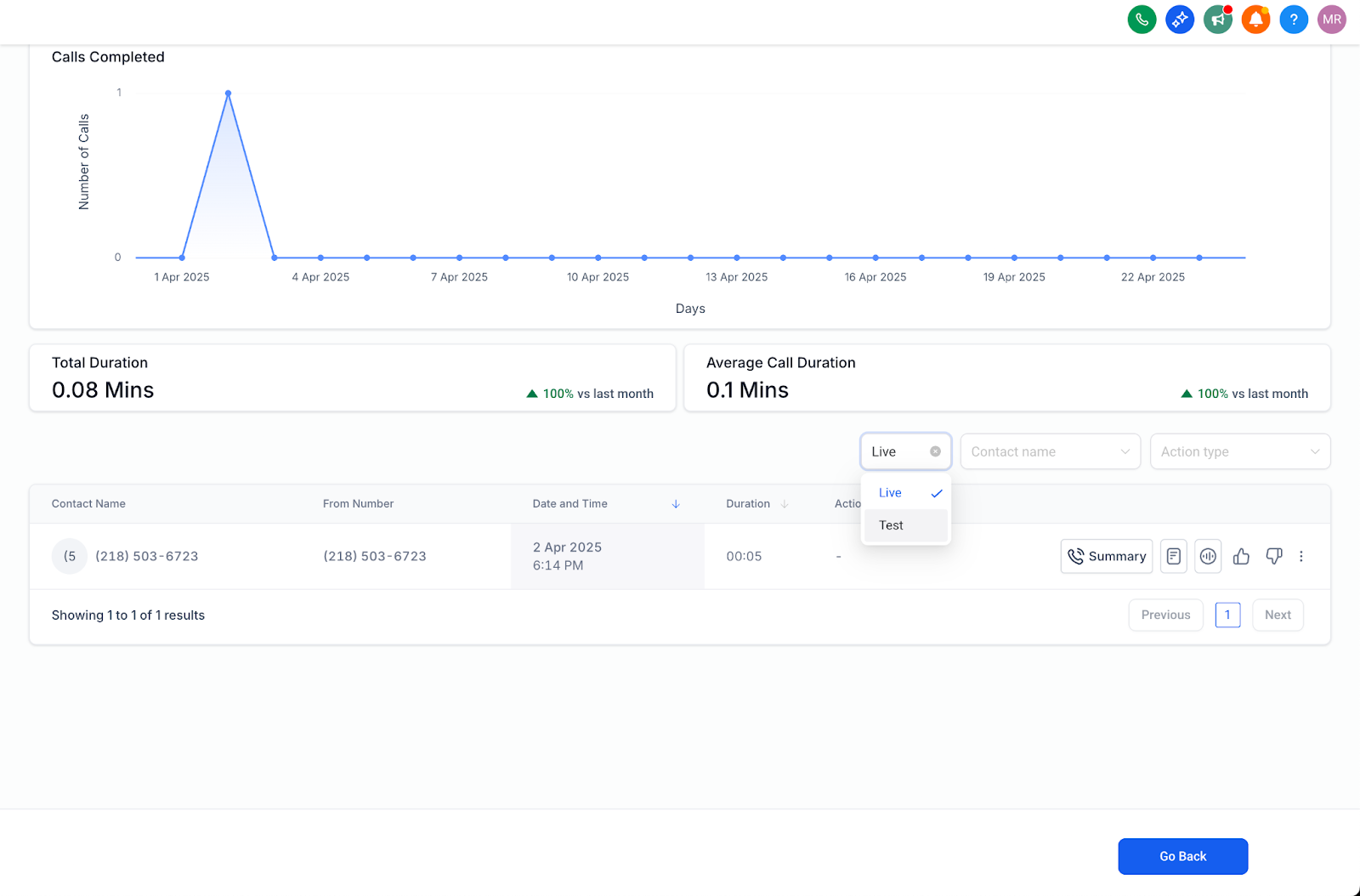
View Test calls alongside live interactions in the Voice AI dashboard logs with a new Call Type filter.
What’s New?
- Call Type Filter: Choose Test Calls, Live Calls, or Both via a single-select dropdown. 2. Universal Availability: Filter present in All Agents and Agent-specific logs. 3. Full Details: Test call entries include recordings and transcripts (excluded from metrics).
How to Use
- Navigate to Voice AI > Dashboard Logs. 2. Click the Call Type dropdown above the logs. 3. Select Test Calls, Live Calls, or Both. 4. Clear the filter to return to the default combined view.
Important
- Test calls are not counted in dashboard analytics or performance metrics. Was this article helpful? That’s Great! Thank you for your feedback Sorry! We couldn’t be helpful Thank you for your feedback Feedback sent We appreciate your effort and will try to fix the article