
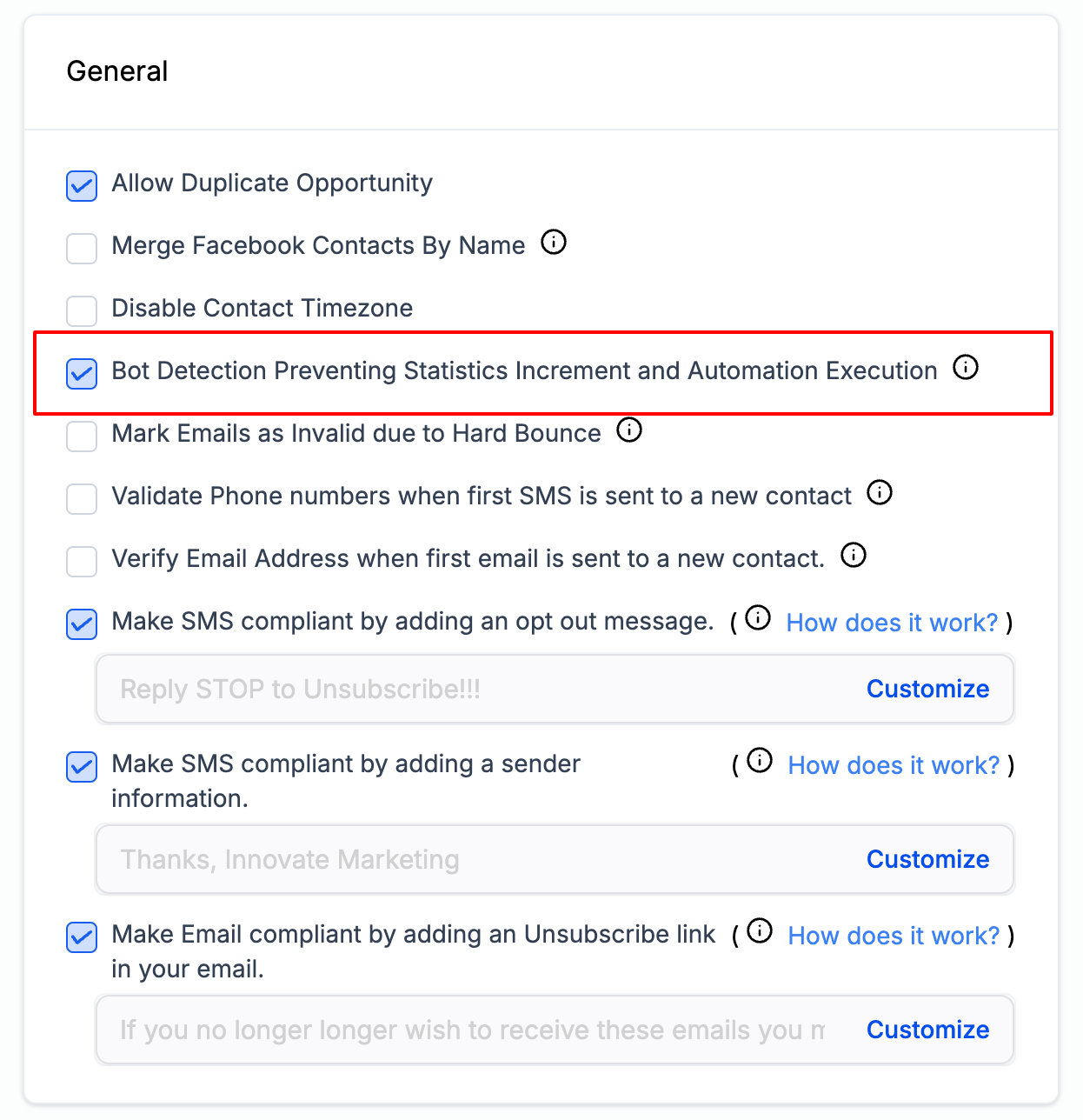
Bot Detection Preventing Statistics Increment and Automation Execution
Email Deliverability
Bot Detection:
Preventing Statistics Increment & Automation Execution Keep your email engagement metrics honest. This feature identifies bot-driven opens and clicks and stops them from inflating stats or triggering automations — so your data reflects real people. Email System & Mailgun Users Only This feature is available only for sub-accounts using the Email System system or Mailgun. Other SMTP providers are not supported.
Overview
In the realm of email marketing, accurate metrics are crucial for understanding customer engagement and the effectiveness of your campaigns. Bots can artificially inflate your open and click rates, leading to misleading data that skews decisions and breaks automations. To combat this, Patient Copilot introduced the Bot Detection – Preventing Statistics Increment and Automation Execution feature. It silently filters out non-human activity so your analytics and workflows stay trustworthy.
What Does This Feature Do?
When a bot is detected opening or clicking an email, the following actions are taken automatically: Preventing Statistics Increment Email open and click counters will not increment for bot activity, ensuring engagement metrics reflect only genuine user interactions. Preventing Automation Execution Any automation events triggered by email opens or clicks will not execute when a bot is detected — maintaining the integrity of your workflows.
How to Enable / Disable Bot Detection Settings By default, the Bot Detection Prevention feature is turned off. You’ll need to enable it from your Business Profile settings. 1
Open Business Profile Settings Navigate to Settings → Business Profile.
2
Locate the General Section Scroll to the General section — this is where the Bot Detection Prevention toggles live.
3
 Was this article helpful? That’s Great! Thank you for your feedback Sorry! We couldn’t be helpful Thank you for your feedback Feedback sent We appreciate your effort and will try to fix the article