
How to import a Funnel From ClickFunnels?
The ClickFunnels to Patient Copilot importer is useful for individuals or businesses looking to switch from ClickFunnels to Patient Copilot and want to migrate their existing funnels and pages without rebuilding them from scratch. It could save significant time and effort, particularly for those with many funnels or pages to transfer. Please Note: - This imported will work for both ClickFunnels 1.0 & ClickFunnels 2.0 Funnels. - Please ensure that you utilize the publishable (live) link, and not the shareable click funnel link. It’s essential to import one Funnel Step at a time from ClickFunnels for a seamless experience.

Covered in this Article
How to import a click funnel page into the high-level funnel builder?
Step 1: Access the template list view
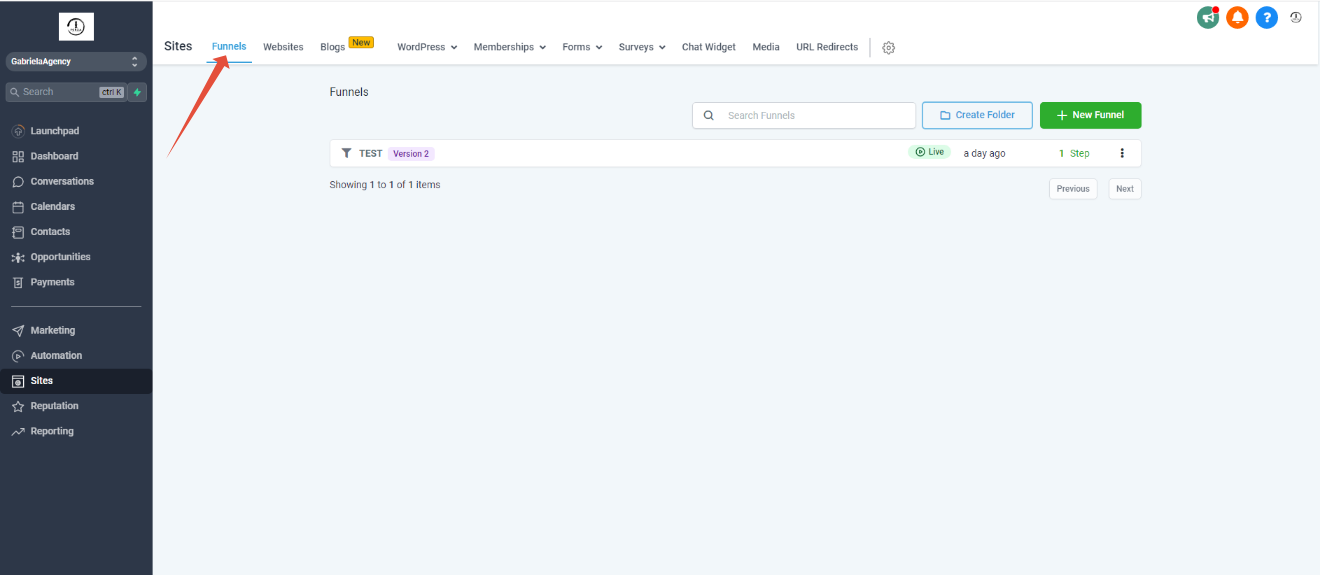
Step 2: Click on funnels
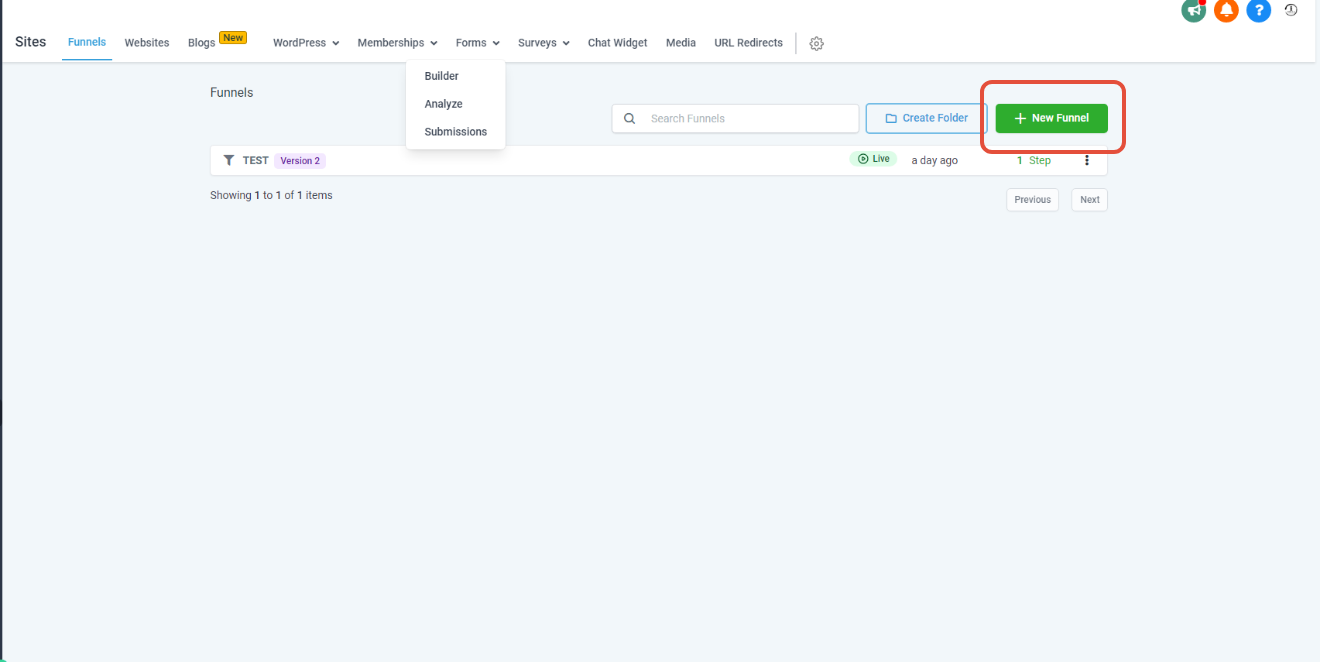
Step 3: Create a new funnel
Step 4: New step
How to import a click funnel page into the high-level funnel builder?
- Step 1: Click on Sites
- Step 2: Click on Funnels
- Step 3: Click on “New Funnel”
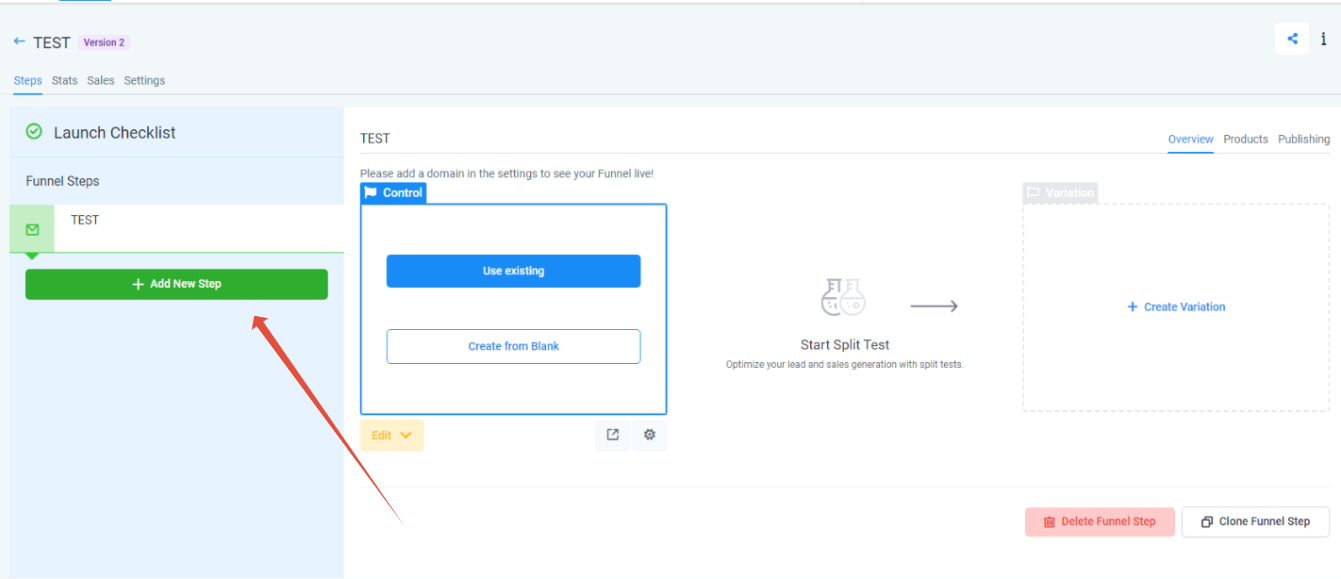
- Step 4: Click on “Add a new step
Please Note:
ClickFunnels Membership Areas do not import using the funnel share URL. The Patient Copilot importer only transfers standard funnel pages (opt-ins, sales, thank-you, etc.) If your ClickFunnels funnel includes a Members Area, you’ll need to rebuild it manually using Patient Copilot’s Memberships tool, which you can find in the main left-side navigation bar named Memberships.
ClickFunnels Membership Areas do not import using the funnel share URL. The Patient Copilot importer only transfers standard funnel pages (opt-ins, sales, thank-you, etc.). If your ClickFunnels funnel includes a Members Area, you’ll need to rebuild it manually in Patient Copilot using our Memberships tool.
Step 1: Access the template list view - Explain the relevant actions to be performed.
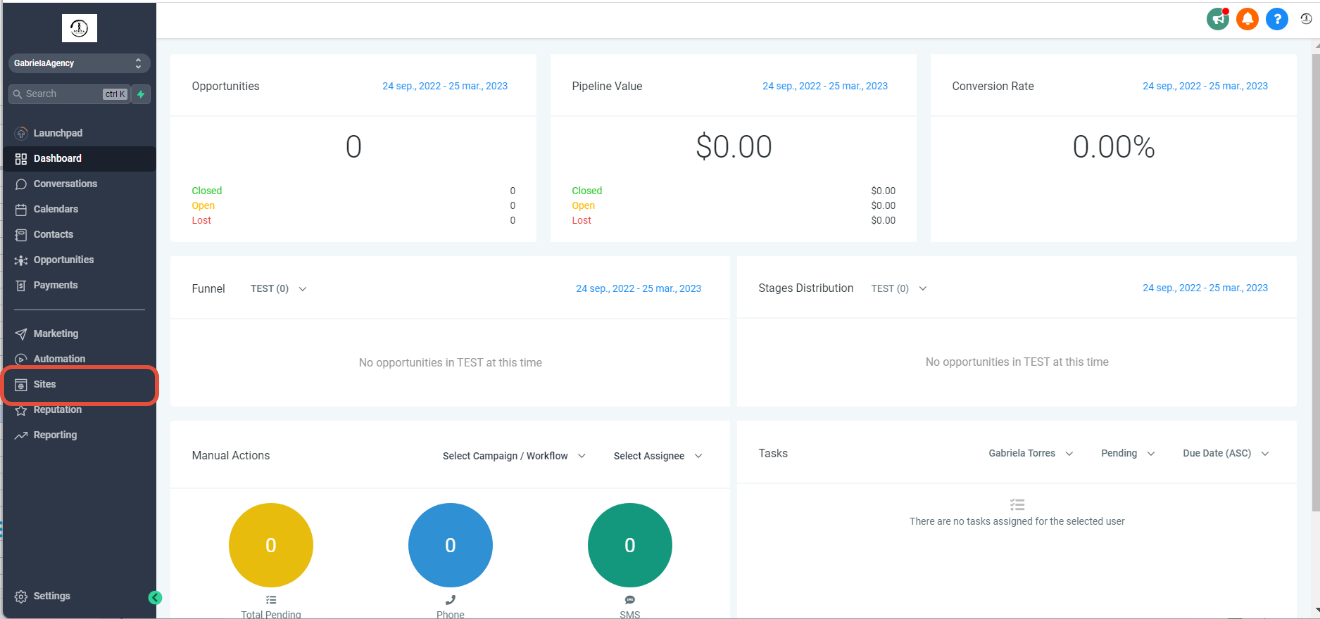
- The click funnel import will only work within funnels.
Step 3: Create a new funnel - Explain the actions under this step.
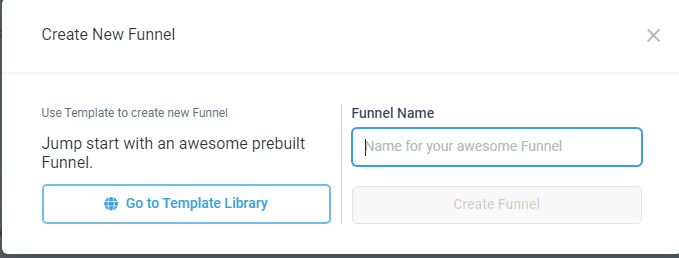
- Add the name and click “Create funnel.”
Step 4: New step - Click on “Add new step.”
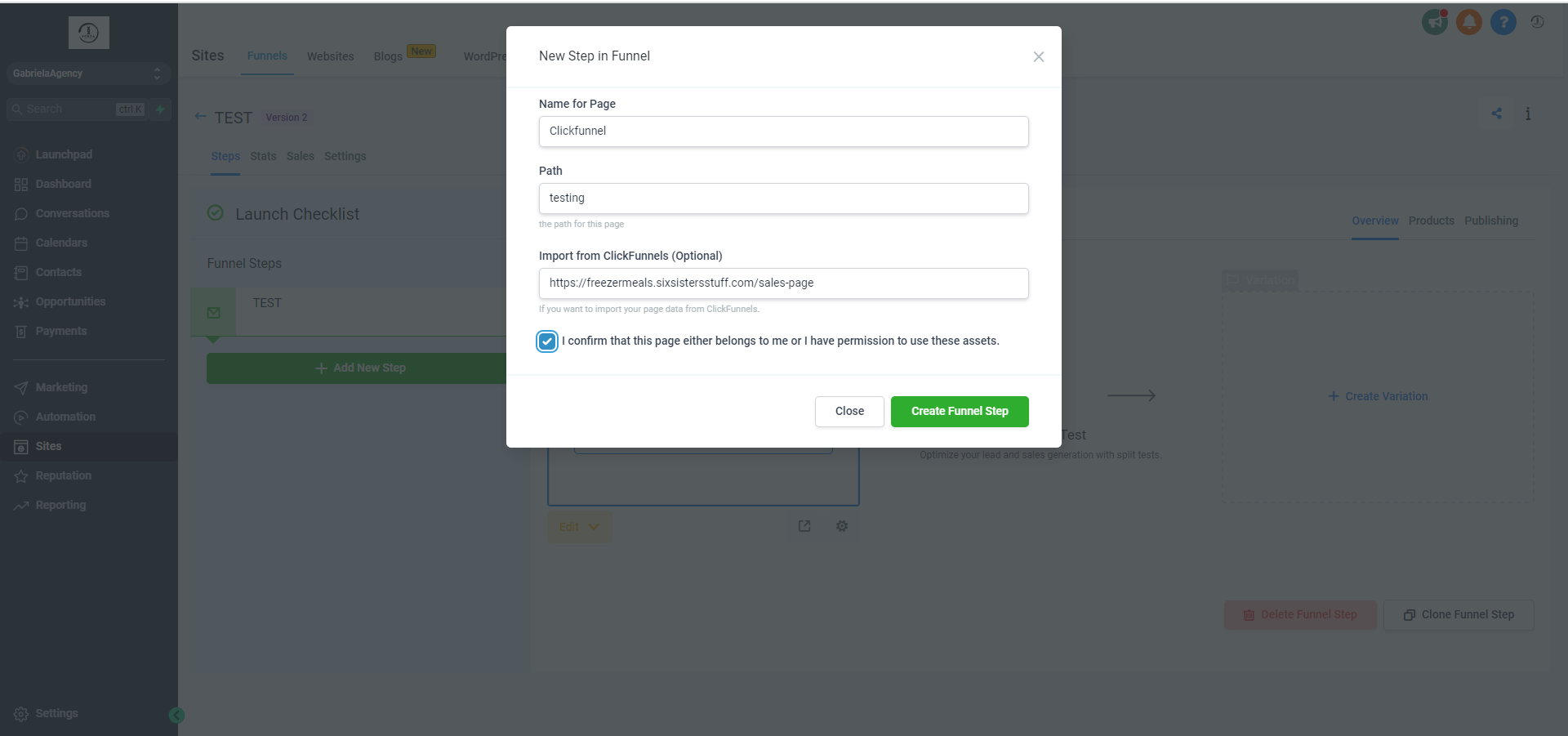
- Add the name for the page, path, and Clickfunnels link, mark the confirm checkbox, and click “create funnel step.”
Was this article helpful? That’s Great! Thank you for your feedback Sorry! We couldn’t be helpful Thank you for your feedback Feedback sent We appreciate your effort and will try to fix the article