
Contact Date Of Birth Field (Birthday)
The Birthday field in Patient Copilot allows you to personalize communications, build automation campaigns based on contact birthdays, and filter contacts by age within Smart Lists. This article explains how to utilize the Birthday field effectively.
What is the Birthday Field?
The Birthday field is a standard system field that captures a contact’s birth date (Month/Day/Year). It can be populated through:
- API integrations This field enables automation triggers based on birthdays and helps segment contacts by age.
How to Build Birthday Reminder Campaigns
You can automate birthday reminders or offers by setting up birthday workflows.
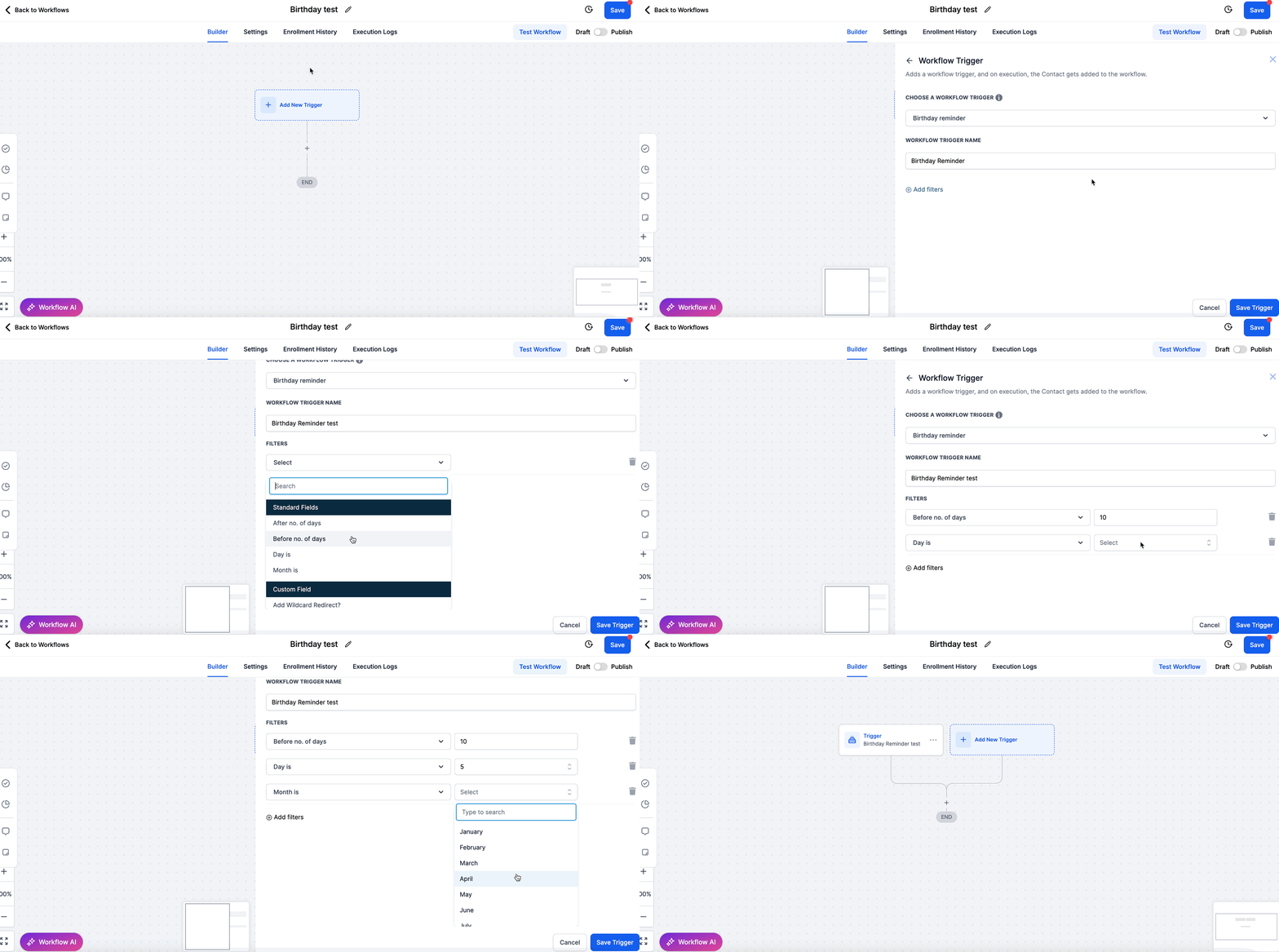
Step 1: Configure the Birthday Trigger
- Navigate to Workflows > Create New Workflow.
- Set the Trigger to Birthday.
- Choose the trigger condition:
- Before the birthday (e.g., 7 days before) - After the birthday (e.g., 1 day later)
Step 2: Define Actions
- Send Email: Personalized birthday greetings or offers.
- Send SMS: Short birthday wishes or coupon codes.
- Assign Task: Alert internal teams to follow up manually if needed.
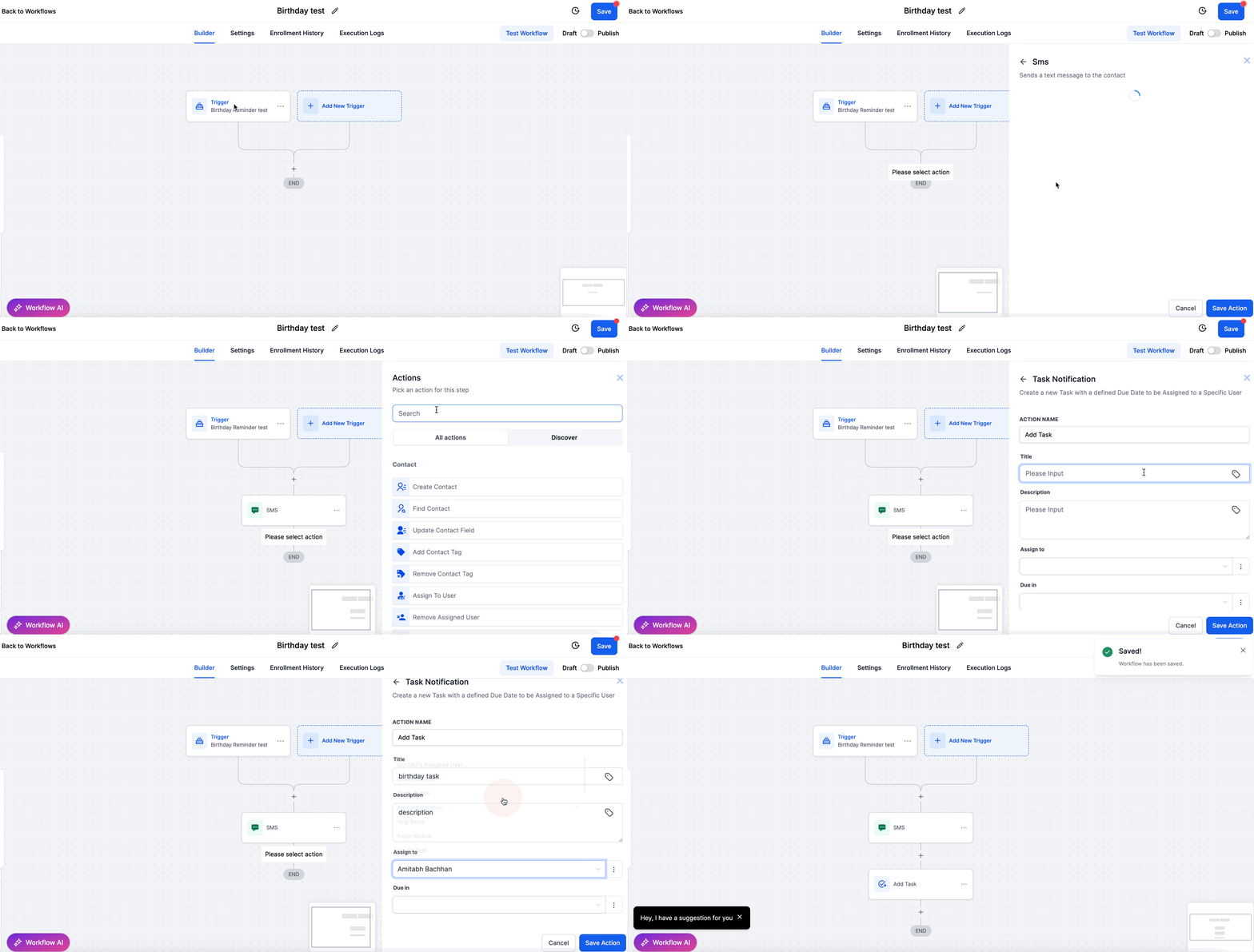
Example Workflow Structure
Using the Birthday field, you can segment your contacts based on their age for targeted communication.
Steps to Filter by Age
- Go to Contacts > Smart Lists. 2. Apply a Filter using the Birthday field’s Age condition. 3. Select the appropriate comparison:
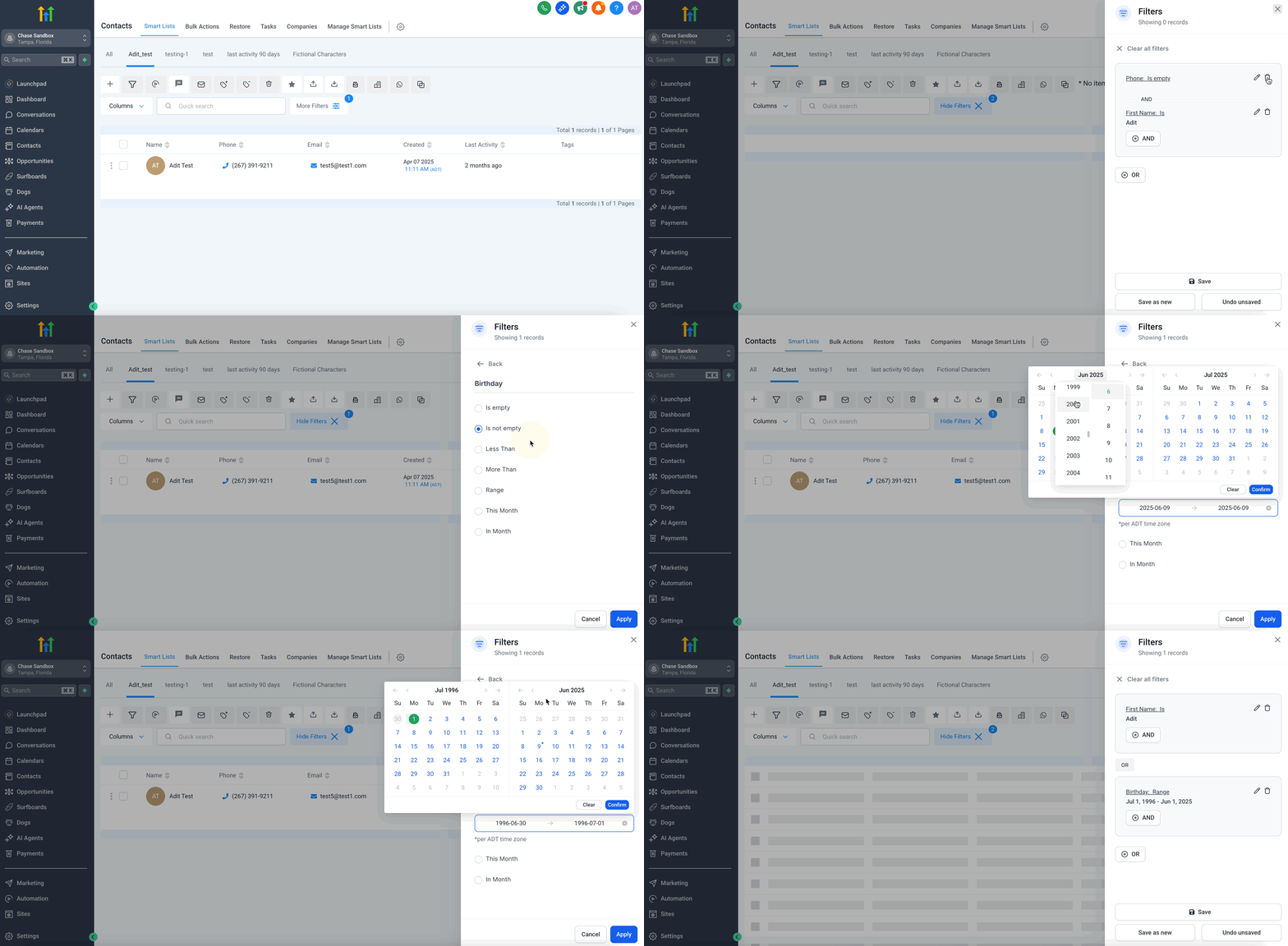
The system calculates age dynamically based on the current date and the stored birthday.
Best Practices
- Capture Birthdays Early: Include a Birthday field in lead capture forms to gather the information upfront.
- Validate Date Formats: Use MM/DD/YYYY format to ensure automation triggers work correctly.
- Test Automation: Always test birthday workflows with sample contacts before making them live.
- Consider Time Zones: Be aware that workflows may use contact-specific time zones if configured.
Common Issues and Troubleshooting
Related Articles
- Workflow Trigger - Birthday Reminder
- Workflow Trigger - Custom Date Reminder Was this article helpful? That’s Great! Thank you for your feedback Sorry! We couldn’t be helpful Thank you for your feedback Feedback sent We appreciate your effort and will try to fix the article