
Company Object Automation
The Company Object Automation settings give users the ability to repurpose business details fields for the company. The migration will help users transfer field data, create new companies & map respective contacts under them seamlessly.
Covered in this Article:
How to use the Company Object Automation?
Different Situations to consider
Limitations and Expected Behavior
How to use the Company Object Automation?
To access the Company Object Automation, please head to sub-account Settings> Objects > Company: Once in the desired window, if you checkmark Automatically Create and Associate Companies from Contact Business Names, You will be prompted to begin the process through which all contacts that have a Business Name written in the Business Name field will be added to Companies that have that business name.
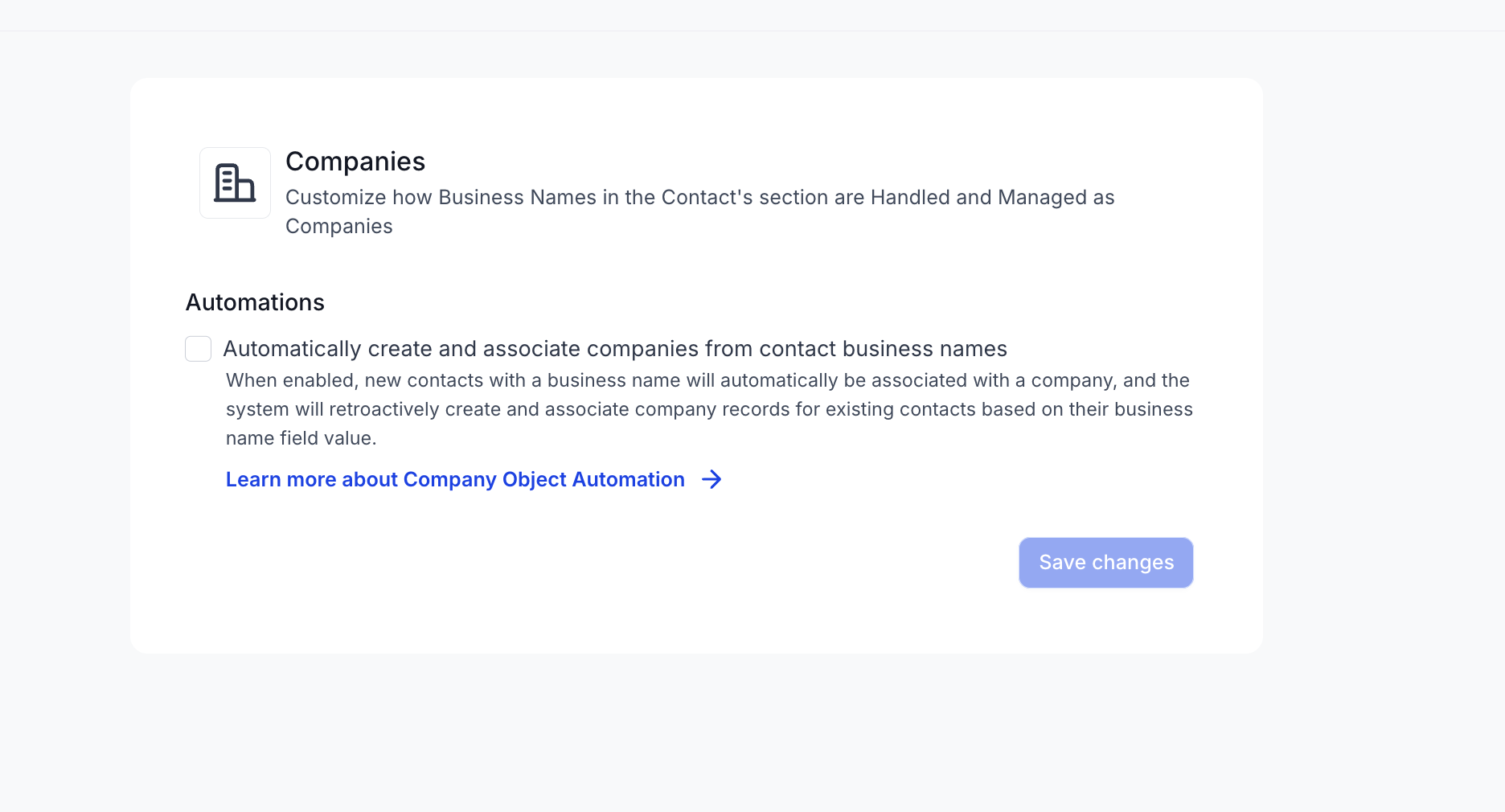
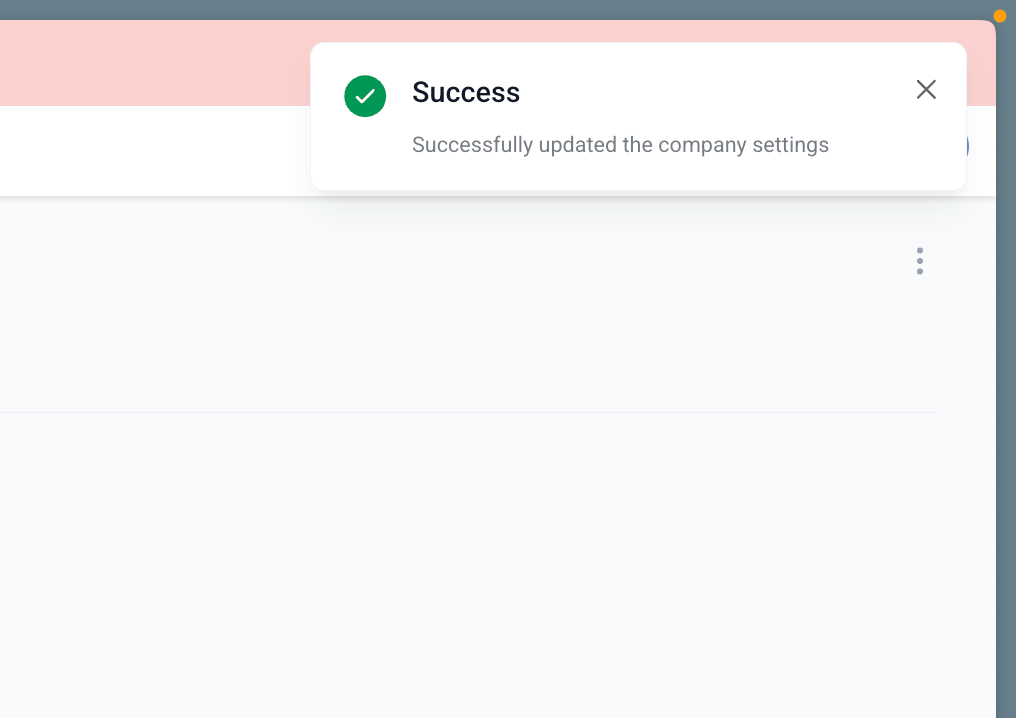
Please Note The business name ignores case sensitivity. E.g If a contact has a business name “Burger King” and another contact has “burger king”, one company will be created for Burger King, instead of two. The business name doesn’t ignore spaces in the business name. E.g If a contact has the business name “BurgerKing” and another contact has “burger king”, two companies will be created for both business names. The system cannot identify Two differently spelled Business Names as belonging to one company. E.g A contact with the Business Name: ‘Ice Cream Sunday” will not be added to the same company as another contact with the business name: “Ice Cream Sundae” Even one alphabet being different would lead to a separate company being created for the contact. Upon check marking the Create & Associate companies with the contacts check box, you can save this change. the Save Changes will be enabled for you to Save the changes. Upon clicking Yes, All contacts that have their Business Name field filled out in the General Info Section of their contact page will be added to a Company with the same name as the Business Name. If a company of that name does not exist, one will be created for them. You will see a confirmation message if the process successfully starts:
The Business Name field is the Unique Identifier in this regard. Case Sensitivity is not an issue but Spacing and Spelling are deciding factors.
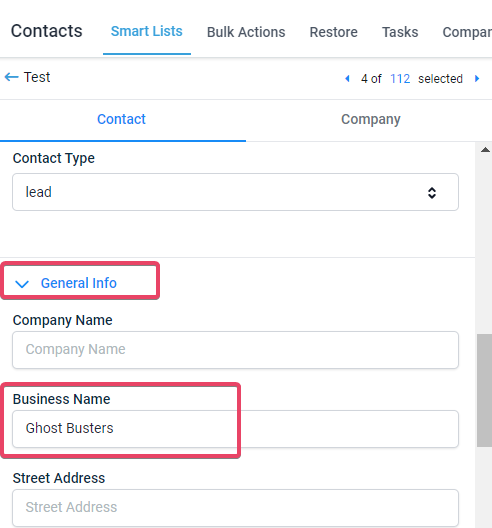
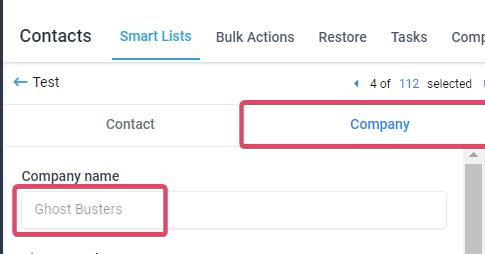
The following fields if filled out for the contact in the General Info tab would also be automatically mapped into the Company that gets created:
Street address |
City |
Country |
State |
Postal code |
Website |
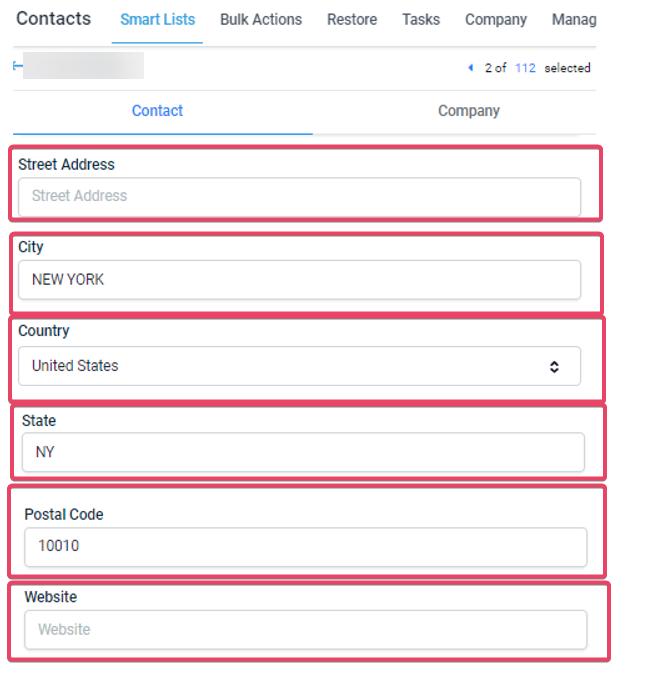
Street Address and Website have been purposefully left blank for the sake of this example:
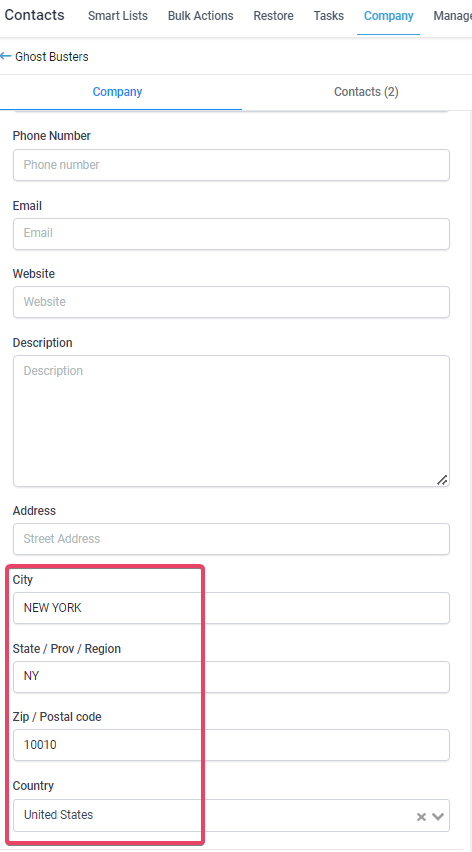
Different Situations to consider: If the business name is unique and present in a single contact.
A new company will be created with the business name value present in the contact. And the contact will be associated with the company. If the business name and its details are similar in multiple contacts. A new company will be created with the business name value. All contacts will get associated with the newly created company. If the business name is the same in multiple contacts but its details vary between contacts. A new company will be created with the business name value. All contacts will get associated with the newly created company.The below details will be considered for the latest contact created.
Street address |
City |
Country |
State |
Postal code |
Website |
Limitations and Expected Behavior:
The setting feature is only available for admin users (agency & sub-account). Team members with the User Role will not have the ability to begin the migration process. Please Note: Users with User Role will still see the setting, they just would not be able to do anything to it. Once the automation settings are turned on, it will migrate all the existing contacts with business name. Once the migration is completed, it will automatically sync new contacts with business name field value. If a contact has a company associated with it already, it will not be migrated to a different company even if the Business Name is different at the time when the process is started. The migration for existing contacts can only happen if the contact doesn’t have any association with a company. Please Note: Changing the Business Name for contacts already added to a Company will have no impact on the Automation. If the automation settings are turned off, the auto sync or the migration will stop. Upon turning on the migration or auto sync will begin. The following Audit logs for all the activities are present for this feature.
- Who is the User who initiated the settings option.
- Which Contact got updated with company association.
- Company creation.
- Company update. If the settings are turned off in between existing contact migration and restarted, it will start the migration process from where it stopped and complete for the remaining contacts. The feature is applicable for contacts added by bulk import, public API, forms, etc. It will live sync between business name and company. Please Note: The CSV file being imported must have a column with the Column Header “Business Name”, and the respective Business Names must be filled out for contacts for the contacts to get added into a company upon being imported into the CRM. (Provided that the Company Object Automation is enabled). If you make any errors during the import and the wrong Company gets associated to the contacts with misspelled Business Name or spacing in the Business Name that does not match the Business Name for the Company, then you will need to delete the contacts that have the issue and re-import the CSV with the correct Business Name.(Any data lost due to the deletion will not be recovered because the contact is not being restored, a new version of the contact is being created) This process doesn’t have backward compatibility. Once a company is created based on the business name, any change in the company name or its details doesn’t reflect back on the Business Name field and other synced fields in the contact’s General Info. This doesn’t support business name update functionality. Which means once a company is created using business name, any update in business name will not affect the company attributes or its relation with the contact. Please Note: The Company Object automation only serves to associate existing or new contacts, THAT ARE NOT LINKED TO A COMPANY ALREADY, with Companies that share the same Business Name. If no such company exists then a company with that Business Name will be created.