

AI Tools in Patient Copilot
AI is a big word in our world right now, but what is it and how can you use it in Patient Copilot? In this document, we’ll delve into the various Patient Copilot AI tools available, how they work, and pro tips for maximizing their effectiveness. Let’s get started!
What is AI?
AI, short for Artificial Intelligence, simulates human intelligence in machines to perform tasks that typically require human intelligence. In the context of business, AI offers automation and enhancement of processes, creative assistance, and improved customer experiences.
How AI Works
AI operates on prompts provided by users. A prompt is the directive or content given to the AI, which then generates a response based on the input. Detailed prompts lead to more accurate and relevant AI responses.
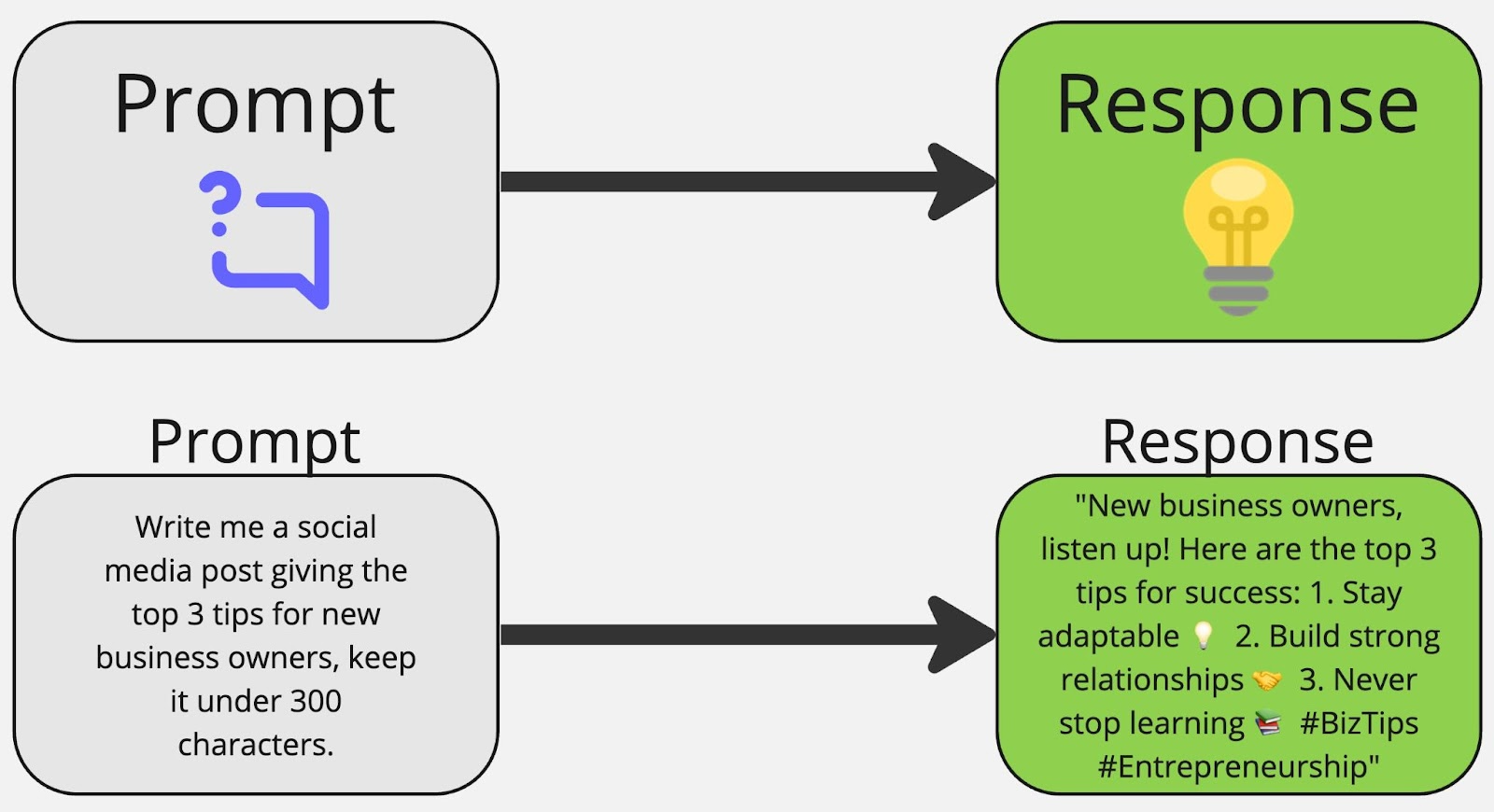
Pro Tips for Using AI Effectively
As with any tool, there are tips and tricks to help you succeed and fast-track your success.
- Understand AI as a Tool: Recognize AI’s role as a tool that requires understanding and training for optimal use.
- Make Detailed Prompts: Provide specific and detailed prompts to get precise AI responses tailored to your needs.
- Use AI for Creativity and Research: Utilize AI to kickstart the creative process, generate content ideas, and conduct research efficiently.
- Use AI on Auto-Pilot: After training and testing, utilizing AI on auto-pilot allows for automated customer responses and business processes. Many of our AI products allow for this, learn more below.
- Practice, Try it Out Now!: Most importantly, just practice using different prompts and tools to help improve your business processes and customer interactions.
- Go to Chat GPT and create a free account. Then spend some time practicing! Ask ChatGPT to create something for you. Experiment with different prompts and see what you get. Think about how you can add it to your business processes and customer interactions.
- After practicing, start using it in Patient Copilot.
Within Patient Copilot, we have several built-in tools to help you utilize AI to grow your business. Let’s review each of them below.
1. Content AI
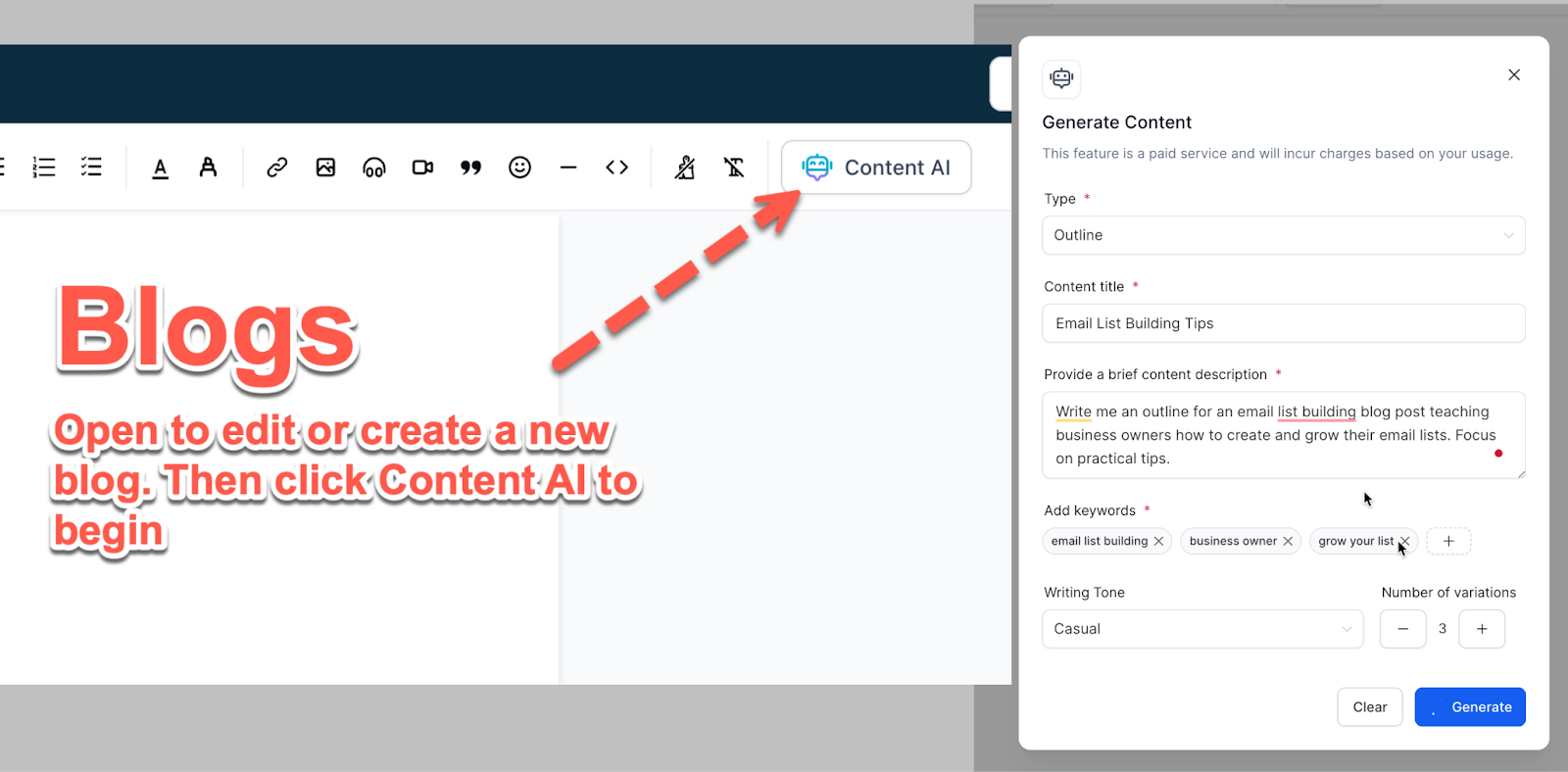
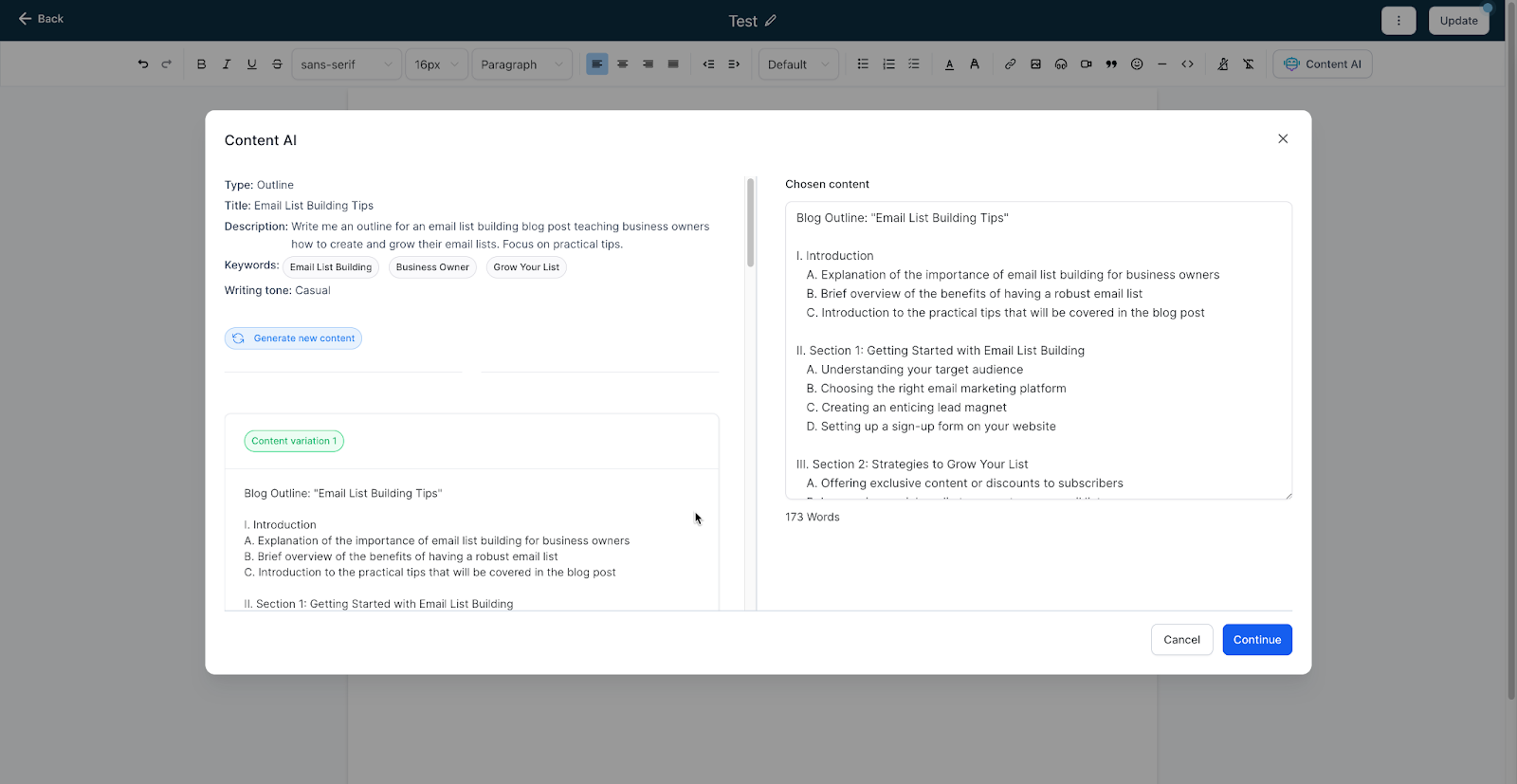
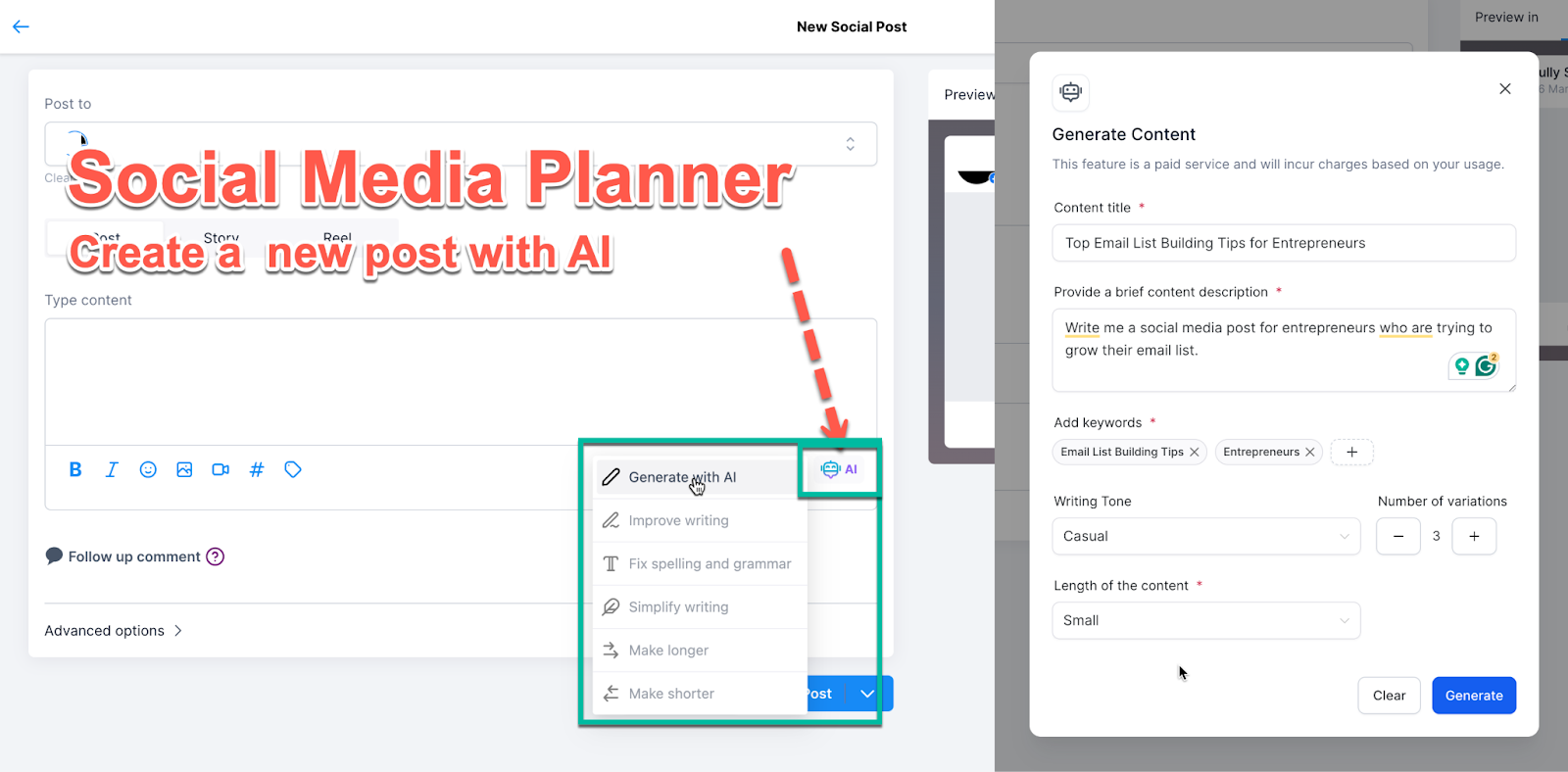
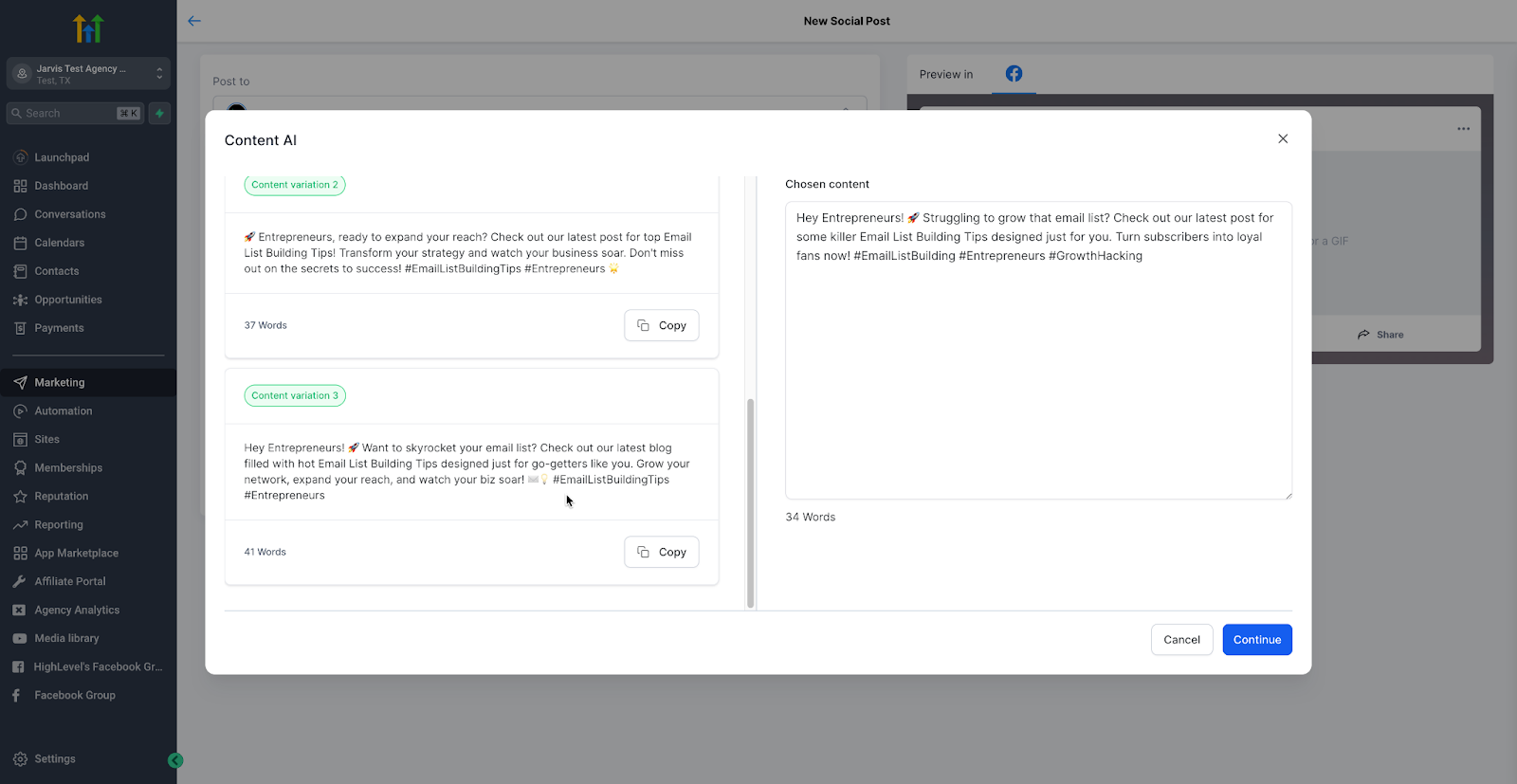
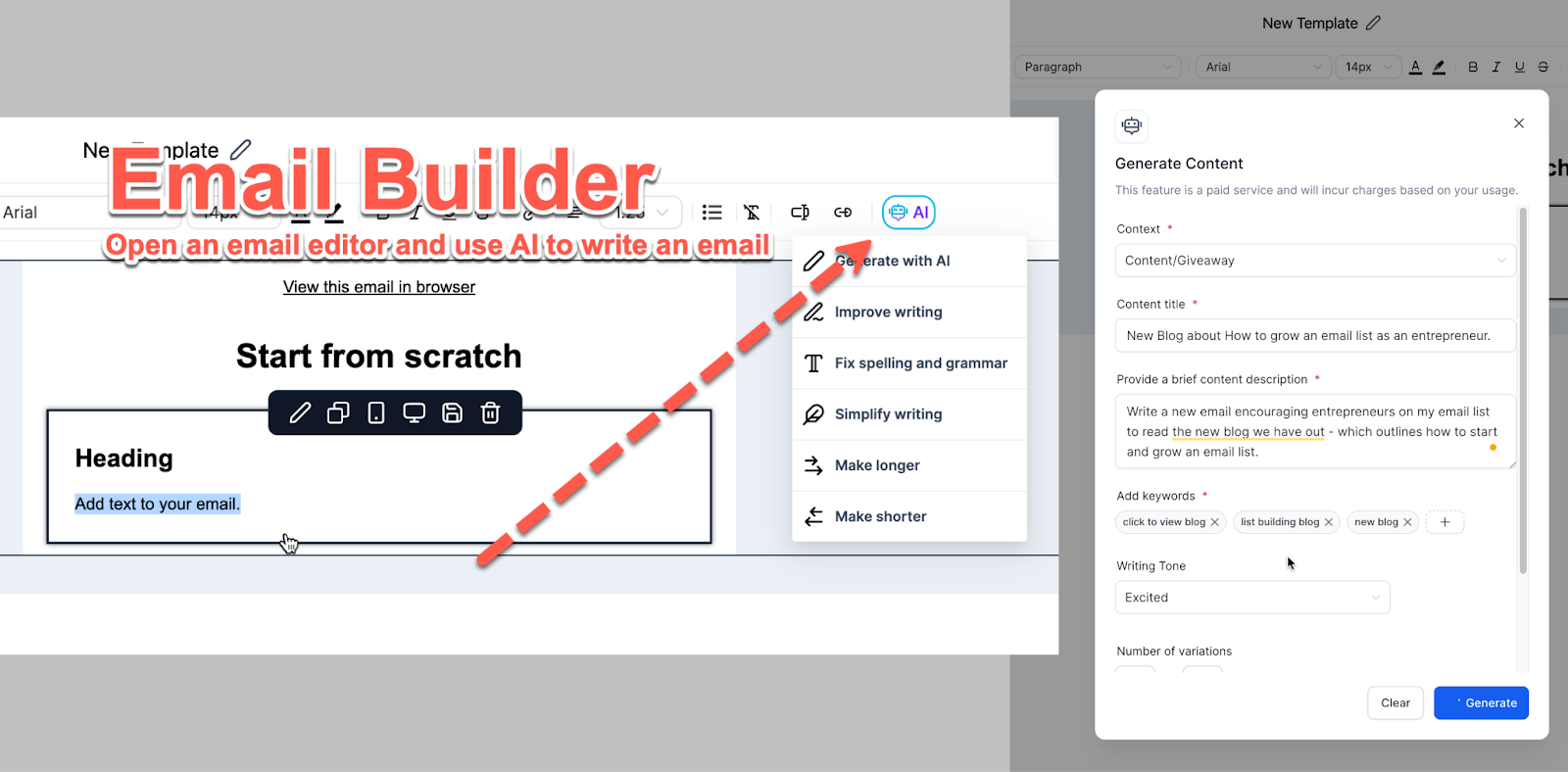
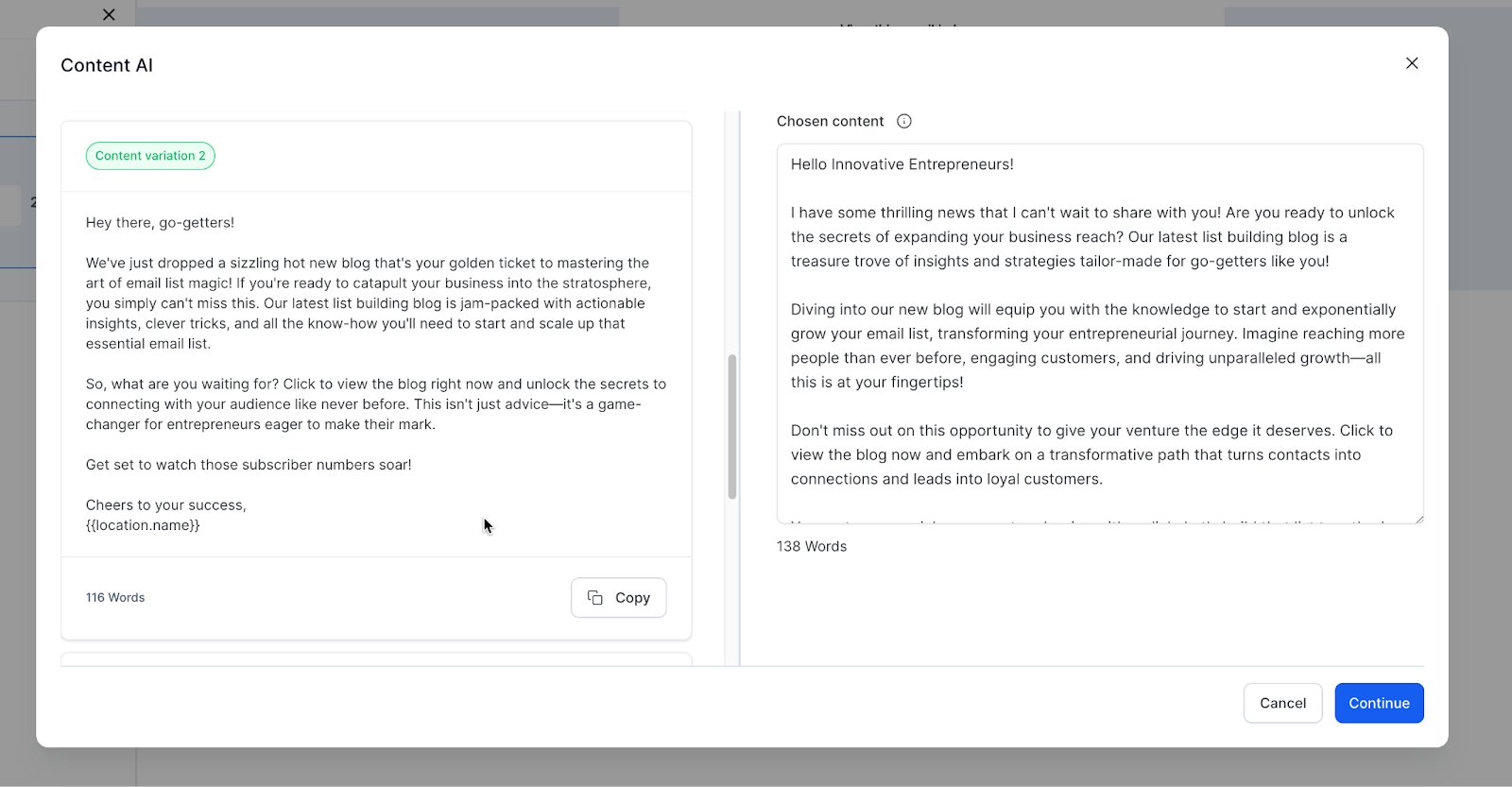
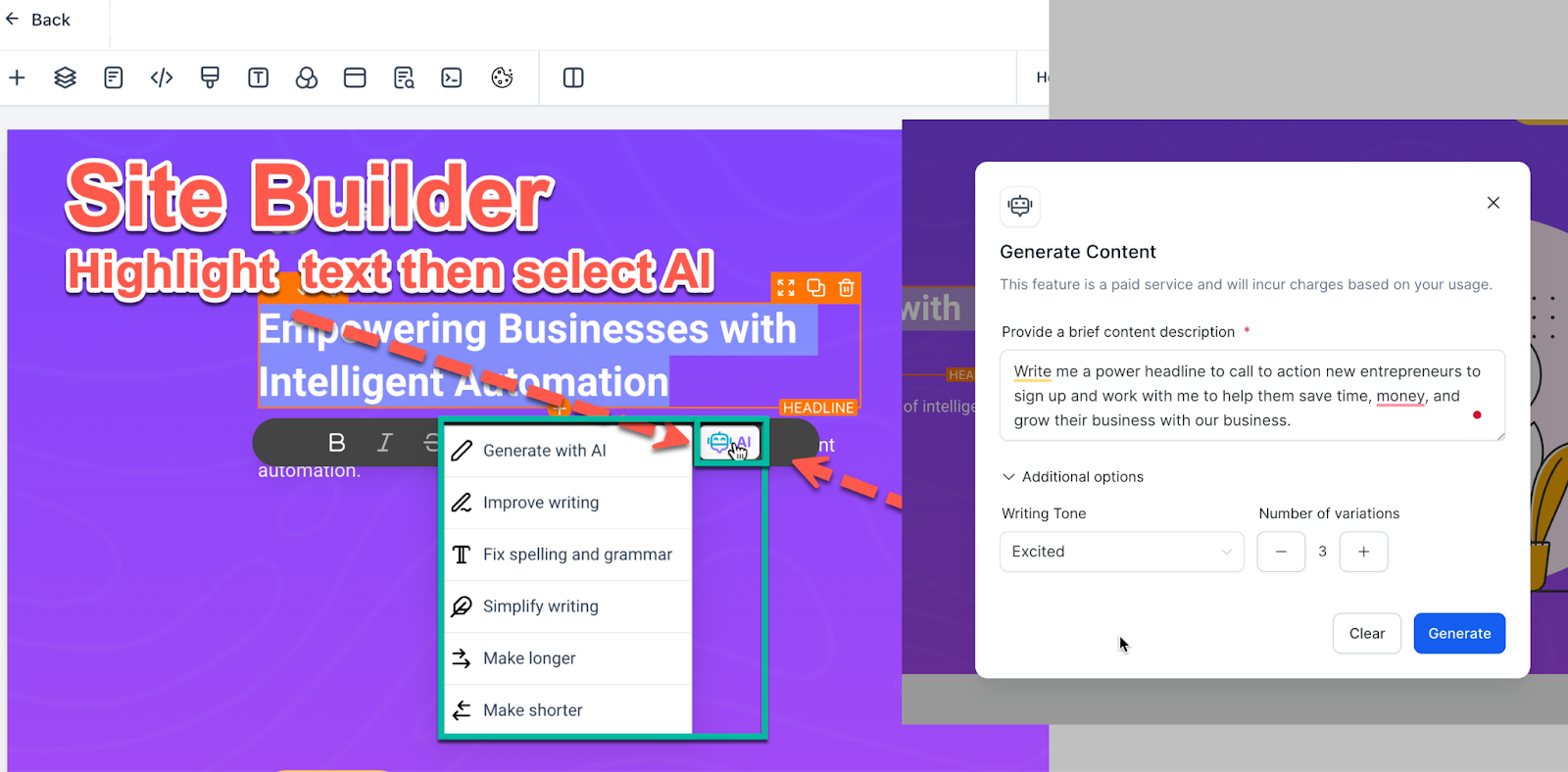
Content AI enables businesses to create content using AI assistance. It can generate social media posts, emails, website headlines, blogs, and more based on user-defined parameters. Learn more about Content AI
- Learn more about Content AI in Blogs
Learn more about Content AI in Social Planner
Learn more about Content AI in the Email Builder
Learn more about Content AI in Funnels and Website
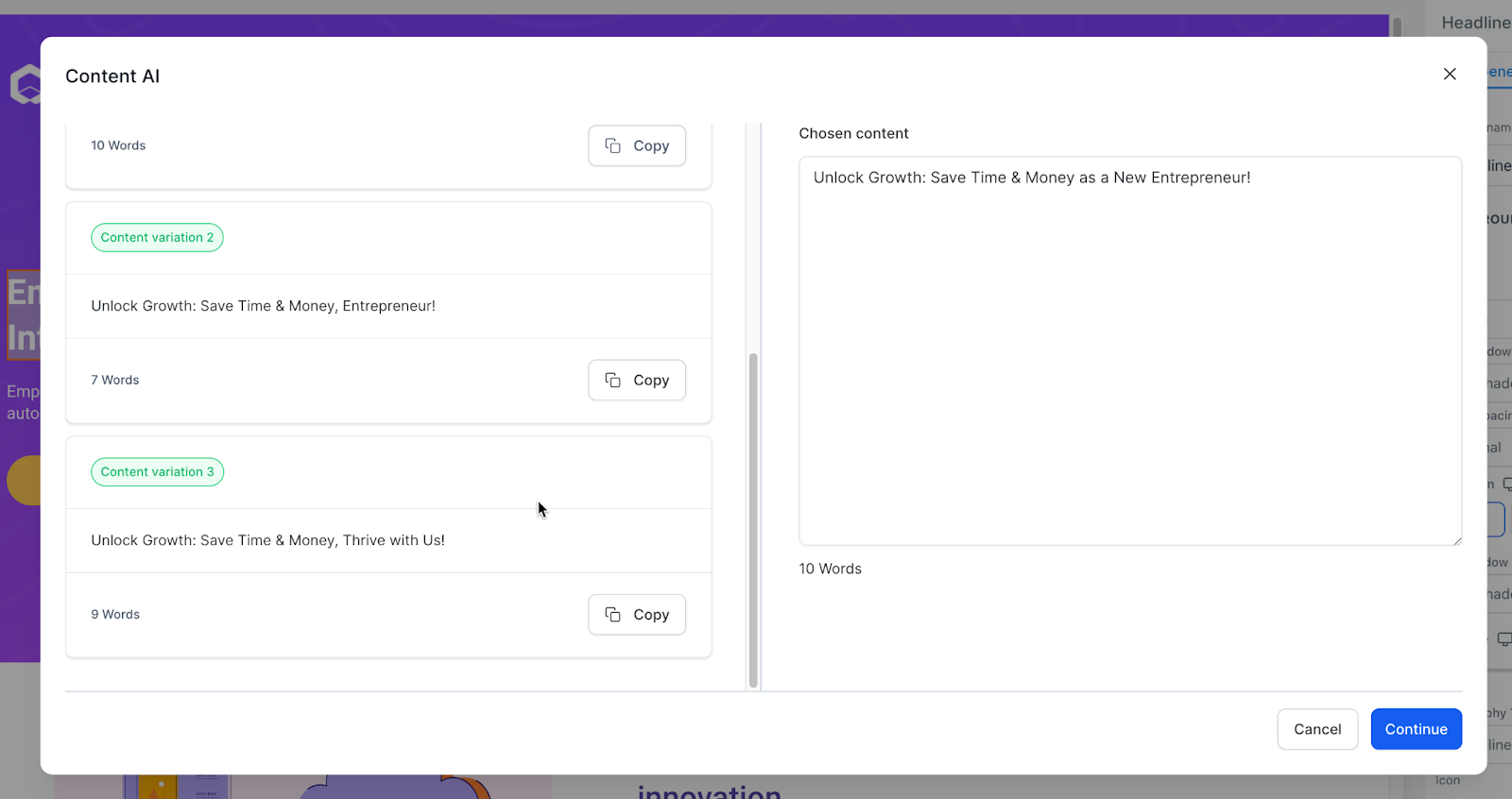
2. Reviews AI
Automate the management of reviews with Reviews AI, offering suggestions or autopilot responses to customer feedback, thus streamlining reputation management. Learn how to enable and use Reviews AI: A Guide to Suggestive and Auto-Pilot Modes
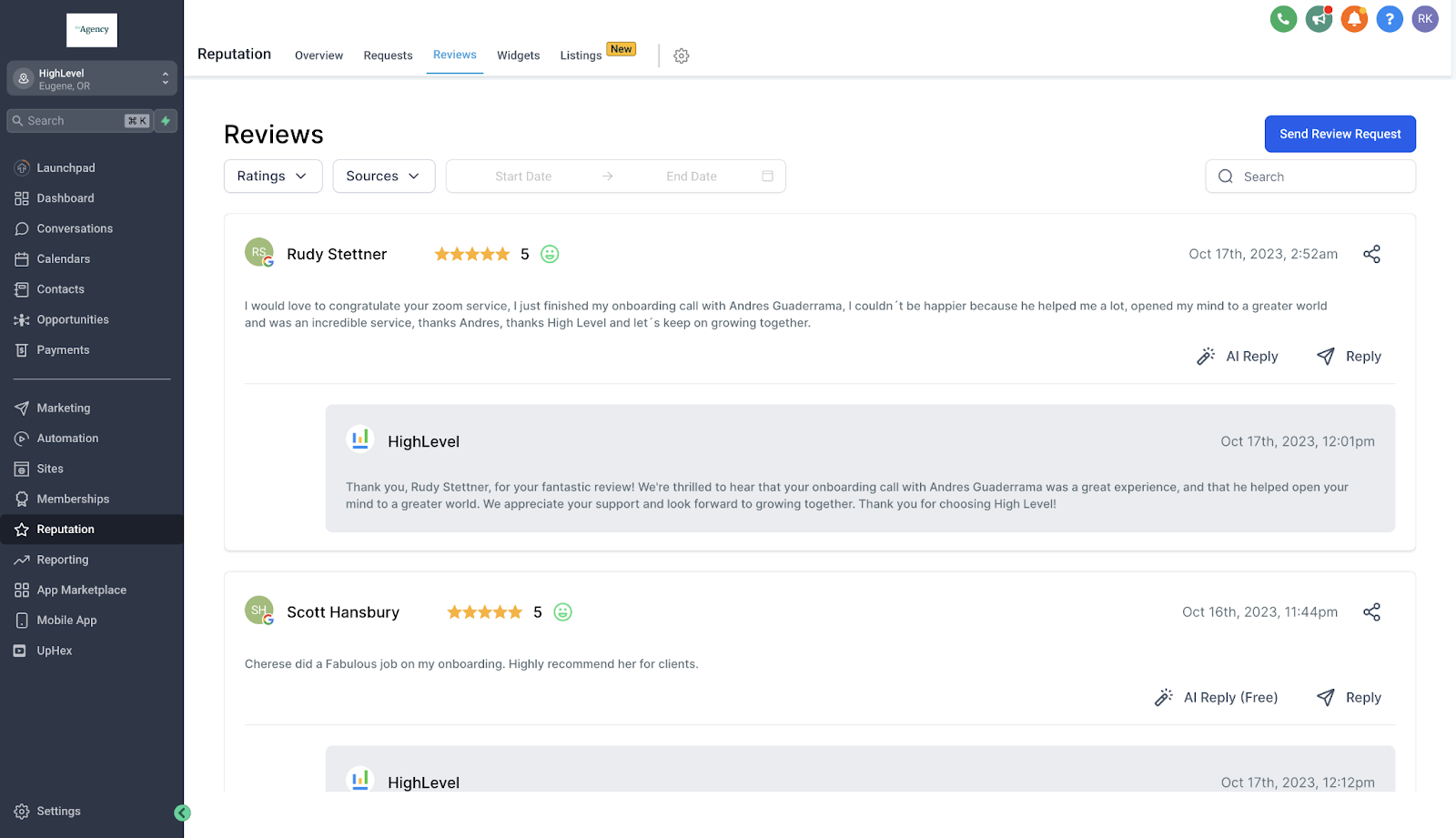
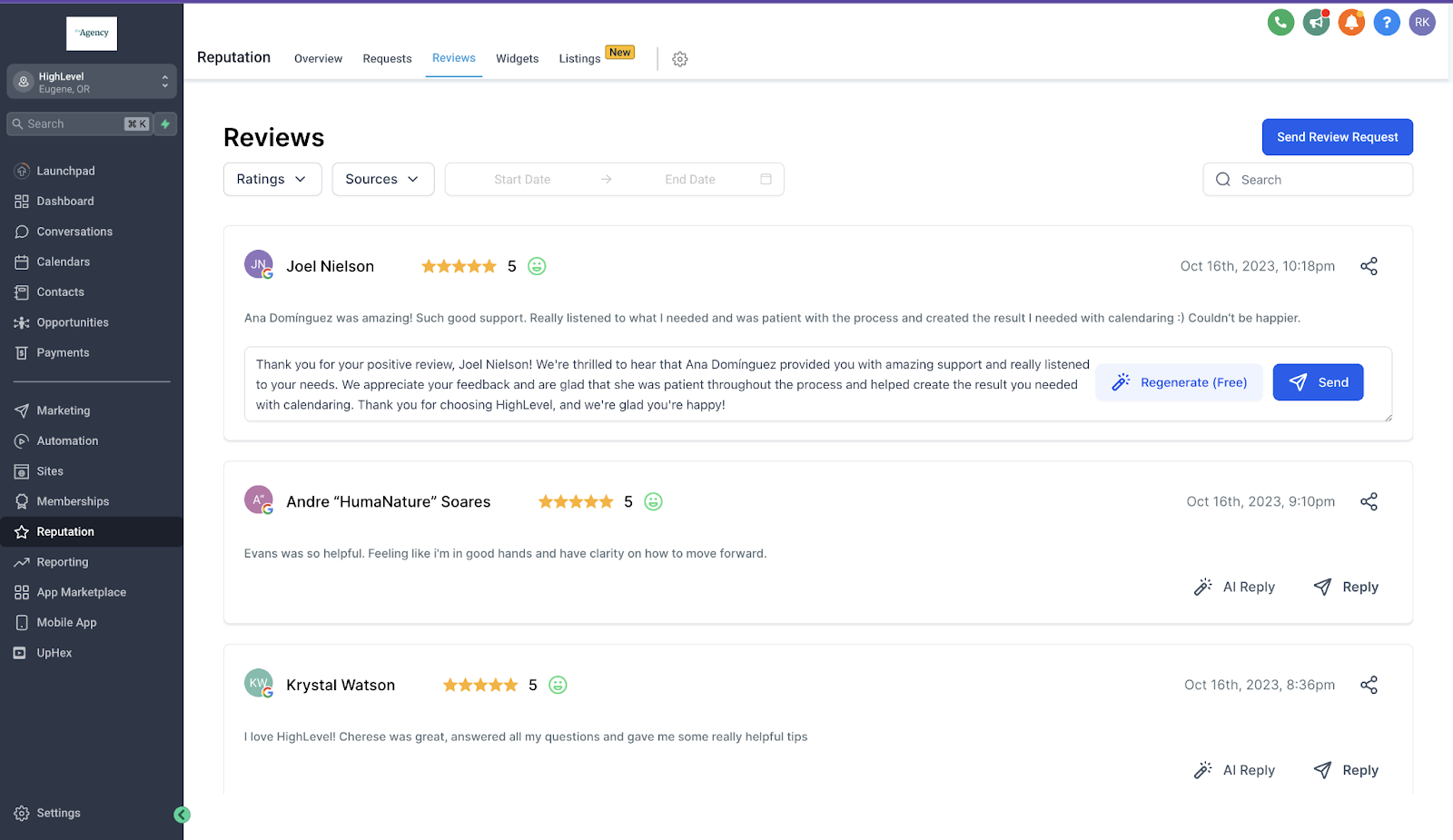
3. Conversation AI
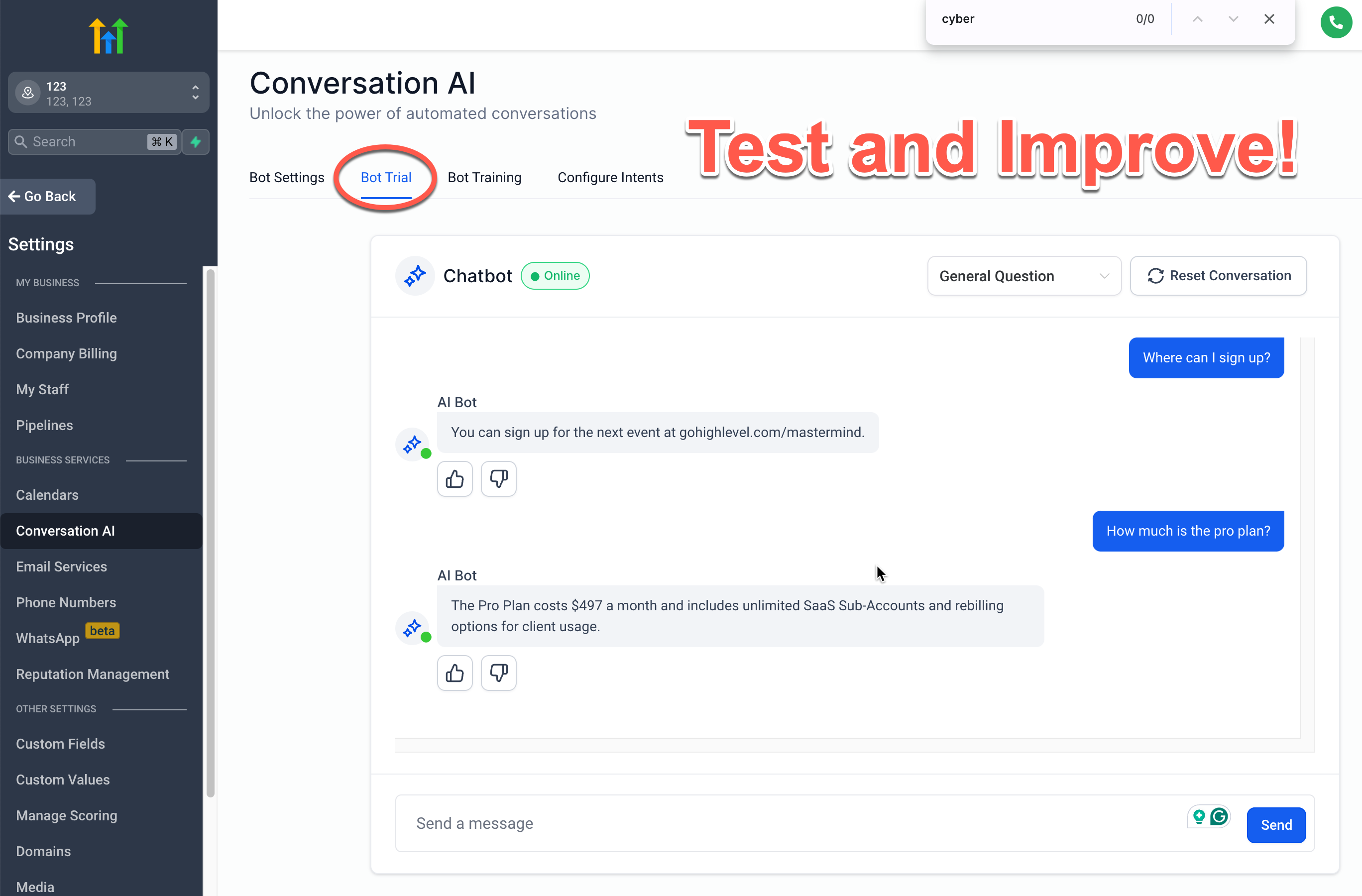
Conversation AI provides automated chatbot experiences, capable of handling one-off inquiries, FAQs, and appointment scheduling with proper training and context. Learn more about Conversation AI
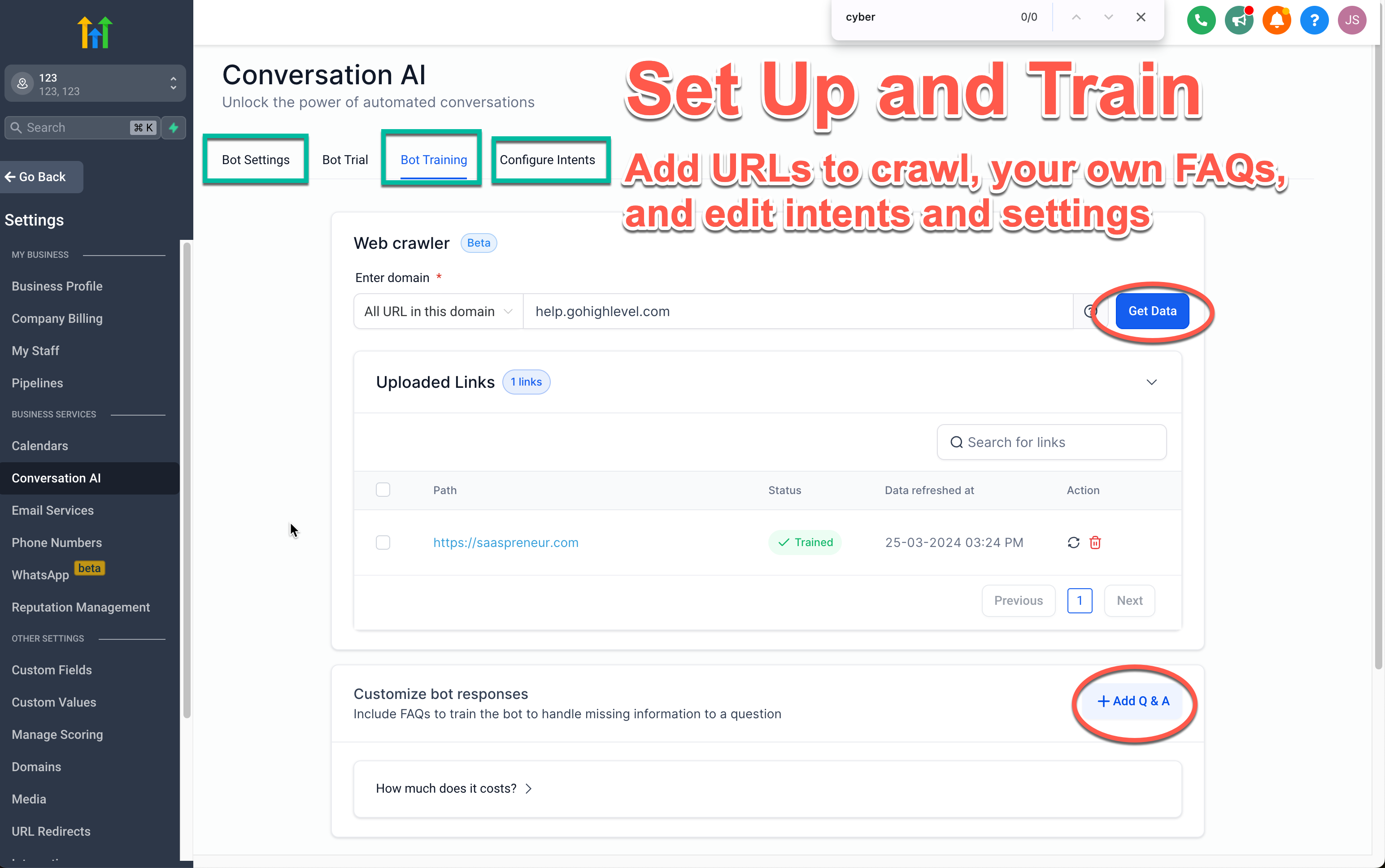
4. Workflow AI & External AI Models
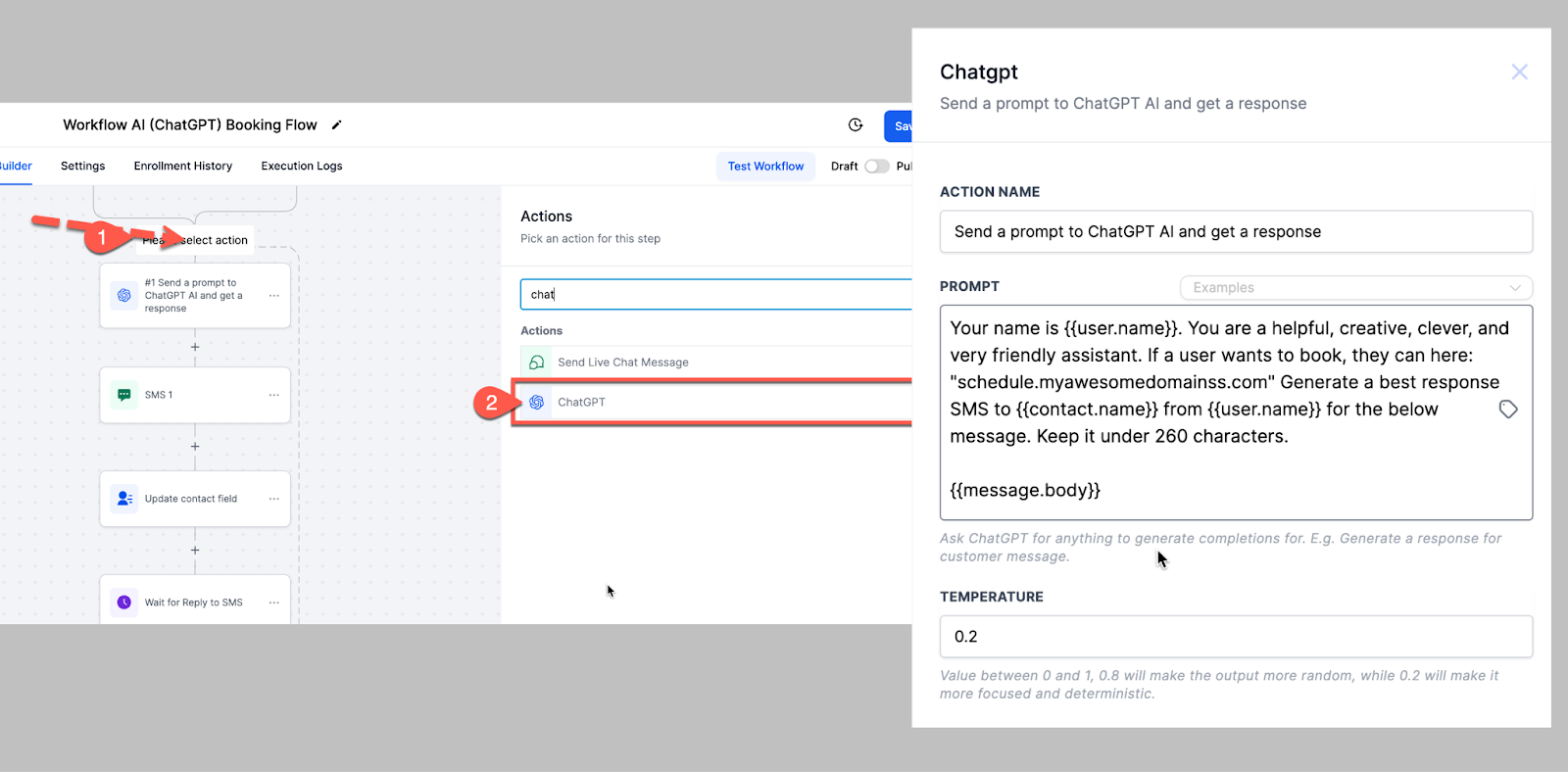
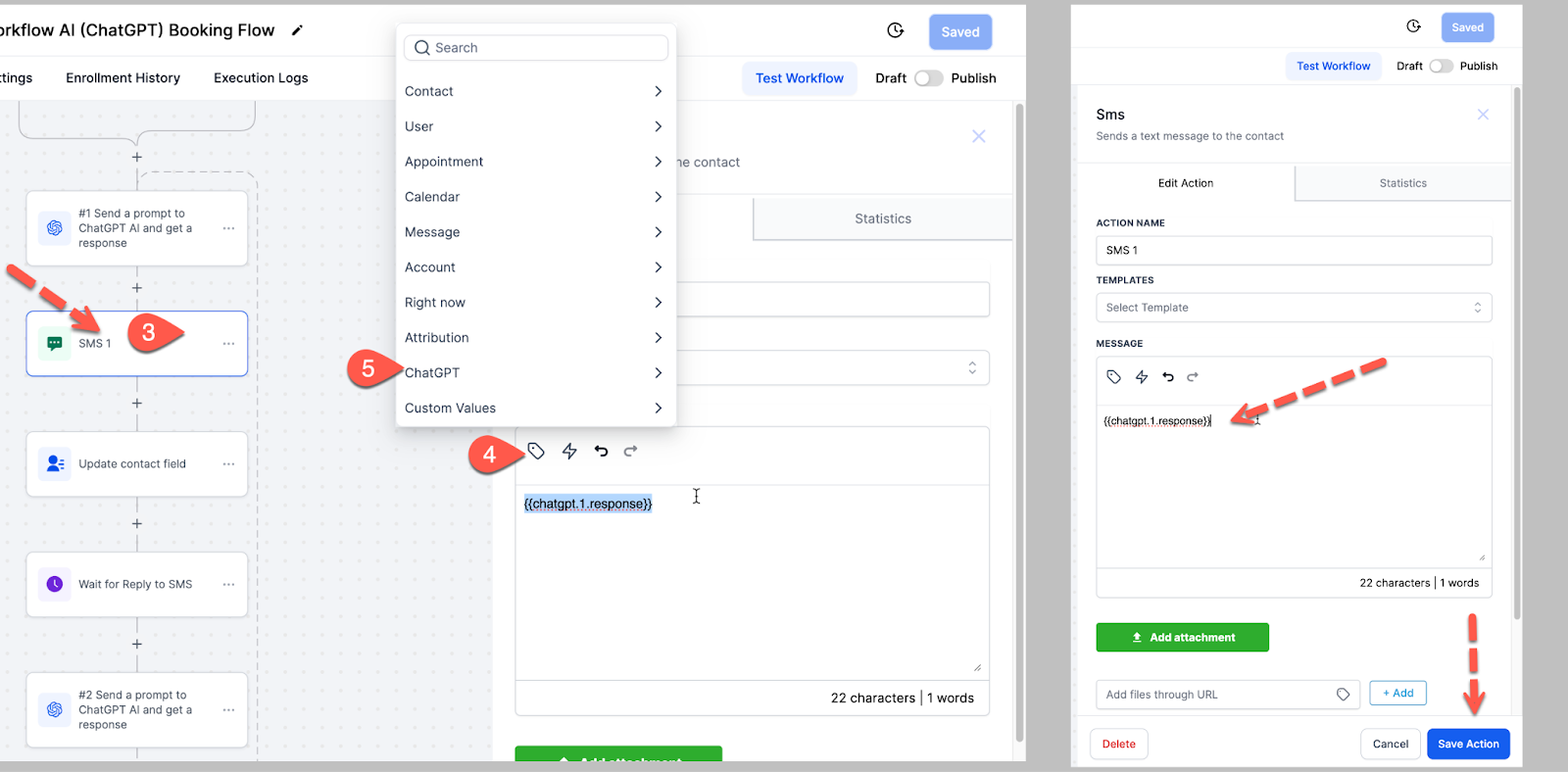
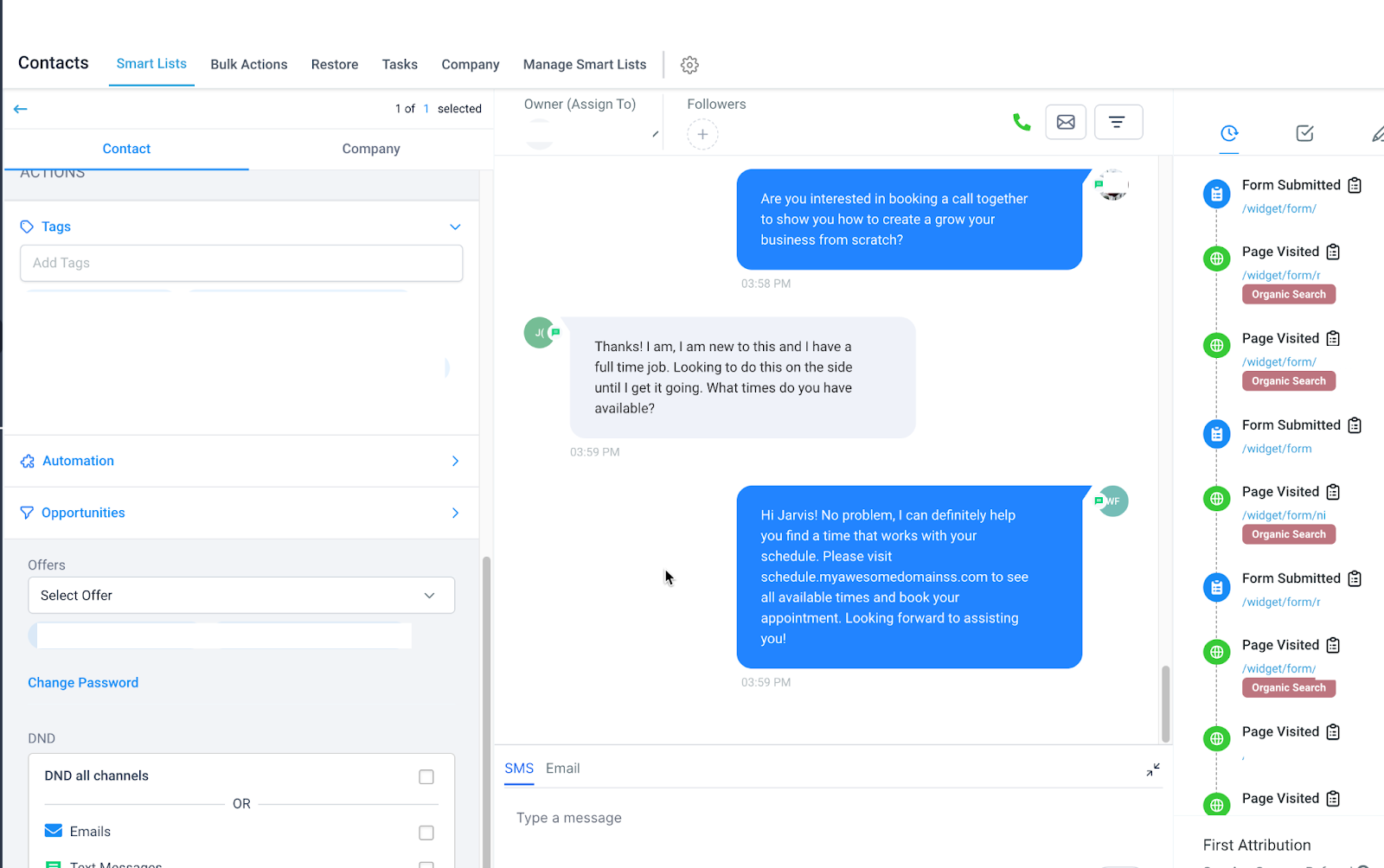
In Workflows there are 2 categories for AI Actions. The first one is Workflow AI which is part of our Premium Features. Other one is the External AI Models category which consists of different LLMs such as OpenAI. You can integrate ChatGPT within the Workflow builder, allowing for customized automation of complex processes and workflows, albeit requiring technical expertise for setup and fine-tuning. Need to know: When using External Models you will have to enable “History” to give the action context of previous information. Learn more about Workflow AI
Should I Use Conversation AI or Workflow AI?
Most business owners will prefer Conversation AI as it is easier to use due to its user friendly interface and training features. In contrast, workflow AI offers greater control over prompts but setting it up and improving the responses is a lot more complicated than Conversation AI. Check out this helpful comparison table to help you understand the differences and choose the best option for you.
| Conversation AI | Workflow AI |
|
|
Patient Copilot offers integration with third-party tools developed by external developers, expanding functionality beyond built-in features. These tools can be accessed through the developer app marketplace. Learn more about Third Party Tools - Locate 3rd Party Tools in the In-App Developer App Marketplace. Go to the App Marketplace.
- To gain access to our developer resources so you developers can create your App Integration with Patient Copilot, go to https://developers.patientcopilot.ai/
Conclusion
Patient Copilot AI tools serve as invaluable assets for businesses, offering automation, creativity, and efficiency in various operations. By understanding how to effectively use these tools and incorporating them into your workflows, you can unlock their full potential to propel your business forward. Remember to experiment, test, and refine your approaches to maximize the benefits of AI in your business endeavors. Embrace the power of AI to streamline processes, enhance customer experiences, and drive growth.
Frequently Asked Questions
Q. What AI tools does Patient Copilot offer?
Content AI, Reviews AI, Conversation AI, and Workflow AI (plus External AI Models); third-party apps via the in-app marketplace. Q. Does Workflow AI consider outside sources? Conversation AI focuses on your trained material; Workflow AI can consider the wider internet and prompt. Q. What can Content AI generate? Social posts, emails, website headlines, blogs, and more. Q. What does Reviews AI do? Suggests or auto-pilots replies to customer reviews. Q. What is Conversation AI for? Automated chat experiences (FAQs, scheduling, etc.) with proper training/context. Q. Where do I find third-party AI tools or build my own? App Marketplace; developer resources at developers.patientcopilot.ai.