
Avoiding Call Loops when routing calls to Internal Phone Numbers
Overview Good news!
Patient Copilot gives you the flexibility to use your Patient Copilot (Patient Copilot) phone number across different parts of your account, including as your business phone number and in advanced call routing setups. This allows experienced users to design custom call flows that fit their specific use cases. That said, certain configurations, such as using a Patient Copilot phone number as a call forwarding destination, can unintentionally create call loops if not set up correctly. These loops may cause some calls to fail or disconnect. To help you stay informed without limiting your flexibility, Patient Copilot now displays a warning message in places where using a Patient Copilot phone number could potentially lead to call issues. This way, you can proceed confidently while understanding the possible impact of your setup.
Why This Matters
Using a Patient Copilot phone number as a call forwarding number or routing destination can sometimes create a call loop. A call loop can happen when a call is forwarded back into the system repeatedly, which can result in:
- Calls failing to connect - Calls disconnecting unexpectedly - Inbound calls not reaching the intended recipient While some advanced users may intentionally configure this setup correctly, misconfiguration can easily cause issues.
Warning Behavior
Instead of blocking this setup, Patient Copilot displays a warning message to help you make an informed decision.
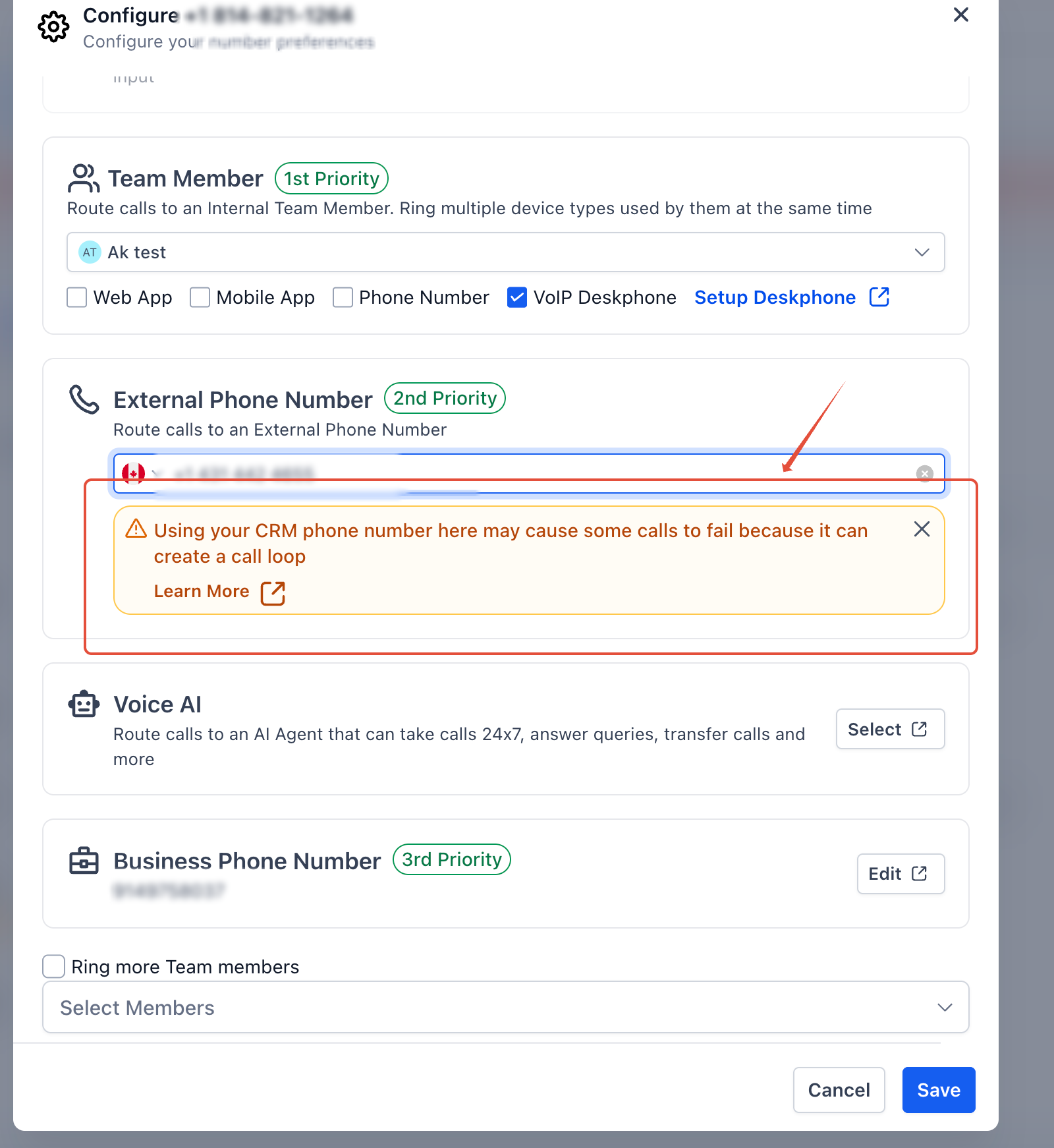
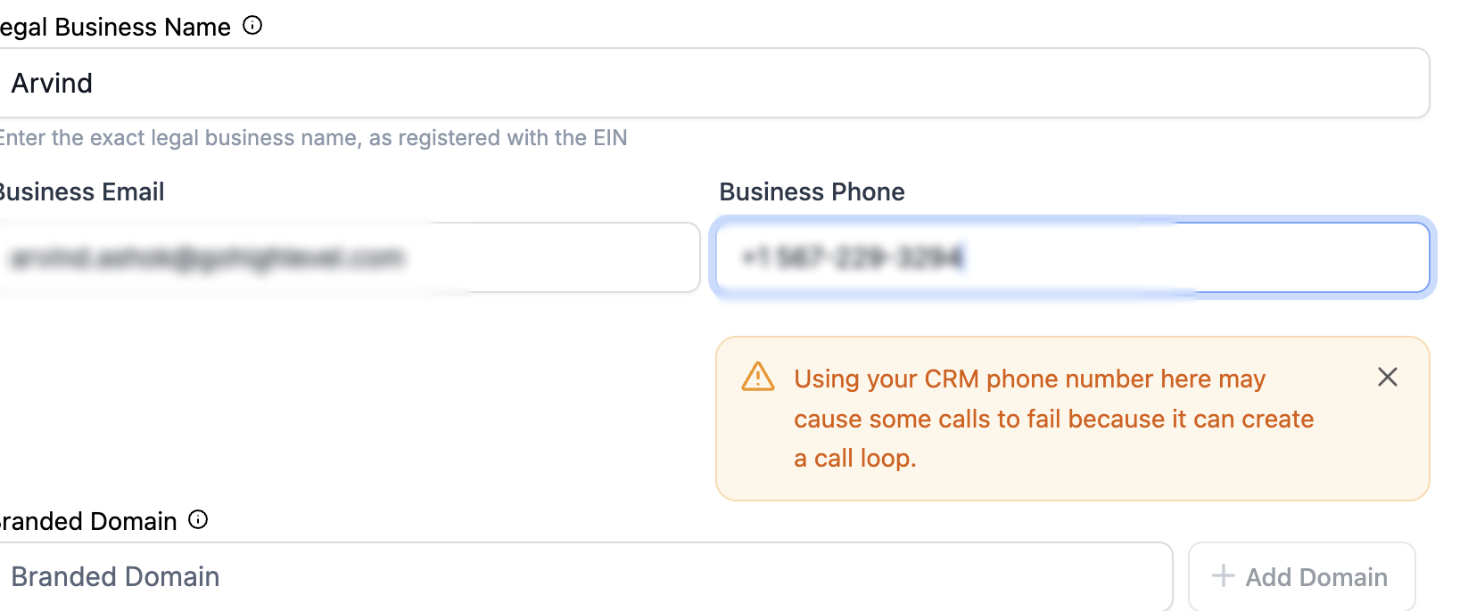
Warning Message > Using your CRM phone number here may cause some calls to fail because it can create a call loop. Learn more
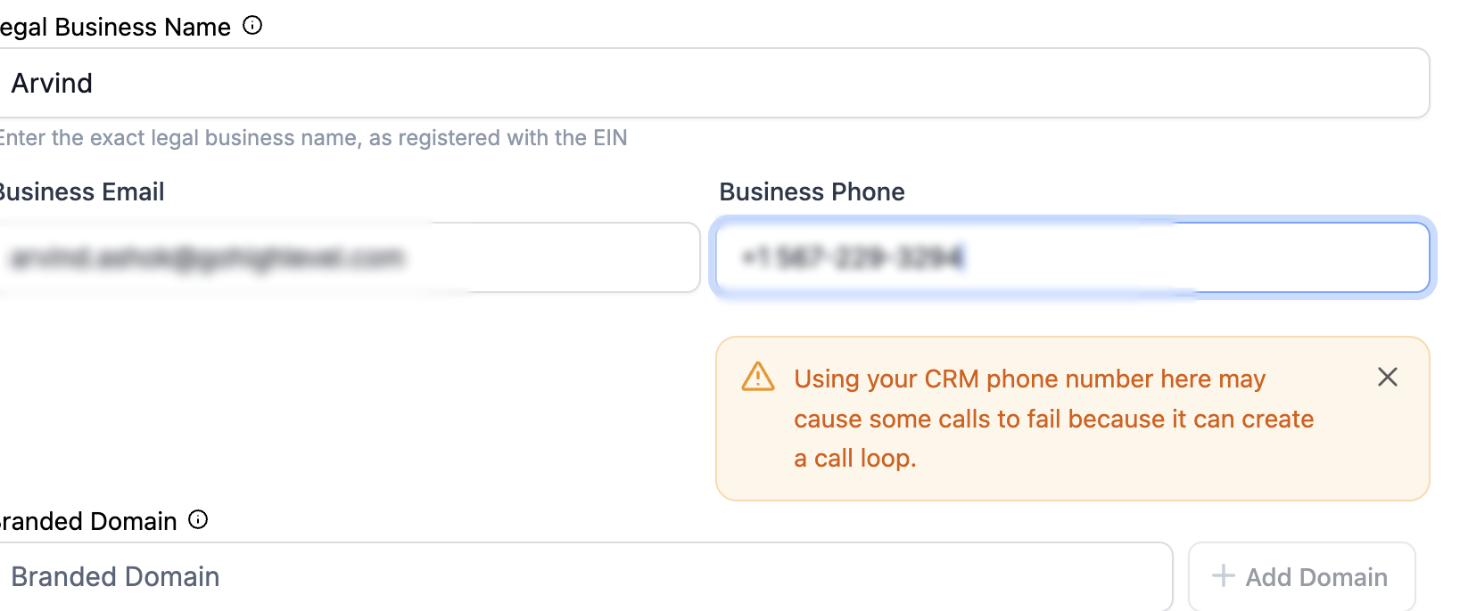
Note - The warning is informational only and does not prevent you from saving your settings.
Where You’ll See This Warning
The warning appears when you attempt to use a Patient Copilot phone number in the following areas:
- Phone Number Settings (Call Forwarding)
- Business Profile (Business Phone Number)
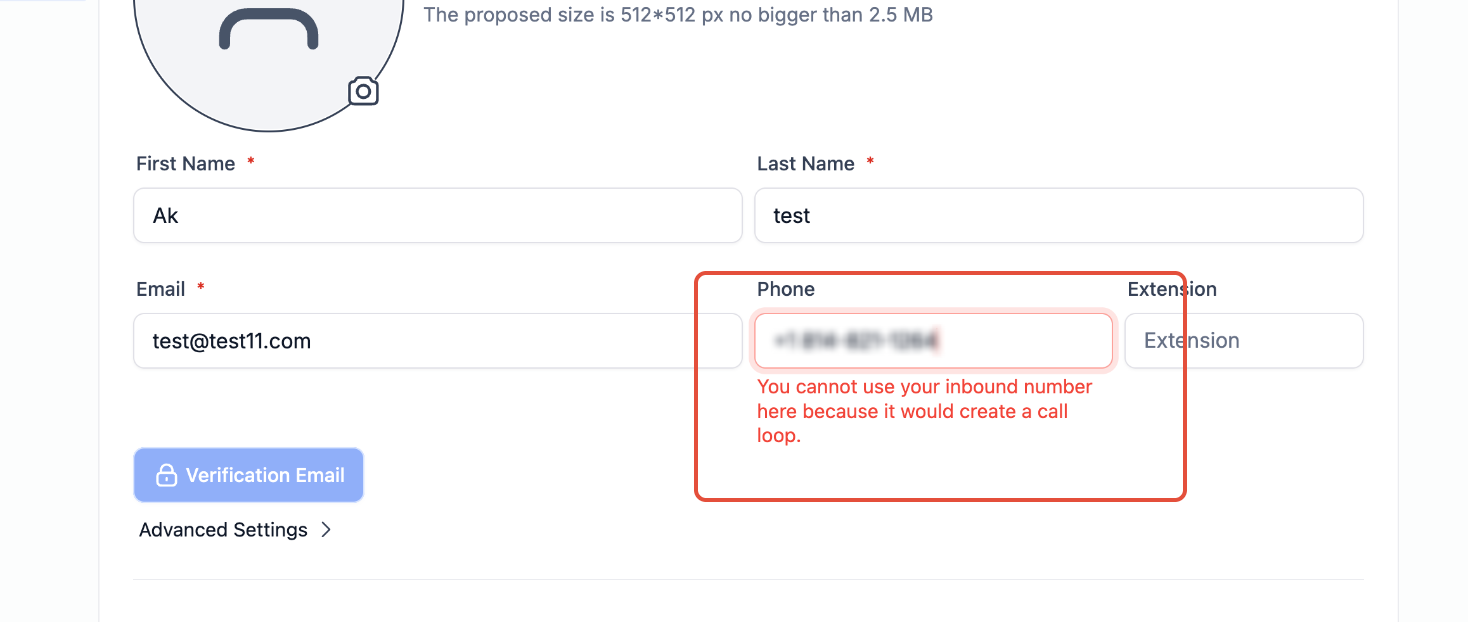
- Staff Profile (User Phone Number)
- Number Pool **
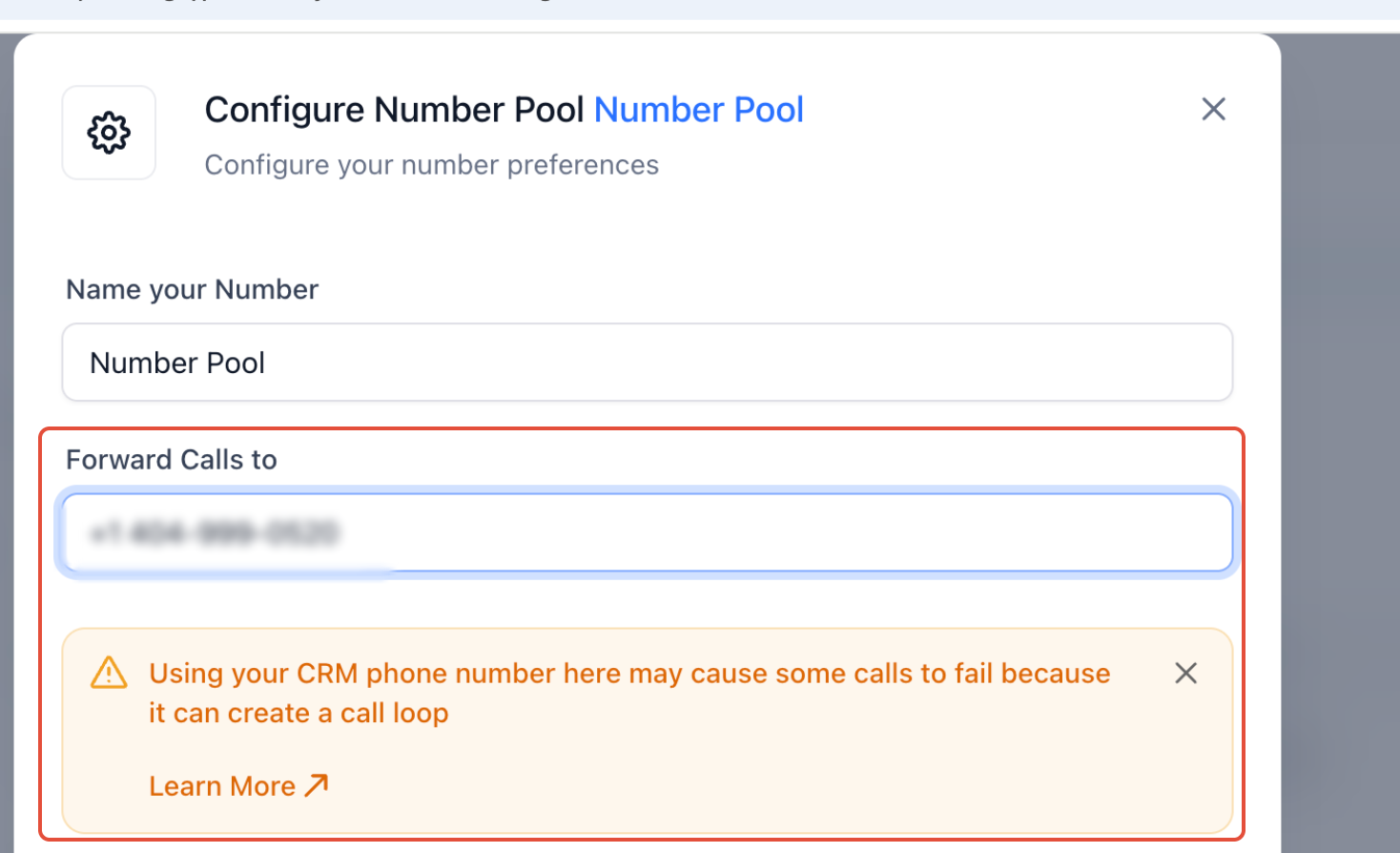
**
- Workflows (call routing or forwarding actions)
Recommended Best Practices
To avoid call issues:
- Use an external phone number (mobile, landline, or VoIP) for call forwarding whenever possible.
- If you choose to use a Patient Copilot phone number:
- Ensure your call flow does not route calls back to the same number - Test your setup thoroughly after saving changes - Monitor call logs for failed or dropped calls
Key Takeaway
Patient Copilot provides flexibility for advanced call routing setups, but using a CRM phone number as a forwarding or routing destination requires careful configuration. The warning is designed to help you avoid call loops and potential call failures while still allowing you to proceed if you understand the risks.