
How to Configure Contacts Limit for SaaS Sub-Accounts
SaaS mode now allows you to restrict the number of contacts that can be created in a sub-accounts. The contact limit is NOT A COMPLETE LIMIT, i.e. more contacts can still be created in the sub-account via APIs, Forms, Workflows etc. even after the limit has been exhausted. That said, users won’t be able to create more contacts from the UI, i.e. manually creating contacts or importing contacts in bulk.!(https://assets.patientcopilot.ai/0ab6e970437518de.png) ## Step 4: Select ‘Save’. The user limit is now set for the plan and any new sub-accounts that are created with/upgraded to this plan will have this limit applied to them. * * * ### Updating contact limits for specific sub-accounts ### Step 1: Go to the Sub-accounts page at the agency level. Select the sub-account you need to set the contact limit for.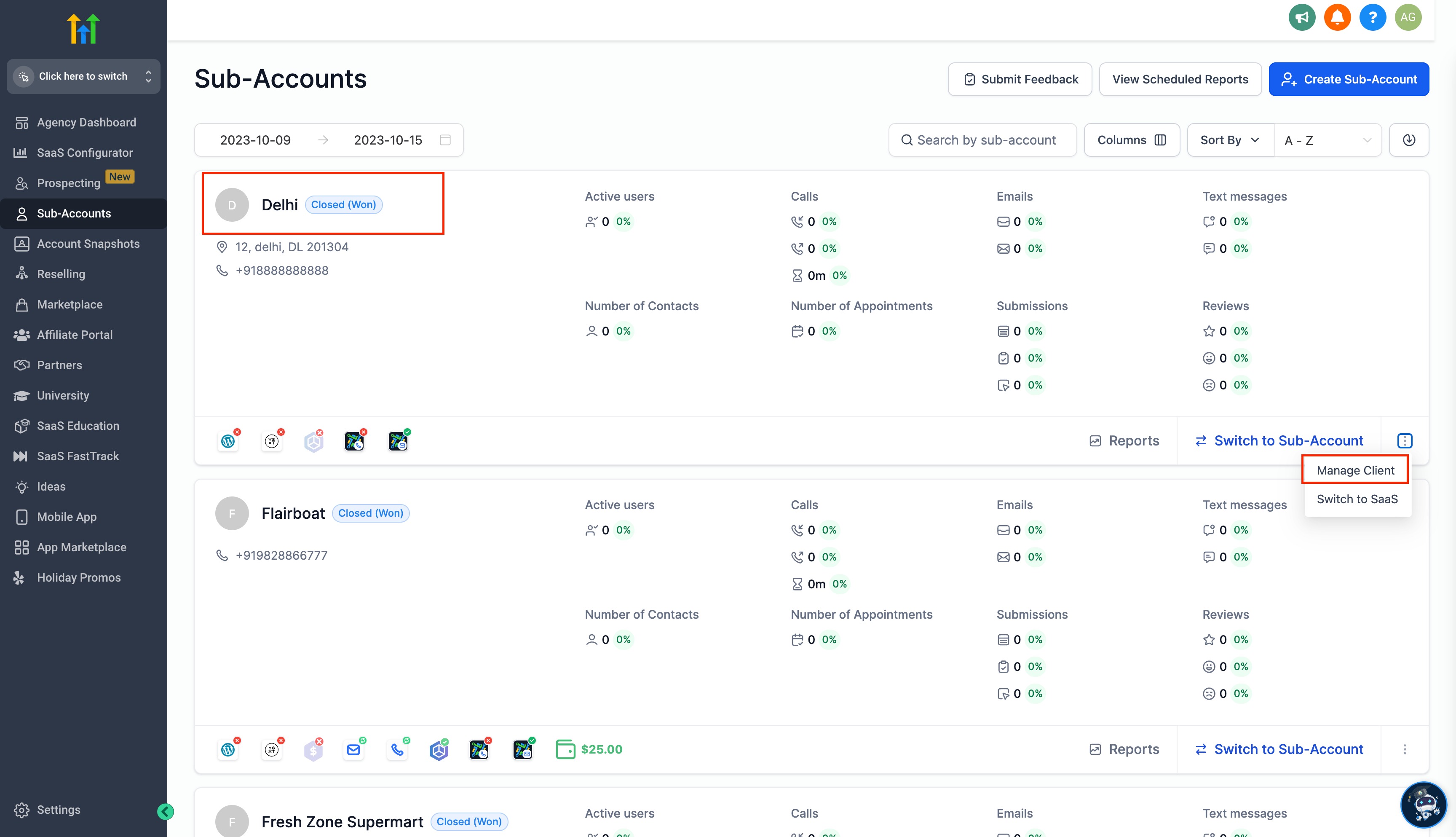 ### Step 2: Once you are on the ‘Manage Client’ page, navigate to the ‘Usage Limits’ section. Contact limits can be found there.
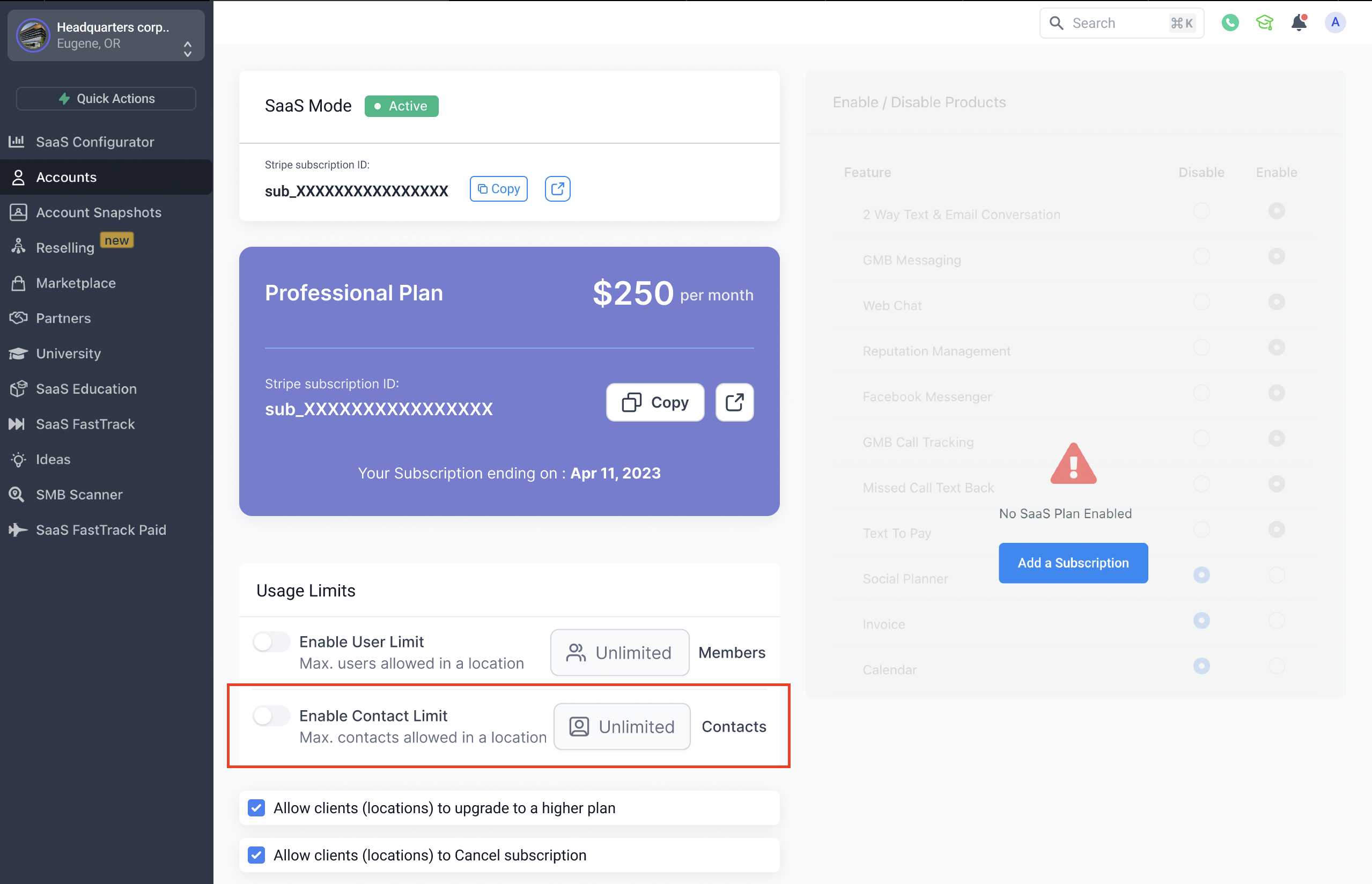 ### Step 3: Set/update the desired limit and select ‘Save’. The contact limit that is set on the ‘Manage Client’ page overrides the limit of the subscribed plan for that sub-account. If the sub-account upgrades their plan, then the limit will also be reset according to their new plan.
