How to Delete WhatsApp Phone number
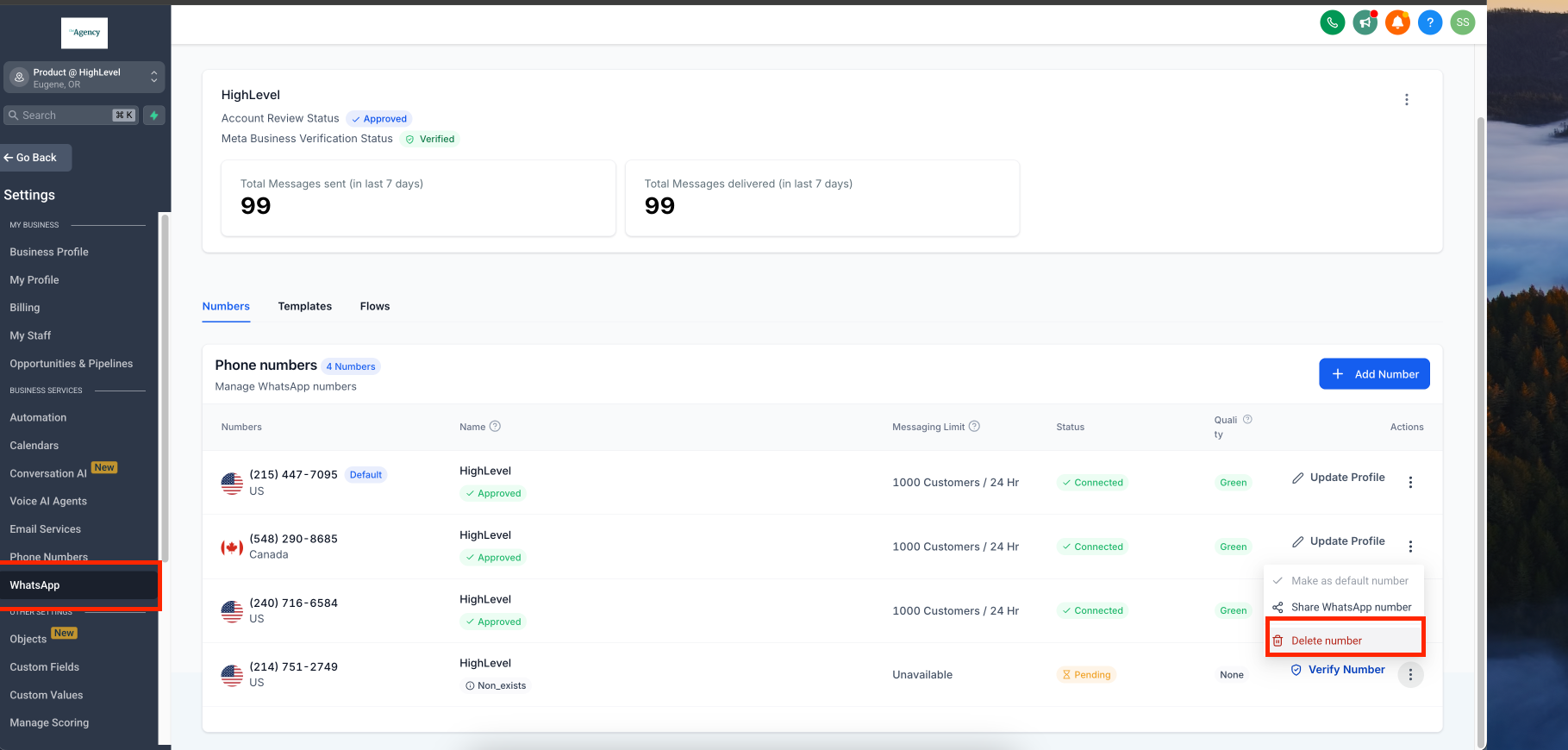
Step 1**:** Navigate to Settings > Select WhatsApp >
Click on the three dots next to the number you want to delete > Choose Delete.
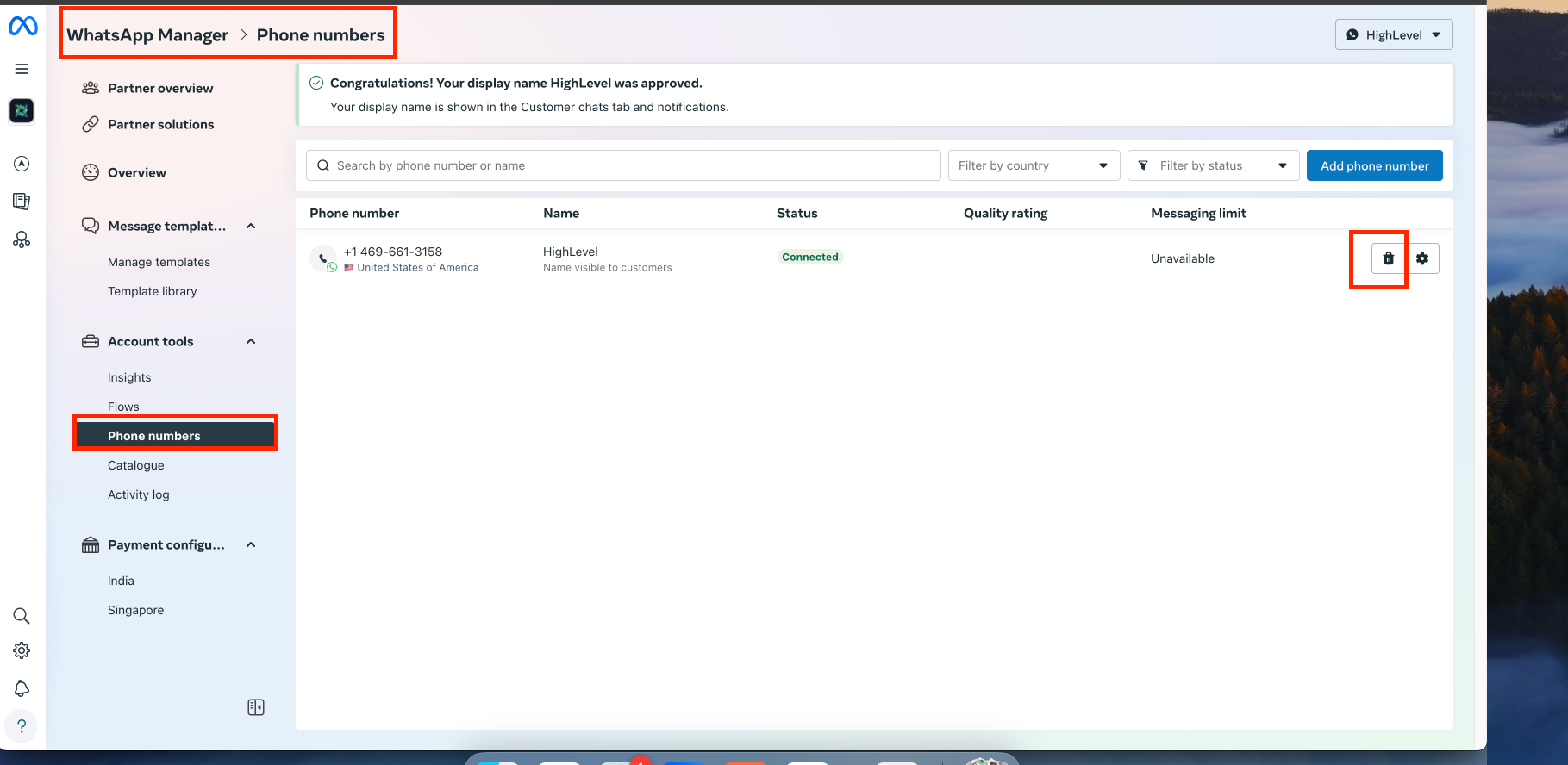
Step 2: After tapping Delete, you will be redirected to the confirmation page. Tap Delete again to confirm.
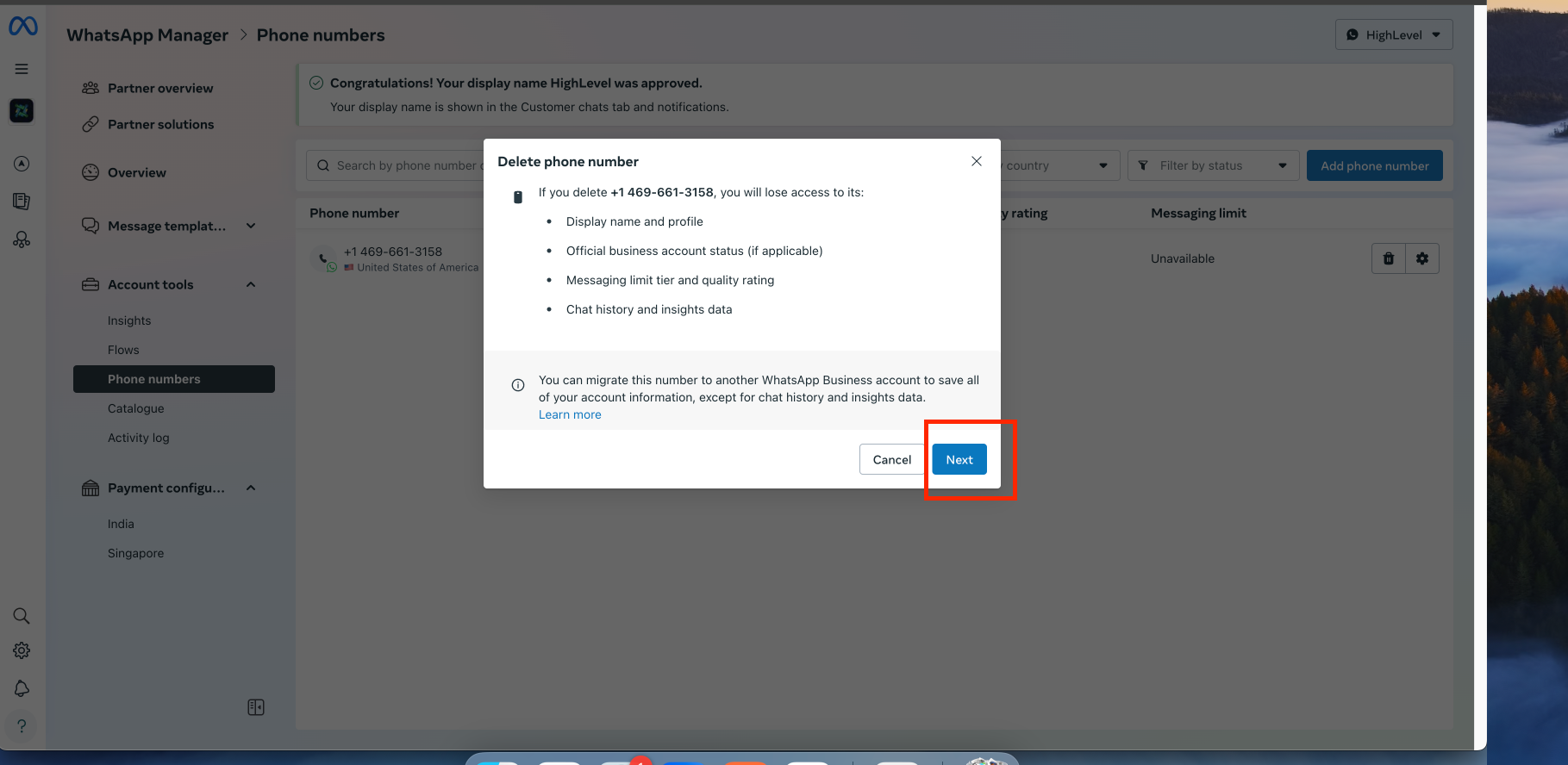
Step 3: Enter your password, then tap Delete to proceed.
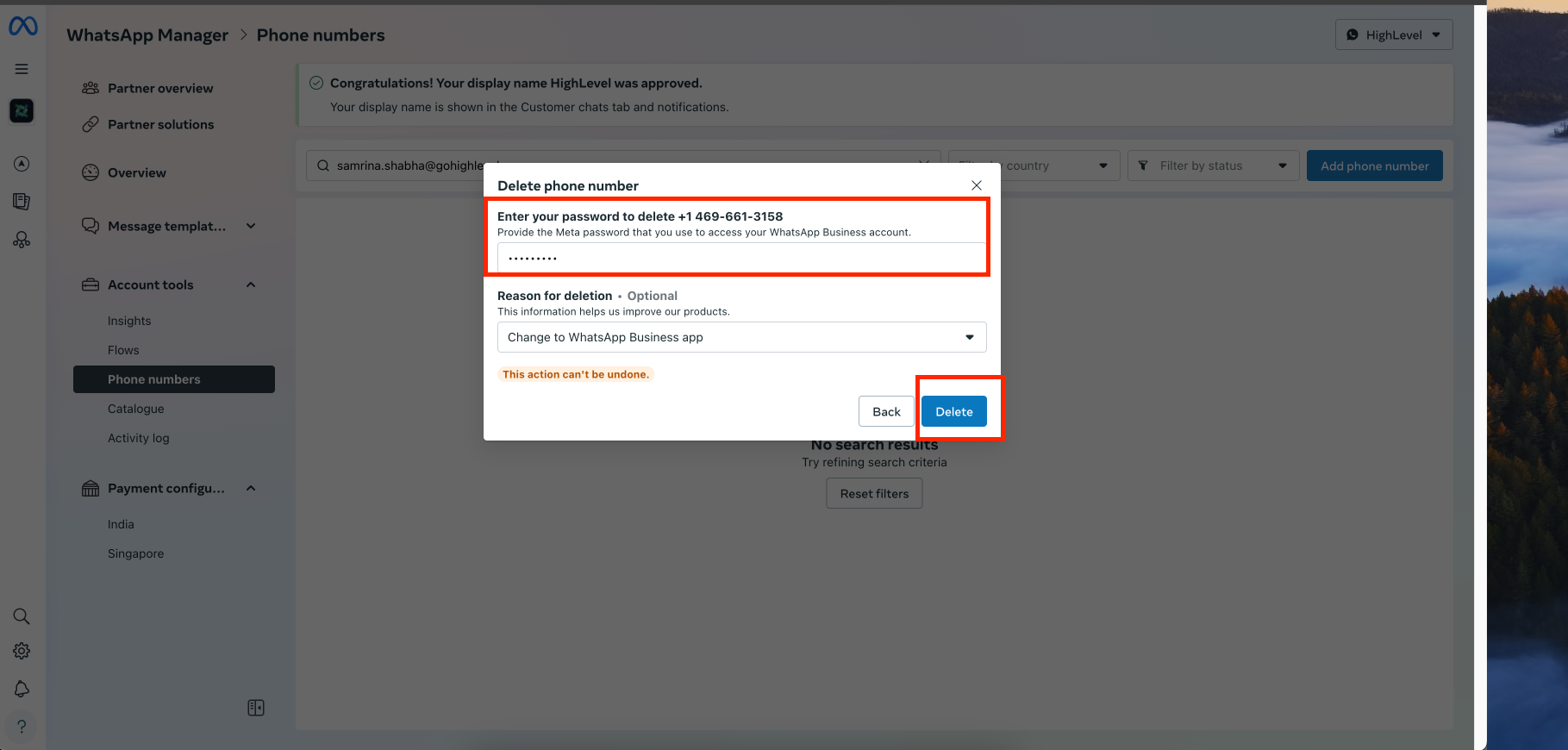
Step 4: Enter your password, then tap Delete to confirm the action.
FAQ
Q.What happens after I delete my WhatsApp phone number?
Once deleted, the number will no longer be linked to your WhatsApp account, and you will not be able to send or receive messages using that number.
Q. Will deleting my phone number remove my WhatsApp account? No, deleting a phone number will only remove it from the account. Your WhatsApp account will remain active if there are other registered numbers.
Q. Can I recover a deleted WhatsApp phone number? No, once a phone number is deleted, you will need to re-register it if you want to use it again on WhatsApp.
Q. Do I need to back up my chats before deleting my number? If you plan to re-register the number later, it is recommended to back up your chats to avoid losing any important messages.
Q. Can I delete a WhatsApp phone number without a password? No, for security reasons, you must enter your password to confirm the deletion. Was this article helpful? That’s Great! Thank you for your feedback Sorry! We couldn’t be helpful Thank you for your feedback Feedback sent We appreciate your effort and will try to fix the article
