
How to Connect Stripe to Your Sub-Account
Learn how to integrate Stripe into your sub-account. IMPORTANT: Stripe is currently supported in the following countries (https://stripe.com/in/global), with more to come. Once Stripe is supported in your country, you’ll be able to sell to customers anywhere in the world.
Steps To Connect Stripe to a Sub-Account
Step 1: There are three (3) ways to get to the sub-account Stripe integration.
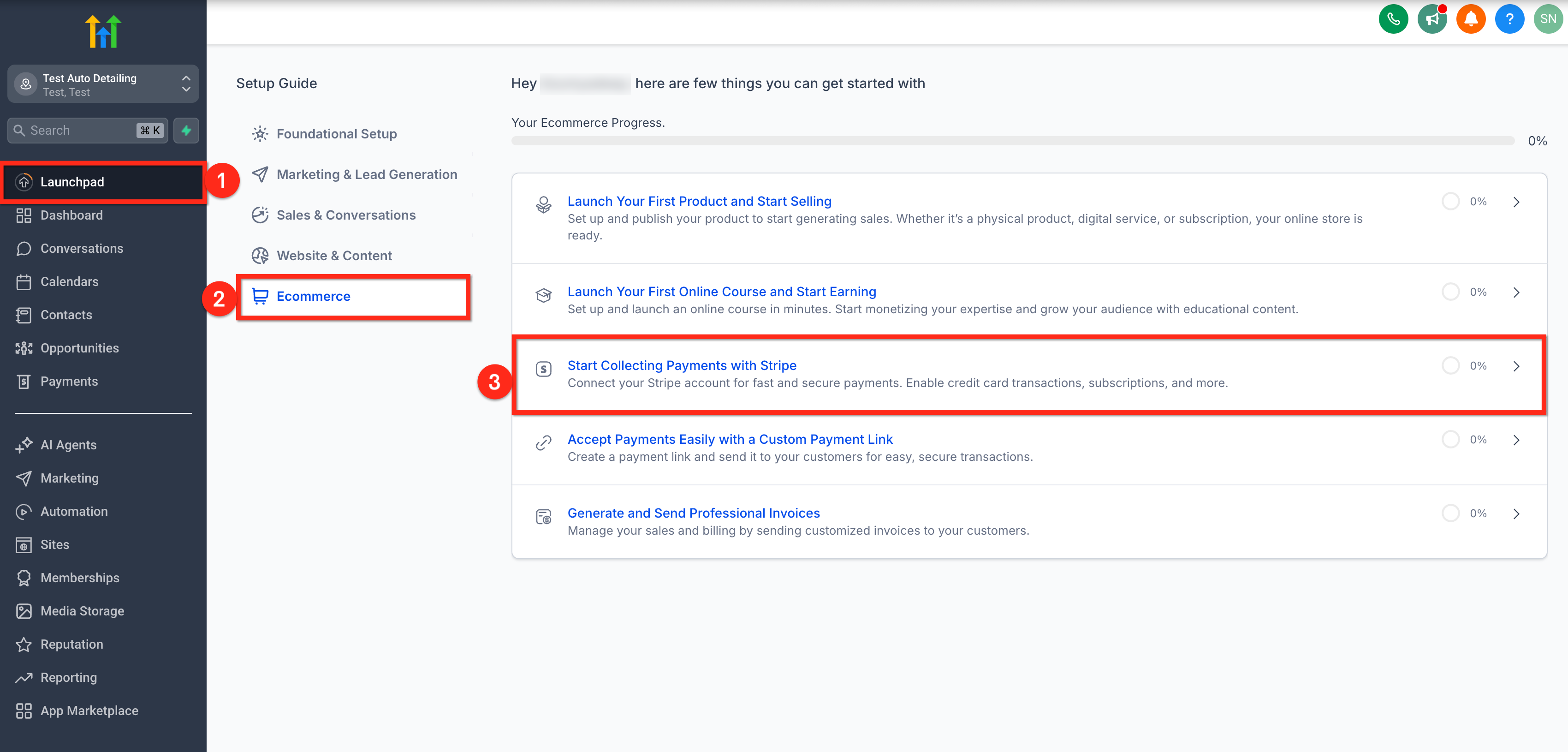
Option 1: From Sub-Account Launchpad 1. Click on Launchpad from your sub-account.
- Select Ecommerce from the Setup Guide.
- Click on Start Collecting Payments with Stripe option.
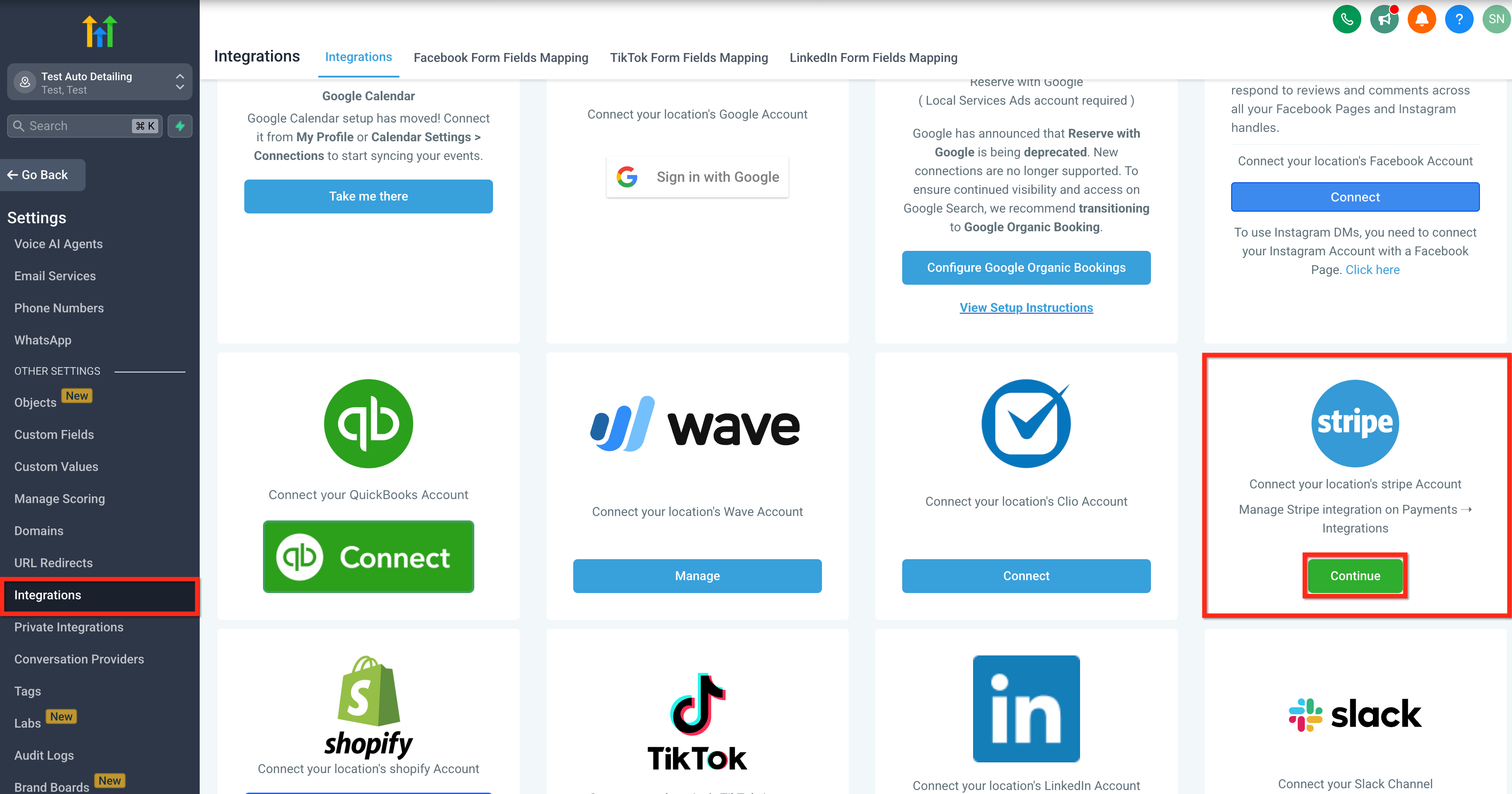
Option 2: From Integrations 1. Click on Settings from your sub-account.
- Click on Integrations.
- Click on the Continue button for Stripe.
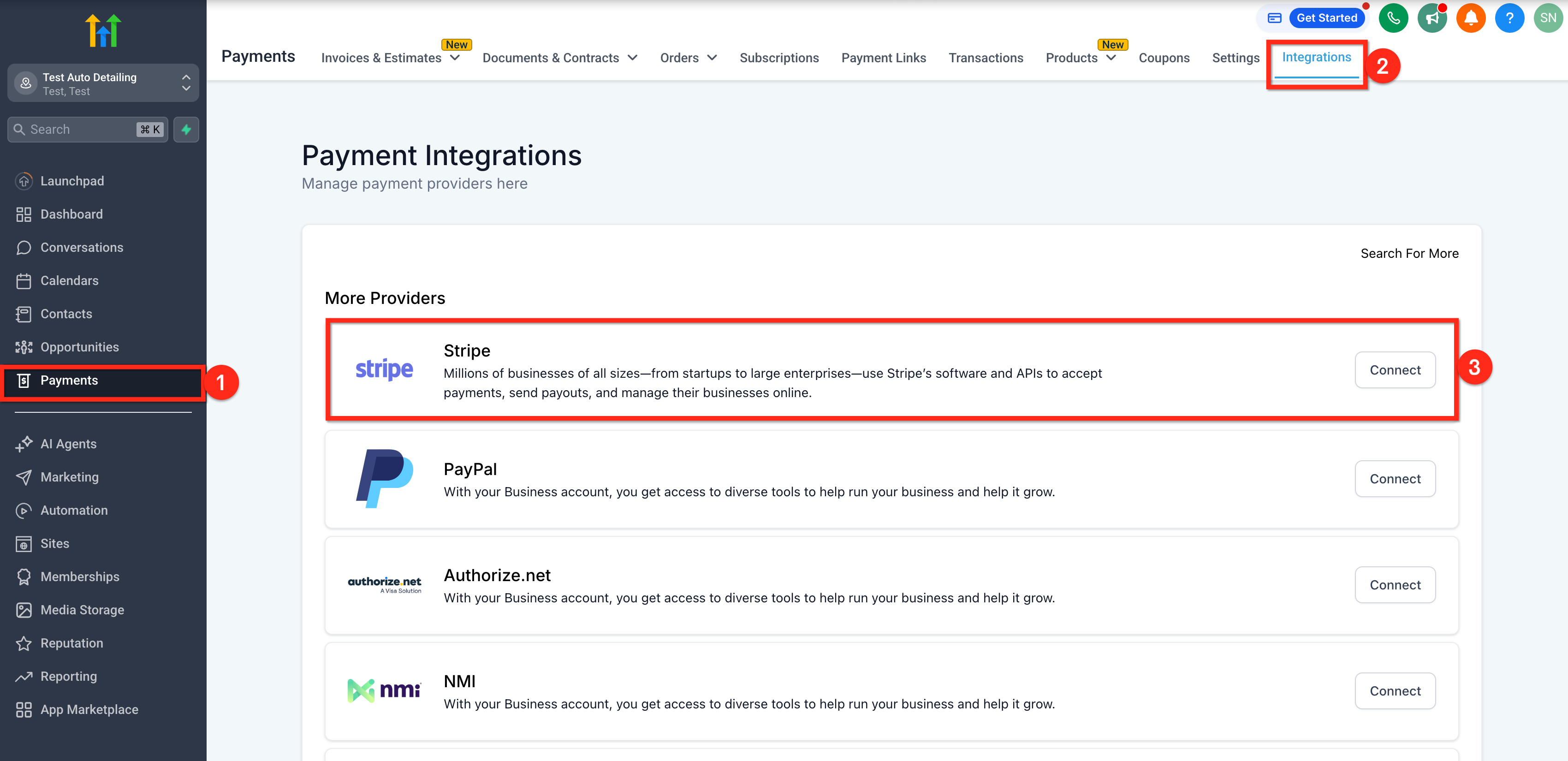
Option 3: From Payments 1. Click on Payments from your sub-account.
- Click on the Integrations tab.
- Click on the Connect button for Stripe.
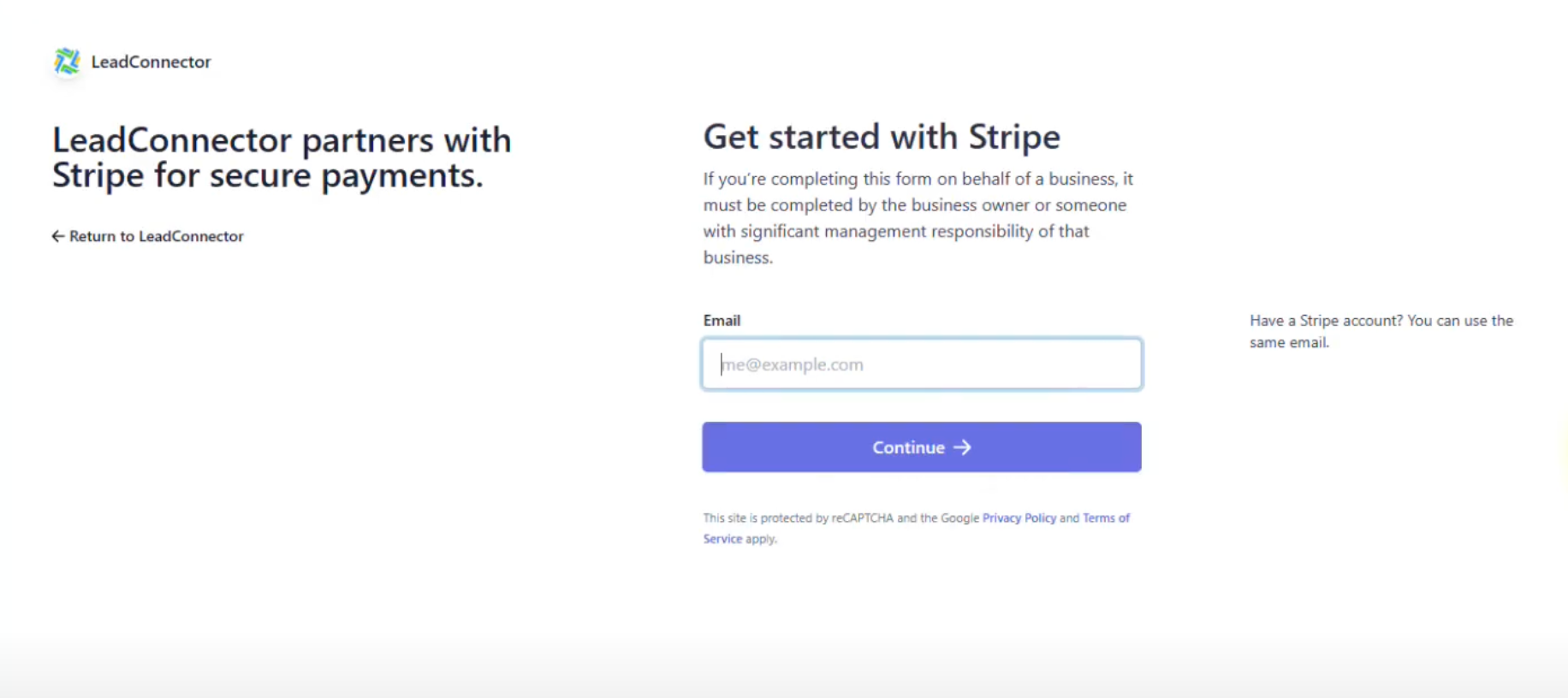
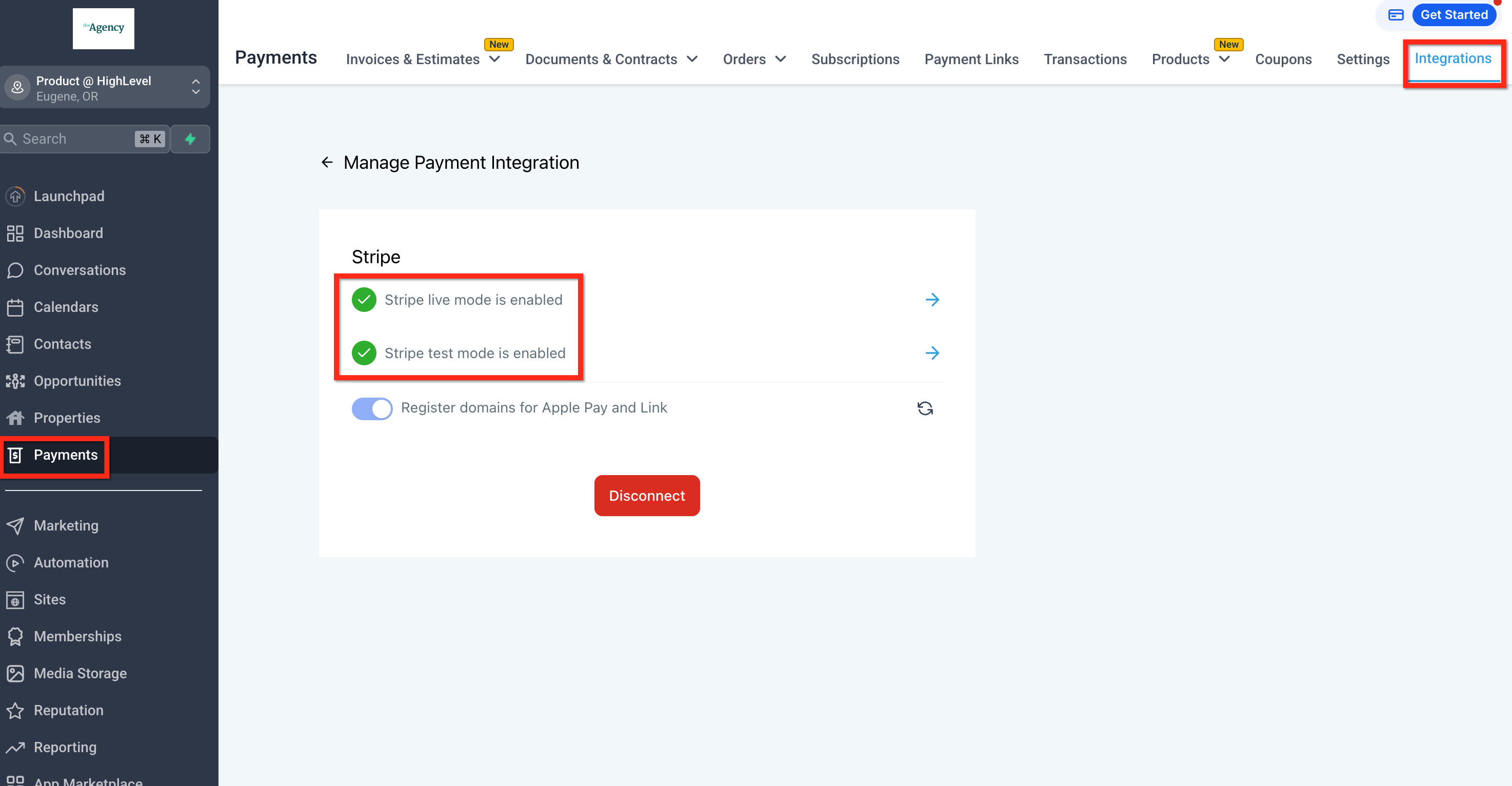
Step 3: Verify that Stripe is enabled.
Was this article helpful? That’s Great! Thank you for your feedback Sorry! We couldn’t be helpful Thank you for your feedback Feedback sent We appreciate your effort and will try to fix the article