
How to auto-optimise the images for social scheduling?
Overview: We are excited to roll out a new enhancement to your Social Planner experience: Media Optimization. This feature ensures your images are always ready for smooth and error-free content scheduling. Say goodbye to manual adjustments and hello to effortless optimization! Key Benefits
- Automatic Image Resizing: Your images are instantly adjusted to meet platform-specific requirements—no manual resizing needed.
- Enhanced Quality: Retain your images’ visual appeal without compromising quality.
- Improved Compatibility: Automatically formatted images ensure compliance with the technical requirements of various social media platforms.
- Faster Uploads: Optimized images are lighter in size, reducing upload times for a seamless scheduling experience.
- Error Prevention: Common issues like incorrect dimensions, large file sizes, or unsupported formats are fixed automatically.
 How It Works
 Create a “New Post”****.
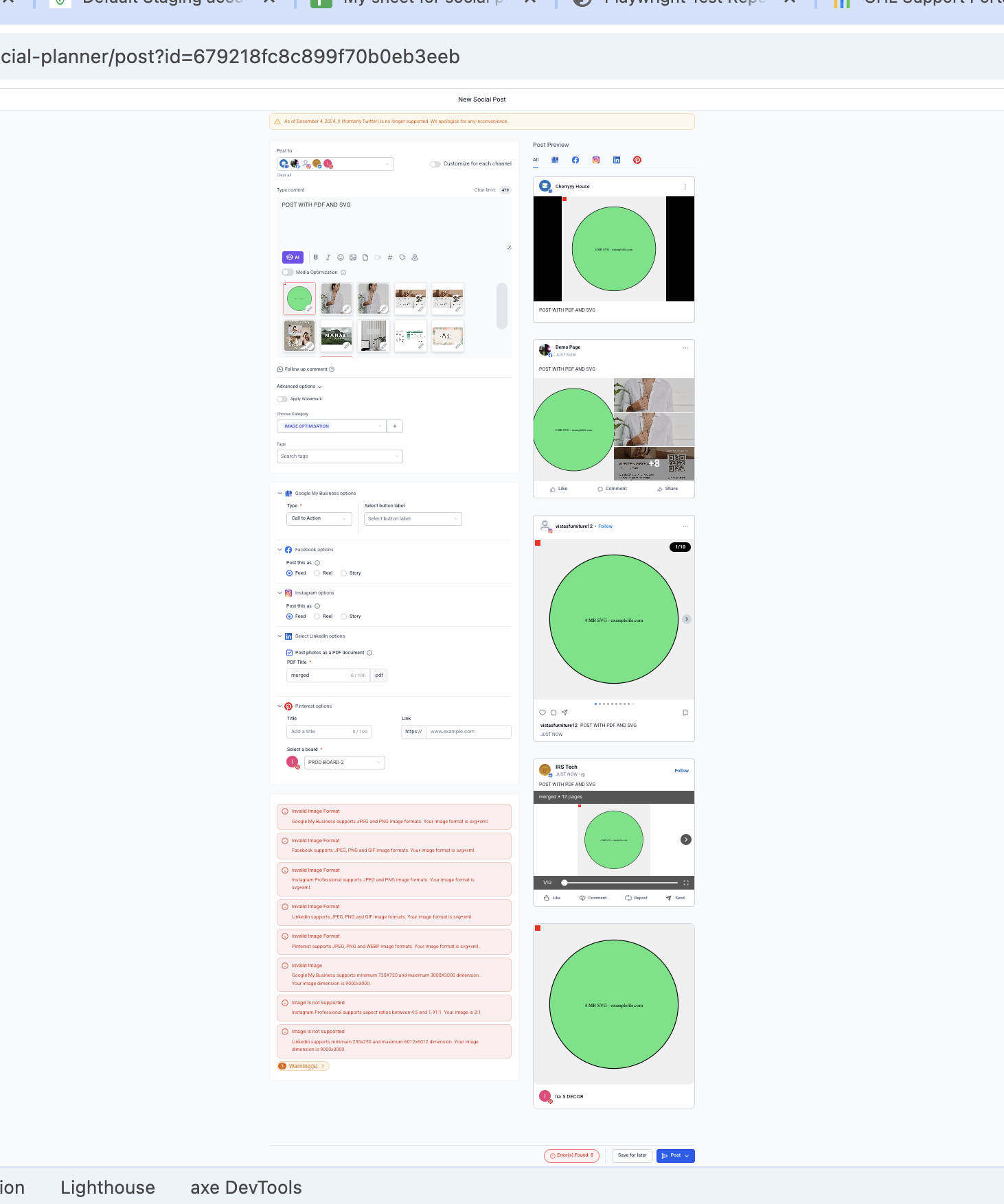
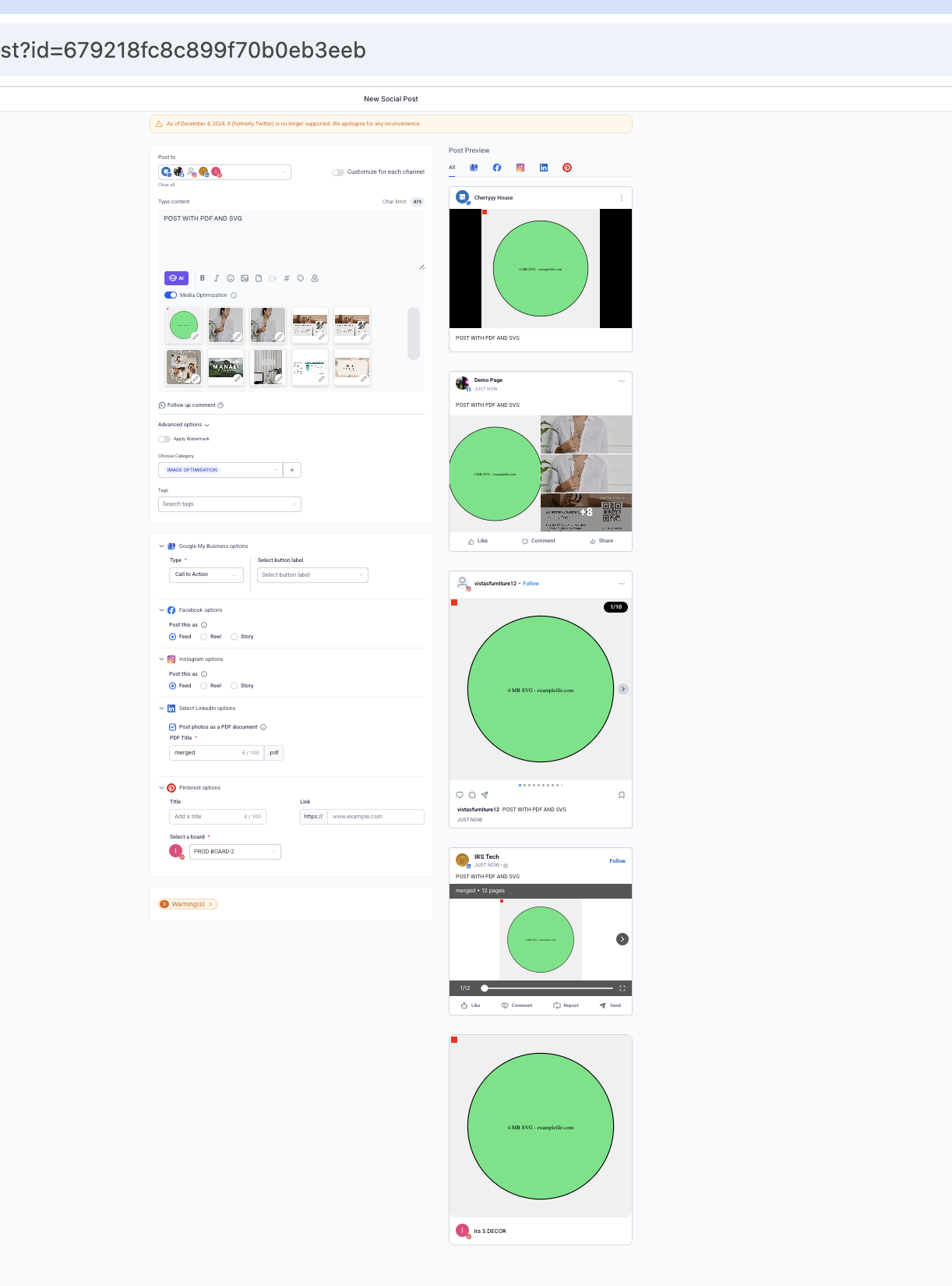
 Upload an image to the Social Planner. You’ll see a toggle for “Media Optimization”.
 When toggled ON (default):
 You can manage this feature from the Settings tab, enabling/disabling optimization as needed to retain original media.
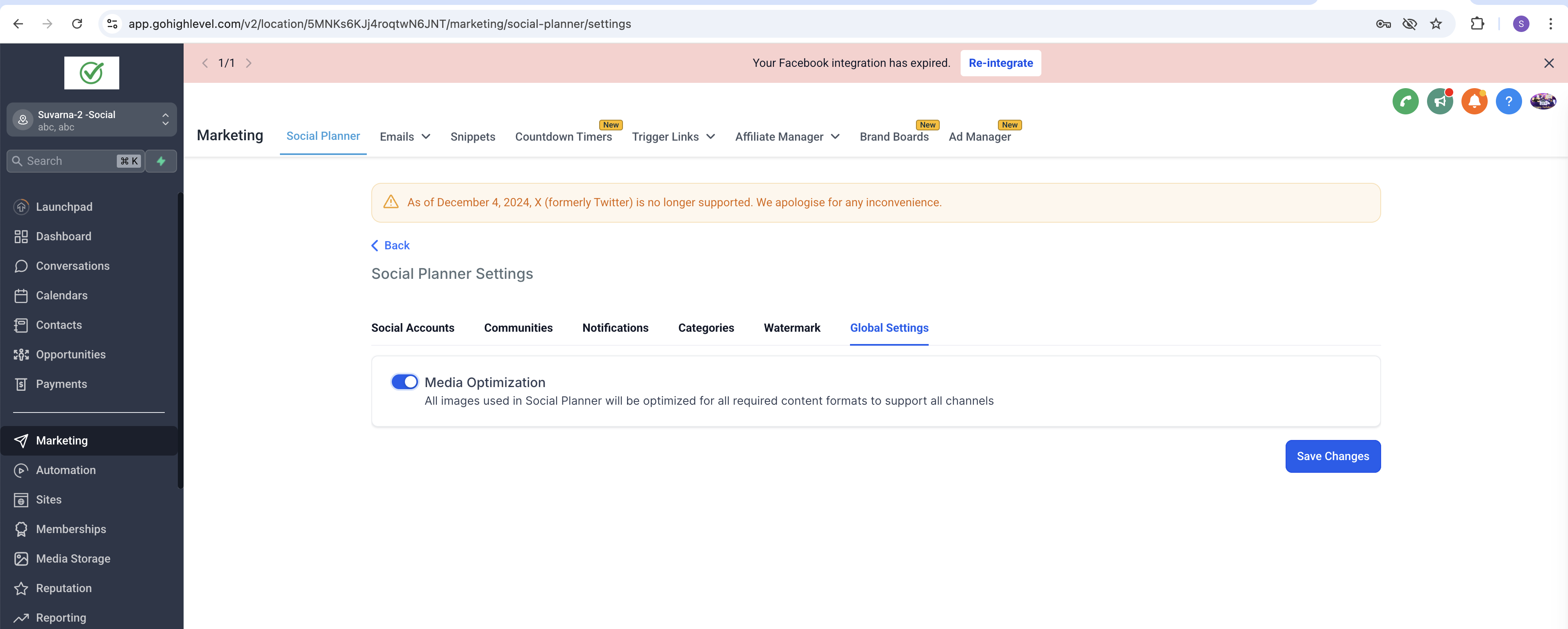
? What We Optimize It’ll solve the platform specific issues based on:
- Format
- Size
- Aspect Ratio
- Dimensions The platform specific errors that will be fixed as a part of it: Facebook Post: Facebook supports JPEG, PNG and GIF image formats. Your image format is {format}. Facebook supports image upto 10MB. Your image is {size} MB Facebook Story: Facebook Story supports JPEG, PNG and GIF image formats. Your image format is {format}. Facebook Story supports image upto 4MB. Your image is {size} MB Instagram Post: Instagram supports JPEG, PNG and GIF image formats. Your image format is {format} Instagram supports image upto 8MB. Your image is {size} MB Instagram Professional supports aspect ratios between 4:5 and 1.91:1. Your image is {aspectRatio} Instagram Story: Instagram Story supports JPEG image formats. Your image format is {format} Instagram Story supports image upto 8MB. Your image is {size} MB Google My Business Google My Business supports JPEG and PNG image formats. Your image format is {format} Google My Business supports image upto 5MB. Your image is {size} MB Google My Business supports minimum 720X720 and maximum 3000X3000 dimension. Your image dimension is {width}x{height} Linkedin Linkedin supports JPEG, PNG and GIF image formats. Your image format is {format} Linkedin supports image upto 8MB. Your image is {size} MB Linkedin supports minimum 250x250 and maximum 6012x6012 dimension. Your image dimension is {width}x{height} Pinterest Pinterest supports JPEG and PNG image formats. Your image format is {format} Pinterest supports image upto 10MB. Your image is {size} MB Community Community supports JPEG, PNG, SVG, GIF and WEBP image formats. Your image format is {format}. Community supports image upto 10MB. Your image is {size} MB
 Why This Matters We know how frustrating image-related errors can be when planning your social content. With Image Optimization, you can focus on creating engaging posts while we take care of the technical details.
 What’s Next? Video Optimization is coming soon! Get ready to enhance your videos with the same seamless experience. Note: This change wouldn’t be visible in the preview but the actual published image on the platform.
 Try Media Optimization Now and enjoy effortless social scheduling!