
Automatic Review Request When Invoice Paid in Quickbooks
The Quickbooks integration comes with a built-in automation to send a Review Request whenever a contact’s first invoice is paid in full (balance drops ). This is independent of manual and workflow actions to send a Review Request. This can be left enabled, or it can be disabled. Click here to learn more about the Quickbooks Integration. The Quickbooks Automatic Review Request is built into the integration, it does not use the Patient Copilot Workflow triggers/actions. The Workflow trigger for Invoice Paid does not respond to invoices paid in Quickbooks, only to invoices paid in Patient Copilot.
How can I turn off / disable the Quickbooks automatic Review Request?
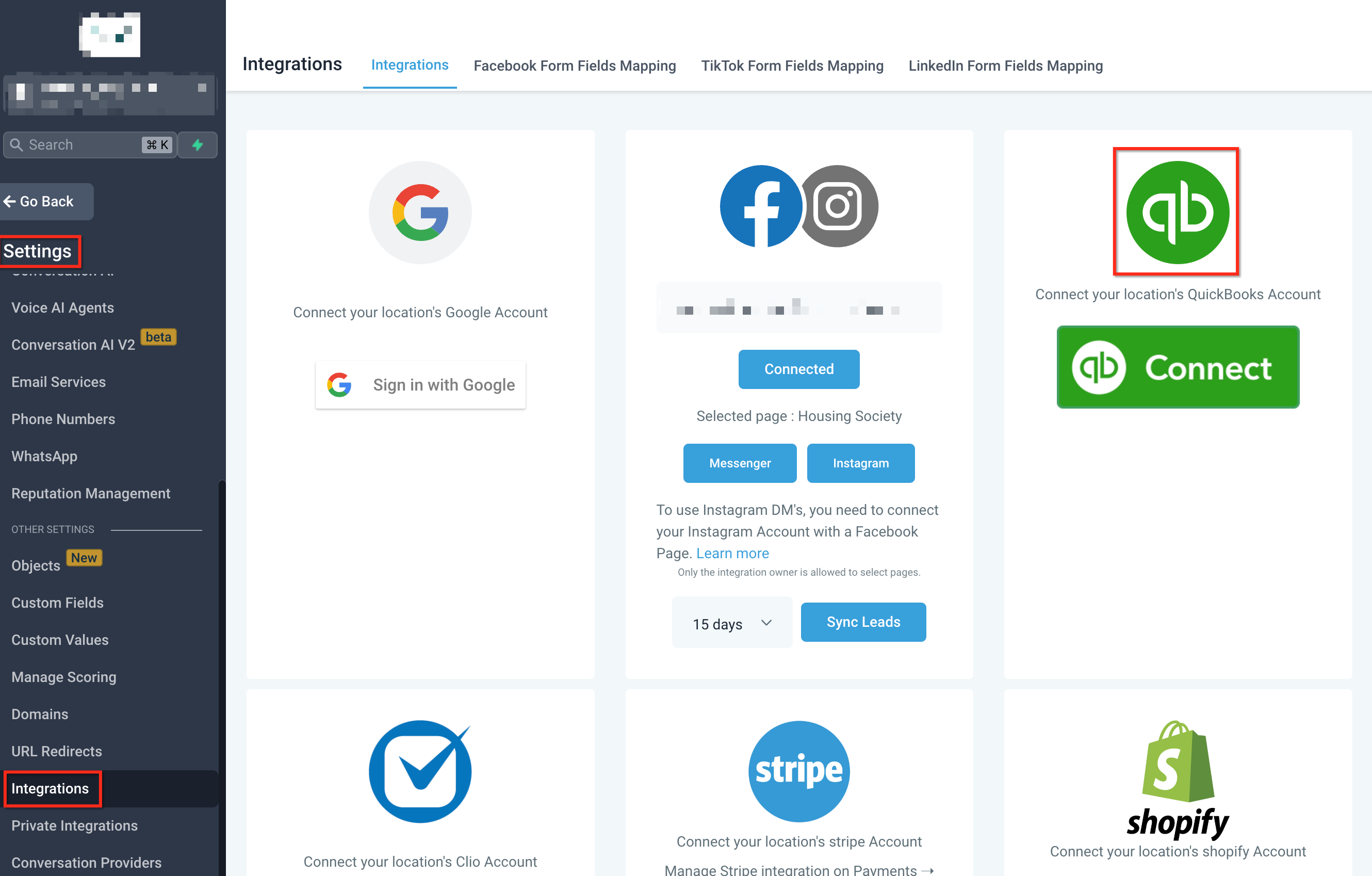
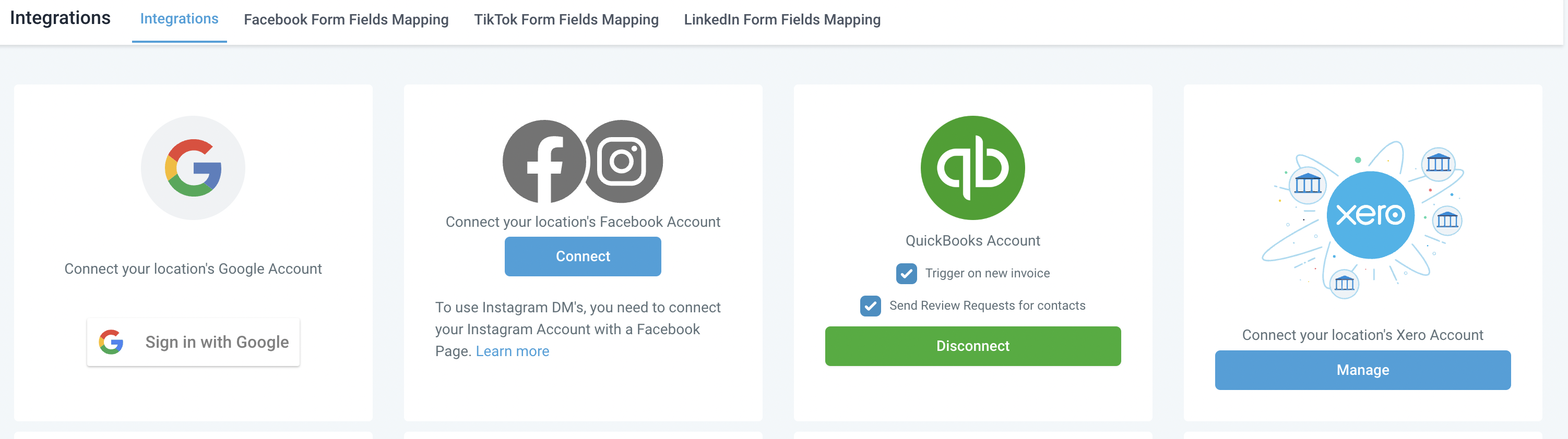
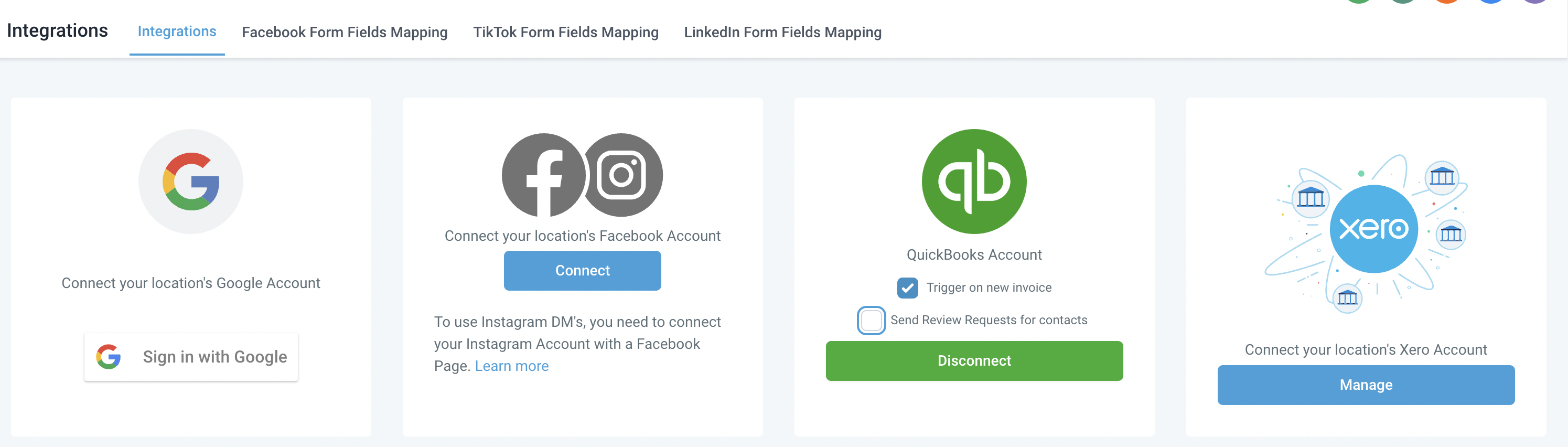
For a period of time there was no way to disable this automatic Review Request. In Oct 2024 a new feature was released that allows toggling this feature on / off. You can control this in Subaccount > Settings > Integrations > Quickbook Integration > deselect “Send Review Requests for contacts”. You can turn it back on / reenable later.
Was this article helpful? That’s Great! Thank you for your feedback Sorry! We couldn’t be helpful Thank you for your feedback Feedback sent We appreciate your effort and will try to fix the article